
AI 6秒バンパー広告ジェネレーター
Morphicのバンパー広告ジェネレーターなら、ブラウザの中で6秒バンパー広告を演出できます。スキップ不可の6秒に収まる、1つの画像・1つの言葉・1つの商品ビートを生成します。Speechで声を加え、Composeで同じコンセプトから15秒・30秒版も作れます。
演出できる6秒バンパーのカット
組み立てられる6秒バンパーの構成
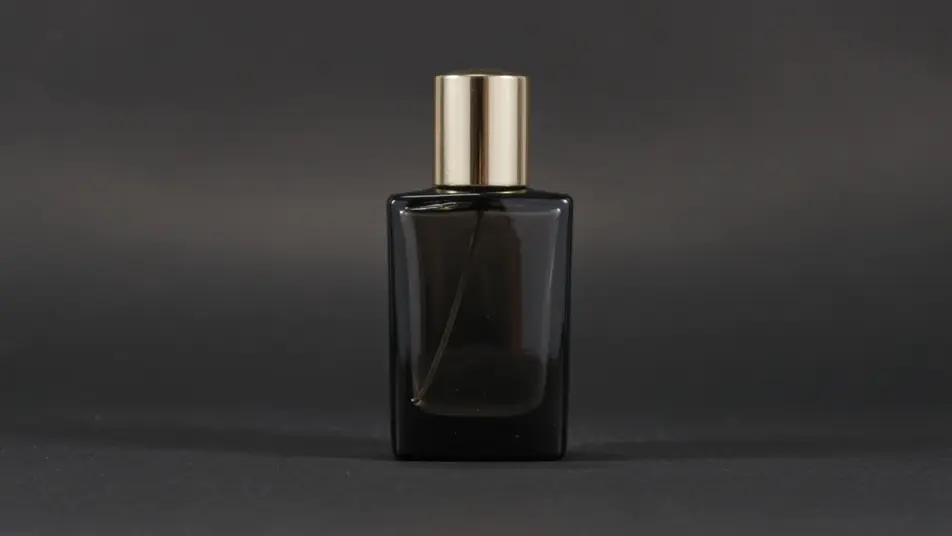

6秒バンパー広告の動画を3ステップで作成
- 一
シーンを記述
作りたい6秒バンパー広告のシーンを、わかりやすい言葉で記述します。
- 二
動画を生成
Morphicがキャンバス上に映画のようなクリップを数秒で生成します。
- 三
仕上げて共有
プロンプトを調整して再生成し、気に入ったショットを保存・共有します。

シネマティックシーンへのメッセージ
あらゆるテキスト会話を映画のようなマルチショットビデオにドラマ化します。
このワークフローを試す
タイムフリーズ効果
あらゆるシーンに使える、シネマティックなタイムフリーズ短編動画
このワークフローを試す

タイトルシーケンス
オプションでシネマティックアニメーションを追加できる、プロフェッショナルな映画タイトルカードをゼロから生成します。
このワークフローを試す
リノベーションのタイムラプス
不動産の写真は、建設SFXと音楽を使った映画のようなリノベーションのタイムラプスビデオになります。
このワークフローを試す
Cinematic scene
1枚の画像から9シーンのシネマティックビデオを作成します。
このワークフローを試す
映画の世界に入り込んでみよう
あなたの写真をドロップしてください。アニメーションとマッチしたサウンドトラックを備えた12秒の映画のようなムービーを入手してください。
このワークフローを試す
こちらもおすすめ
15秒広告動画をAIで生成
Morphicで15秒の広告動画をAI生成。冒頭のフックから商品カット、エンドカードまで作り、YouTube広告向けの6秒・30秒版もComposeで書き出せます。
AI 30秒CMジェネレーター
クルーもロケも不要。MorphicのAIで30秒CMを数分で作成できます。起承転結を描き、尺やアスペクト比の変更も自在。今すぐ試せます。
AIプレロール広告動画
スキップされる前の5秒で、ブランドと要点を届ける。冒頭のインパクトから訴求ポイント、エンドカードまで一気に生成できます。
AIで作るYouTubeショート広告
YouTubeショート広告をMorphicのAIで作成。最初の2秒のつかみ、商品の見せ場、ループするエンドカードを9:16で生成し、6秒・15秒・30秒に書き出せます。商用利用も可能です。
シンプルな料金体系
今すぐ無料で始めて、いつでもアップグレードまたはキャンセルできます。
Basic
$19/ 月
請求額は $0 年2400 月 クレジット
1 ユーザーのみ
すべてのモデル
ワークフロー
Standard
$24/ 月
請求額は $0 年3625 月 クレジット
1 ユーザーのみ
すべてのモデル
ワークフロー
Pro
$45/ 月
請求額は $0 年6350 共有 月 クレジット
1 ユーザー
+ 最大 4 名まで追加費用
すべてのモデル
ワークフロー
Max
$170/ 月
請求額は $0 年24650 共有 月 クレジット
1 ユーザー
+ 最大 9 名まで追加費用
すべてのモデル
ワークフロー
Enterprise
より高い制限のために
カスタム
料金と請求条件
大容量クレジット
カスタムシート制限
すべてのモデル
ワークフロー

Free
気軽に試したい方に
$0
ずっと無料
最大20クレジット
1ユーザーのみ
一部のモデル
ワークフロー
よくある質問
AIで6秒バンパー広告はどこで作れますか?
Morphic上でブラウザから直接6秒バンパー広告を作成できます。Text to Videoツールを開き、1つの画像と1つの言葉を説明すれば、モデルがカットを生成します。Composeできれいな6秒に整えて書き出せます。
生成したバンパー広告は商用利用できますか?
はい、Morphicで生成した動画は商用利用いただけます。YouTubeのバンパー広告枠やSNS広告にそのままお使いいただけます。詳細な条件は利用規約をご確認ください。
その6秒に何を詰め込めばよいですか?
1つのアイデアを、1回だけはっきりと伝えます。大胆な商品ショット1点、短い一文、あるいはロゴとタグラインのフラッシュのほうが、急いだストーリーより印象に残ります。6秒に2つ目のビートを入れる余裕はありません。
同じコンセプトから15秒・30秒版も作れますか?
はい。一度バンパーを作れば、Composeで同じアイデアを15秒CMや30秒CMへ拡張できます。1つの商品ショットと1つのルックを3つの尺で使い回すことが、1つのキャンペーンとして見える鍵です。
バンパーに音を加えられますか?
はい。Speechツールが一言のセリフをフレームに重ねられます。短いフレーズのほうがバンパーには合います。Musicツールは短いスティングを添え、6秒を圧迫せずにインパクトを加えます。