AI interior layout effect

Interior layout shots where an empty room furnishes itself, a floor plan rises into walls, or one arrangement swaps for another while the camera glides through.

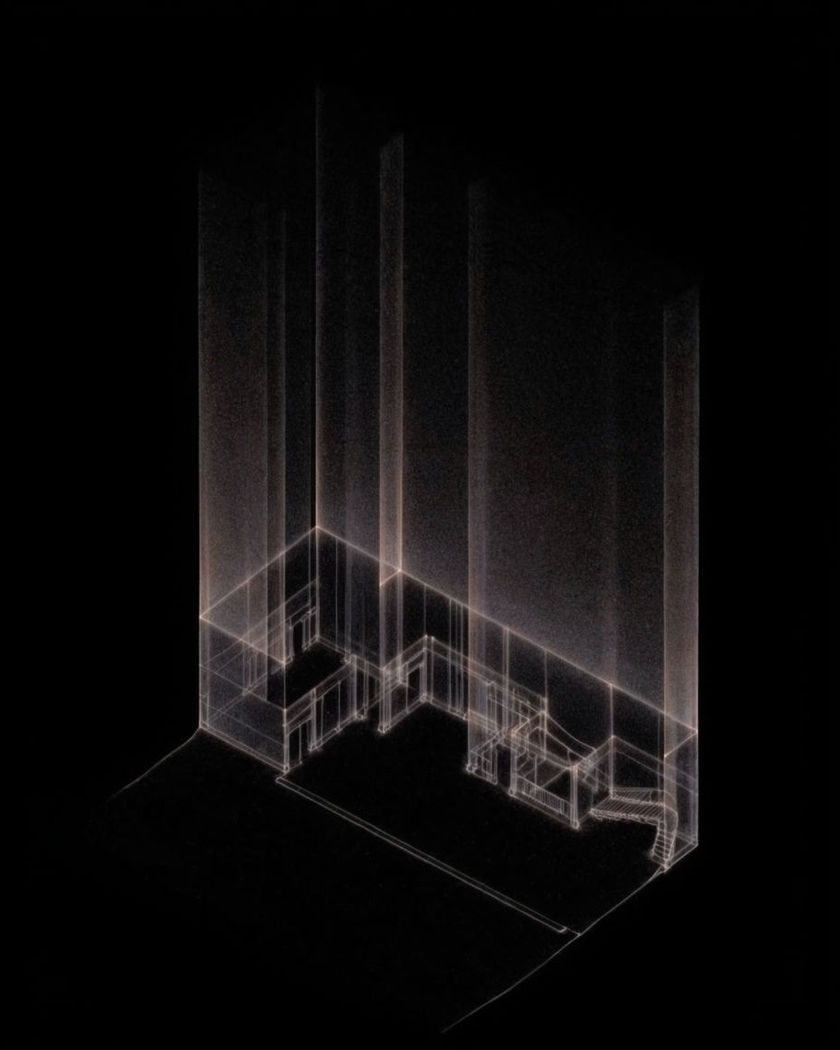
Faint glowing lines drawn on a flat black plane rising upward into thin translucent walls on a black ground

Interior layout effect examples

Open-plan living room assembles

이 프롬프트 사용

Wide glide through an empty open-plan space as every piece slides in and settles. a wide shot gliding slowly through an empty open-plan living space with large windows, a long sofa, armchairs, a dining table, chairs and a rug sliding in from the edges of the room and settling into place one group at a time, lamps and plants landing last, walls, floor and windows unchanged, one continuous move

Whole-floor plan rises

이 프롬프트 사용

A full apartment plan on the floor extrudes into rooms as the camera descends. a wide top-down shot of a full apartment floor plan drawn in pale lines on a dark floor, the camera slowly descending and tilting while the walls extrude upward room by room, doors, kitchen counters, a bed and a sofa rising into place, textures and daylight filling in as the last wall closes, one continuous move

Bedroom swaps its layout

이 프롬프트 사용

The bed, wardrobe and desk slide to new walls while the camera holds a slow push. a camera pushing slowly into a small bedroom, the bed sliding from the left wall to under the window, the wardrobe and desk gliding across the floor to swap places, the rug rotating to match, everything settling into a second finished arrangement, the walls, window and light unchanged, one continuous move

Plan lifts into a living room

이 프롬프트 사용

A drawn plan lifts off the floor into walls, sofa and shelves as the camera tilts down. a camera tilting slowly down from a plain ceiling toward a floor plan drawn on the floor in pale lines, the lines lifting into low walls, then a sofa, shelves and a window frame rising up out of their outlines and filling with colour and texture, daylight arriving through the finished window, one continuous move

Loft furnishes itself

이 프롬프트 사용

An empty loft fills as sofa, rug and table slide in and settle during the glide. a camera gliding slowly forward through an empty sunlit loft with bare wooden floors, then a sofa, a rug, a low table and a bookshelf slide in from the edges of the room and settle into place one after another, cushions and books landing last, the walls, windows and light staying exactly as they were, one continuous move

Doorway to doorway glide

이 프롬프트 사용

The camera glides through three rooms as each one furnishes just ahead of it. a camera gliding at walking pace through a doorway into an empty hallway, then a living room, then a kitchen, each room filling with furniture and lamps a moment before the camera reaches it, sofas, chairs and tables sliding in and settling, walls and doorways staying fixed, one continuous move, soft daylight

Glide through a furnishing house

이 프롬프트 사용

The camera walks the length of a house as each room fills just before it arrives. a wide shot gliding at walking pace down the central hallway of an empty house, each room on either side filling with furniture a moment before the camera passes its doorway, beds, sofas and tables sliding in and settling, the hallway walls and floor staying fixed, ending at a bright back window, one continuous move

Floor plan rises into a kitchen

이 프롬프트 사용

Lines on the floor extrude upward into walls and counters as the camera lifts. a top-down view of a simple floor plan drawn as pale lines on a dark floor, the camera slowly lowering and tilting toward eye level while the lines extrude upward into solid walls, a kitchen island, cabinets and a window, textures and daylight arriving as the last surfaces close, one continuous move

Dining room restyles three ways

이 프롬프트 사용

The table, chairs and sideboard slide through three arrangements in one push. a wide shot pushing slowly into a dining room, the table and chairs sliding from the centre to along the window, then rotating to the far wall with the sideboard swapping sides each time, the rug and pendant light shifting to match, three finished layouts in one continuous move, the room itself never changing

Studio apartment builds from bare walls

이 프롬프트 사용

Flooring rolls out, then the bed, kitchenette and shelves arrive in order. a camera slowly orbiting inside a bare concrete studio apartment, wooden flooring rolling out across the slab, then a bed, a kitchenette, a dining table and wall shelves sliding in from the edges and settling in sequence, plants and lamps landing last, the windows and walls unchanged, one continuous move

Generate your own interior layout effect

시작점을 고르고 원하는 대로 수정한 뒤 Morphic에서 생성하세요.

생성하기

간단한 가격

오늘 무료로 시작하고 언제든지 업그레이드하거나 취소할 수 있습니다.

Basic

$9/
청구 금액 $0

1100 월간 크레딧

1 명 전용

모든 모델

워크플로

Standard

$24/
청구 금액 $0

3625 월간 크레딧

1 명 전용

모든 모델

워크플로

Pro

$45/
청구 금액 $0

6350 공유 월간 크레딧

1 사용자

+ 최대 4 명 추가 비용으로 추가 가능

모든 모델

워크플로

Pro Max

$170/
청구 금액 $0

24650 공유 월간 크레딧

1 사용자

+ 최대 9 명 추가 비용으로 추가 가능

모든 모델

워크플로

Enterprise

더 높은 제한

사용자 정의

가격 및 청구 조건

대용량 크레딧
맞춤형 시트 제한
모든 모델
워크플로
Pricing Gradient

Free

가볍게 사용해보기

$0

영구 무료

최대 20 크레딧
1명 전용
일부 모델
워크플로

자주 묻는 질문

Where can I make interior layout videos with AI?
You can create interior layout videos in your browser on Morphic. Upload a room photo or plan to the Image to Video tool, or describe the space in the Text to Video tool, say how the layout should arrive, and Morphic generates the furnishing move as one continuous clip.
What is the interior layout effect?
The interior layout effect is a short clip where a room builds or rearranges itself during a camera move. Furniture slides in and settles, a drawn floor plan rises into walls and counters, or one arrangement swaps for another while the walls, windows and light stay fixed.
How do I write a good prompt for an interior layout video?
Name the room and the camera move, then list the pieces in the order they should arrive and how (slide in, rise from a plan, swap places). State that the walls, windows and light stay the same and ask for one continuous move. Fewer pieces arriving in sequence reads cleaner than everything at once.
Can I start from a photo of my own empty room?
Yes. Use the Image to Video tool with the empty room as the first frame, then describe the furniture sliding in. The walls, floor and windows are held from the photo and the layout assembles inside them.
Can I show several layouts of the same room in one clip?
Yes. Describe the pieces sliding from one arrangement to the next while the camera holds a slow push, and list each layout in order. Two or three arrangements per clip keep each one readable.
Do I need design software or editing experience to make an interior layout video?
No. Morphic runs in your browser and takes plain-language prompts. Describe the room and how the layout arrives, and the clip comes back with the move already in it. The prompts on this page can be pasted and run as they are.