AI multiple me effect

Multiple me shots generated in one take: the same person appears three, five or a dozen times in a single frame, each copy doing something different.

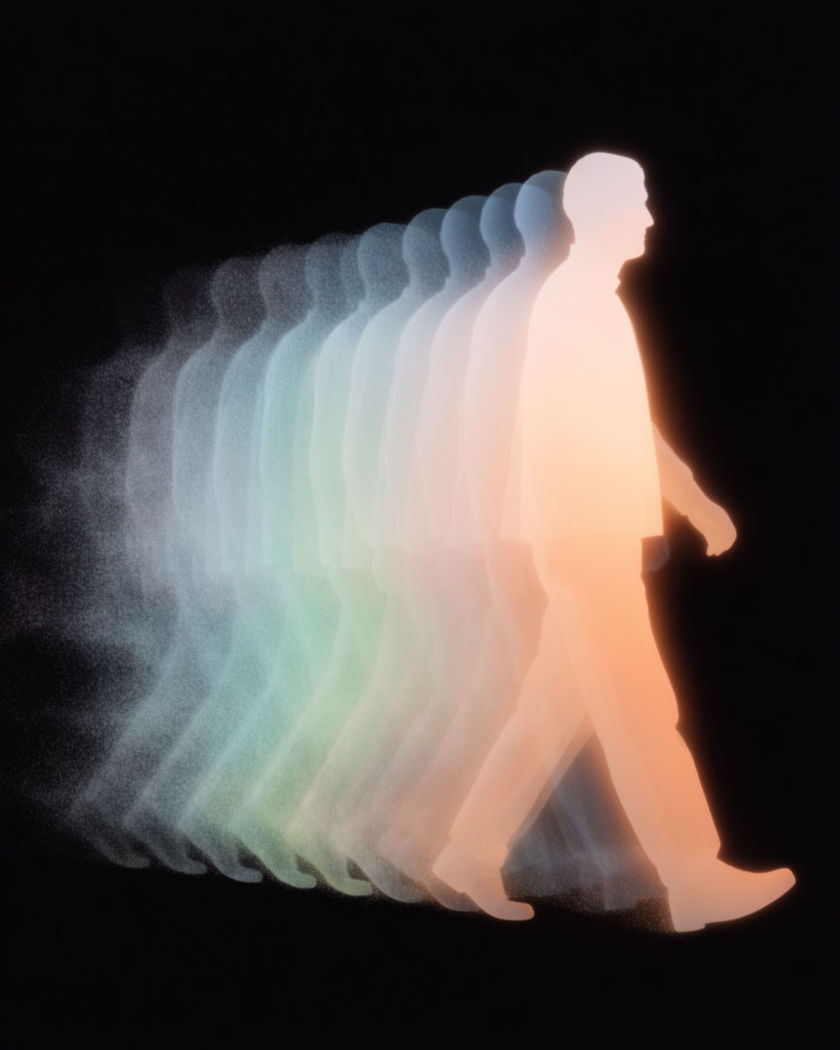
A single walking silhouette rendered in soft light with a fan of identical copies peeling on a black ground

Multiple me effect examples

Band of one person

이 프롬프트 사용

Four copies play four instruments together in one room. four identical copies of the same person in a plain rehearsal room, same face and same outfit, one at a drum kit, one at a keyboard, one with a bass, one singing at a stand, all playing together in the same shot with natural movement, warm practical light, wide still camera

Copies peeling off across a lobby

이 프롬프트 사용

One walker becomes eight walkers spreading across a lobby. a wide shot of a plain hotel lobby, one person walking through it while identical copies of them with the same clothes peel off from their body every second and walk to different parts of the lobby, until eight copies are spread across the space, soft daylight, still camera

Walk-out copies on a pavement

이 프롬프트 사용

As the person walks, copies peel off and walk in other directions. a person walking toward the camera on a plain pavement, and every second an identical copy of them with the same clothes peels off from their body and walks away in a different direction, so by the end six copies are walking across the frame, overcast daylight, still camera

Split on the beat

이 프롬프트 사용

The person snaps their fingers and a new copy appears each time. a person standing in a plain room snapping their fingers, and on each snap an identical copy of themselves steps out of their body and stands beside them, the copies wearing the same clothes and each striking a different pose, until five stand in a row, warm indoor light, still camera

One splits into four

이 프롬프트 사용

A standing figure peels apart into four identical copies. one person standing still in a plain room, then three identical copies of that same person with the same face, hair and clothes stepping sideways out of their body, so four identical figures stand in a row, one stretching, one checking a watch, one waving, one still, still camera, soft daylight

Copies filling a staircase

이 프롬프트 사용

A dozen copies sit on the steps of one staircase. a dozen identical copies of the same person, same face and same outfit, sitting and standing on the steps of a plain concrete staircase, some reading, some chatting to each other, some looking at the camera, all moving naturally in the same shot, soft daylight, still camera

Crowd of one on a rooftop

이 프롬프트 사용

Twenty copies fill a rooftop, all the same person. a wide shot of a plain rooftop at dusk filled with twenty identical copies of the same person, all with the same face and outfit, standing in loose groups, some chatting, some looking out over the edge, some walking between groups, all moving naturally, still camera

Lineup of five moods

이 프롬프트 사용

Five copies stand shoulder to shoulder, each with a different expression. five identical copies of the same person standing shoulder to shoulder facing the camera in a plain grey studio, same face and same outfit on every copy, each one holding a different expression, laughing, bored, surprised, thinking, serious, all moving naturally at once, still camera

Split from one to three at a table

이 프롬프트 사용

A seated figure divides into three who then argue across the table. a person seated alone at a plain round table, then two identical copies sliding out of their body sideways to sit either side of them, three copies with the same face and the same outfit now leaning in and gesturing at each other across the table, dim cafe light, wide still camera

Copy hands a copy a cup

이 프롬프트 사용

Two copies interact, one passing a cup to the other across the frame. two identical copies of the same person in a plain kitchen, one on the left pouring from a plain jug into a cup and handing it across to the other on the right, who takes it and drinks, both with the same face and the same clothes, their hands touching at the handover, window light, still camera

Generate your own multiple me effect

시작점을 고르고 원하는 대로 수정한 뒤 Morphic에서 생성하세요.

생성하기

간단한 가격

오늘 무료로 시작하고 언제든지 업그레이드하거나 취소할 수 있습니다.

Basic

$9/
청구 금액 $0

1100 월간 크레딧

1 명 전용

모든 모델

워크플로

Standard

$24/
청구 금액 $0

3625 월간 크레딧

1 명 전용

모든 모델

워크플로

Pro

$45/
청구 금액 $0

6350 공유 월간 크레딧

1 사용자

+ 최대 4 명 추가 비용으로 추가 가능

모든 모델

워크플로

Pro Max

$170/
청구 금액 $0

24650 공유 월간 크레딧

1 사용자

+ 최대 9 명 추가 비용으로 추가 가능

모든 모델

워크플로

Enterprise

더 높은 제한

사용자 정의

가격 및 청구 조건

대용량 크레딧
맞춤형 시트 제한
모든 모델
워크플로
Pricing Gradient

Free

가볍게 사용해보기

$0

영구 무료

최대 20 크레딧
1명 전용
일부 모델
워크플로

자주 묻는 질문

Where can I make multiple me effect videos with AI?
You can create multiple me videos directly in your browser on Morphic. Upload a photo of the person or describe them, say how many copies you want and what each is doing, and Morphic generates every copy in the same take. No tripod, no masked layers, and no matching takes needed.
What is the multiple me effect?
The multiple me effect puts the same person in one frame several times, each copy sharing the face, hair and clothes but doing something different. Traditionally it needs a locked camera and several takes masked together; generated in one shot, the copies can cross paths, touch and share the same light.
Can the copies interact with each other?
Yes. Because every copy is generated in the same shot, they can hand each other objects, sit on the same sofa, or peel off from one walking figure. Describe the interaction in the prompt and Morphic renders it without the mask lines that a filmed version needs.
How do I write a good prompt for a multiple me effect video?
State the number of copies and say they share the same face and outfit. Describe how they appear, splitting from one body, peeling off while walking or already in place, then give each copy one action. A plain room and a still camera keep the attention on the copies.
How do I keep every copy looking like the same person?
Start from one clear photo of the person and repeat "identical copies with the same face, hair and clothes" in the prompt. Keep the outfit simple and the lighting even, and keep the count modest in the first pass. Morphic uses the reference to hold the likeness across every copy.
Do I need video editing experience to make a multiple me effect video?
No. Morphic runs in your browser and you direct it with plain-language prompts. If you can describe how many copies you want and what each one does, you can produce a multiple me video. The prompts on this page are written so anyone can paste and run them.