Direct the eighth avatar in your browser with Morphic's Krishna AI video generator. Generate Krishna scenes like the lifting of Govardhan hill on his little finger, the moonlit raas leela on the Yamuna bank, or the cosmic Vishvarupa unfolding before Arjuna, and pair them with the Speech and Music tools to chant the Bhagavad Gita and score the bansuri flute. Stitch the leelas into a Hindu mythology episode.

Krishna characters you can direct

Krishna scenes you can stage

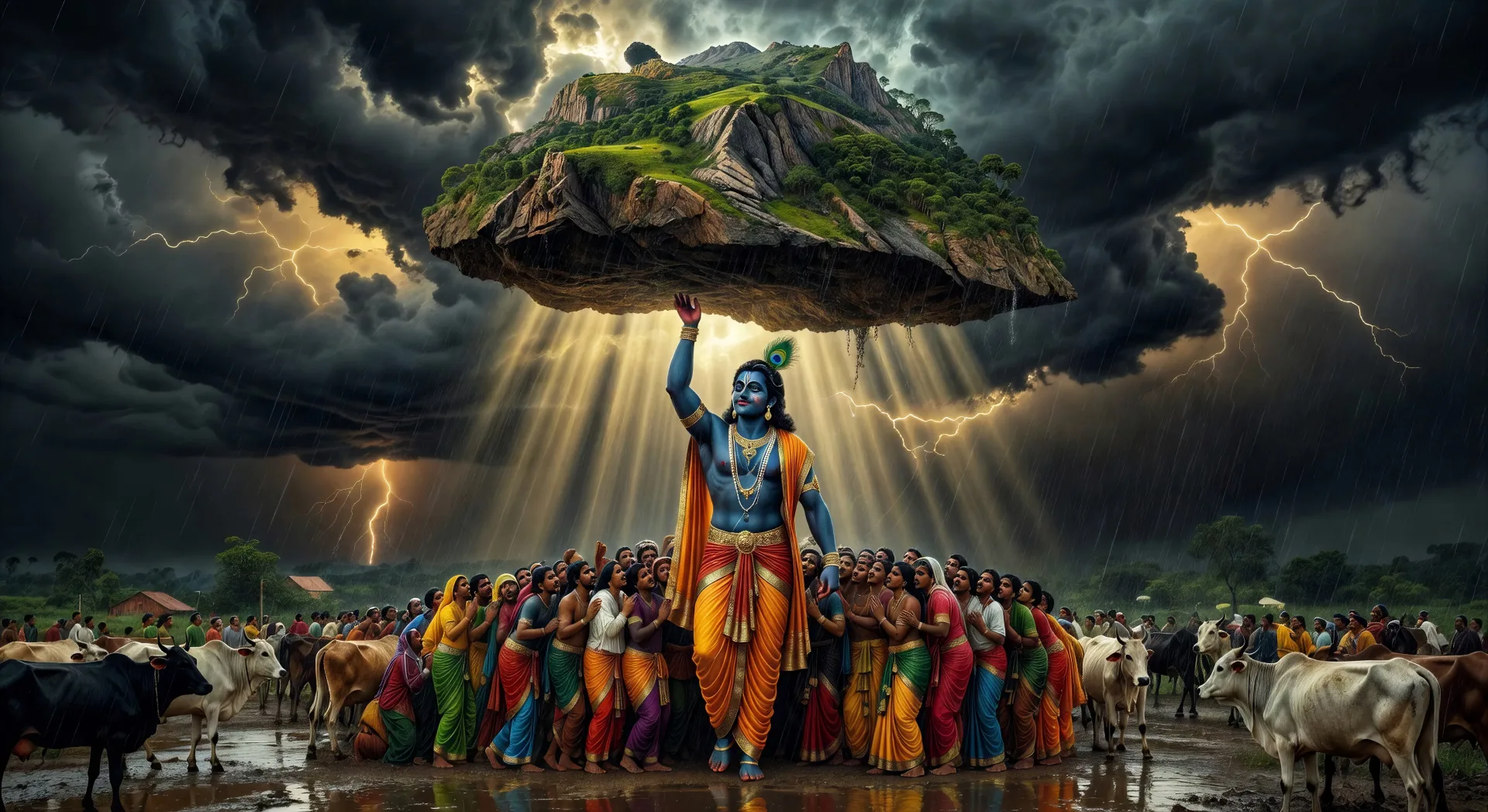
Krishna lifts Govardhan hill

Krishna raises Govardhan on his little finger as Indra’s monsoon lashes Vrindavan. Cattle and villagers shelter underneath, the sky black with cloud and lit gold at the edges.

Edit prompt
Krishna lifts Govardhan hill

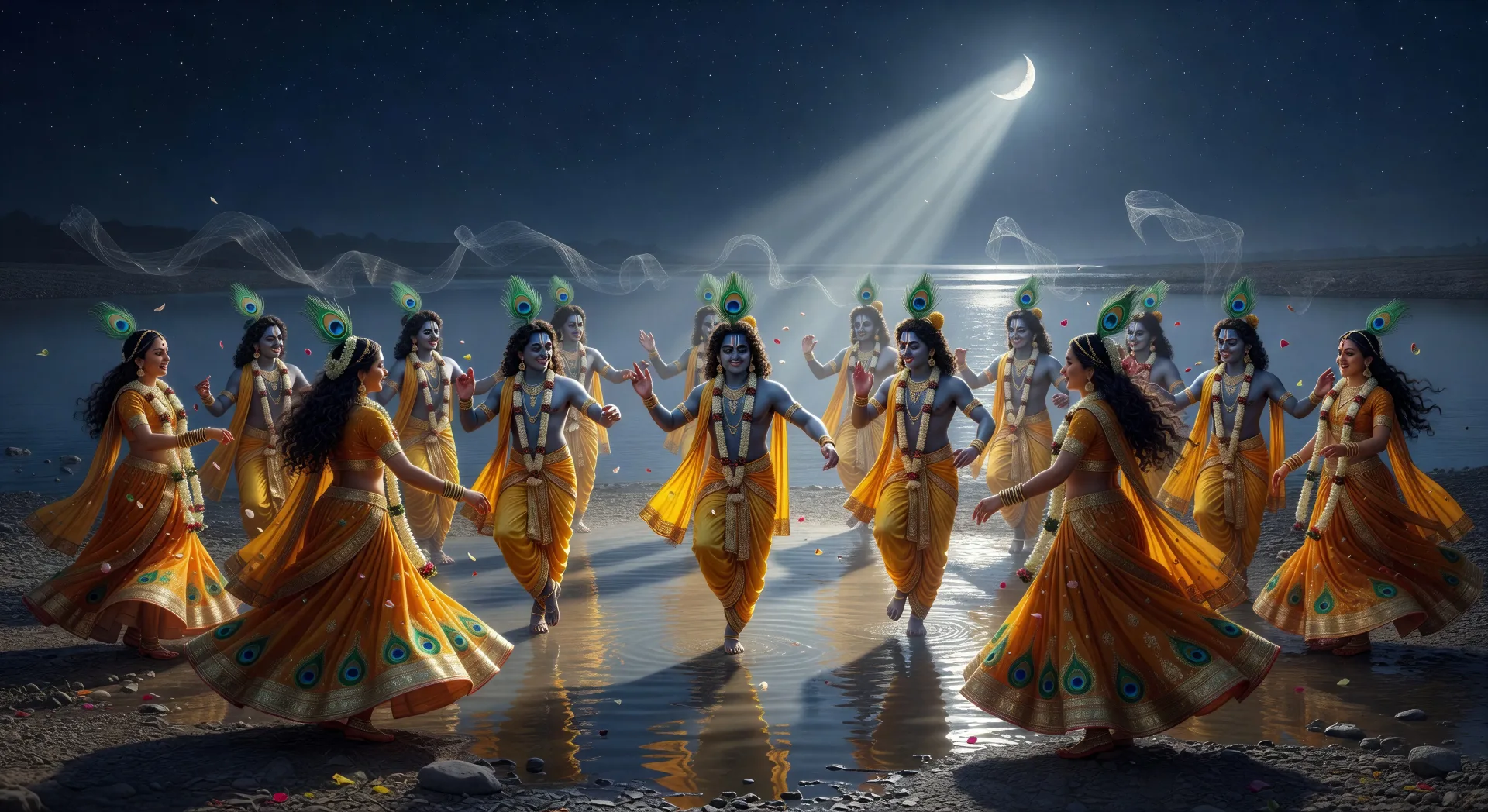
The raas leela on the Yamuna bank

Moonlit night on the Yamuna. Krishna multiplies into many forms, dancing the circular raas with the gopis, jasmine garlands swaying, flute notes hanging in the air.

Edit prompt
The raas leela on the Yamuna bank

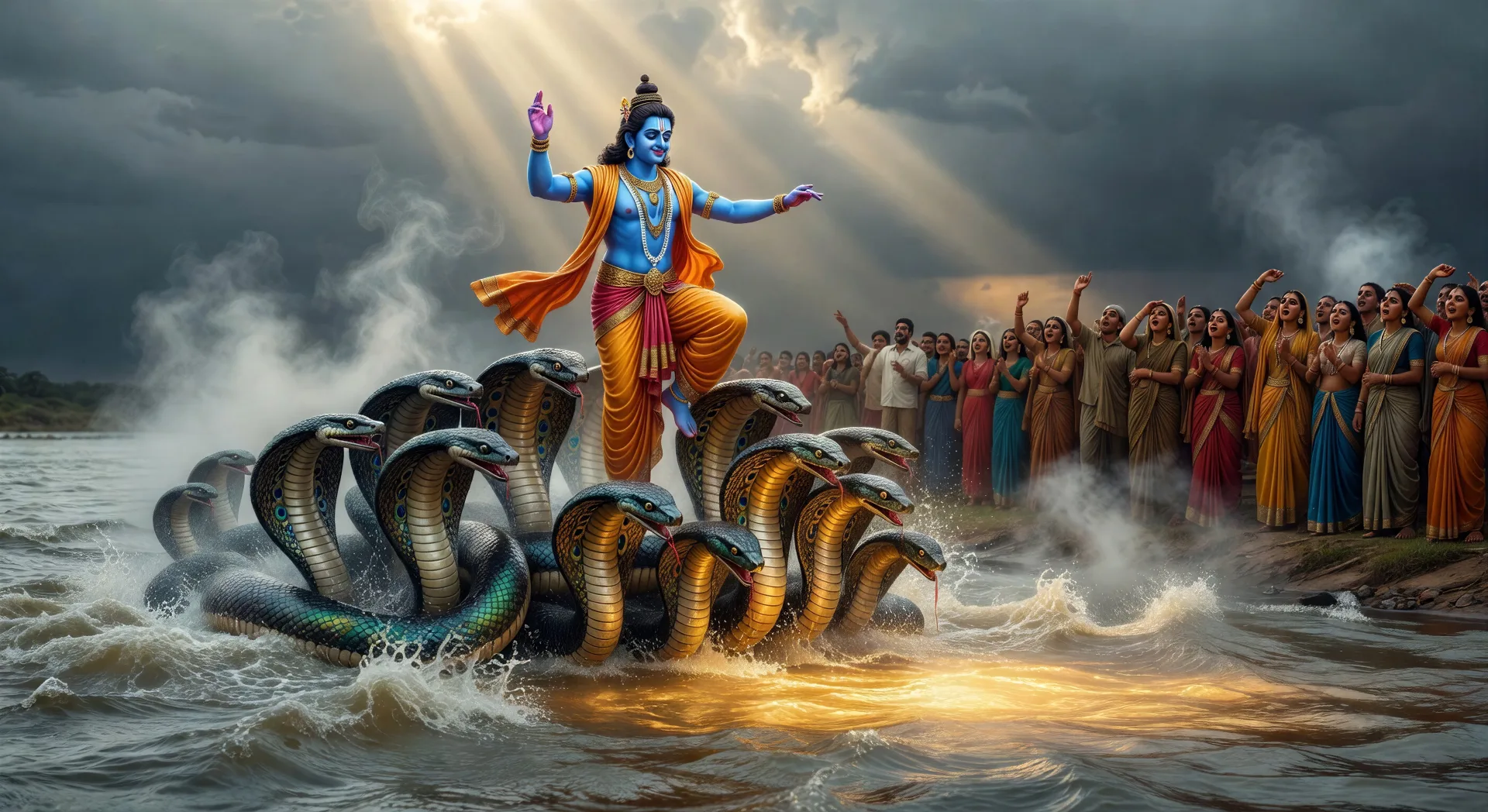
Krishna subdues Kaliya in the Yamuna

The poisoned Yamuna boils. Krishna dances on the many heads of the serpent Kaliya, the river clearing in his wake, gopis watching from the bank.

Edit prompt
Krishna subdues Kaliya in the Yamuna

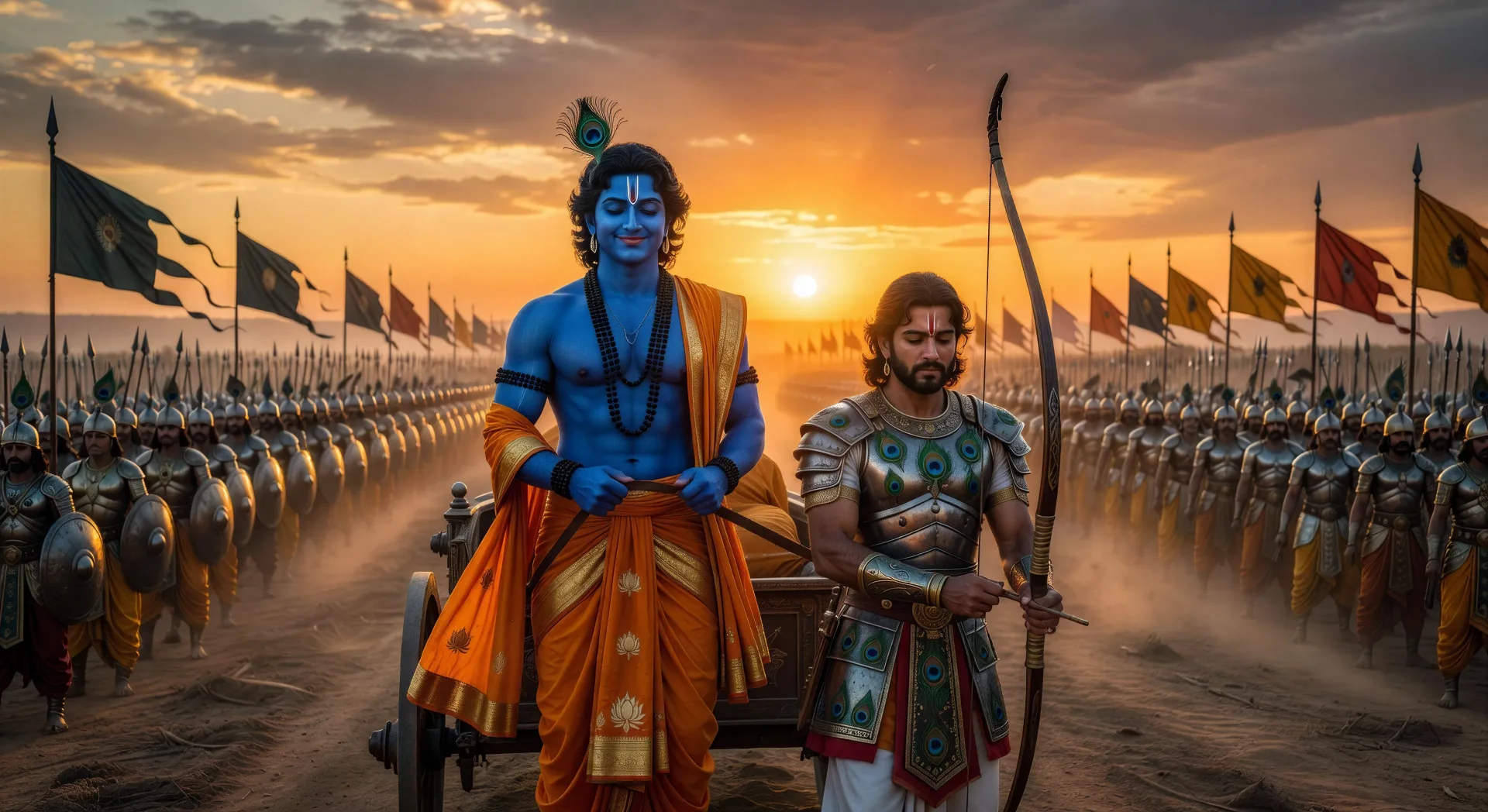
Krishna and Arjuna on the chariot

The two armies wait. Krishna stands at the chariot reins, Arjuna lowers his bow. The sun rises behind them as the Bhagavad Gita begins to unfold.

Edit prompt
Krishna and Arjuna on the chariot

Make Krishna videos in three steps

  1. 01

    Describe your Krishna scene

    Write the Krishna scene you want, including the moment, location, and camera direction.

  2. 02

    Generate the video

    Morphic generates a cinematic, frame-ready clip on your canvas in seconds, no editing software required.

  3. 03

    Refine your Krishna video

    Tweak the prompt, regenerate variations, then download or share the moment the shot lands.

Related workflows

이런 것도 좋아하실 거예요

FAQs

Where can I make Krishna videos with AI?
You can create Krishna scenes directly in your browser on Morphic. Open the Text to Video tool, describe the scene you want, and Morphic produces the clip. No installs and no specialist software needed.
What kinds of Krishna scenes work best with AI video?
Single-shot moments with strong composition tend to work best: Krishna lifting Govardhan, the raas leela on the Yamuna, the chariot at Kurukshetra, the Vishvarupa cosmic form, or Vrindavan at dawn. Anchor each Krishna scene to a specific moment, location, time of day, and mood.
How do I keep my Krishna characters consistent across scenes?
Use the Character Lineup workflow to lock in each character's look, then reference those character cards in every prompt. Morphic preserves wardrobe, face, and signature details from scene to scene so a Krishna series feels continuous.
How do I write a good prompt for a Krishna scene?
Name the moment, the iconography, the time of day, the lighting, and the camera direction. For example: "Krishna playing the flute on the Yamuna bank at moonrise, peacock feather in his crown, jasmine garlands, soft silver light, slow wide tracking shot." The more specific your imagery, the closer the output matches your imagination.
Can I add narration and music to my Krishna videos?
Yes. The Speech tool generates a voiceover from your script in the voice you choose, and the Music tool produces an original soundtrack to score the scene. Layer them onto your generated video to publish a complete Krishna episode.
What visual style works best for Krishna videos?
Three styles consistently land. Pichvai-inspired devotional painting works for Vrindavan and raas leela scenes. Tanjore gold-leaf composition lifts royal court and Mathura scenes. Cinematic photoreal lands for the Kurukshetra arc and the Vishvarupa. Name the style you want directly in the prompt and Morphic will hold it across the series.