Arrival at the window
A wide shot from inside a cozy room looking out at a red-suited figure passing a snowy window at blue hour, warm lamplight on the glass.
프롬프트 편집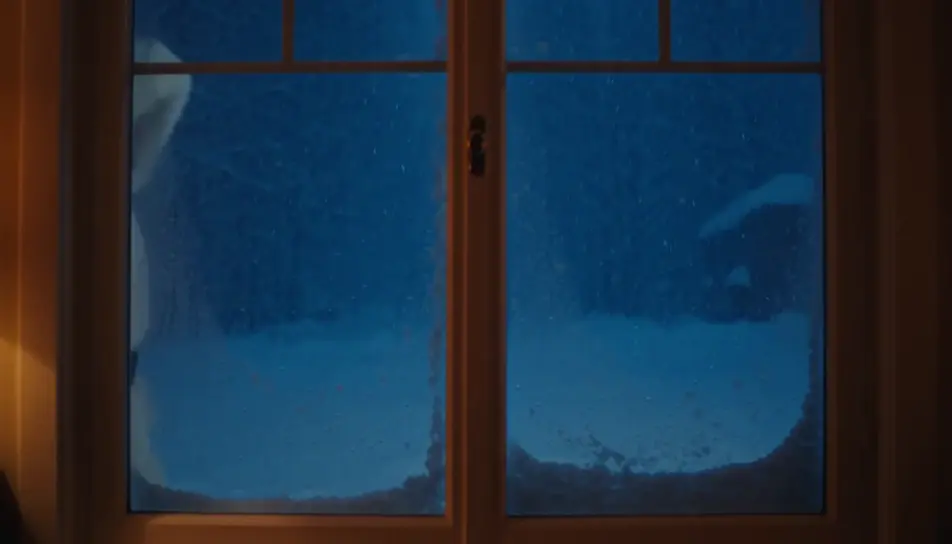
Create a personalized Santa video message in Morphic: write what Santa says, pick a voice from Morphic's voice library, and generate a short festive clip for your kids. No studio booking, no costume to source, no waiting on availability in the busiest week of the year.
A wide shot from inside a cozy room looking out at a red-suited figure passing a snowy window at blue hour, warm lamplight on the glass.
프롬프트 편집A slow push toward an armchair by a low fire, a long blank scroll resting across the arm, a pair of black boots drying on the hearth beside it.
프롬프트 편집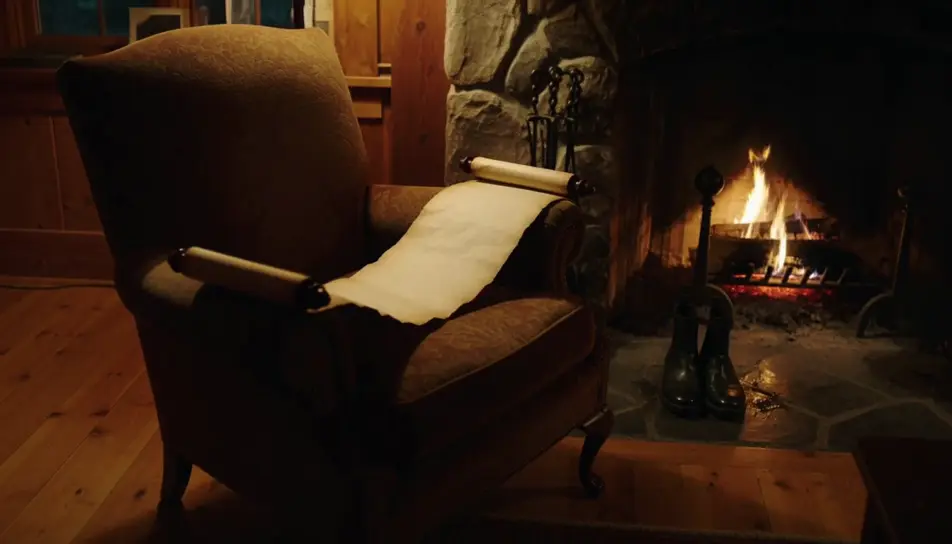
A wide shot from behind of a figure carrying a hessian sack over one shoulder toward a lit tree in a warmly decorated room.
프롬프트 편집
A quiet closing shot of a single wrapped gift under the tree at first light, soft dust motes drifting in a warm beam.
프롬프트 편집
원하는 personalized Santa video 장면을 쉬운 말로 작성하세요.
Morphic이 캔버스 위에 영화 같은 클립을 몇 초 만에 생성합니다.
프롬프트를 조정해 다시 생성한 뒤, 원하는 장면을 저장하거나 공유하세요.

모든 텍스트 대화를 영화 같은 멀티샷 비디오로 각색하세요.
모든 장면에 사용할 수 있는 시네마틱 타임 프리즈 단편 영상

선택적인 영화 애니메이션과 함께 처음부터 전문적인 영화 타이틀 카드를 생성합니다.
부동산 사진이 건설 음향 효과와 음악과 함께 영화 같은 리노베이션 타임랩스 비디오로 변환됩니다.
하나의 이미지에서 9장면의 시네마틱 영상으로.
사진을 올려주세요. 애니메이션과 어울리는 사운드트랙이 포함된 12초 분량의 영화를 만들어 드립니다.
산타클로스 AI 이미지
연말연시를 위한 산타클로스 이미지. Morphic으로 다운로드하고 공유하고 커스터마이즈할 수 있는 HD AI 생성 디자인.
AI Santa stock video
Browse Santa stock video and generate your own shots at the exact length, ratio and look the cut needs. Morphic makes video, image, voice and sound.
AI 비디오 생성기
텍스트로 놀라운 영상 생성. 모든 스타일의 전문 영상.
Animated Christmas stories for kids
Create animated Christmas stories for kids in Morphic. Write or generate a story, add narration and turn it into a short video to watch together.
오늘 무료로 시작하고 언제든지 업그레이드하거나 취소할 수 있습니다.
Basic
2400 월간 크레딧
1 명 전용
모든 모델
워크플로
Standard
3625 월간 크레딧
1 명 전용
모든 모델
워크플로
Pro
6350 공유 월간 크레딧
1 사용자
모든 모델
워크플로
Max
24650 공유 월간 크레딧
1 사용자
모든 모델
워크플로
Enterprise
더 높은 제한
사용자 정의
가격 및 청구 조건

Free
가볍게 사용해보기
$0
영구 무료