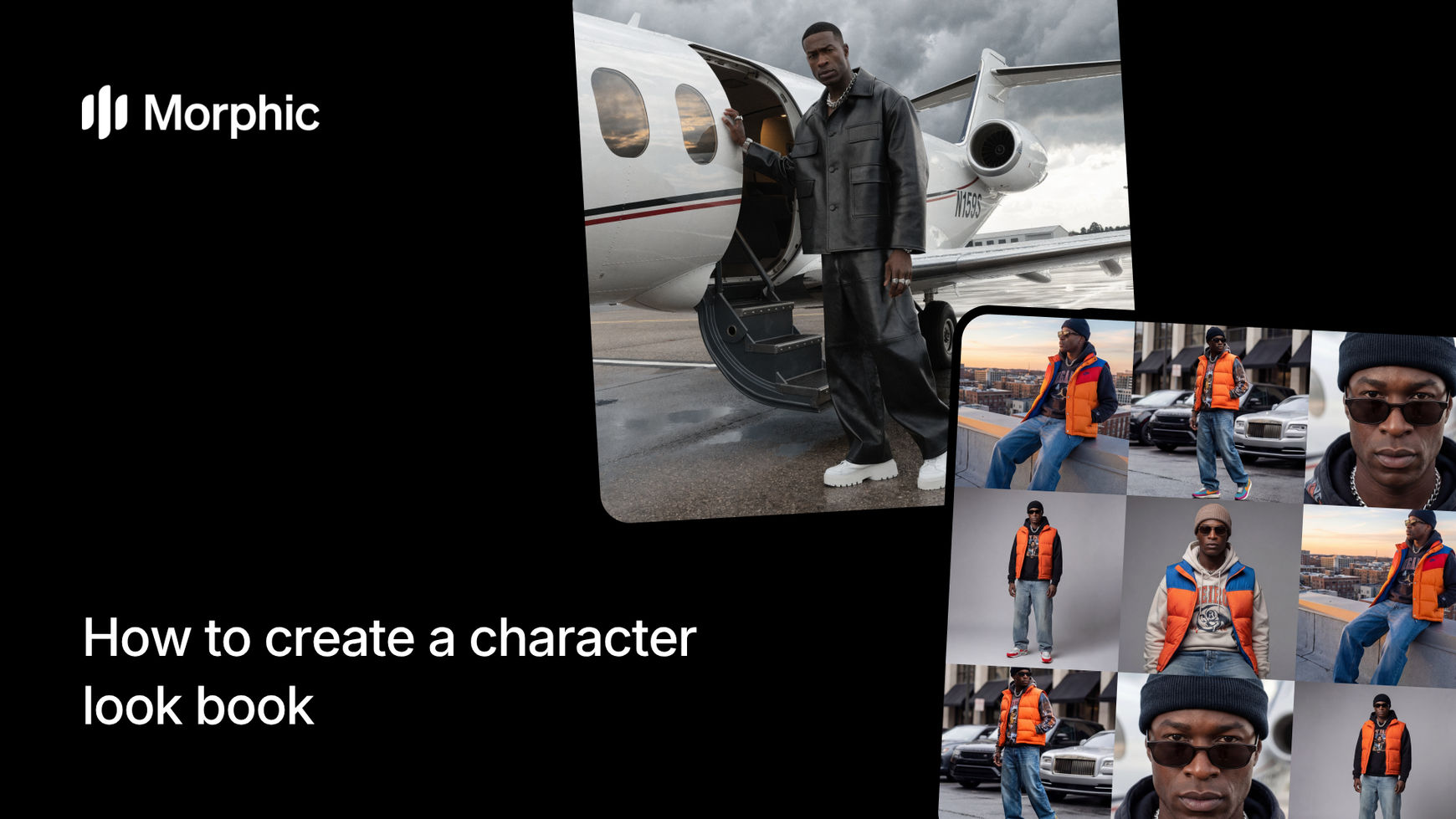
What is a character look book?
A character look book is a visual collection showing a single character in multiple outfits, poses, angles, and lighting setups. It communicates wardrobe direction, helps teams visualize costume changes, and provides a reference sheet that keeps the character recognizable across every look.
Upload a character photo or description, add costume details for each look you want, select your style variations, then run the workflow. Morphic renders each outfit on your character with consistent facial features and body proportions, applies varied angles and lighting, and maintains visual coherence across the full set. The result is a professional look book ready for production reference, pitch decks, or creative exploration.
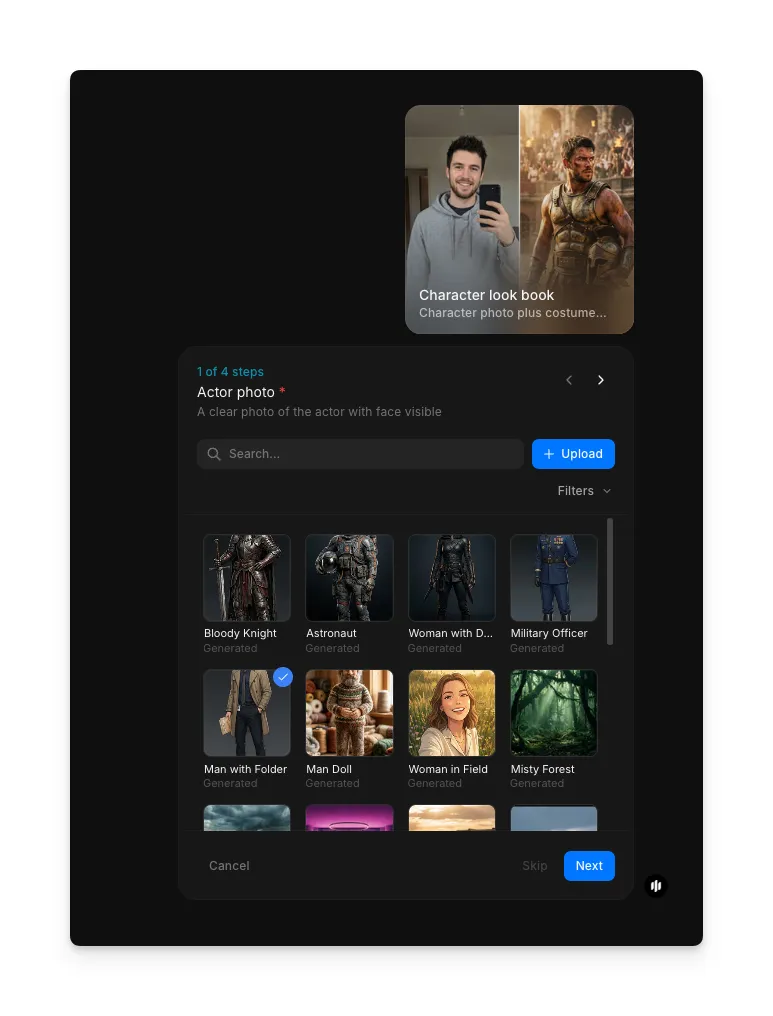
Upload your actor photo
Open the "Character look book" workflow. In the "Actor photo" step, browse the gallery or upload a clear photo of the actor or character you want to use. This photo establishes the base identity that stays consistent across every costume variation.
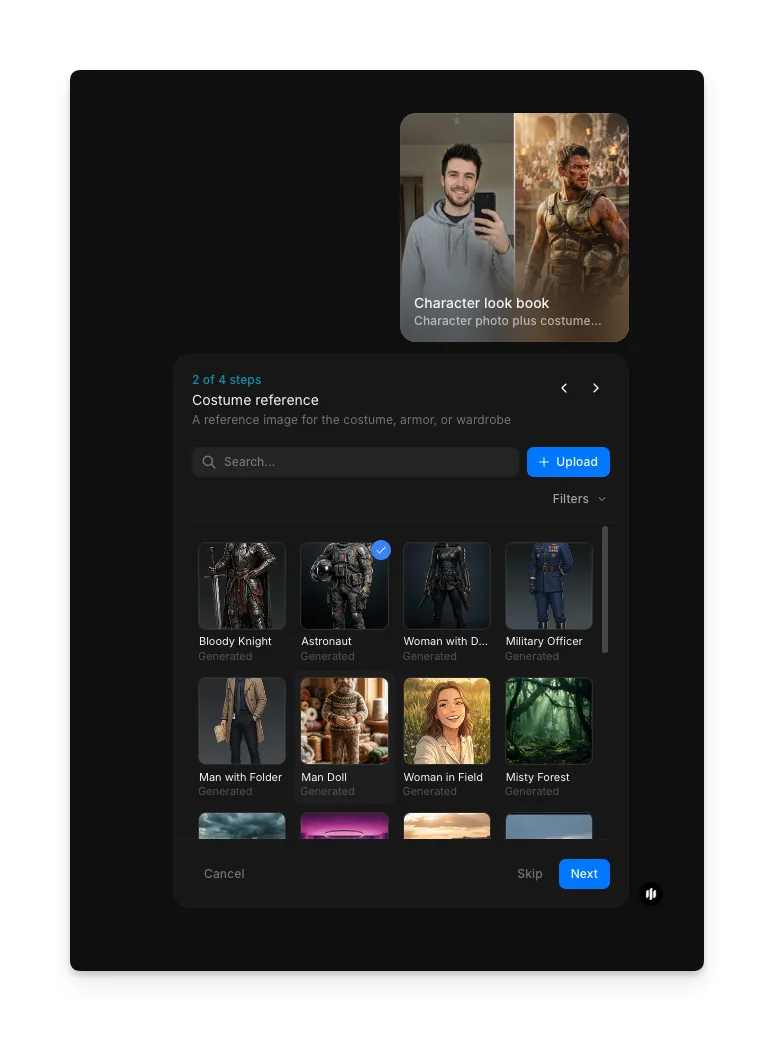
Choose a costume reference
In the "Costume reference" step, browse the gallery or upload a reference image that represents the costume direction you want. This can be an existing costume design, a fashion reference, or an illustration of the look you're going for.
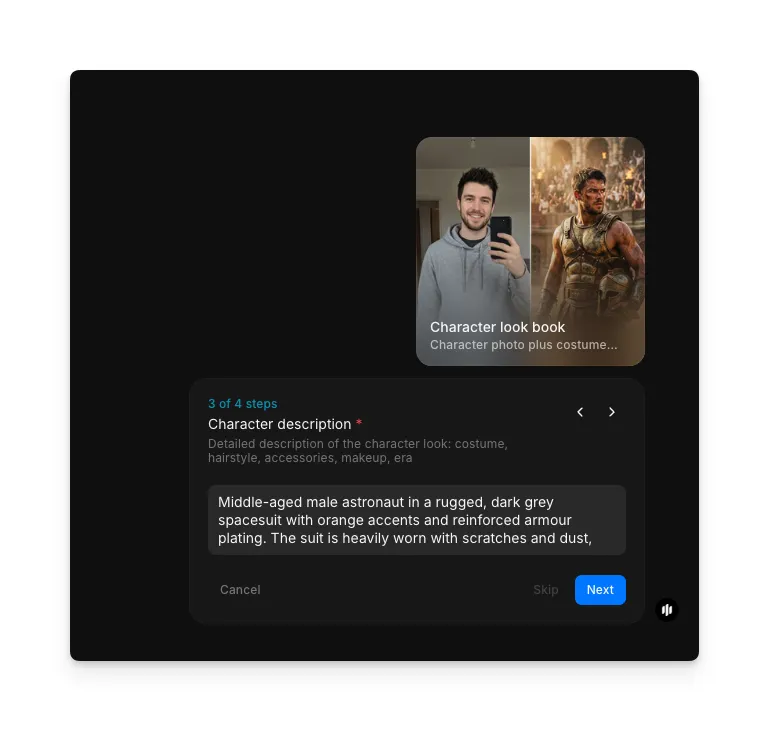
Describe your character
In the "Character description" step, enter a detailed text description of the character and costume. Include details like attire, era, accessories, and overall aesthetic direction to guide the look book generation.
Select the mood and generate
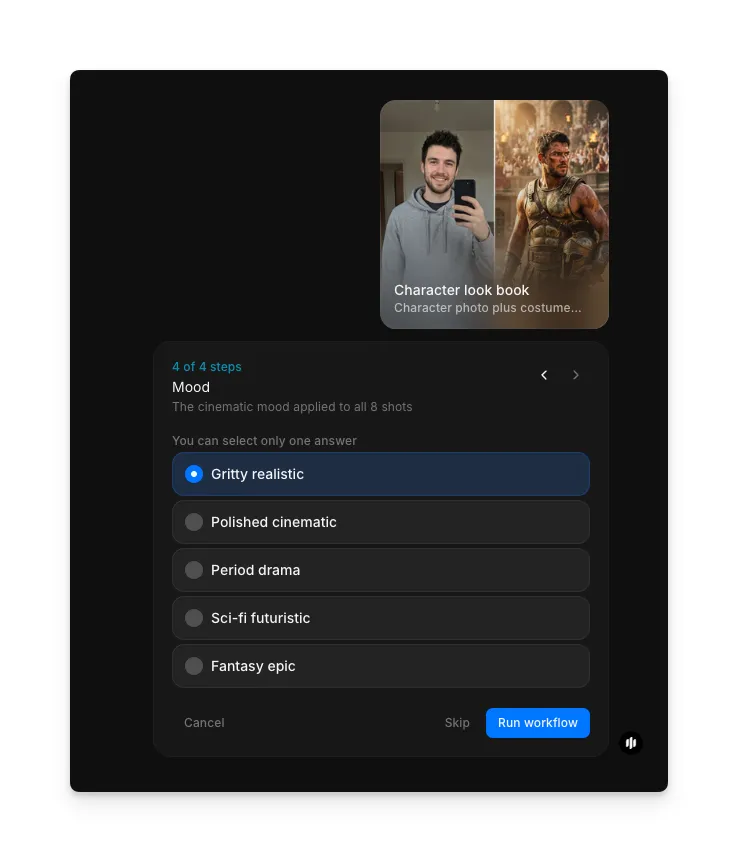
In the "Mood" step, select the cinematic mood applied to all shots. Options include Gritty realistic, Polished cinematic, Period drama, Sci-fi futuristic, and Fantasy epic. Click "Run workflow" to generate the complete look book.
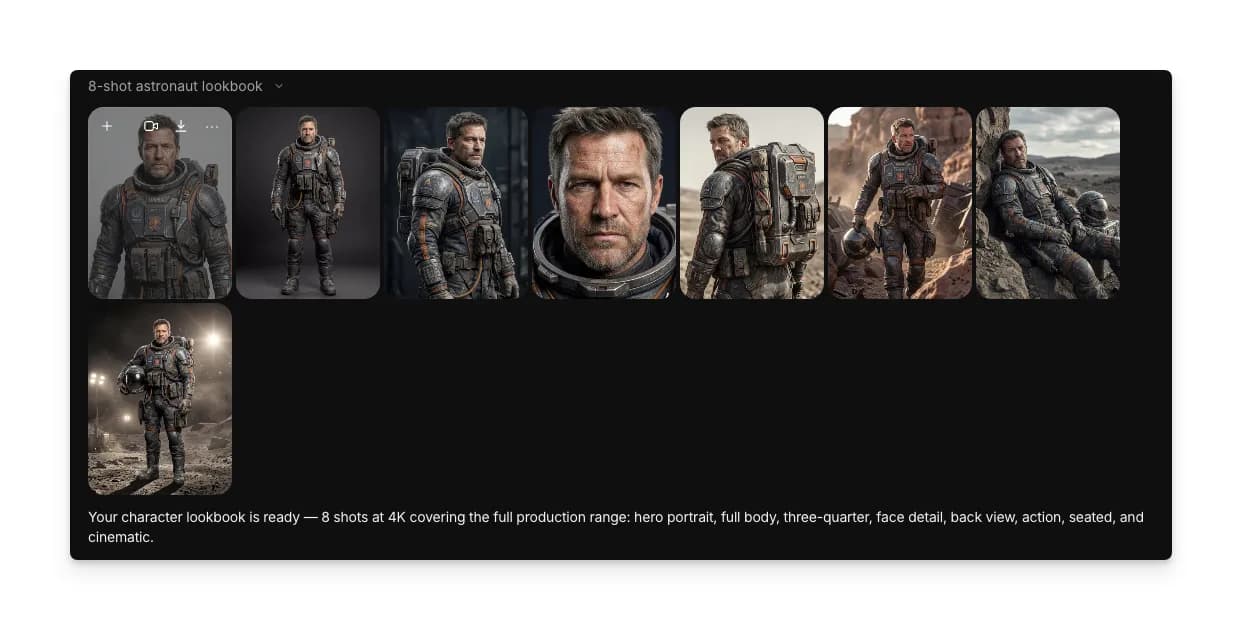
Morphic processes your inputs and generates a complete character look book. The output displays your character in each described costume with consistent identity, varied angles, and unified lighting across every look.
What makes a great character look book
| Quality | What it means | Why it matters |
|---|---|---|
| Visual consistency | The character remains recognizable across every outfit and angle | Teams trust that each look belongs to the same character |
| Clear costume details | Fabrics, accessories, and silhouettes are distinct and readable | Costume departments and artists can reproduce each look accurately |
| Multiple angles and lighting | Each look is shown from different perspectives with varied lighting | Provides comprehensive reference that covers real production needs |
| Distinct style variations | Every outfit feels unique while sharing a unified visual language | The look book reads as a unified collection, not random outfits |
The AI handles character consistency, costume rendering, and lighting variation automatically, so you only need to provide a character reference and describe the outfits you want.
Character look book vs. commissioning costume illustrations
| Character look book workflow | Commissioning costume illustrations | |
|---|---|---|
| Cost | Available on Morphic | Varies by artist and complexity |
| Time to create | Minutes | Days to weeks per set of costume illustrations |
| Setup required | Upload one character reference and describe outfits | Brief the artist, provide references, review sketches |
| Style options | Multiple mood and style options per run | Each additional style requires a new commission |
| Retakes | Regenerate with adjusted inputs | Revisions often incur additional fees and turnaround time |
| Quality | Consistent rendering across all looks automatically | Quality depends on the individual artist and their availability |
FAQs
Yes. Upload any character image, photo, or artwork as your base reference. The workflow preserves your character's identity across all generated costume variations.
You can describe your character in text instead of uploading an image. Include details like build, hair, facial features, and any defining traits. The workflow generates the character and all costume variations from your description.
Yes. You can rerun the workflow with adjusted descriptions for specific outfits while keeping the same character reference. Each generation is independent, so you can iterate on individual looks.
The workflow supports multiple costume descriptions per run. You can generate several distinct looks in a single session and rerun with additional descriptions to expand your collection.
Commissioning costume illustrations from an artist can be expensive per outfit. Morphic's character look book workflow is available on Morphic and delivers a complete set of looks significantly faster.