Grok Imagine Image 2.0
by xAI
xAI's precision image model.
Designer‑grade typography, exact region edits, Smart Resize.
Key features
These are xAI's launch claims for Imagine Image 2.0; the Arena placements are the August 7, 2026 snapshot.
Technical specifications
Region-level
Magic wand, segmentation, and background removal, scoped to the area you pick.
Up to 5
Input images per generation in the Grok apps and xAI's API. Up to 3 on Morphic.
9 ratios
Smart Resize recomposes one image from 1:2 tall to 2:1 wide.
15 at launch
Ready-made workflows: product shots, headshots, icons, game assets, and more.
Use cases
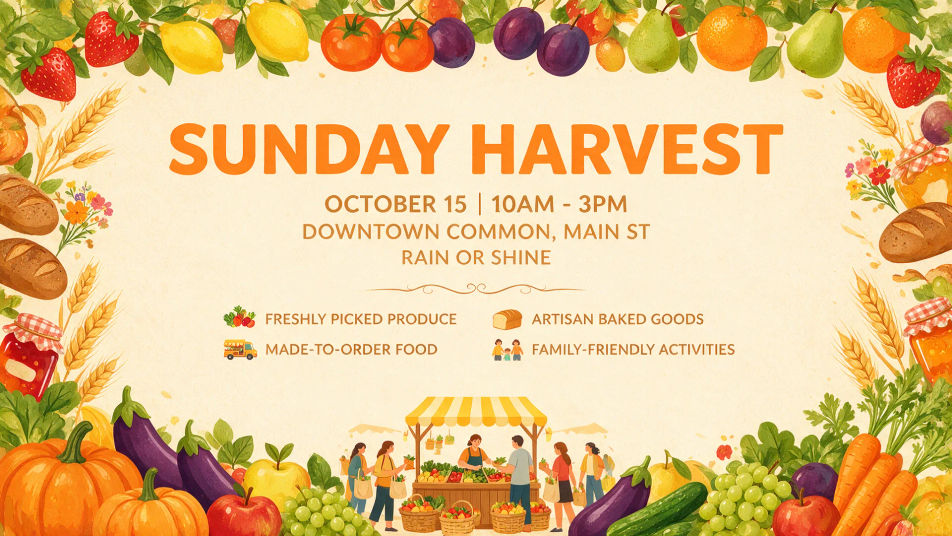
Posters and layout design
Set the exact headline and type hierarchy in the prompt, and the poster comes back laid out, words rendered as written.
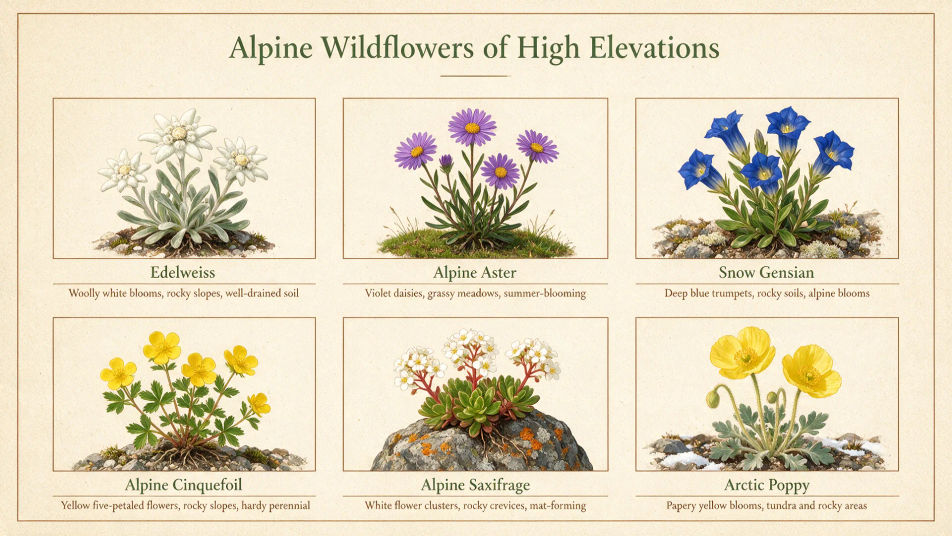
Infographics and diagrams
Charts, tutorial sheets, and process diagrams hold their structure, with small labels that stay legible.
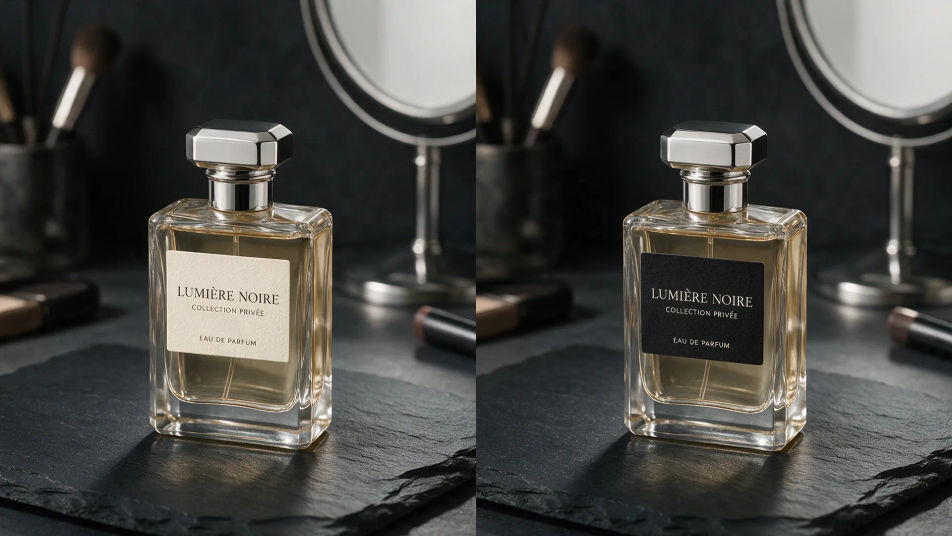
Product and e-commerce shots
Swap a color, change a label, or lift a subject onto a transparent background without touching the rest of the frame.
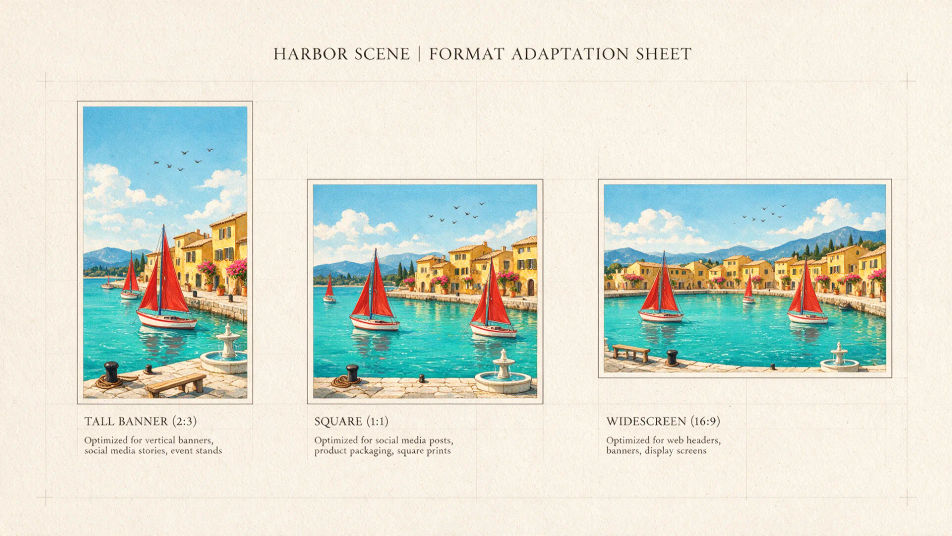
One asset, every format
Smart Resize recomposes one visual into banner, story, square, and widescreen sizes, filling the frame, not cropping it.
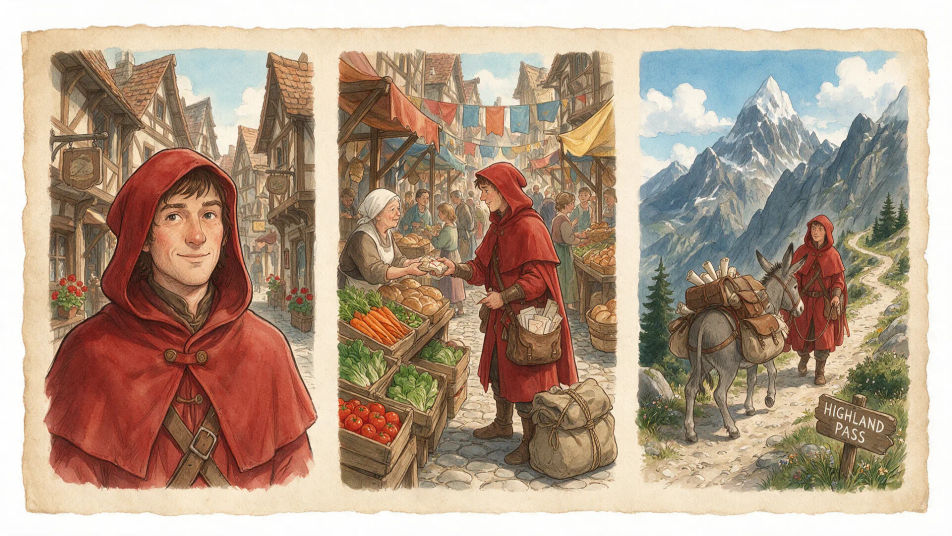
Character and world sheets
A character, her locations, and the props she carries hold one style across separate generations, ready to feed a video pipeline.
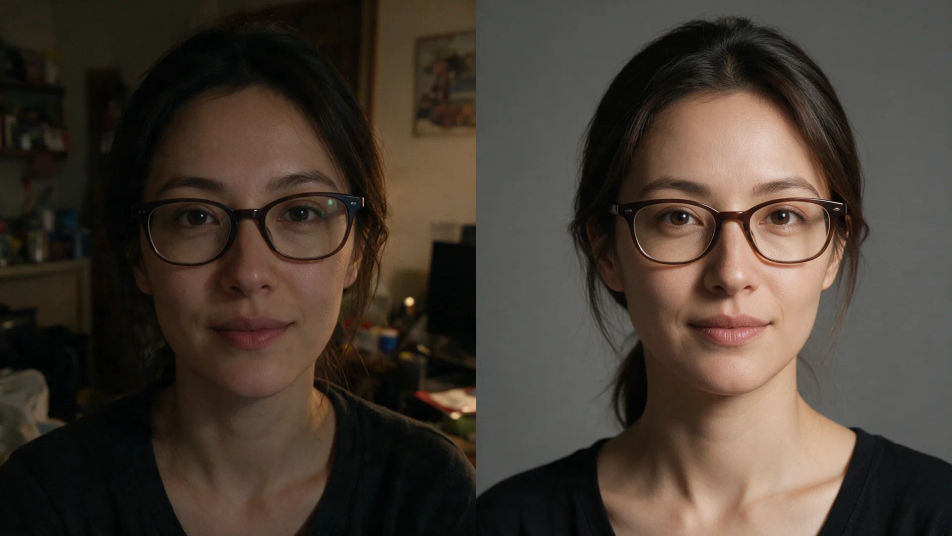
Photo editing and headshots
Magic wand fixes, background removal, and headshot templates turn an existing photo into a finished asset in a couple of steps.
Prompt examples
Poster with type
A trail race poster with the headline RIDGELINE 50K, clean type hierarchy
Edit promptProduct edit
Swap the bottle label to matte black, keep the lighting and shadows as they are
Edit promptHalftone portrait
Halftone portrait of a young man, fine white dots on black, high contrast
Edit promptWorld building
An arctic explorer, same face and coat across three scenes, one painted style
Edit promptOverview
Grok Imagine Image 2.0 is xAI's precision image model, released on August 7, 2026 as the new Quality Mode on grok.com/imagine and the Grok iOS and Android apps. xAI built it around a simple goal: images you can use in real work. It follows instructions closely down to the details, plans typography and layout the way a designer would, and preserves what you put in across generations and edits.
What Imagine Image 2.0 brings
The headline is precision. Instructions land as written, so a dense, multi-part brief comes back structured rather than loosely interpreted, and small text renders sharp inside posters, infographics, and packaging. Around that sits a full editing toolset: the magic wand edits the region you point at and leaves the rest untouched, segmentation selects precise areas to change, and background removal exports any subject on a transparent background. Multi-reference editing accepts up to 5 input images in a single generation, and Smart Resize recomposes one image into 9 aspect ratios, from a 1:2 tall banner to a 2:1 wide one, filling the frame rather than cropping it.
Benchmarks at launch
xAI trained Image 2.0 for fidelity across photography, design, and illustration, with editing treated as a first-class capability rather than an add-on. In the launch snapshot from August 7, 2026, the model ranked second in the world on both the Text-to-Image and Image Edit Arena leaderboards, behind only GPT Image 2 on each board.
Where Imagine Image 2.0 sits
Image 2.0 replaces xAI's earlier quality tier as the default high-quality mode inside Grok Imagine, the same product family that houses Grok Imagine Video 1.5. Alongside the model, xAI introduced templates that package common image jobs, from product shots and e-commerce photos to headshots, icons, and game assets, into ready-made starting points. Developers can also call the model through xAI's API as grok-imagine-image-2.0, for both generation and editing.
Grok Imagine Image 2.0 and Morphic
Grok Imagine Image 2.0 is available on Morphic for text to image and image editing, with up to three reference images and output up to 1440p. It runs in one workspace alongside GPT Image 2.5, Seedream 5.0 Pro, Nano Banana 2, and the rest of the image line, so you can see how the top AI image models compare on best use, text accuracy, and maximum resolution before you pick one.
Simple pricing
Get started for free today, with the option to upgrade or cancel anytime.
Basic
2400 monthly credits
1 user only
All models
Workflows
Standard
3625 monthly credits
1 user only
All models
Workflows
Pro
6350 shared monthly credits
1 user
All models
Workflows
Max
24650 shared monthly credits
1 user
All models
Workflows
Enterprise
For higher limits
Custom
pricing and billing terms

Free
For playing around
$0
forever free
FAQs
Veed Dubbing
Veed
Veed's video dubbing model, in Standard and Pro. A new language, each speaker's own voice, the lips in sync.
Seed Audio 1.5
ByteDance
ByteDance's full-scene audio model. Dialogue, music and effects, as separate tracks.
FLUX Video Upscale
Black Forest Labs
Black Forest Labs' video upscaler. Up to 4K, with fine detail rebuilt and the sound kept.
Ideogram Vector
Ideogram
Ideogram's model for vector art. Logos, icons and illustrations as SVG files.