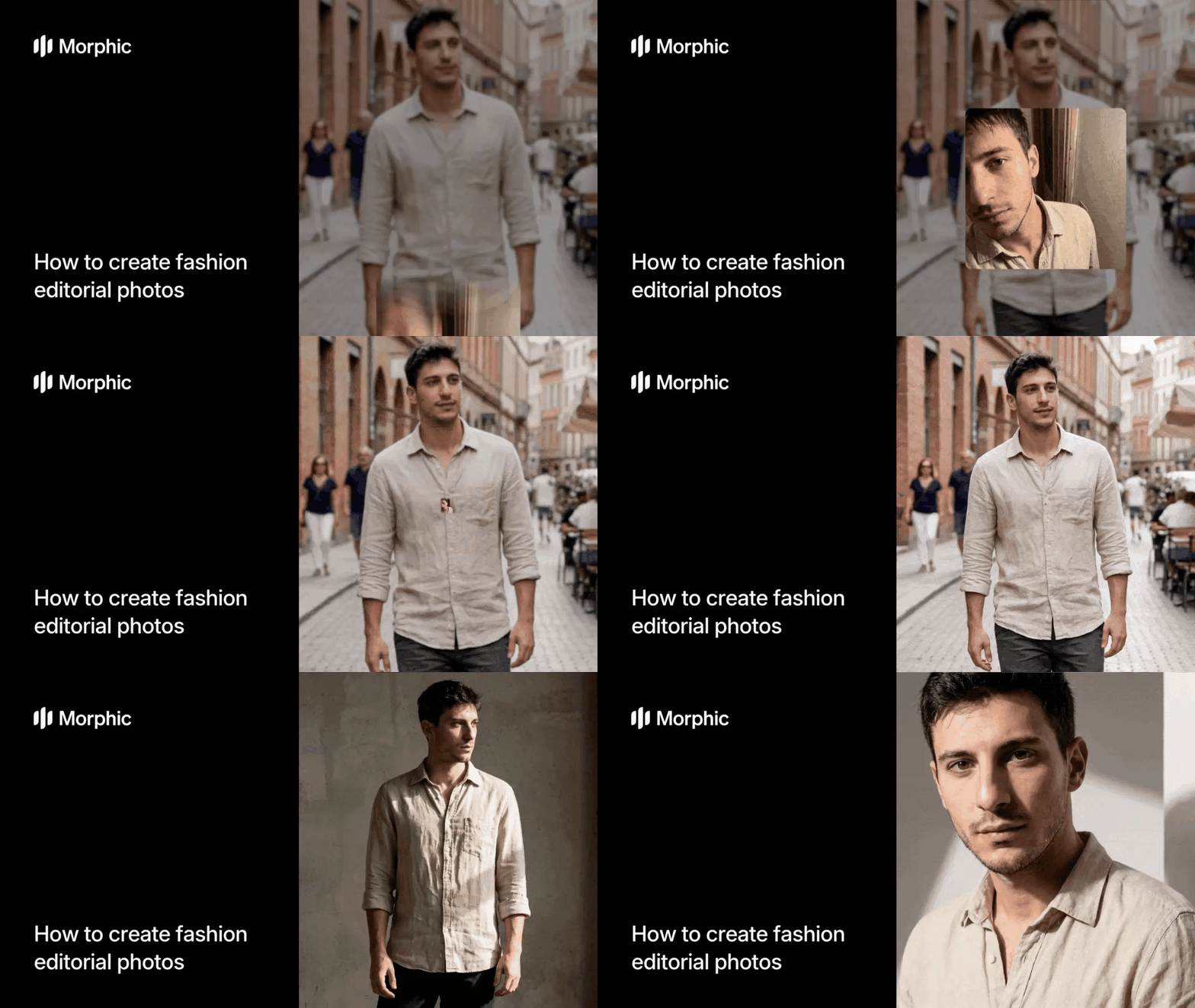
What is an AI fashion editorial tool?
An AI fashion editorial tool generates professional fashion photography by combining a clothing image with brand aesthetic references. The AI understands garment construction, fabric behavior, editorial lighting techniques, and fashion posing conventions to produce images that look like they came from a professional studio shoot.
Upload your clothing image, provide a brand reference for style direction, select a shoot style, and Morphic generates editorial fashion photos that match your brand identity with professional lighting and composition.
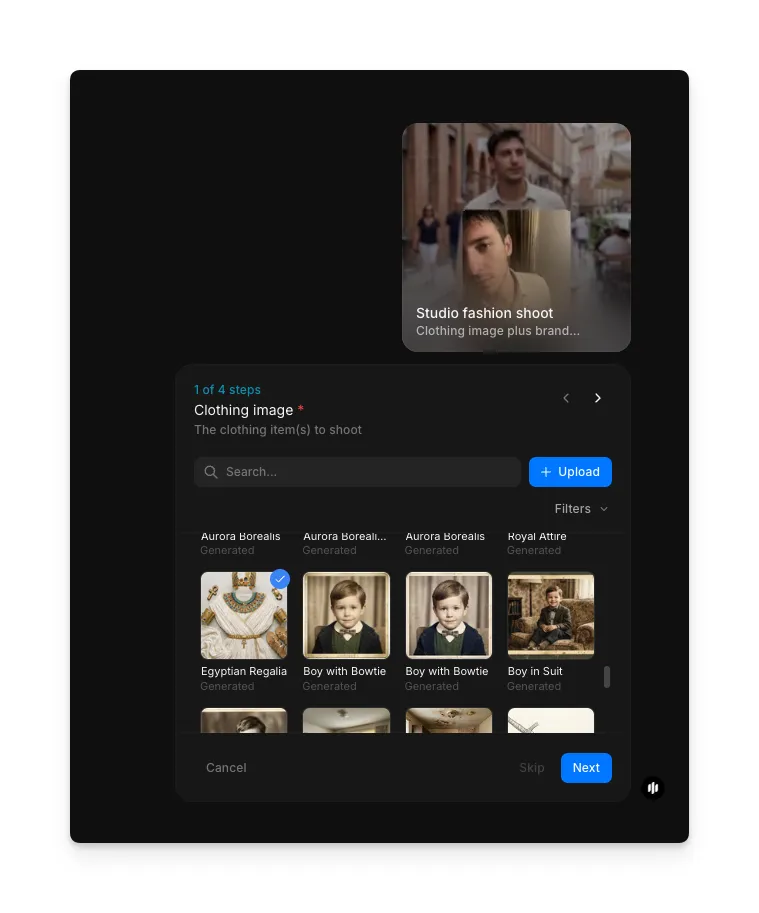
Upload your clothing image
Open the "Studio fashion shoot" workflow. In the "Clothing image" step, browse the gallery or upload the clothing item you want to feature. A flat lay, hanger shot, or mannequin photo all work.
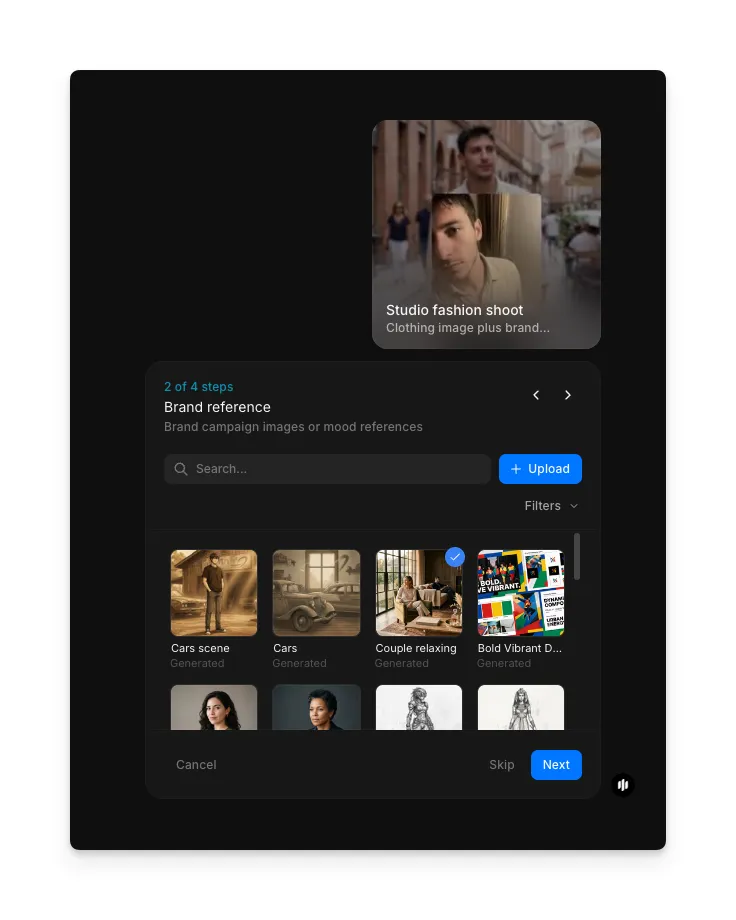
Add a brand reference
In the "Brand reference" step, browse the gallery or upload an image that defines the aesthetic direction. This can be an existing campaign image, mood board, or any image that represents your desired visual style.
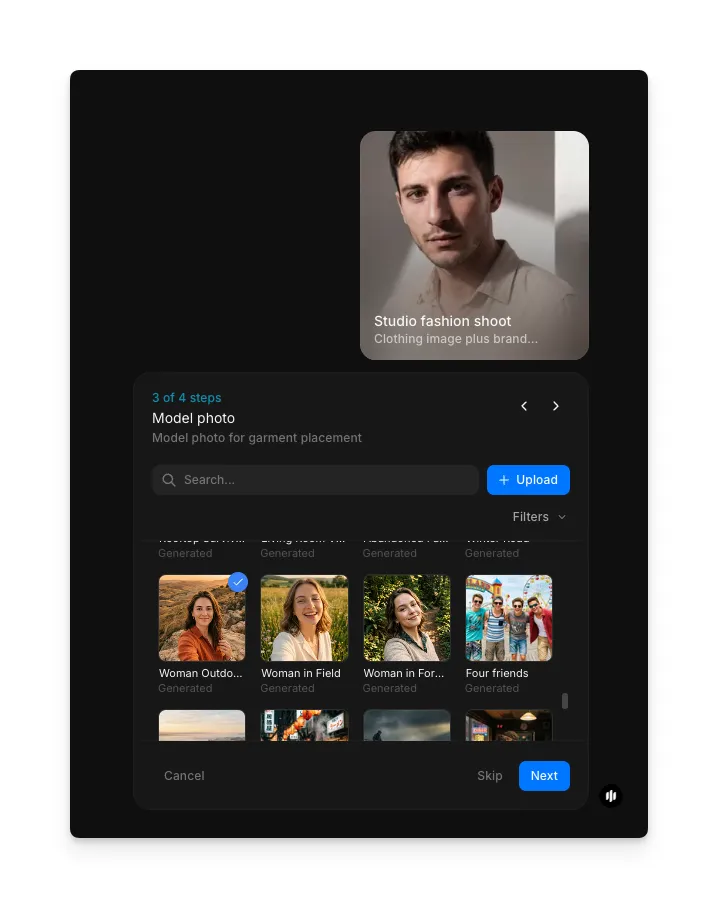
Select a model photo
In the "Model photo" step, browse the gallery or upload a model reference for your editorial shoot. This reference guides the model's appearance in the generated output.
Choose your shoot style and generate
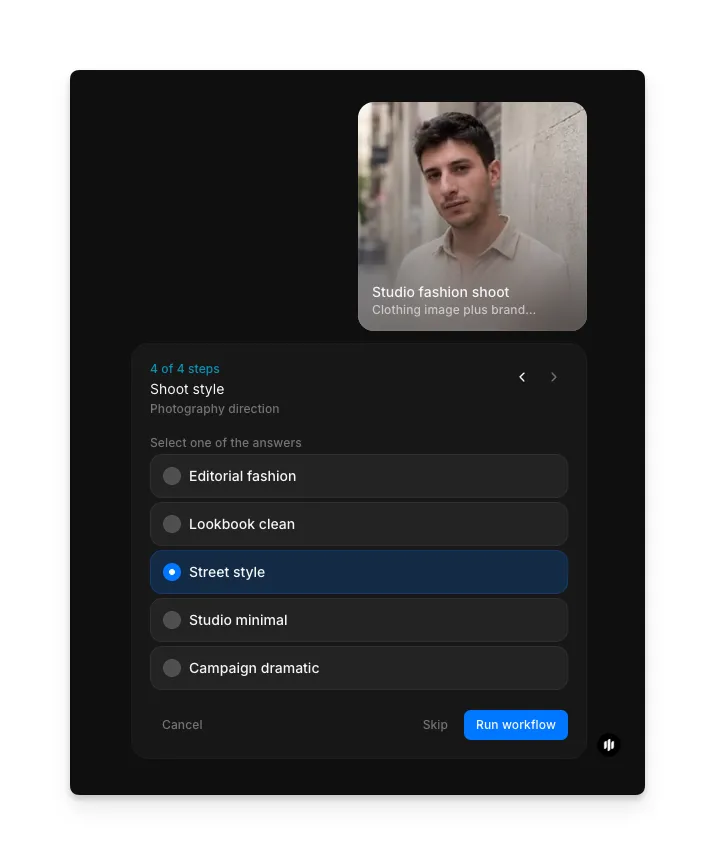
In the "Shoot style" step, select the photography direction for your editorial. Each style produces a distinct visual language and mood. Click "Run workflow" to generate.
| Shoot style | Visual treatment | Best for |
|---|---|---|
| Editorial fashion | High-contrast dramatic lighting, bold poses, magazine-quality composition | Print campaigns, magazine features, high-fashion brand content |
| Lookbook clean | Even neutral lighting, straightforward poses, garment-focused framing | E-commerce lookbooks, wholesale catalogs, product-focused content |
| Street style | Natural outdoor lighting, candid movement, urban environment context | Social media content, streetwear brands, casual lifestyle marketing |
| Studio minimal | Soft diffused lighting, clean backdrop, minimal styling distraction | Minimalist brands, product detail shots, website hero images |
| Campaign dramatic | Cinematic lighting, narrative poses, strong emotional atmosphere | Seasonal campaigns, brand storytelling, premium advertising |
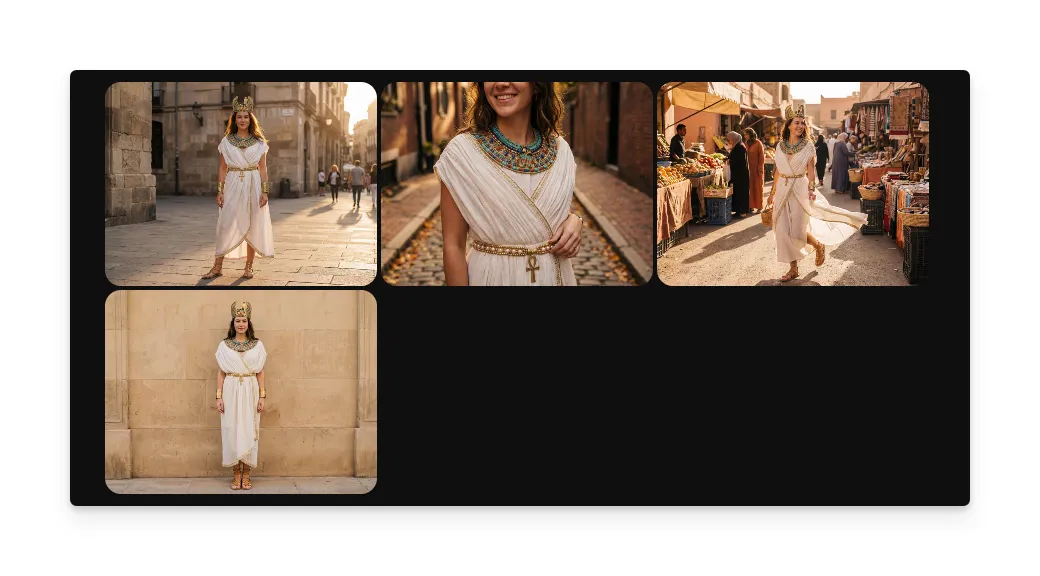
Hit "Run workflow," and Morphic generates your fashion editorial photos with professional styling and lighting:
What makes great fashion editorial output
| Quality | What it means | Why it matters |
|---|---|---|
| Styling coherence | The clothing, accessories, and overall look form a unified editorial narrative | Disconnected styling elements make the image look like a product shot rather than editorial content |
| Lighting professionalism | Light placement follows established fashion photography techniques with intentional shadow and highlight | Amateur lighting immediately signals low production value and undermines brand credibility |
| Brand alignment | The mood, color palette, and visual language match the provided brand reference | Off-brand imagery confuses brand identity and cannot be used in unified marketing campaigns |
| Pose authenticity | The model pose looks natural and intentional with appropriate body language for the garment | Stiff or unnatural poses make the image feel artificial and reduce viewer engagement |
The AI handles model generation, pose direction, lighting design, and styling composition automatically, so you only need to provide your clothing image and brand reference.
Studio fashion shoot workflow vs. traditional editorial shoot
| Morphic's studio fashion shoot workflow | Traditional editorial shoot | |
|---|---|---|
| Cost | Available on Morphic | Professional rates for photographer, models, stylists, and studio |
| Time to delivery | Minutes vs days | Days to weeks including booking, shooting, selection, and post-production |
| Team required | None | Photographer, model, stylist, hair and makeup artist, art director |
| Garment samples | One flat lay or hanger photo of each item | Physical samples in multiple sizes with steaming and preparation |
| Brand matching | Upload a reference image and the AI matches the aesthetic | Requires detailed creative briefs, mood boards, and art direction on set |
| Variations | Generate multiple shoot styles and looks in minutes | Each additional look requires wardrobe changes, relighting, and more shooting time |
FAQs
Existing campaign images, editorial spreads, and mood board compositions produce the strongest results. The AI reads lighting style, color palette, composition approach, and overall mood from the reference. Even a single image that captures your desired aesthetic is enough for the workflow to match your brand direction.
Yes. Run the workflow multiple times with different shoot styles or brand references to create varied editorial content from a single clothing image. Each variation produces a distinct editorial approach while keeping the garment consistent.
The AI understands fabric behavior, drape, and garment construction. It generates realistic fabric interaction with the model's body including natural folds, movement, and weight distribution. Close attention to garment detail ensures the clothing looks worn rather than digitally placed.
Yes. The Lookbook Clean and Studio Minimal styles are specifically designed for e-commerce use with clean backgrounds, even lighting, and garment-focused framing. These outputs work well for product pages, category listings, and digital catalogs.
Traditional fashion editorial shoots require significant investment in photography, models, styling, studio rental, and post-production. Morphic's studio fashion shoot workflow is available on Morphic and delivers editorial-quality results significantly faster.