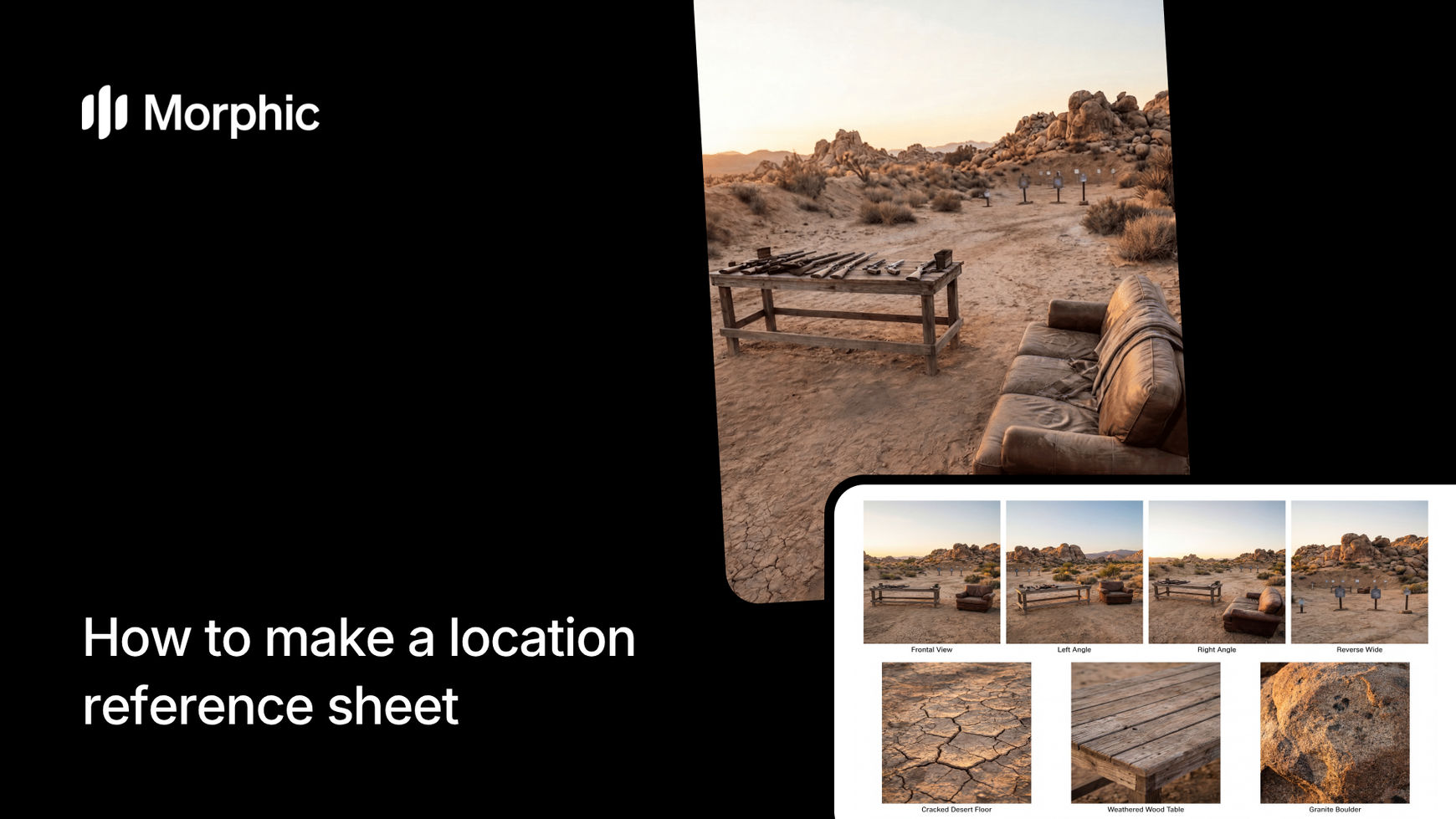
What is a location reference sheet?
A location reference sheet is a multi-panel document that shows a single environment from several angles and perspectives. It provides a complete spatial understanding of a location without requiring the viewer to visit in person. Reference sheets are standard tools in film pre-production, game level design, architectural visualization, and interior design planning. Each panel highlights a different aspect of the space: wide establishing shots, medium views, close-up details, and alternative lighting or time-of-day variations.
Morphic's workflow analyzes your uploaded photo and generates seven distinct panels that cover the location from different vantage points, giving collaborators and stakeholders a thorough understanding of the space.
Upload your location photo and generate
Open the "Location reference sheet" workflow. In the "Reference image" step, browse the gallery or upload a clear photo of the location you want to document. This can be an interior, exterior, landscape, or any environment. Click "Run workflow" to generate.
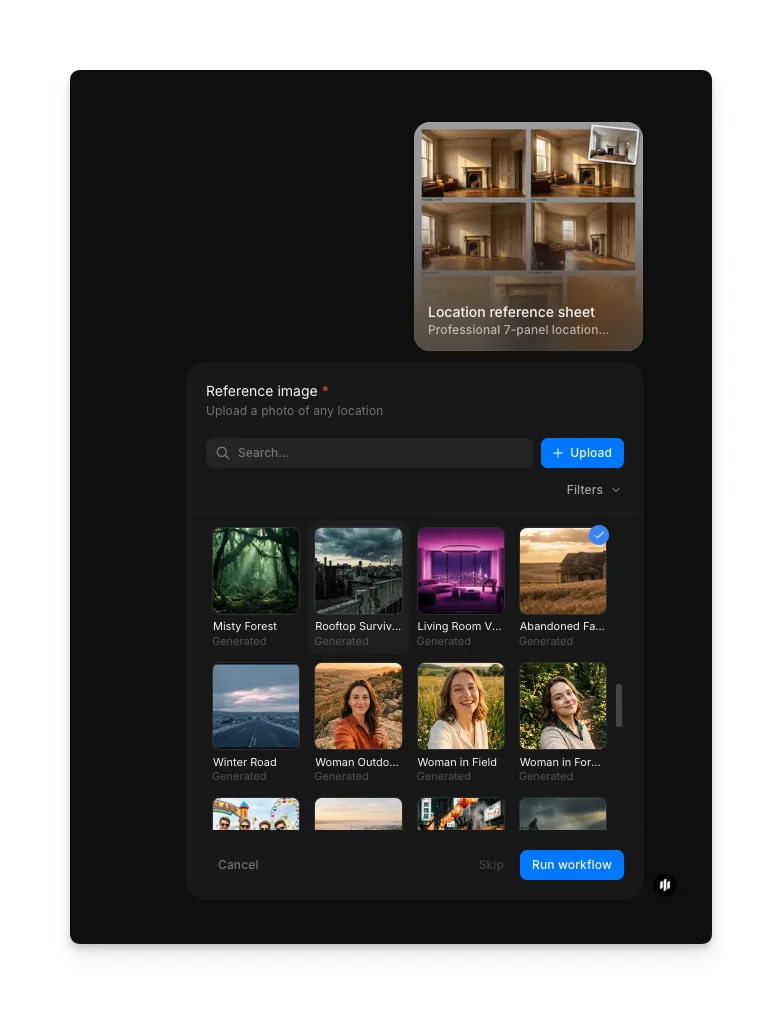
The workflow processes your photo and delivers a complete 7-panel reference sheet with each panel offering a distinct view of your location.
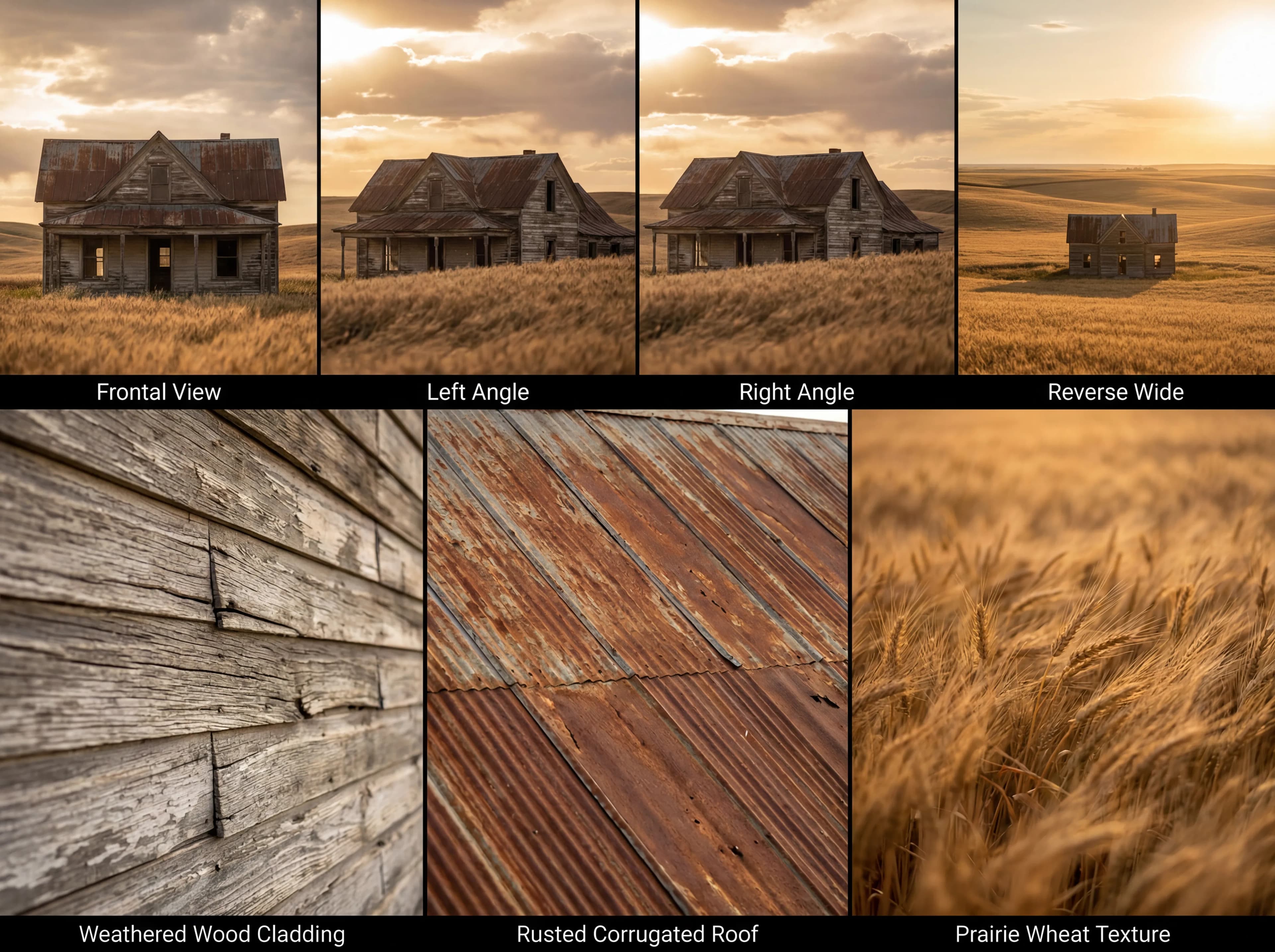
What makes a great location reference sheet
| Quality | What it means | Why it matters |
|---|---|---|
| Angle coverage | Panels show the location from wide, medium, and close perspectives | Incomplete coverage leaves gaps in spatial understanding |
| Environmental detail | Textures, materials, and surfaces are clearly visible in each panel | Production teams need to see what the space actually looks like up close |
| Lighting consistency | Light direction and color temperature feel coherent across panels | Inconsistent lighting makes panels look like different locations |
| Spatial context | Panels convey the scale, depth, and layout of the environment | Without spatial context, collaborators cannot plan shots or layouts accurately |
The workflow handles perspective generation, lighting analysis, and panel composition automatically, so one photo becomes a complete location document.
Morphic vs manual photography and layout
| Morphic location reference sheet | Manual photography and layout | |
|---|---|---|
| Time to completion | Under 2 minutes | Half a day for shooting plus hours for layout |
| Skill required | Upload one photo | Photography, site access, and design software expertise |
| Site visits needed | None after the initial photo | Multiple visits for different angles and lighting |
| Consistency | All panels generated from the same source with coherent style | Photos taken at different times may have mismatched lighting |
| Cost | Available on Morphic | Travel, equipment, and editing software costs |
| Iteration | Upload a different photo and regenerate instantly | Reshoot on location and re-edit the layout |
FAQs
Yes. The workflow handles both interior and exterior environments. Upload a photo of a room, hallway, studio, or any indoor space and the workflow generates seven panels covering different angles and details of the interior.
Higher resolution photos produce better results because the workflow has more detail to work with when generating alternate perspectives. A minimum of 1080p is recommended, but the workflow accepts any standard image resolution.
The workflow automatically selects the most informative perspectives based on your source photo. The seven panels are optimized to provide maximum spatial coverage without manual angle selection.
Yes. The 7-panel format is designed for professional use in film, game, and architectural pre-production. The sheet provides enough visual information for directors, designers, and stakeholders to evaluate a location without visiting in person.
The location reference sheet workflow is available on Morphic. You can run the workflow multiple times as needed for different locations.