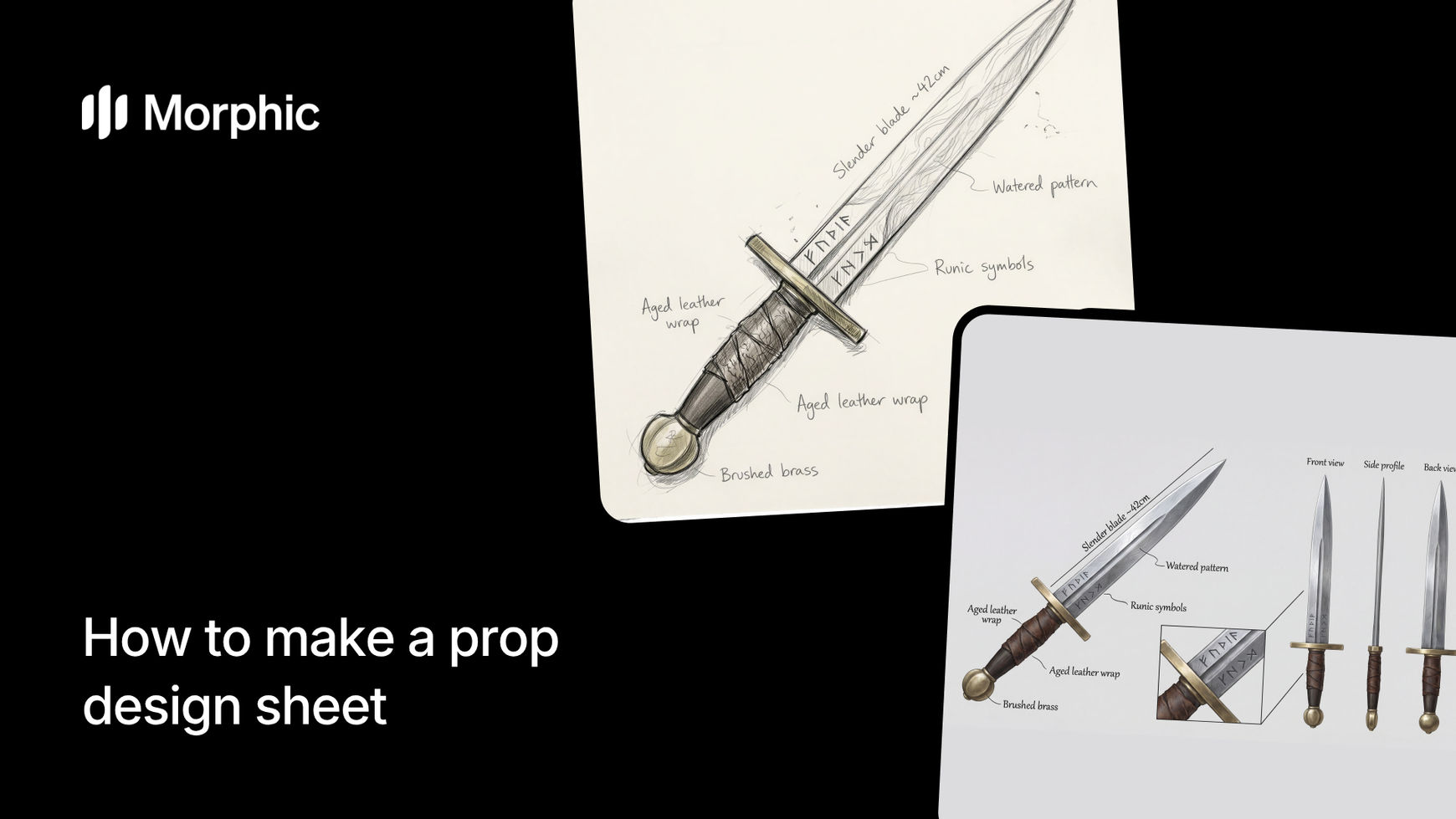
What is a prop design sheet?
A prop design sheet is a reference document that shows an object from multiple angles with annotations for materials, scale, and construction details. Concept artists and 3D modelers use design sheets to build accurate assets that match the creative vision. A good design sheet includes front, side, and three-quarter views, close-ups of key details, material callouts, and scale indicators.
In game development and film production, prop design sheets are essential for communicating design intent from concept to final asset. Morphic's workflow generates complete design sheets from text descriptions, giving teams a visual reference to work from without commissioning individual concept art pieces.
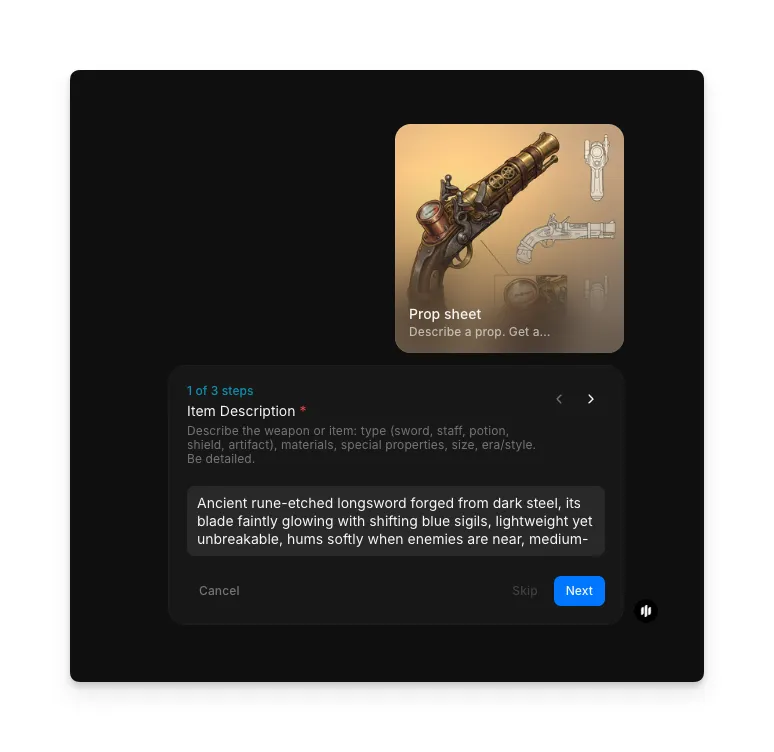
Describe your item
In the "Item Description" step, enter a detailed description of your prop: what it is, its purpose, key visual features, materials, era or style, and any specific design elements. Include context about the world or setting the prop belongs to. The more detail you provide, the more accurate and useful the design sheet will be.
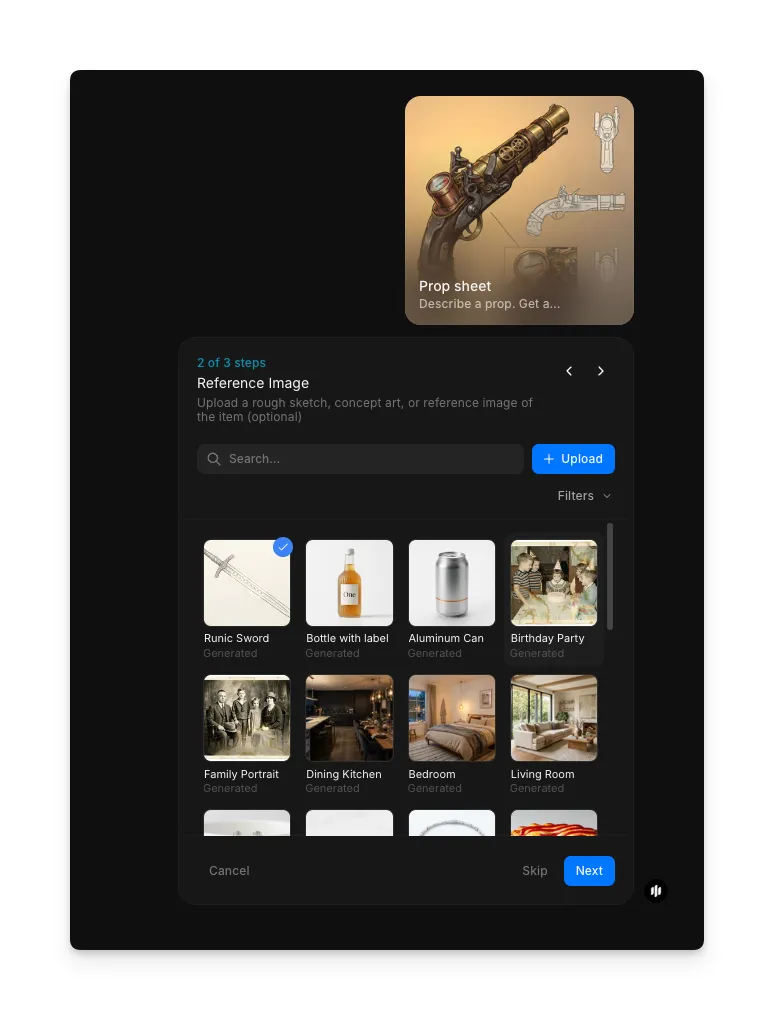
Upload a reference image
In the "Reference image" step, browse the gallery or upload a reference image to guide the visual style of your prop design.
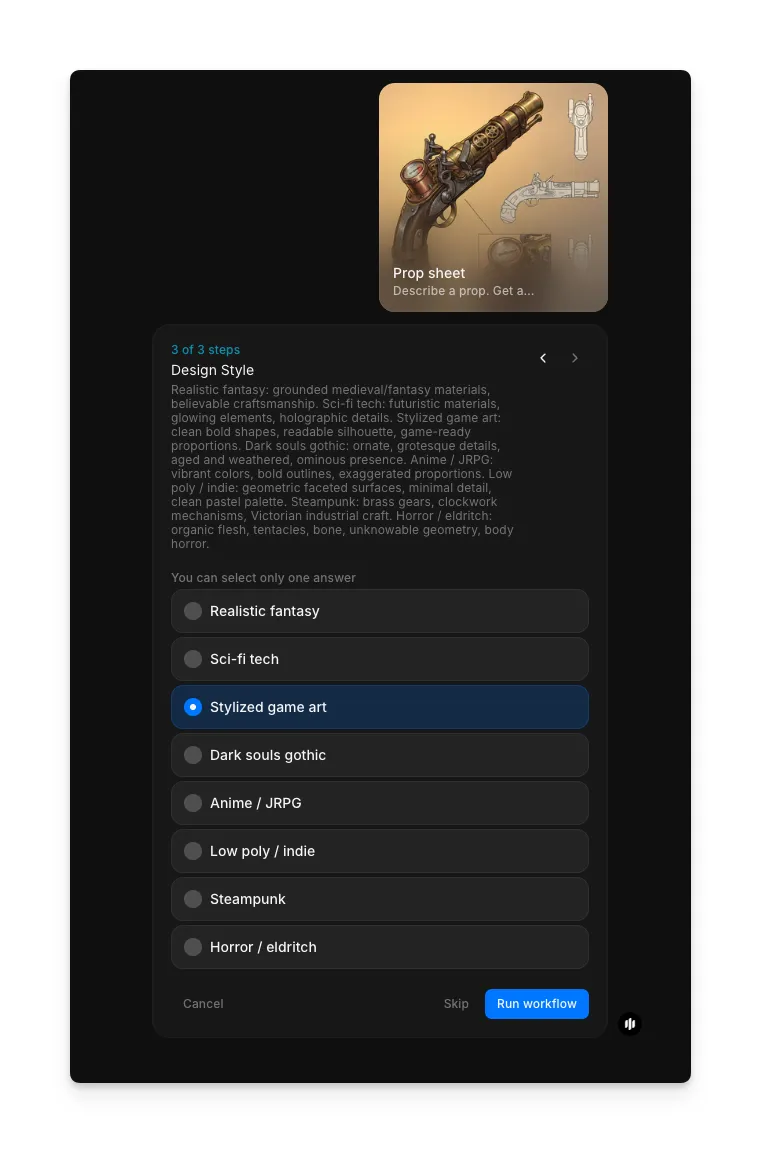
Select design style and generate
In the "Design Style" step, select the rendering approach. Options include Realistic fantasy, Sci-fi, Stylized game art, Dark souls gothic, Anime / JRPG, and Low poly / indie. Click "Run workflow" to generate.
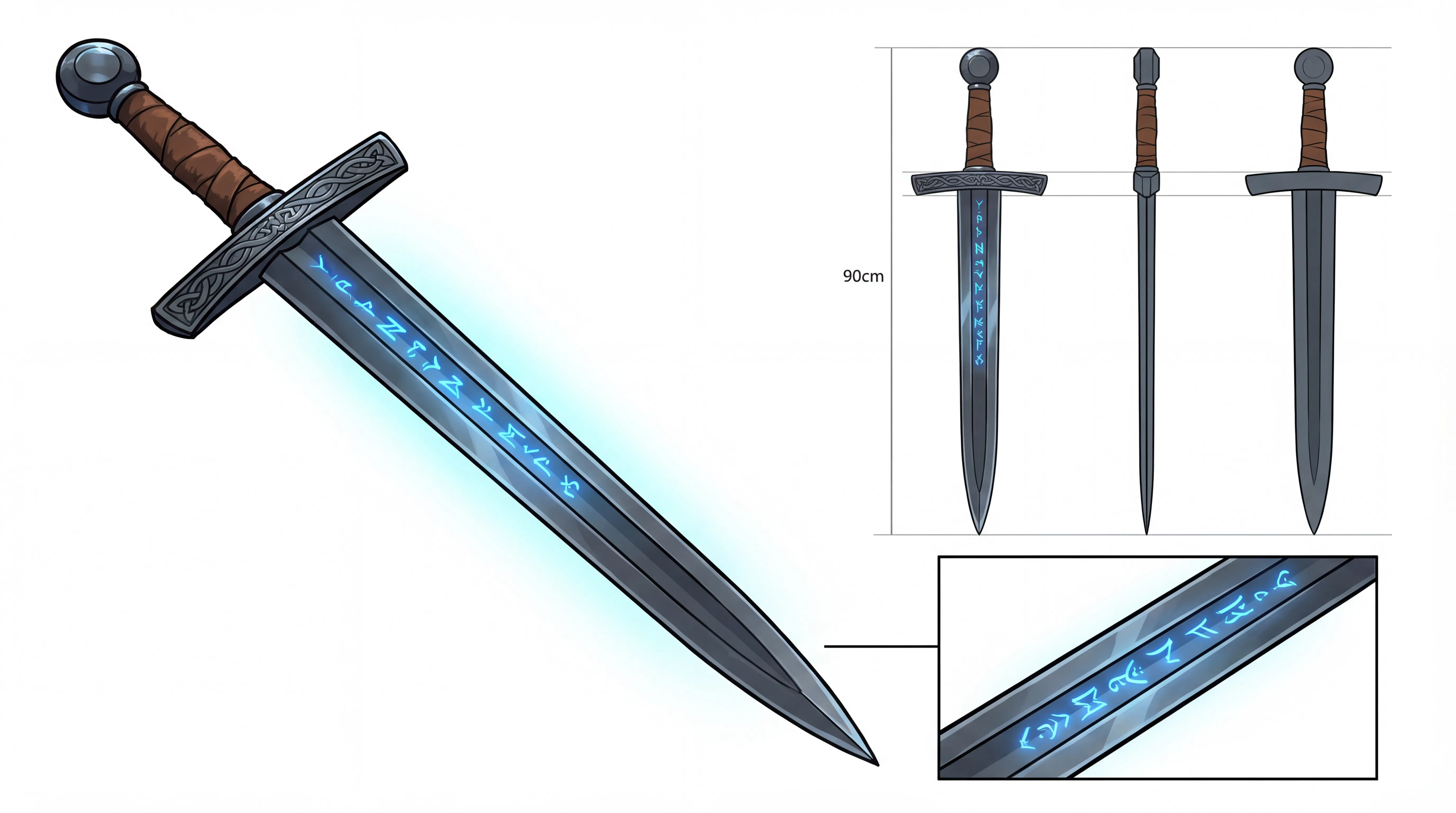
What makes a great prop design sheet
| Quality | What it means | Why it matters |
|---|---|---|
| Angle coverage | The prop is shown from enough viewpoints to understand its full 3D form | 3D modelers need multiple angles to build accurate assets |
| Material specification | Surface materials, textures, and finishes are clearly indicated | Material callouts prevent guesswork during asset creation |
| Scale reference | The prop's size is communicated relative to a known object or measurement | Without scale, artists may build props at the wrong size for the scene |
| Detail annotation | Key features, mechanisms, and unique elements are called out | Annotations ensure important design details survive the production pipeline |
The workflow handles multi-angle rendering, material indication, and detail annotation automatically, so your design sheet communicates everything a production team needs.
Prop design sheet vs. manual concept art
| Morphic's prop sheet workflow | Commissioning concept art | |
|---|---|---|
| Cost | Available on Morphic | Varies by artist and complexity |
| Time to delivery | Under a minute | 2 to 8 hours per prop depending on complexity |
| Skill required | None, just a text description | Professional concept art and illustration skills |
| Multi-angle views | Generated automatically from your description | Each additional angle increases time and cost |
| Material annotations | Included automatically in the design sheet | Requires additional communication and revision with the artist |
| Iterations | Regenerate instantly with adjusted descriptions | Each revision round adds time and may incur additional fees |
FAQs
Yes. The generated design sheets include multi-angle views, material callouts, and detail annotations at a quality level suitable for use as production reference. Game studios and film teams can hand these directly to 3D modelers and prop builders as working reference documents.
Yes. The workflow handles props from any genre or setting: medieval weapons, futuristic gadgets, magical artifacts, alien technology, steampunk devices, and more. Describe the style, era, and design language in your prompt, and Morphic generates a design sheet that matches.
More detail produces more accurate results. Include the prop's function, materials, size, era, visual style, and any distinctive features. Even brief descriptions generate usable design sheets, but detailed prompts give you reference that closely matches your creative vision.
Yes. The multi-angle views and material annotations are specifically designed to serve as 3D modeling reference. Modelers can use the front, side, and detail views to build accurate geometry, and the material callouts guide texturing and shading decisions.
Professional concept artists charge varying rates per prop design sheet, with delivery times of 2 to 8 hours depending on complexity. Multiple props for a single project can add up quickly. Morphic's prop sheet workflow generates design sheets in seconds, available on Morphic.