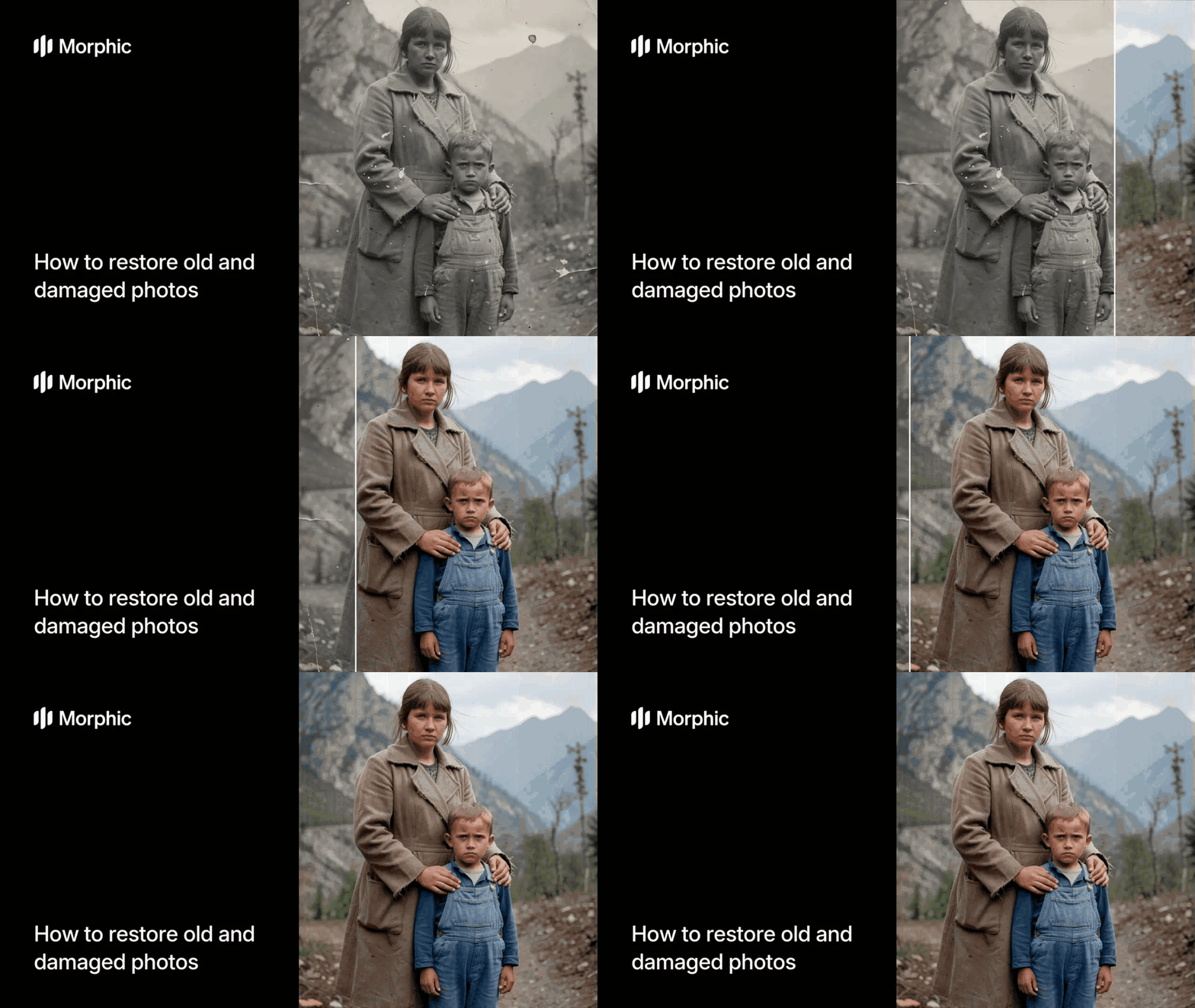
What is a photo restoration tool?
A photo restoration tool is software that repairs and enhances damaged, faded, or low-resolution photographs. It identifies scratches, tears, discoloration, blur, and noise, then intelligently reconstructs the missing or degraded areas to produce a clean, sharp result.
Upload your damaged photo, select a restoration mode, and Morphic handles the repair, enhancement, and upscaling automatically. The workflow detects the type and severity of damage and applies targeted corrections without over-processing the original character of the image.
Upload your damaged photo
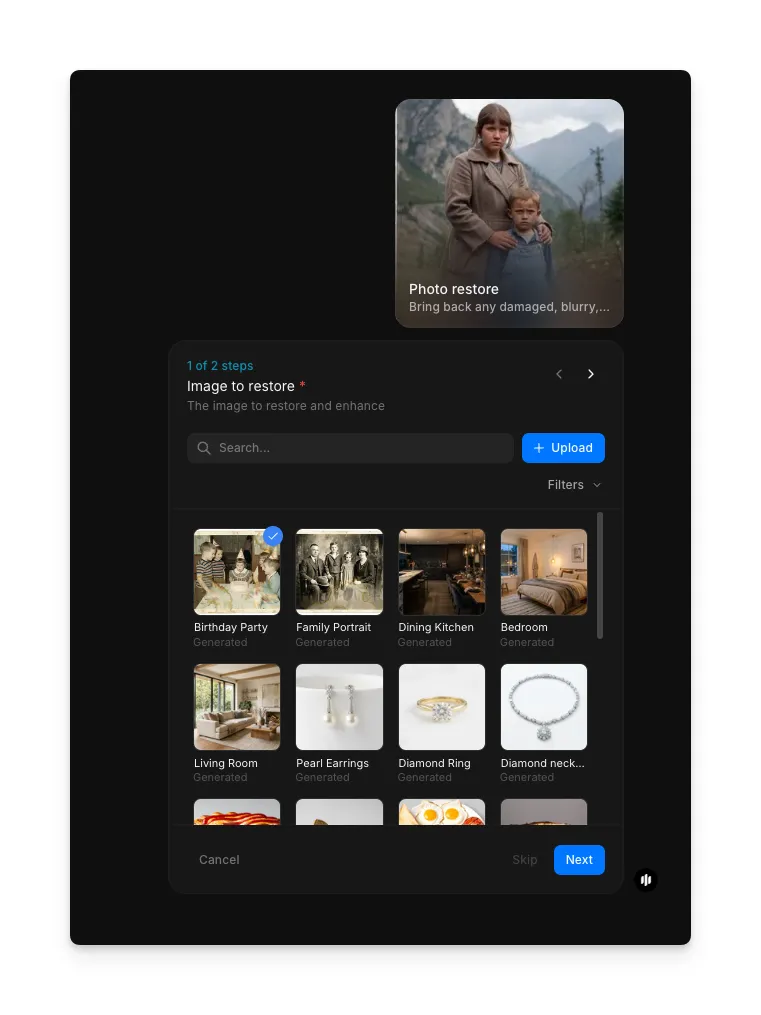
Open the "Photo restore" workflow. In the "Image to restore" step, browse the gallery or upload your damaged, faded, or low-resolution photo.
Configure restoration settings and run
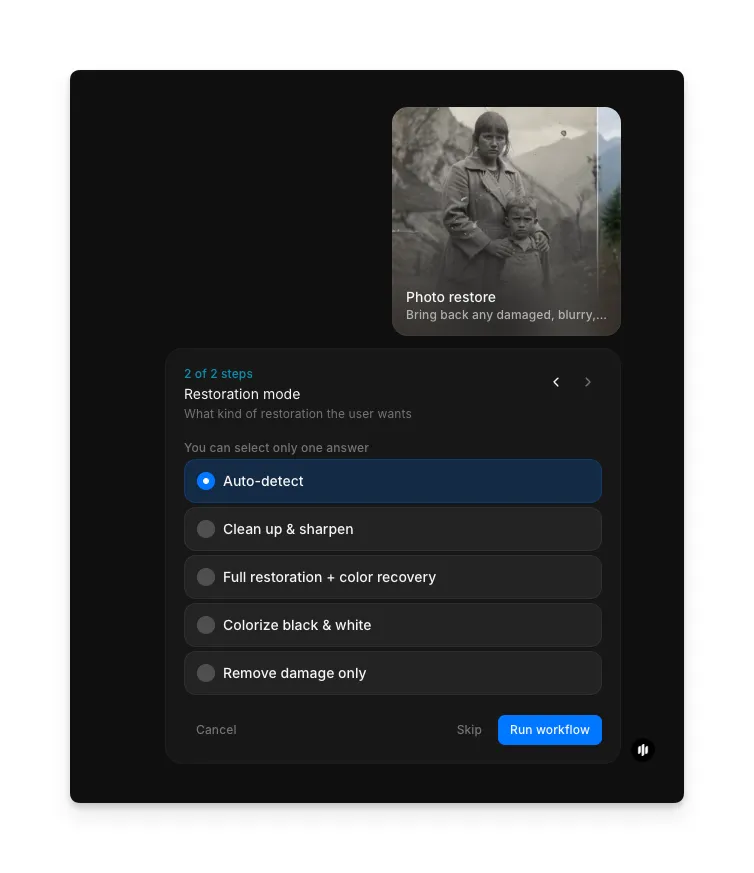
Select the restoration mode that matches your needs. Each mode targets different types of damage and enhancement:
| Mode | What it does | Best for |
|---|---|---|
| Auto-detect | Analyzes the image and applies the most appropriate combination of repairs automatically | General restoration when you are unsure what the image needs |
| Clean up and sharpen | Removes noise, reduces blur, and enhances fine detail without altering colors | Photos that are soft or blurry but otherwise intact |
| Full restoration with color recovery | Repairs damage, enhances resolution, and corrects faded or shifted colors | Old prints with visible aging, yellowing, or color cast |
| Colorize black and white | Adds realistic color to monochrome photographs based on contextual analysis | Black and white family photos or historical images |
| Remove damage only | Targets scratches, tears, spots, and physical damage while preserving the original look | Scanned prints with creases, water marks, or surface scratches |
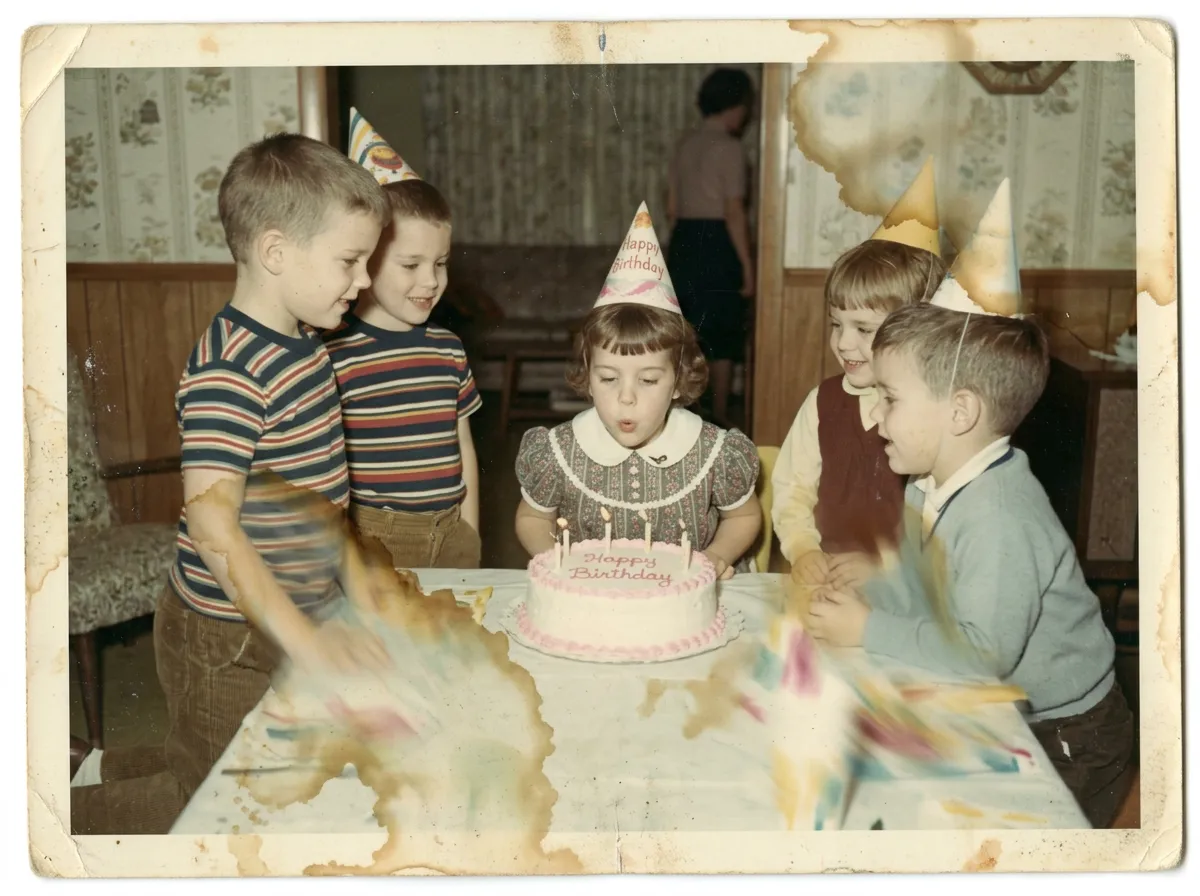
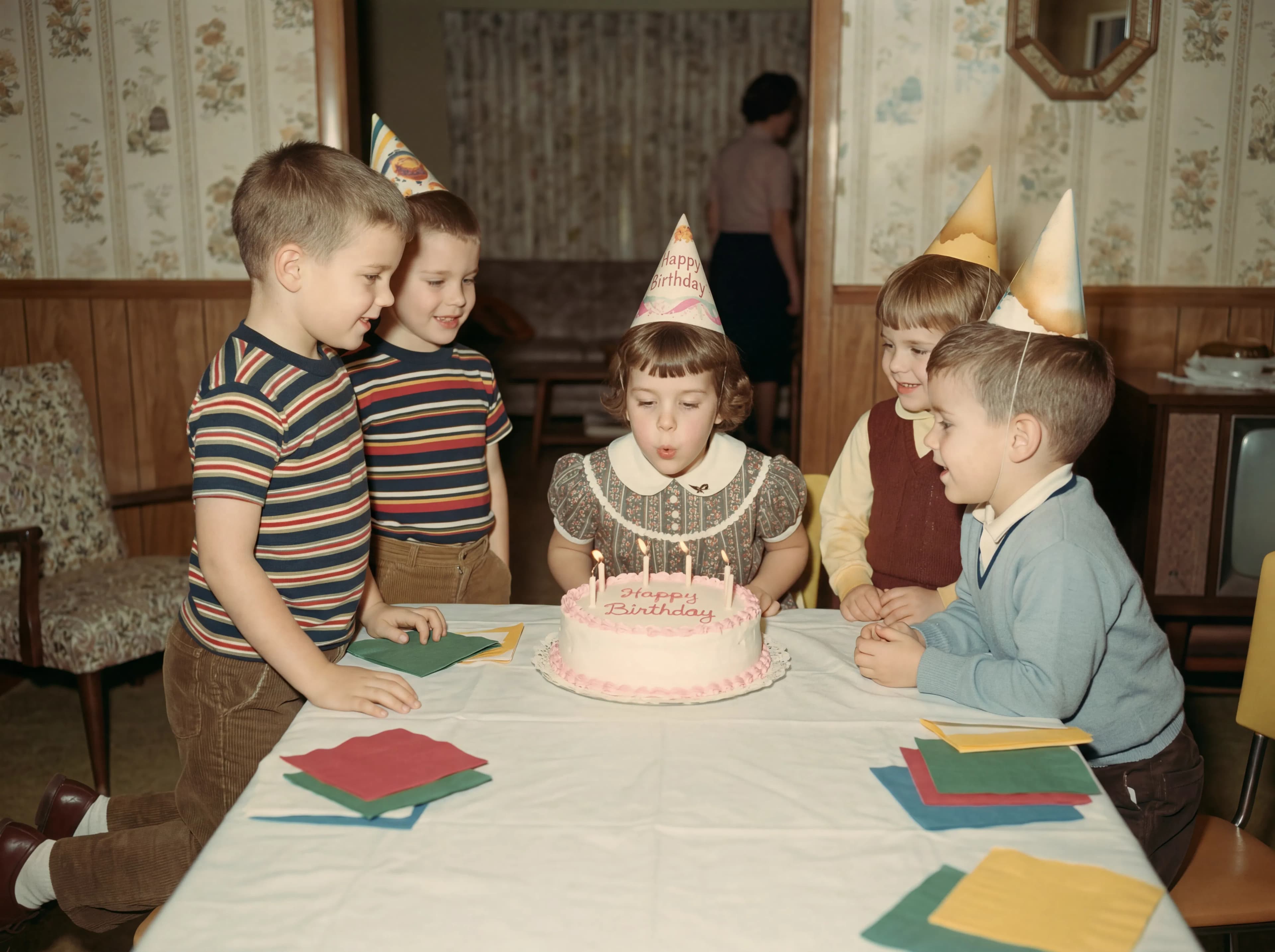
Hit "Run workflow," and Morphic restores your photo in seconds. Here is a damaged vintage photo restored to sharp 4K clarity:
What makes great photo restoration
| Quality | What it means | Why it matters |
|---|---|---|
| Damage repair | Scratches, tears, spots, and water damage are cleanly removed without leaving artifacts | Visible repair marks make the restoration look artificial and incomplete |
| Resolution enhancement | The output is sharp and detailed at 4K without introducing noise or hallucinated textures | Low-resolution restorations defeat the purpose of preserving the original image |
| Color accuracy | Recovered colors look natural and consistent with the era and subject of the photograph | Over-saturated or inaccurate colors strip away the authentic character of the image |
| Detail recovery | Fine details like facial features, text, and fabric textures are reconstructed faithfully | Lost details are what make old photos irreplaceable and worth restoring |
The AI handles damage detection, resolution upscaling, color correction, and detail reconstruction automatically, so you only need to upload your photo and select a mode.
Photo restoration workflow vs. professional retouching
| Morphic's photo restore workflow | Professional photo retouching service | |
|---|---|---|
| Cost | Available on Morphic | Professional rates per photo |
| Time to delivery | Seconds | 1 to 5 business days per image |
| Batch processing | Restore an entire album of photos in one session | Each photo requires individual manual attention |
| Resolution output | 4K upscaled output with enhanced detail | Depends on the retoucher's tools and the original scan quality |
| Consistency | Identical treatment quality across every image | Quality varies between retouchers and sessions |
| Revision turnaround | Adjust settings and regenerate instantly | Revisions require additional time and may incur extra charges |
FAQs
The workflow handles scratches, tears, creases, water damage, mold spots, fading, yellowing, color shifts, blur, and low resolution. The auto-detect mode identifies the specific damage types present and applies targeted corrections for each.
Morphic prioritizes natural results. The restoration preserves the original character and era of the photograph while removing damage and enhancing clarity. The output looks like a well-preserved version of the original, not a digitally manipulated image.
Yes. Scanned prints work well as input. For best results, scan at the highest resolution your scanner supports. The workflow handles scanner artifacts, dust spots, and the slight softness that scanning introduces.
The 4K upscale reconstructs fine detail like facial features, fabric patterns, and background textures using contextual analysis. Results are strongest when the original contains enough information for the AI to interpret. Severely degraded areas receive intelligent reconstruction rather than simple sharpening.
Professional retouching services charge premium rates per photo and take days to deliver. Morphic's photo restore workflow is available on Morphic and delivers 4K results in seconds.