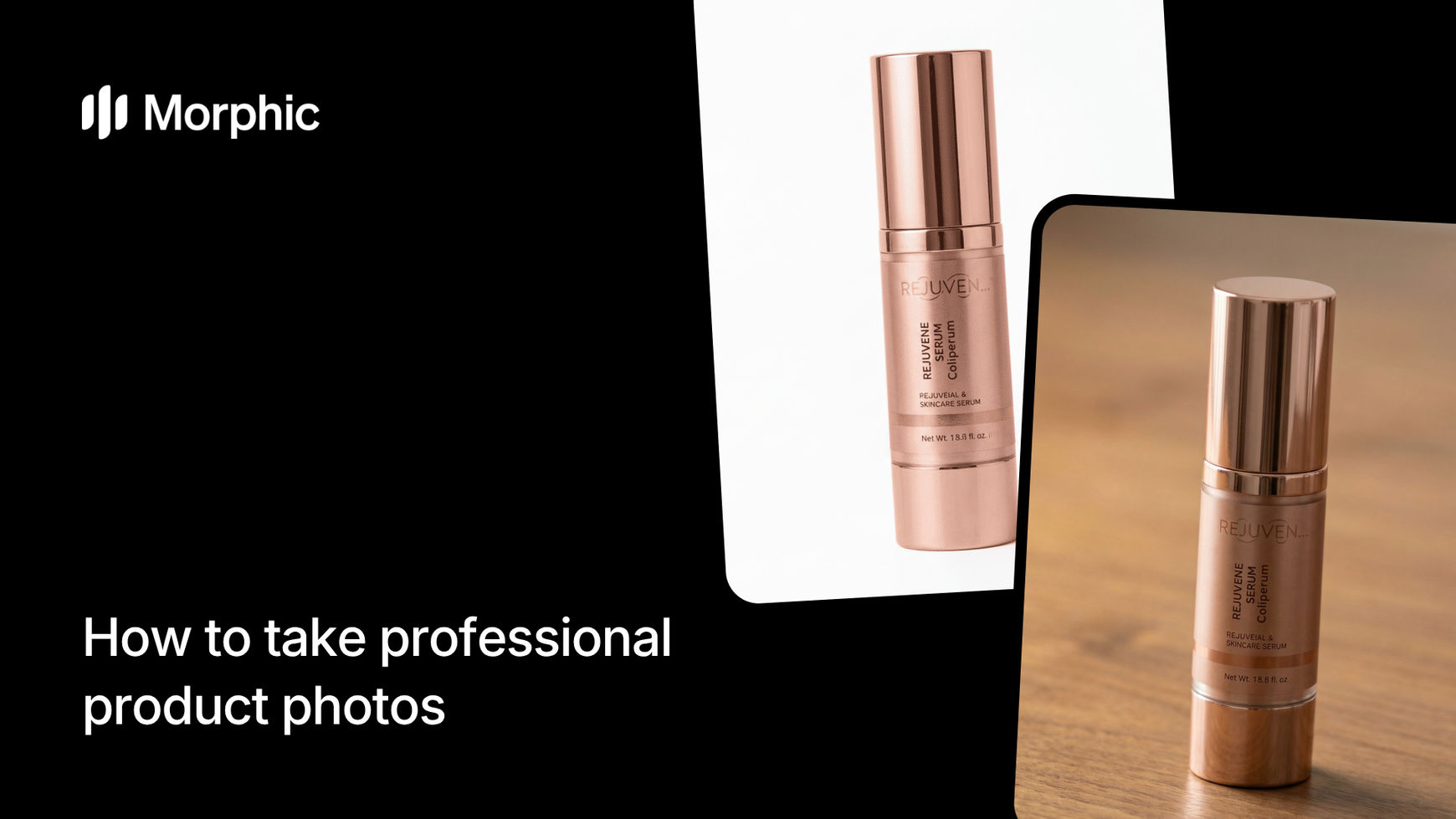
What is a product photo studio tool?
A product photo studio tool generates professional product photography from a single product image. Instead of booking a physical studio, you upload your product, select a surface material, choose your lighting style, and receive polished product shots that look like they were taken by a professional photographer.
Upload your product image, configure the surface, lighting, shot count, and aspect ratio, and Morphic generates studio-quality product photos automatically. When you want a shot built from a written prompt, the AI photo generator lets you choose from the top image models.
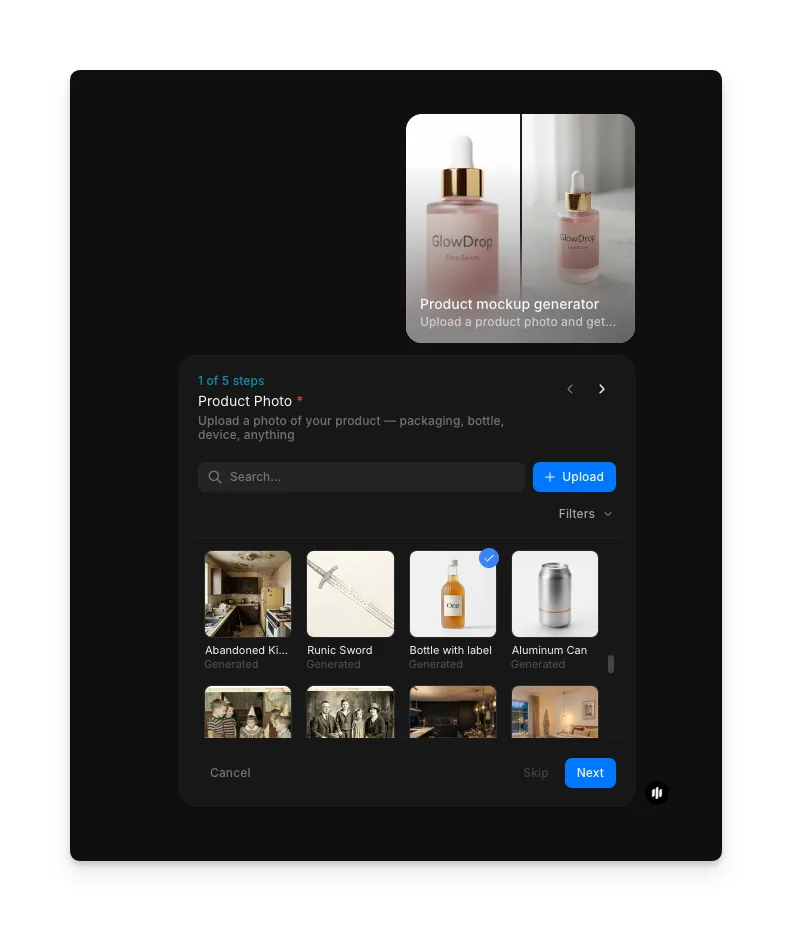
Add your product photo
Start with a clean photo of your product. A simple shot against a plain background works best, but the workflow handles most input quality levels. Add it to the Product Photo field and the workflow isolates the product for placement on your chosen surface.
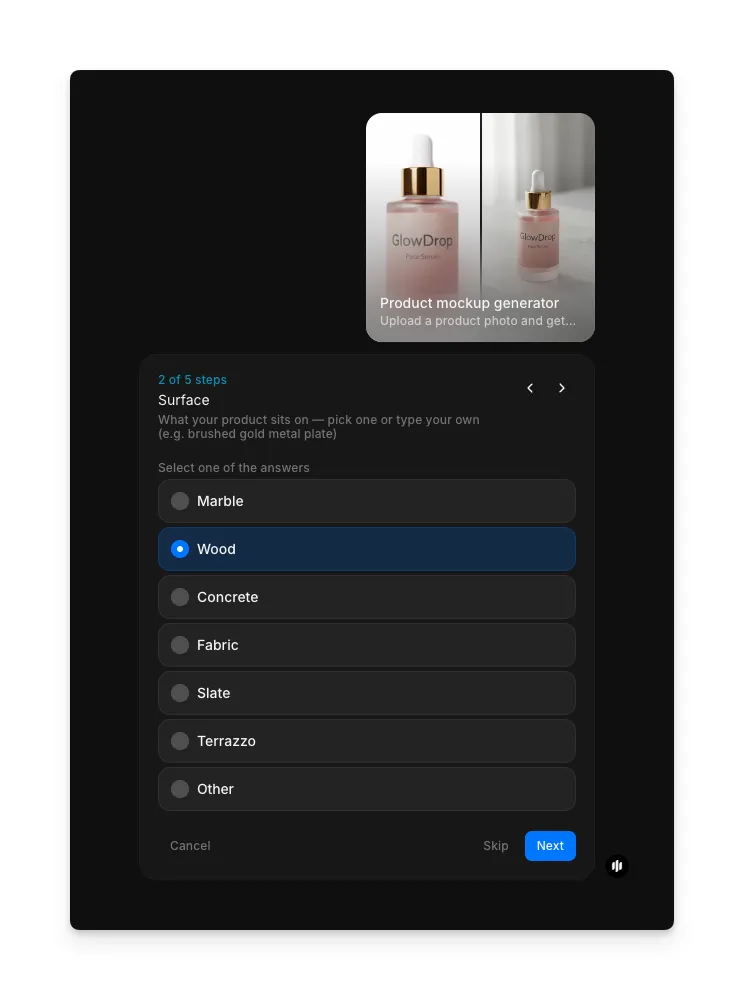
Select your surface
Choose the surface material your product will be placed on. Each surface creates a different mood and aesthetic:
| Surface | Visual quality | Best for |
|---|---|---|
| Marble | Clean white veining with subtle reflections, luxurious and premium feel | Skincare, jewelry, cosmetics, and high-end consumer goods |
| Wood | Warm natural grain with organic texture and soft shadows | Food products, artisan goods, homeware, and rustic brands |
| Concrete | Raw industrial texture with matte finish and subtle imperfections | Tech products, tools, modern accessories, and urban brands |
| Fabric | Soft draped textile with gentle folds and diffused light | Fashion accessories, soft goods, and lifestyle products |
| Slate | Dark matte stone with fine texture and high contrast against light products | Premium food, dark-themed brands, and editorial product shots |
| Terrazzo | Colorful speckled composite with a contemporary design feel | Design-forward brands, stationery, and creative products |
| Other | Custom surface material specified by text input | Unique or brand-specific surface requirements |
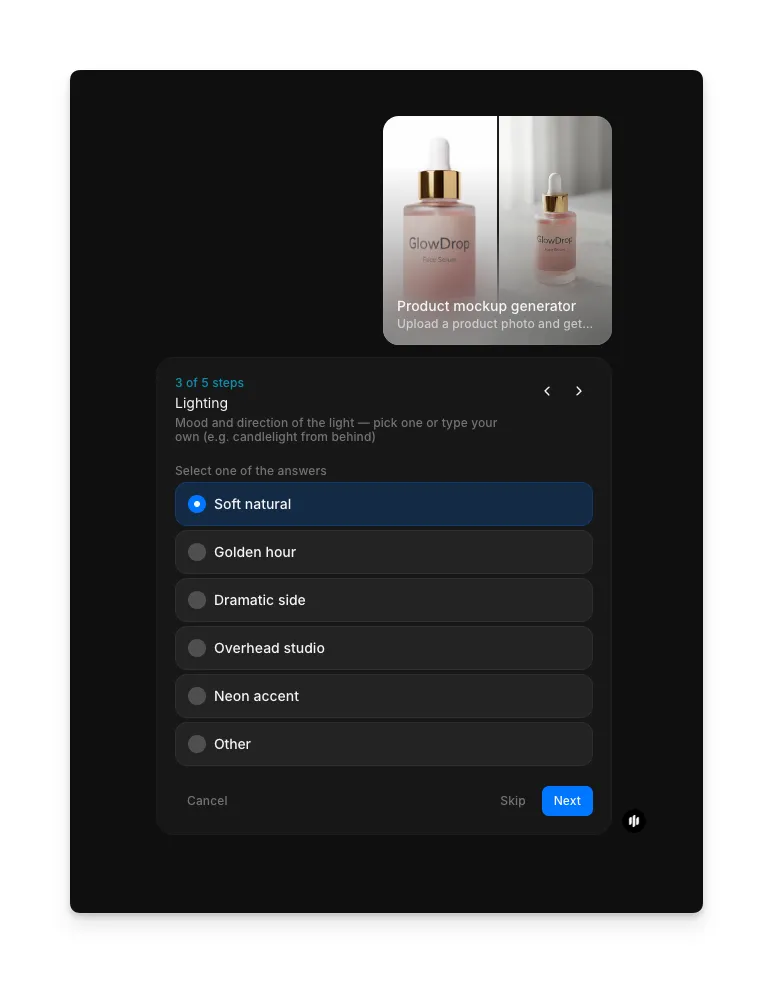
Select your lighting
Choose a lighting style that complements your product and surface:
| Lighting | Visual effect | Best for |
|---|---|---|
| Soft natural | Even diffused light with minimal shadows, clean and approachable | E-commerce listings, catalog shots, and everyday products |
| Golden hour | Warm directional light with long soft shadows and amber tones | Lifestyle products, food, and brands with a warm aesthetic |
| Dramatic side | Strong directional light from one side with deep shadows and high contrast | Premium products, editorial shots, and luxury branding |
| Overhead studio | Top-down even lighting with controlled falloff and professional finish | Flat lay compositions, small products, and technical items |
| Neon accent | Colorful accent lighting with vivid reflections and a modern edge | Tech products, gaming accessories, and youth-oriented brands |
| Other | Custom lighting style specified by text input | Unique or specialized lighting requirements |
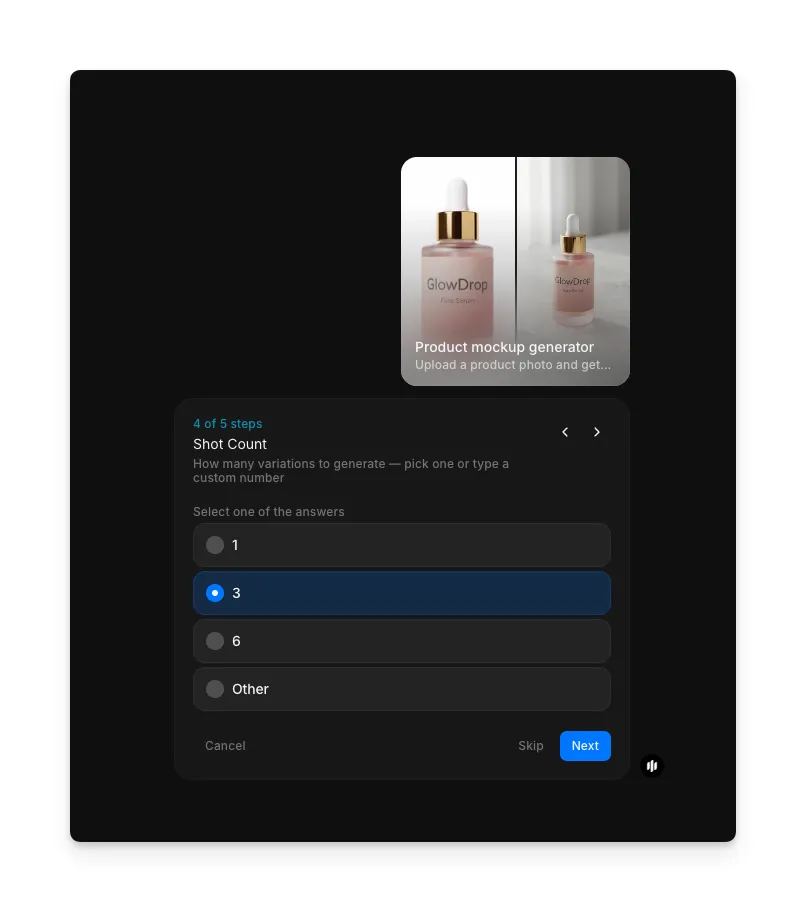
Select your shot count
Choose how many unique product shots to generate in a single run. More shots give you variety in angle and composition:
Select your aspect ratio
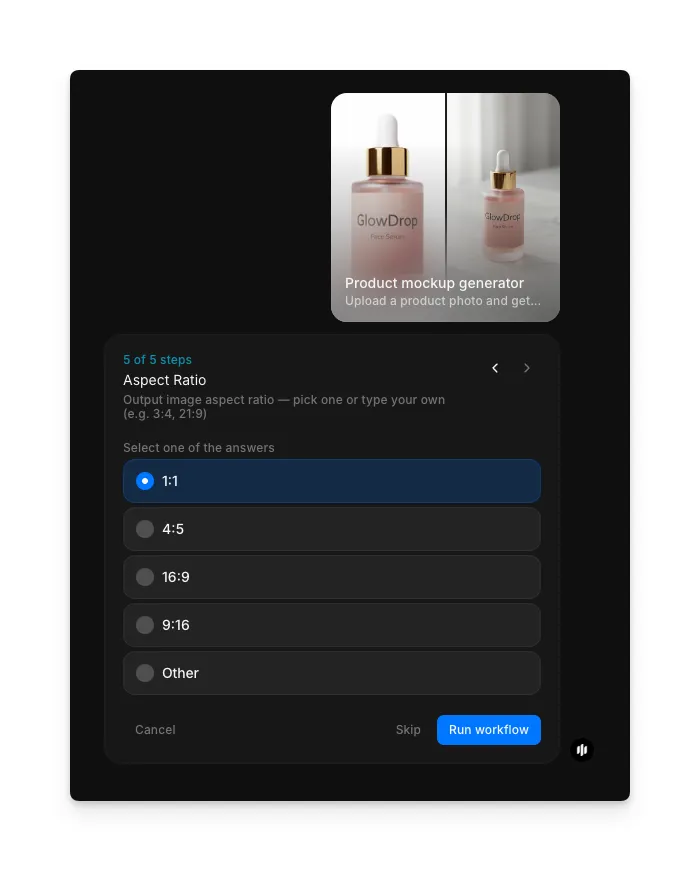
Pick the aspect ratio that fits your platform. Square 1:1 works for most e-commerce platforms, 4:5 for Instagram feed posts, 16:9 for website banners, 9:16 for vertical video and stories, or Other for specific requirements.
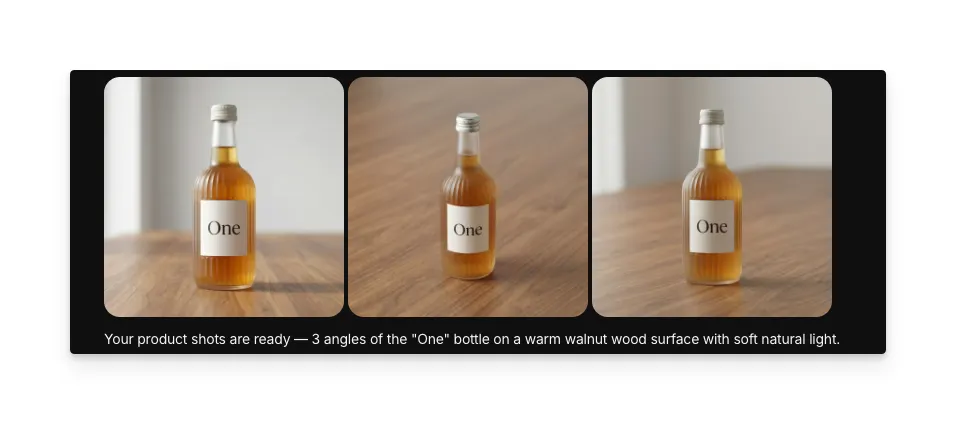
Hit "Run workflow," and Morphic generates your studio-quality product photos in seconds:
What makes great product photography
| Quality | What it means | Why it matters |
|---|---|---|
| Lighting control | Light direction, intensity, and color temperature are precisely managed for the product | Poor lighting makes even premium products look cheap and unappealing |
| Surface realism | The surface material looks genuine with accurate texture, reflections, and wear patterns | Fake-looking surfaces undermine the credibility of the entire product image |
| Angle consistency | Multiple shots maintain consistent perspective and product placement | Inconsistent angles make a product catalog look unprofessional |
| Shadow accuracy | Shadows fall naturally based on the light source and product shape | Wrong shadow direction or intensity signals the image is composited |
The AI handles product isolation, surface placement, lighting simulation, and composition automatically, so you only need to upload a product image and select your preferences.
Product photo studio vs. professional product photography
| Morphic's product mockup generator | Professional product photography | |
|---|---|---|
| Cost | Available on Morphic | Professional rates per product for studio time, photographer, and editing |
| Time to delivery | Seconds | 1 to 3 days for shooting, editing, and delivery |
| Setup required | None, just a product image | Studio space, lighting rigs, backdrops, and camera equipment |
| Surface and lighting configuration | Select from presets and generate instantly | Physical setup changes require repositioning equipment for each variation |
| Catalog consistency | Identical treatment across every product in your catalog | Consistency depends on the photographer maintaining setup across sessions |
| Retouching | Output is publication-ready with no post-production needed | Most product photos require color correction, background cleanup, and retouching |
FAQs
Yes. Upload each product image and generate shots with consistent surface, lighting, and aspect ratio settings across your entire catalog. The workflow produces uniform results that maintain brand consistency.
A clean photo of your product against a plain or simple background produces the best results. Good lighting and sharp focus in the input help the workflow isolate the product accurately. Phone photos work well as long as the product is clearly visible.
The workflow handles most physical products including bottles, boxes, electronics, food items, cosmetics, clothing accessories, and homeware. Products with clear edges and defined shapes produce the strongest results.
Yes. The generated images are high resolution and suitable for e-commerce platforms, social media, print catalogs, and website use. Output quality meets the requirements of major platforms including Shopify, Amazon, and Instagram.
Studio product photography can be expensive when accounting for studio rental, photographer fees, and post-production editing. Morphic's product mockup generator is available on Morphic and delivers publication-ready shots in seconds.