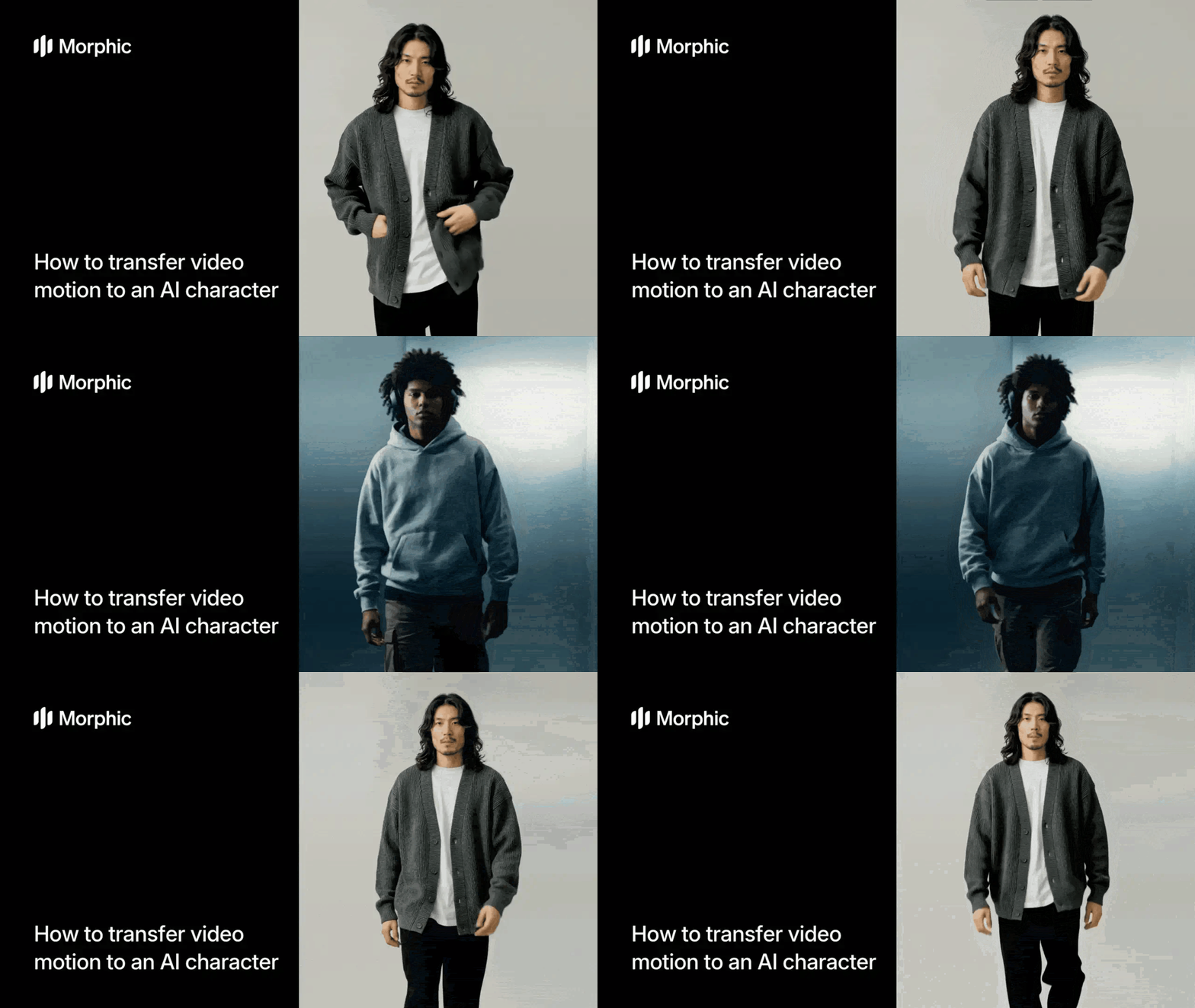
What is AI motion transfer?
AI motion transfer extracts movement from a reference video and applies it to a static character image. The system maps pose, gesture, and body dynamics from the video source onto the character while preserving the character's visual identity, proportions, and art style. The result is a video of your character performing the exact movements shown in the reference clip.
Upload your character image and a reference video showing the motion you want. Morphic analyzes the motion frame by frame, maps it onto your character's body structure, and renders a smooth animated output.
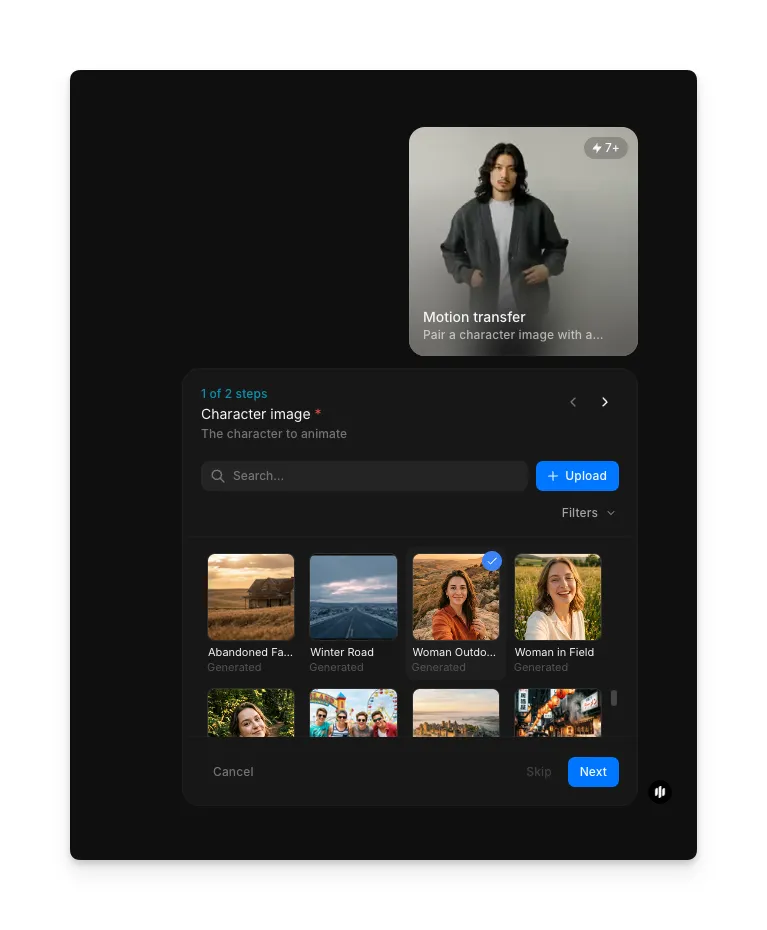
Upload your character image
Open the "Motion transfer" workflow. In the "Character image" step, browse the gallery or upload the character you want to animate.
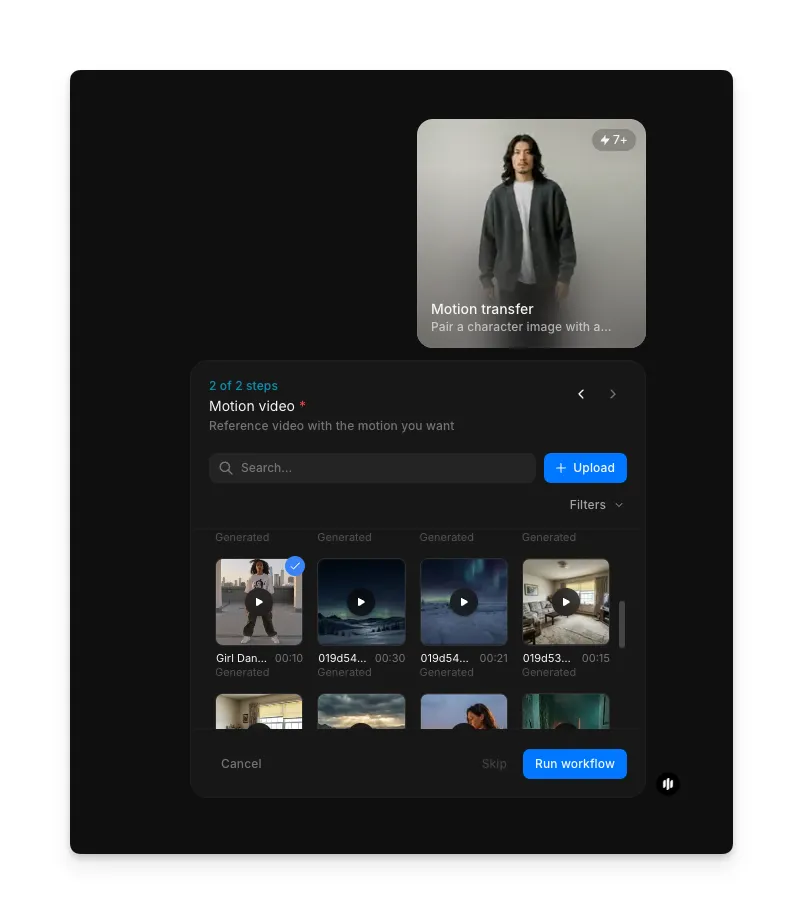
Upload your motion video and generate
In the "Motion video" step, browse the gallery or upload the reference video containing the motion you want to transfer. Click "Run workflow" to generate.
The completed motion transfer showing the AI character performing the reference video's movements
What makes effective motion transfer
| Quality | What it means | Why it matters |
|---|---|---|
| Motion accuracy | The character replicates the reference video's movements with precise timing and positioning | Inaccurate motion makes the animation feel disconnected from the source material |
| Character preservation | The character's face, clothing, proportions, and art style remain intact throughout the animation | Loss of character identity defeats the purpose of using a custom character |
| Temporal smoothness | Movement flows naturally between frames without jitter or sudden jumps | Choppy transitions break immersion and look unprofessional |
| Pose fidelity | Complex poses including hand positions and body angles transfer accurately | Simplified or distorted poses reduce the expressiveness of the performance |
Morphic handles motion extraction, pose mapping, and frame rendering automatically, so you only need to provide a character and a reference video.
Motion transfer workflow vs. traditional motion capture
| Morphic's motion transfer workflow | Traditional motion capture | |
|---|---|---|
| Cost | Available on Morphic | Professional rates per session |
| Setup time | Minutes | Hours to days for hardware setup, calibration, and actor preparation |
| Character rigging | Not required, works with any static image | Full 3D character rig must be built before motion can be applied |
| Motion source | Any video clip including phone recordings and online references | Requires a live actor wearing a motion capture suit in a controlled environment |
| Art style support | Works with realistic, illustrated, anime, pixel art, and any visual style | Limited to 3D rendered characters that have been rigged for the mocap system |
| Iteration speed | Swap characters or reference videos and regenerate instantly | Re-recording and re-processing required for any changes |
FAQs
Full-body movements with clear visibility work best. Dancing, walking, gesturing, and athletic movements all transfer well. Avoid reference videos where the subject is heavily occluded or the motion is too subtle to detect.
No. Morphic adapts the reference motion to your character regardless of the character's starting pose. A front-facing standing pose provides the cleanest results, but the workflow handles most orientations.
Reference videos of 2 to 10 seconds produce the best results. Longer videos are supported but may require additional processing time.
Yes. Run the workflow multiple times using the same reference video with different character images. Each run produces an independent animation of that character performing the reference motion.
Morphic exports animated outputs as MP4 video files compatible with all major video editors, social media platforms, and web players.