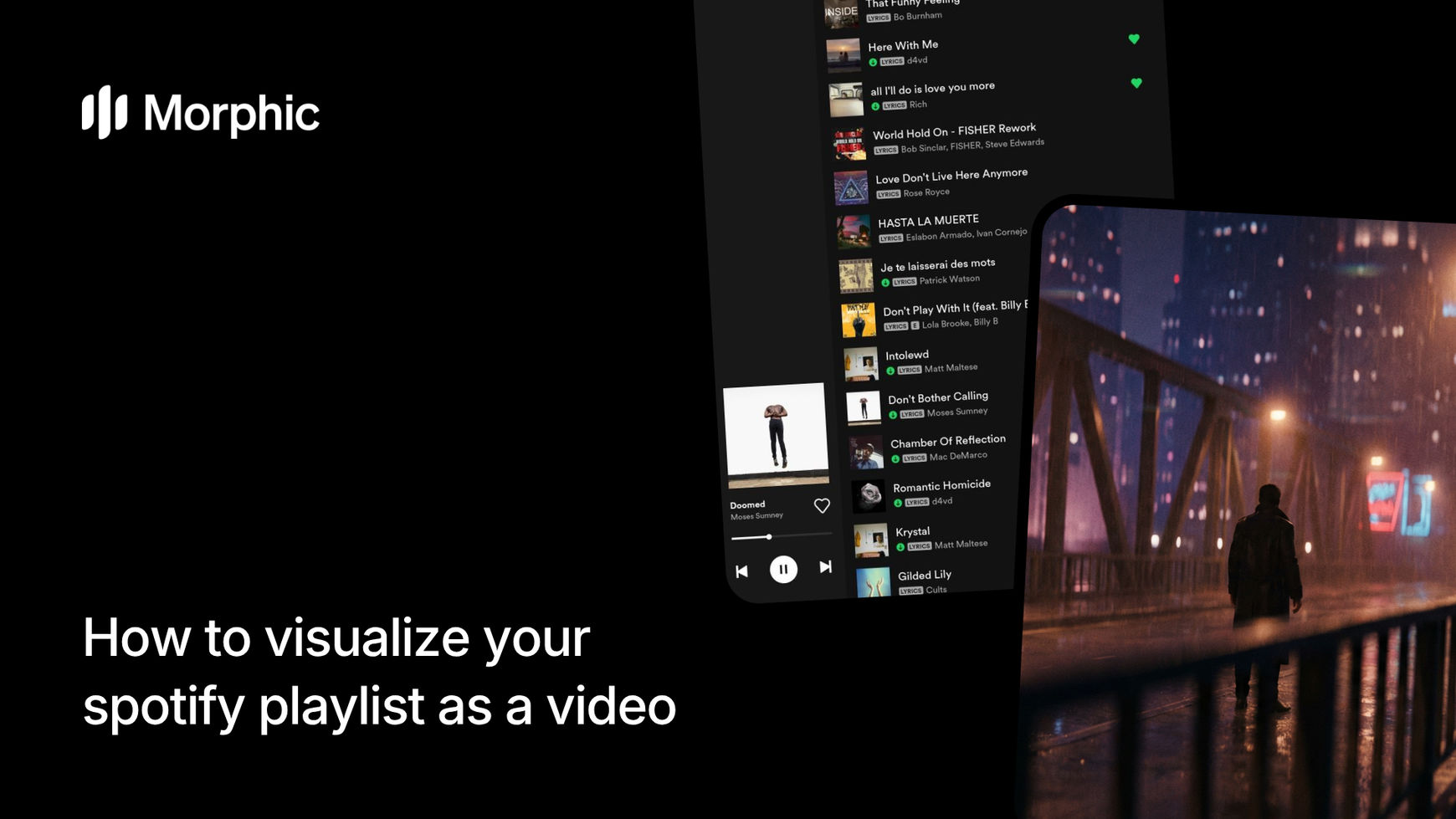
What is a playlist visualizer?
A playlist visualizer is a tool that transforms a music playlist into a series of visual scenes that match the mood, energy, and aesthetic of each song. Rather than generic waveform animations or random visuals, Morphic's approach generates unique cinematic imagery that captures the emotional tone and atmosphere of your music. The result is a visual narrative that feels like it was art-directed specifically for your playlist.
Upload your Spotify playlist and Morphic generates cinematic scenes that capture the vibe of each track.
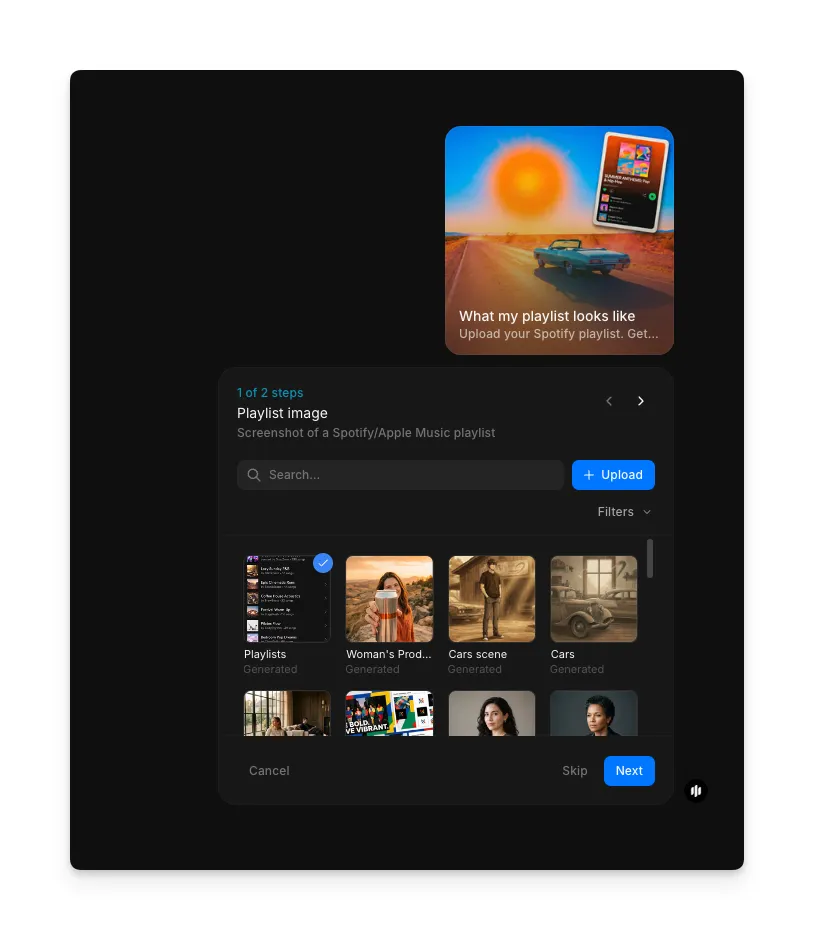
Upload your playlist image
Open the "What my playlist looks like" workflow. In the "Playlist image" step, browse the gallery or upload an image that represents your playlist's aesthetic: an album cover, mood image, or visual reference.
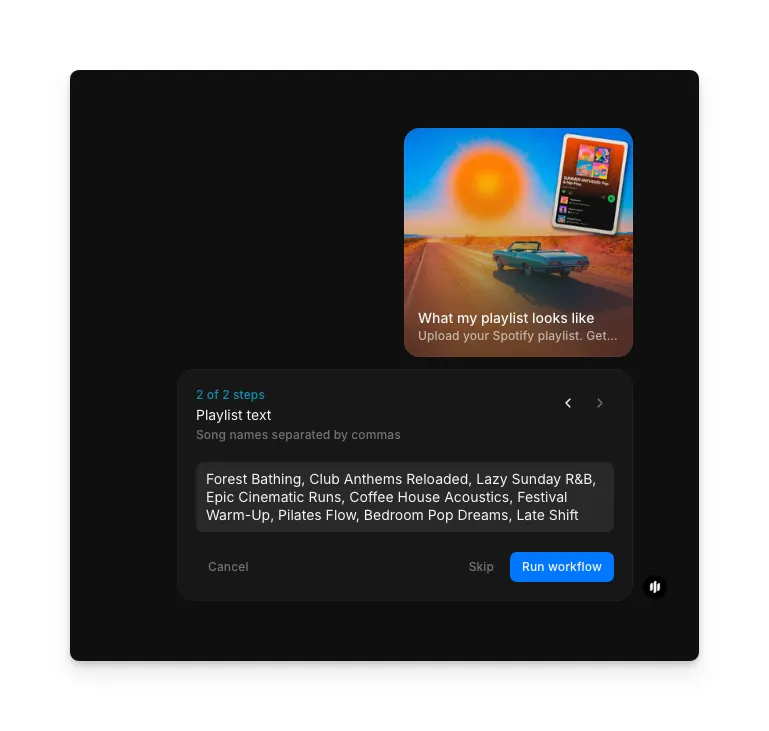
Enter your playlist songs and generate
In the "Playlist text" step, enter song names separated by commas. Click "Run workflow" to generate cinematic scenes for each song.

What makes great playlist visualization
| Quality | What it means | Why it matters |
|---|---|---|
| Mood accuracy | The visual tone of each scene matches the emotional feel of its corresponding song | Mismatched visuals undermine the connection between music and imagery, making the output feel random rather than intentional |
| Visual variety | Each song receives a distinct visual treatment while maintaining overall cohesion | Repetitive or identical visuals across different songs fail to capture the variety and journey of a playlist |
| Song-to-scene cohesion | Individual scenes feel specifically created for their song rather than generically applied | Generic visuals that could accompany any song miss the point of personalized playlist visualization |
| Atmospheric richness | Scenes have depth, lighting, and environmental detail that create an immersive visual experience | Flat or simple imagery lacks the cinematic quality that makes playlist visuals worth watching and sharing |
The AI handles mood analysis, visual generation, scene composition, and aesthetic cohesion automatically, so you only need to upload your playlist.
Playlist visualizer workflow vs. manual video editing
| Morphic's playlist visualizer | Manual video editing | |
|---|---|---|
| Cost | Available on Morphic | Stock footage subscriptions plus editing time |
| Time | Minutes per playlist | Hours of sourcing footage, editing, and timing clips to music |
| Mood matching | AI analyzes each song and generates visuals that match the specific mood and energy | Manual mood matching requires subjective judgment and extensive footage browsing |
| Skill required | No video editing or design skill needed | Requires proficiency in video editing software and strong visual instincts |
| Consistency | All scenes share a unified aesthetic automatically | Maintaining visual consistency across sourced clips requires careful curation |
| Iterations | Regenerate with different visual approaches in minutes | Each revision requires re-editing and potentially re-sourcing footage |
FAQs
Yes. The workflow accepts any public or shared Spotify playlist regardless of genre, length, or artist mix. Playlists with a clear mood or theme tend to produce the most unified visual results, but eclectic mixes work well too with each song receiving its own distinct visual treatment.
All visuals are generated uniquely by Morphic's AI for your specific playlist. Nothing is pulled from stock footage libraries. Each scene is created from scratch based on the mood, genre, and energy of the corresponding song, making every output one of a kind.
Yes. Playlist visualization outputs are designed for sharing. The cinematic scenes work well as social media posts, stories, reels, and video content on platforms like Instagram, TikTok, Twitter, and YouTube.
The visualization generates visual scenes matched to your songs but does not include the copyrighted audio tracks. You can pair the visuals with your music using any video editing tool or play them alongside your playlist on Spotify.
Manually creating visual content for a playlist requires stock footage subscriptions and hours of video editing work. Morphic's playlist visualizer workflow is available on Morphic and delivers results in minutes.