An AI microdrama is a vertical, episodic short drama produced with AI video rather than a live shoot. To make one in Morphic you need a season plan, a cast you save once and reuse, and a repeatable way to turn each episode's script into finished shots. The slow part is never the generating; it is keeping the same characters, voices, and look across dozens of episodes, which is exactly what saving a cast and building a reusable episode workflow are for. This walkthrough takes one episode from beat sheet to finished cut, and shows how that one episode becomes a template for the whole season.
If you have never made a vertical drama before, start with the format-level guide to making a microdrama; this page assumes you know the shape and want to produce it with AI.
Step 1, Season beat sheet and episode prompts
Plan the season before you generate a frame. Write the premise, the cast, and a beat sheet that carries the story across its episodes with a turn and a cliffhanger in each one, the script structure guide has the episode skeleton. Then break the first episode into shots: each shot becomes a prompt, and the beat sheet keeps those prompts consistent with where the story is. You can draft this in a document and have Copilot work from it rather than re-explaining the story every time.
Step 2, Build the cast: reference sheets and voices
This is the step that decides whether the series holds together. Build a reference sheet for each recurring character and save it, so the same face, wardrobe, and look come into every shot that character appears in, nothing is trained, the saved reference is passed into each generation. Do the same for recurring locations. Give each character a single voice and reuse it for the whole run. The character consistency page covers the method in depth; the short version is that a saved reference beats a worded description every time.
Step 3, Generate the scenes in 9:16
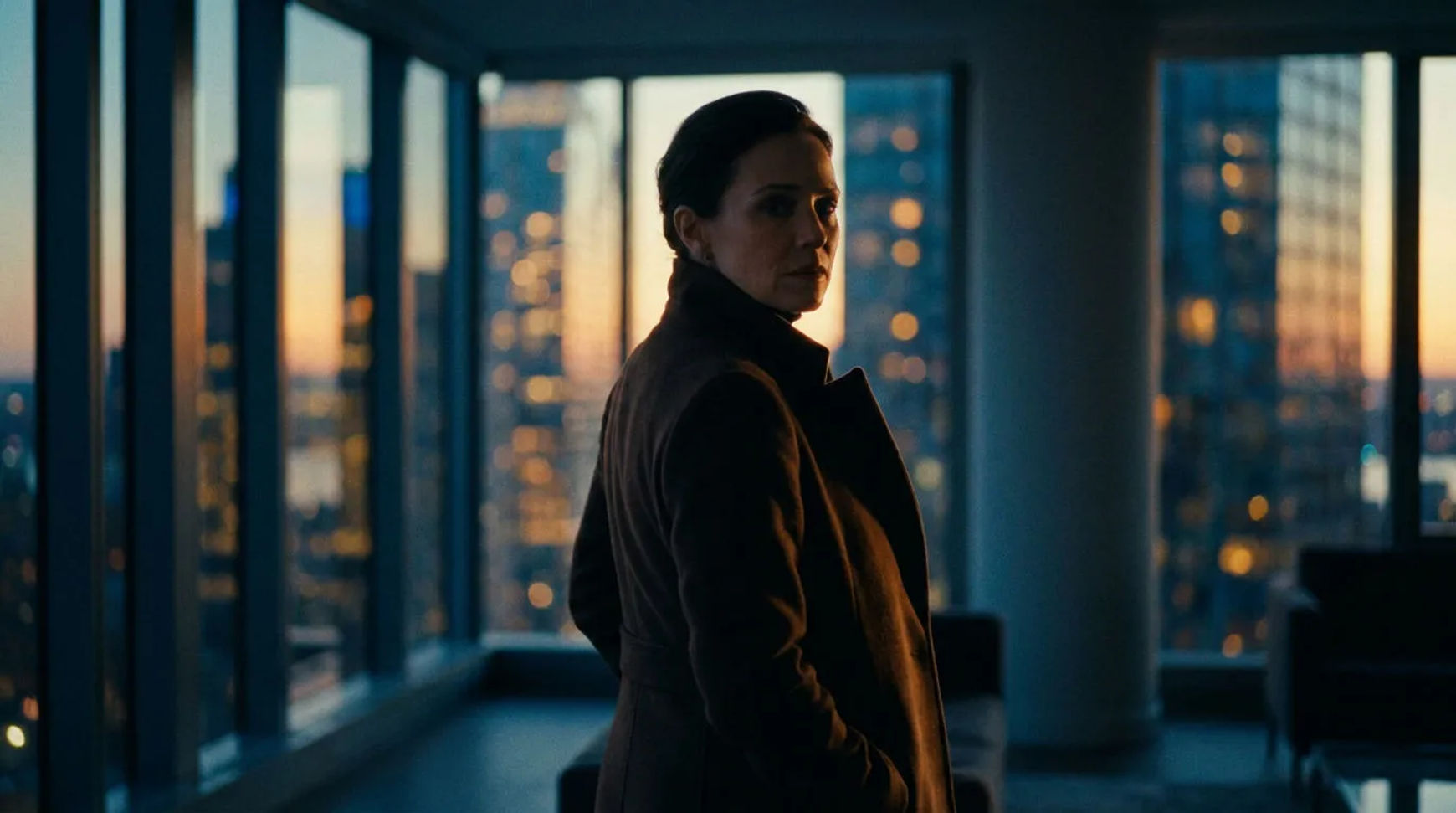
Generate each shot vertically, with the character references attached, so framing and cast are right from the first pass. Different shots suit different engines, a dialogue close-up, a motion beat, and an establishing frame do not all want the same model, so route each shot to the engine that handles it best. Which model for which shot is the whole subject of best AI models for microdrama. To explore motion cheaply, draft a shot at preview resolution and only render the keeper at full resolution.
A vertical 9:16 dialogue shot generated in Morphic, framed for a microdrama episode
Step 4, Dialogue, voice, and lip sync
Give the characters their lines. Produce each line in the character's saved voice, then lip sync the shot so the mouth matches the audio. For the lines that carry a scene, produce the audio first, get the read right, and sync afterwards, that separation is what keeps a confession or a cliffhanger from reading as dubbed.
Step 5, Assemble the episode, then make it a workflow
Assemble the shots, the dialogue, and any music or effects into the finished episode, and set the per-clip levels so the voice sits right against the bed. The important move for a season is to save the sequence you just ran as a reusable workflow, so the next episode is "duplicate, swap the script and shot prompts, run" rather than rebuilt from scratch. The generic version of this is in the AI video workflow guide.
Step 6, Dub for other markets
A finished episode becomes a release in another market without regenerating it. Dub the scene to get a translated, re-voiced track timed to the original, then lip sync the characters to the dubbed audio. One source episode can ship to several markets this way, each with the same character voices carried across languages.
What an episode takes to produce
The honest metric for AI production is not cost per clip but cost per approved minute, the finished minute after the retries that did not make the cut. You keep that number down the same way a real production does: plan the shots before generating, draft motion at preview cost and only pay full resolution for keepers, and reuse the cast and the workflow so you are not re-solving consistency every episode. The production cost guide breaks down where the spend actually goes across a 10, 30, and 60-episode run.
Häufig gestellte Fragen
Plan the season as a beat sheet, save a reference sheet and a voice for each recurring character, generate each episode's shots vertically with those references attached, lip sync the dialogue, and assemble the cut. Save that sequence as a workflow so each new episode is a duplicate-and-swap rather than a rebuild, and dub finished episodes for other markets.
There is no single best model, you route each shot to the engine that handles it. Dialogue close-ups, motion beats, and establishing shots have different strengths, so a microdrama episode usually uses more than one model. Morphic puts the roster in one workspace so model choice is a creative decision per shot, not a separate subscription; see best AI models for microdrama for the routing.
Most of the time goes to planning and consistency, not generating. Once your cast is saved and your episode workflow exists, a new episode is mostly swapping the script and shot prompts into the template and running it, then reviewing. The first episode is the slow one because you are building the cast and the workflow; the rest of the season rides on that work.
Yes, that is what reference sheets are for. Save a character once and attach that reference to every shot the character is in, and the same face and wardrobe carry across the season. Pair it with a single saved voice per character so the performance is consistent too. Nothing is trained; the saved reference is passed into each generation.
It depends on episode length, how many retries you need, and whether you draft before rendering, so the useful figure is cost per approved finished minute rather than cost per clip. Drafting motion at preview resolution and only rendering keepers at full resolution is the main lever. The production cost guide works through budgets for a 10, 30, and 60-episode season.
Yes, two ways. You can produce an episode natively in the language, or produce it once and dub it into other markets with the character voices carried across. For Hindi specifically there is a dedicated walkthrough; for any new language, test one scene's dialogue and lip sync before committing a whole season to it.