Zurückeroberter Fabrikboden
Ein weiter verfallener Fabrikboden, von Grün zurückerobert, verrostete Maschinen und blasses Licht durch ein zerbrochenes Dach.
Prompt bearbeiten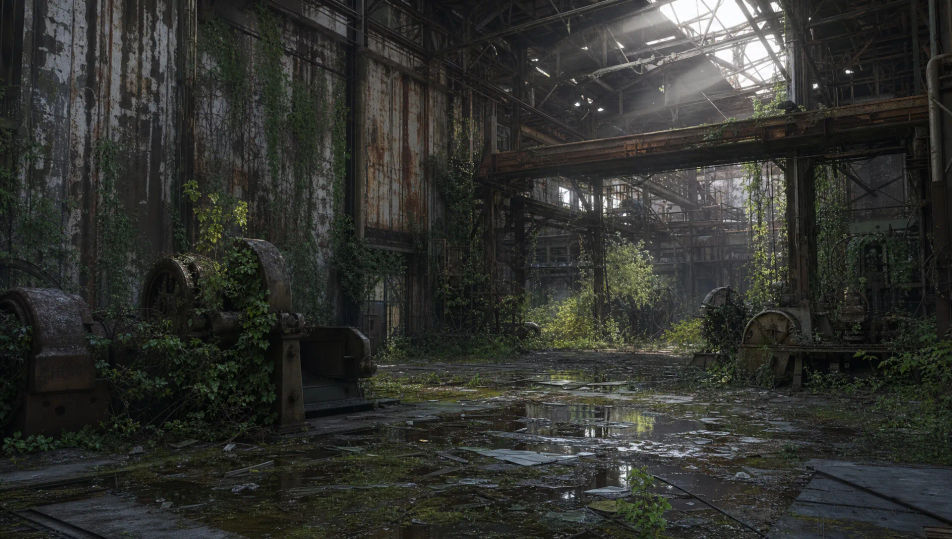
Gestalten Sie Bilder verlassener Orte direkt im Browser mit dem KI-Bildgenerator von Morphic. Generieren Sie unheimliche verfallene Szenen wie eine überwucherte Fabrik, einen abblätternden Ballsaal oder ein verrostetes Karussell. Halten Sie Verfall und Licht mit Style Transfer fest und animieren Sie jedes Standbild mit Image to Video.
Ein weiter verfallener Fabrikboden, von Grün zurückerobert, verrostete Maschinen und blasses Licht durch ein zerbrochenes Dach.
Prompt bearbeitenEine weite verfallende Prachthalle mit abblätternden Fresken und heruntergefallenem Putz, sanftes Licht von hohen Fenstern.
Prompt bearbeiten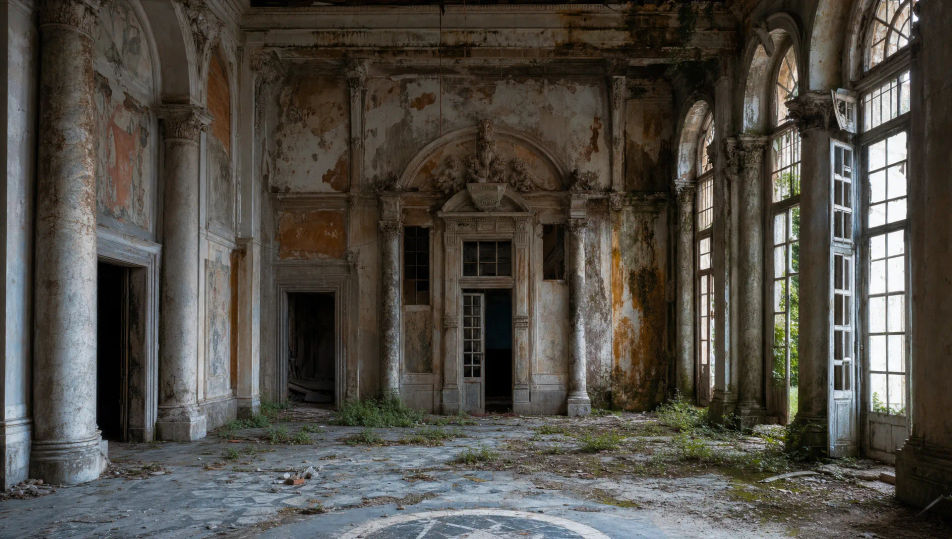
Ein weiter verlassener Vergnügungspark mit einem verrosteten Riesenrad und überwucherten Wegen unter einem grauen Himmel.
Prompt bearbeiten
Ein weiter verlassener U-Bahn-Bahnsteig mit stehendem Wasser, rissigen Fliesen und einem Strahl blassen Tageslichts.
Prompt bearbeiten
Beschreiben Sie das Verlassene Orte, das Sie möchten, in einfachen Worten.
Morphic generiert in Sekunden ein sauberes, veröffentlichungsfertiges Bild auf Ihrer Canvas.
Passen Sie den Prompt an, generieren Sie Varianten und laden Sie das Bild herunter oder teilen Sie es.
One image to a 9-scene cinematic video.

Share a scene description with character references. Get a full storyboard with shot angles and mood.

Feed in a single image. Get 9 cinematic beats laid out as a 3x3 storyboard grid.

Dramatize any text conversation into a cinematic multi-shot video.
Cinematic time-freeze short film for any scene
Drop in a photo of yourself. Get a 12-second cinematic movie with animation and a matched soundtrack.
Postapokalyptische-Landschaft-KI-Bilder
Erstellen Sie KI-Bilder postapokalyptischer Landschaften auf Morphic. Vom Wald zurückeroberte Ruinenstädte, verrostete Wracks, überwucherte Autobahnen und Aschehorizonte aus Prompts.
Dystopische-Stadt-KI-Bilder
Erstellen Sie KI-Dystopische-Stadt-Bilder auf Morphic. Überwachungstürme, Propaganda-Bildschirme, Smog-Skylines und graue Betonstraßen aus Prompts in einfacher Sprache.
Fantasy-Schloss-KI-Bilder
Erstellen Sie KI-Fantasy-Schloss-Bilder auf Morphic. Klippenfestungen, Thronhallen, Wachtürme, Innenhöfe und neblige Burgen aus Prompts in einfacher Sprache.
Traumlandschaft-KI-Bilder
Erstellen Sie KI-Traumlandschaft-Bilder mit Morphic. Generieren Sie Traumlandschaft-Szenen, -Landschaften und -Umgebungen für jedes Projekt in Sekunden.
Starten Sie noch heute kostenlos, mit der Option, jederzeit zu upgraden oder zu kündigen.
Basic
2400 monatliche Credits
1 Nutzer
Alle Modelle
Workflows
Standard
3625 monatliche Credits
1 Nutzer
Alle Modelle
Workflows
Pro
6350 gemeinsame monatliche Credits
1 Nutzer
Alle Modelle
Workflows
Max
24650 gemeinsame monatliche Credits
1 Nutzer
Alle Modelle
Workflows
Enterprise
Für höhere Limits
Individuell
Preis- und Abrechnungsbedingungen

Free
Zum Ausprobieren
$0
dauerhaft kostenlos