Dystopian City AI Images

Design oppressive dystopian cities in your browser with Morphic's dystopian city AI image generator. Create a smog-choked skyline or a propaganda-screen plaza, lock one cold concrete palette with Style Transfer, then sweep the searchlights with Image to Video.

Dystopian city elements you can create

Dystopian city compositions you can produce

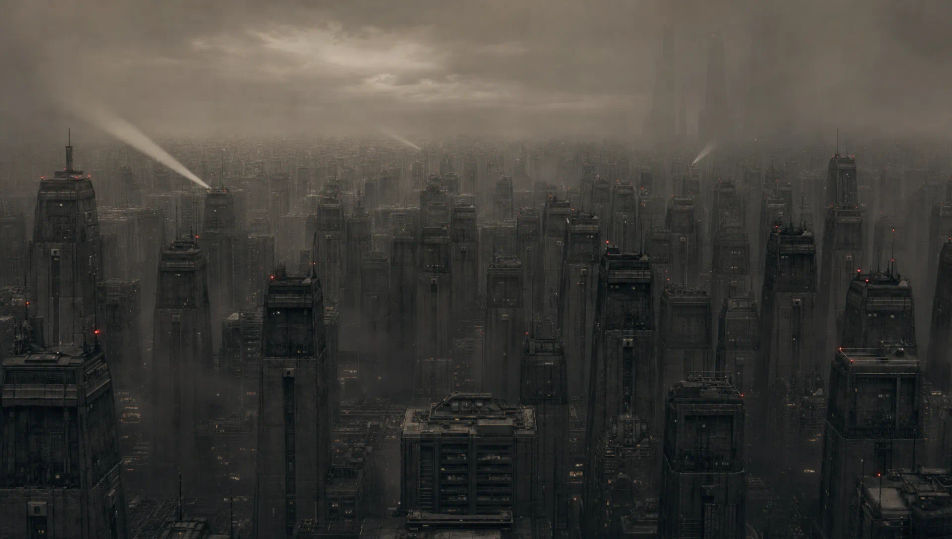
An oppressive skyline under smog

A wide view across a dystopian city of endless identical grey towers fading into thick brown smog, faint red beacons and a few sweeping searchlights, no green and a sunless sky.

Prompt bearbeiten
An oppressive skyline under smog

A rain-grey street under watchtowers

A bleak rain-soaked street of concrete and shuttered fronts overlooked by surveillance towers and cameras, grey figures hurrying under umbrellas, cold flat light and oily puddles.

Prompt bearbeiten
A rain-grey street under watchtowers

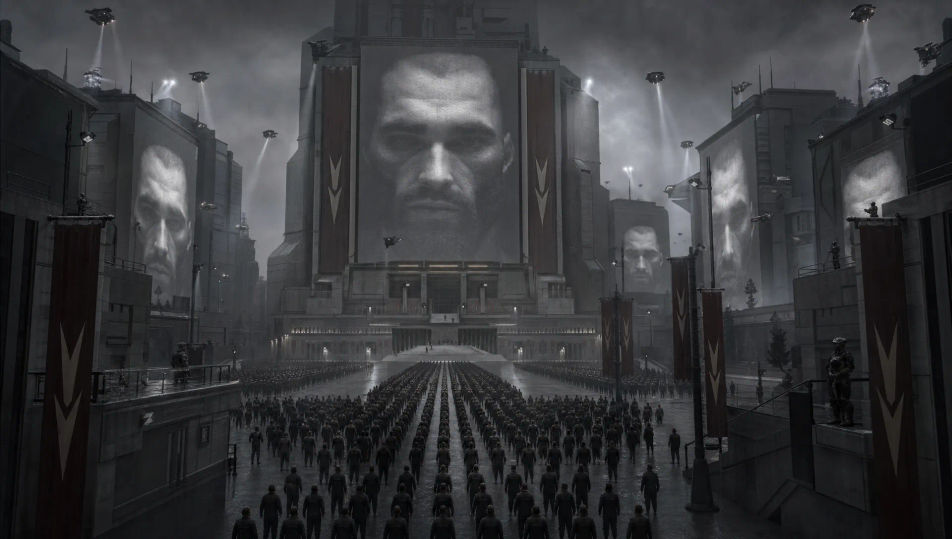
A propaganda plaza

A vast grey plaza dominated by towering state screens showing a stern face and slogans, orderly crowds dwarfed beneath, banners and floodlights cutting the gloom.

Prompt bearbeiten
A propaganda plaza

The slum under the elevated highway

A cramped shanty slum crammed beneath a massive elevated concrete highway, tarps and scrap shacks, dripping water and steam, the city towers looming cold behind.

Prompt bearbeiten
The slum under the elevated highway

Dystopian city in drei Schritten erstellen

  1. 01

    Beschreiben Sie Ihr Dystopian city

    Beschreiben Sie das Dystopian city, das Sie möchten, in einfachen Worten.

  2. 02

    Bild generieren

    Morphic generiert in Sekunden ein sauberes, veröffentlichungsfertiges Bild auf Ihrer Canvas.

  3. 03

    Dystopian city verfeinern

    Passen Sie den Prompt an, generieren Sie Varianten und laden Sie das Bild herunter oder teilen Sie es.

Verwandte Workflows

Das könnte Ihnen auch gefallen

Einfache Preise

Starten Sie noch heute kostenlos, mit der Option, jederzeit zu upgraden oder zu kündigen.

Basic

$0/ Monat
abgerechnet als $0 pro Jahr

900 monatliche Credits

1 Nutzer

Alle Modelle

Workflows

Standard

$0/ Monat
abgerechnet als $0 pro Jahr

3200 monatliche Credits

1 Nutzer

Alle Modelle

Workflows

Pro

$0/ Monat
abgerechnet als $0 pro Jahr

6200 gemeinsame monatliche Credits

1 Nutzer

+ bis zu 4 weitere gegen Aufpreis

Alle Modelle

Workflows

Pro Max

$0/ Monat
abgerechnet als $0 pro Jahr

24000 gemeinsame monatliche Credits

1 Nutzer

+ bis zu 9 weitere gegen Aufpreis

Alle Modelle

Workflows

Enterprise

Für höhere Limits

Individuell

Preis- und Abrechnungsbedingungen

Unbegrenzte Credits
Individuelle Platzlimits
Alle Modelle
Workflows
Pricing Gradient

Free

Zum Ausprobieren

$0

dauerhaft kostenlos

Bis zu 20 Credits
Nur 1 Nutzer
Eingeschränkte Modelle
Workflows

Häufig gestellte Fragen

Where can I make dystopian city images with AI?
You can create dystopian city images directly in your browser on Morphic. Open the Image tool, describe the city element, the smog or rain, and the concrete palette, and Morphic produces the artwork. No installs and no specialist software needed.
What defines a dystopian city for an AI prompt?
A few things: oppressive uniform architecture, signs of control like surveillance and propaganda, smog or rain with a cold grey palette, and a sunless heavy mood. Name those and the city reads as dystopian rather than just a moody skyline.
How is a dystopian city different from a cyberpunk city?
A dystopian city is cold, grey, and oppressive, defined by control and decay. A cyberpunk city is neon, rain-soaked, and high-tech. Use this page for the bleak concrete register and the cyberpunk page for the neon one.
How do I keep one dystopian city consistent across several images?
Use Morphic's Style Transfer workflow to lock the cold concrete palette, the smog, and the architecture, then reference that style card in every prompt. Morphic carries the same city across a skyline, a plaza, and a street so the set stays consistent.
Can I turn a dystopian city image into a video?
Yes. Take any dystopian city image into the Image to Video tool and describe the motion, such as flickering propaganda screens, sweeping searchlights, or falling rain. Morphic animates the still into a short clip you can use on its own or cut into a longer sequence.
Do I need any 3D or design skill to make dystopian city images?
No. Morphic runs in the browser and takes plain-language prompts. Anyone who can describe a city element, the weather, and the palette can produce a finished dystopian city image. Modeling skill and design software are not required.