Rasterkomposition
Ein flaches Abstraktum aus rotem Kreis, blauem Quadrat und gelbem Dreieck, ausgewogen auf einem harten Raster, weißer Grund, keine Verläufe, Raum in einem Quadranten für einen Titel reserviert.
Prompt bearbeiten
Entwerfen Sie Bauhaus-Illustrationen direkt im Browser mit dem KI-Bildgenerator von Morphic. Erstellen Sie einen roten Kreis, ein blaues Quadrat und ein gelbes Dreieck auf einem Raster, ein Ausstellungsplakat oder ein Primärfarben-Balken-Abstraktum. Kombinieren Sie jedes Motiv mit Style Transfer, um eine Palette über ein ganzes Set hinweg beizubehalten.
Ein flaches Abstraktum aus rotem Kreis, blauem Quadrat und gelbem Dreieck, ausgewogen auf einem harten Raster, weißer Grund, keine Verläufe, Raum in einem Quadranten für einen Titel reserviert.
Prompt bearbeitenEin Plakat, geteilt durch eine kräftige Diagonale mit großen flachen Rot- und Schwarzfeldern, eine einzelne Akzentform, ein klares serifenloses Gespür und großzügiger Weißraum für Typografie.
Prompt bearbeiten
Überlappende rechteckige Balken in Primärrot, Blau und Gelb mit durchscheinenden Überschneidungen, harte Kanten auf neutralem Grund, ein klarer Rand an einer Seite für eine Bildunterschrift reserviert.
Prompt bearbeiten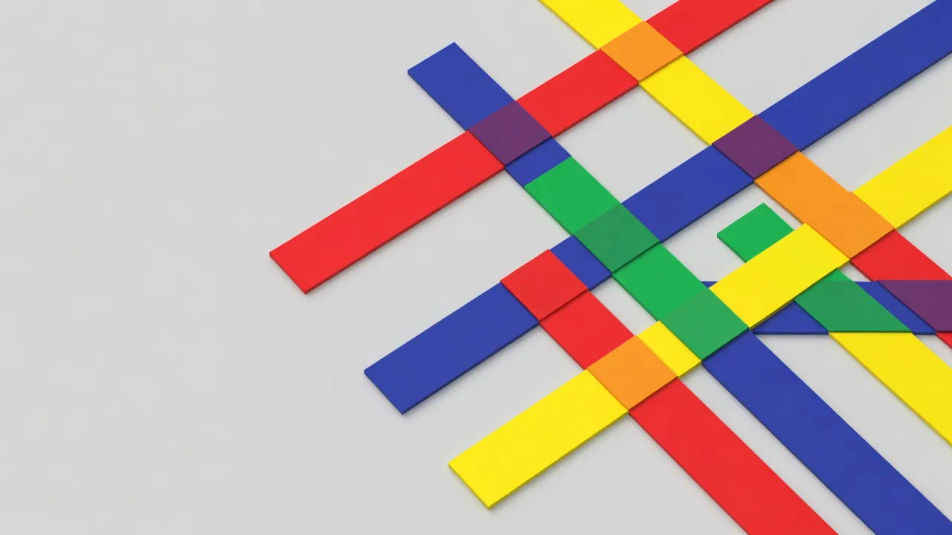
Ein modulares Raster aus kräftigen geometrischen Buchstabenformen in asymmetrischer Balance, ein einzelner Primärakzent gegen Schwarz, großzügige Ränder, ein offenes Band für eine Schlagzeile reserviert.
Prompt bearbeiten
Beschreiben Sie das Bauhaus-Illustration, das Sie möchten, in einfachen Worten.
Morphic generiert in Sekunden ein sauberes, veröffentlichungsfertiges Bild auf Ihrer Canvas.
Passen Sie den Prompt an, generieren Sie Varianten und laden Sie das Bild herunter oder teilen Sie es.
Pick a reference image, apply its visual style to your own photo or artwork.

Turn any sketch or drawing into a finished render.
Convert any image to a new aspect ratio. Smart crop or extend the edges to fit.

Pick any anime illustration as your style guide. Apply its look to any image.

Take any character image and generate 6 distinct facial expressions on a single reference sheet.
Reimagine any anime character as a photorealistic, high-fashion live-action portrait.
Bauhaus-KI-Kunst
Erstellen Sie Bauhaus-Kunst mit Morphic. Primärfarben-Geometrie, Kandinsky-Kreise, Klee-Abstraktfiguren und serifenlose Plakatraster aus einem einzigen Prompt.
Konstruktivistische-Illustration-KI-Bilder
Erstellen Sie KI-Bilder im konstruktivistischen Illustrationsstil mit Morphic. Generieren Sie konstruktivistische Illustrationsmotive, Szenen und Visuals in Sekunden.
Art-Deco-Illustration-KI-Bilder
Erstellen Sie KI-Art-Deco-Illustrationen mit Morphic. Erzeugen Sie authentische Art-Deco-Illustrationskunst, Szenen und Visuals für jedes Projekt in Sekunden.
Minimalistisches-Poster-KI-Bilder
Erstellen Sie KI-Bilder von minimalistischen Postern mit Morphic. Generieren Sie minimalistische Poster-Kunst, -Layouts und editorische Visuals für jedes Projekt in Sekunden.
Starten Sie noch heute kostenlos, mit der Option, jederzeit zu upgraden oder zu kündigen.
Basic
2400 monatliche Credits
1 Nutzer
Alle Modelle
Workflows
Standard
3625 monatliche Credits
1 Nutzer
Alle Modelle
Workflows
Pro
6350 gemeinsame monatliche Credits
1 Nutzer
Alle Modelle
Workflows
Max
24650 gemeinsame monatliche Credits
1 Nutzer
Alle Modelle
Workflows
Enterprise
Für höhere Limits
Individuell
Preis- und Abrechnungsbedingungen

Free
Zum Ausprobieren
$0
dauerhaft kostenlos