Cartoon Illustration AI art

Design Cartoon art in your browser with Morphic's Cartoon AI image generator. Create a noodle-limbed adventurer mid-leap or a wide-eyed sidekick pet, lock the bold black outlines with Character Lineup, then animate any still with Image to Video.

Cartoon characters you can design

Cartoon scenes you can stage

Sunday-funnies neighbourhood street

A Sunday-funnies neighbourhood: pastel clapboard houses with hand-drawn picket fences, a single mailbox at the curb, a tree drawn in three lollipop layers, flat candy-colour sky.

Prompt bearbeiten
Sunday-funnies neighbourhood street

Cartoon kitchen disaster

A bright cartoon kitchen mid-disaster: pots boiling over with overspill steam squiggles, a wide-eyed character holding a spoon, flour cloud puff in the air, chequered floor in flat fills.

Prompt bearbeiten
Cartoon kitchen disaster

Backyard treehouse hangout

A lopsided backyard treehouse with a rope ladder dangling, two characters peering out of the window, a hand-painted "NO ADULTS" sign nailed to the trunk, soft daylight and flat candy-green grass.

Prompt bearbeiten
Backyard treehouse hangout

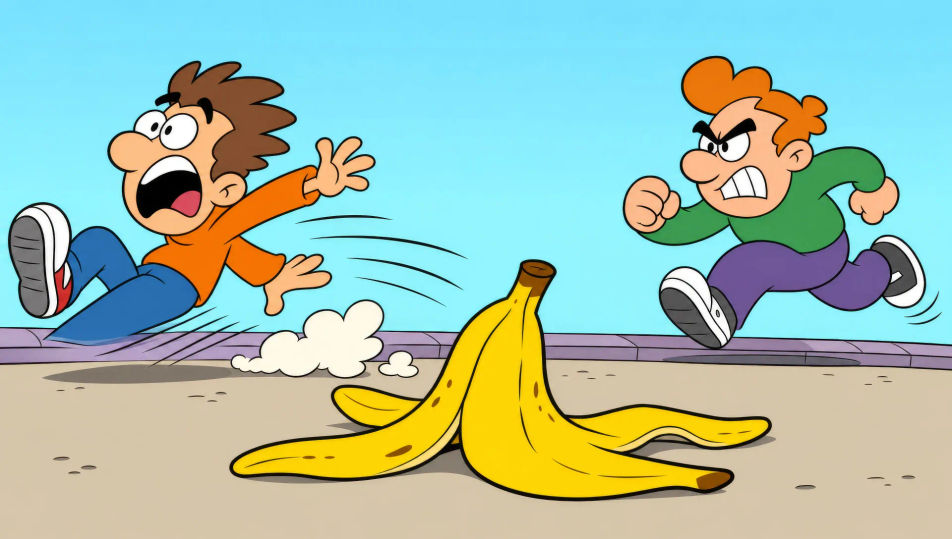
Banana-peel chase sequence

A classic banana-peel chase: a character sliding off-frame with motion lines and dust puff, a second character in pursuit, a single banana peel comically large in the foreground.

Prompt bearbeiten
Banana-peel chase sequence

Cartoon in drei Schritten erstellen

  1. 01

    Beschreiben Sie Ihr Cartoon

    Beschreiben Sie das Cartoon, das Sie möchten, in einfachen Worten.

  2. 02

    Bild generieren

    Morphic generiert in Sekunden ein sauberes, veröffentlichungsfertiges Bild auf Ihrer Canvas.

  3. 03

    Cartoon verfeinern

    Passen Sie den Prompt an, generieren Sie Varianten und laden Sie das Bild herunter oder teilen Sie es.

Verwandte Workflows

Das könnte Ihnen auch gefallen

Einfache Preise

Starten Sie noch heute kostenlos, mit der Option, jederzeit zu upgraden oder zu kündigen.

Basic

$0/ Monat
abgerechnet als $0 pro Jahr

900 monatliche Credits

1 Nutzer

Alle Modelle

Workflows

Standard

$0/ Monat
abgerechnet als $0 pro Jahr

3200 monatliche Credits

1 Nutzer

Alle Modelle

Workflows

Pro

$0/ Monat
abgerechnet als $0 pro Jahr

6200 gemeinsame monatliche Credits

1 Nutzer

+ bis zu 4 weitere gegen Aufpreis

Alle Modelle

Workflows

Pro Max

$0/ Monat
abgerechnet als $0 pro Jahr

24000 gemeinsame monatliche Credits

1 Nutzer

+ bis zu 9 weitere gegen Aufpreis

Alle Modelle

Workflows

Enterprise

Für höhere Limits

Individuell

Preis- und Abrechnungsbedingungen

Unbegrenzte Credits
Individuelle Platzlimits
Alle Modelle
Workflows
Pricing Gradient

Free

Zum Ausprobieren

$0

dauerhaft kostenlos

Bis zu 20 Credits
Nur 1 Nutzer
Eingeschränkte Modelle
Workflows

Häufig gestellte Fragen

Where can I make Cartoon illustrations with AI?
You can create cartoon illustrations directly in your browser on Morphic. Open the Image tool, describe the character archetype, the body proportions, and the bold black outline, and Morphic produces the artwork. No installs and no specialist software needed.
Does Morphic make original cartoons or just turn my photo into a cartoon?
Morphic generates original cartoon characters and scenes from a written prompt, not photo filters. Describe the character, the pose, and the scene in plain language and the Image tool produces a brand-new cartoon illustration. Photo-to-cartoon filters are a different category of tool.
What cartoon styles can I generate?
Noodle-limbed adventurer registers, Sunday-funnies neighbourhood scenes, slapstick chase panels, expressive squash-and-stretch character portraits, and bright birthday-party group shots. Name the body proportions and the palette upfront so Morphic locks the right line weight and colour register.
How do I keep cartoon characters consistent across scenes?
Use the Character Lineup workflow to lock each character's signature hook (haircut, accessory, body proportions) before you produce any scenes, then reference those character cards in every prompt. Morphic preserves the design across panels so a series feels continuous.
How do I write a good prompt for a cartoon illustration?
Name the character archetype, the body proportions, the pose, the line weight, and the palette. For example: "Wide-eyed sidekick pet mid-bounce with motion squiggles, round body, stub legs, bold black outline, flat lime-green and pink fills." Naming the squash-and-stretch register is what makes the frame read as a cartoon rather than a generic illustration.
Can I turn cartoon illustrations into video?
Yes. Morphic's Image to Video tool animates any still you generate, and a squash-and-stretch bounce or a banana-peel slide suits the register. Layer the result with the Music tool for a Sunday-morning brass-and-xylophone score.