Einzelfigur-Blatt
Ein Ganzkörper-Charakterkostüm im Aquarell-Rendering, mit einem Stoffmuster-Rand an einer Seite, Anmerkungspfeilen, die auf die Details zeigen, und einem darunter reservierten Beschriftungsband.
Prompt bearbeiten
Erstellen Sie Kostümdesign-Blätter direkt im Browser mit dem KI-Bildgenerator von Morphic. Generieren Sie ein Kostümdrama-Kleid mit Stoffmuster-Rand, eine Rundumansicht eines Fantasy-Kriegers oder einen Bühnenschurken im Aquarell-Rendering. Fügen Sie das fertige Motiv im Canvas mit Anmerkungspfeilen und Mustern hinzu.
Ein Ganzkörper-Charakterkostüm im Aquarell-Rendering, mit einem Stoffmuster-Rand an einer Seite, Anmerkungspfeilen, die auf die Details zeigen, und einem darunter reservierten Beschriftungsband.
Prompt bearbeitenDasselbe Kostüm von vorne, der Seite und von hinten im Aquarell-Rendering auf einem Blatt, mit einem Musterstreifen entlang der Unterkante und Anmerkungsraum für die Konstruktionshinweise.
Prompt bearbeiten
Eine zentrale Kostümfigur in Aquarell mit einem großzügigen Stoffmuster-Rand aus Materialproben und nahen Detailstudien von Besätzen, Knöpfen und Manschetten mit Anmerkungsbeschriftungen.
Prompt bearbeiten
Ein kleines Ensemble aufeinander abgestimmter Charakterkostüme auf einem Aquarell-Blatt, mit einem gemeinsamen Musterstreifen und einem an der Unterkante reservierten Beschriftungsband für die Szenenhinweise.
Prompt bearbeiten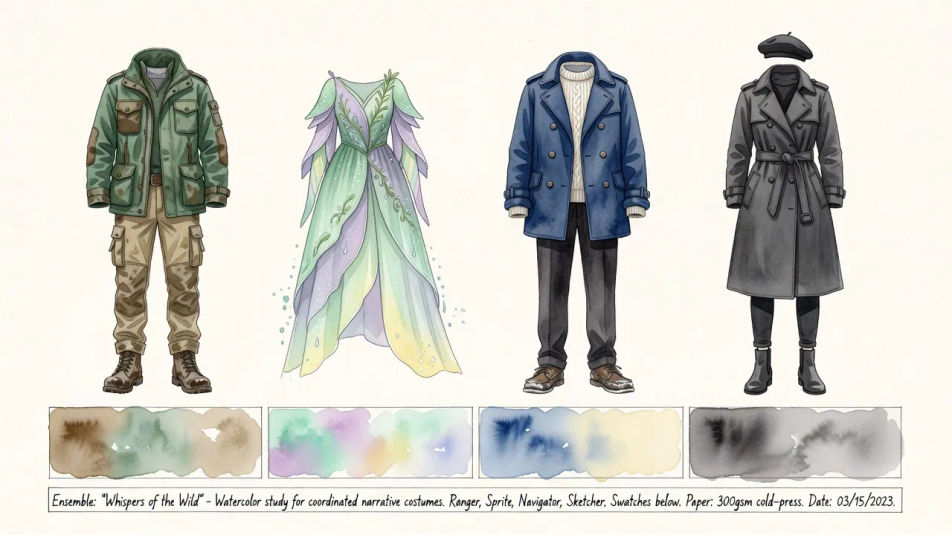
Beschreiben Sie das Kostümdesign, das Sie möchten, in einfachen Worten.
Morphic generiert in Sekunden ein sauberes, veröffentlichungsfertiges Bild auf Ihrer Canvas.
Passen Sie den Prompt an, generieren Sie Varianten und laden Sie das Bild herunter oder teilen Sie es.
Pair a garment photo with a person photo. See them wearing it, identity stays intact.
Get a runway walk video clip with virtual try-on built in from a garment photo and a model photo.
Multi-shot product pitch video from a still, a person, and a script.

Dramatic 5-second product reveal video with audio.
Full model photoshoot from one photo of you
Upload a garment, and get a 27-second fashion reel with 9 styled shots.
Modeplatten-Illustrations-KI-Bilder
Erstellen Sie KI-Modeplatten-Illustrations-Bilder mit Morphic. Generieren Sie authentische Modeplatten-Illustrations-Kunstwerke, Szenen und Visuals für jedes Projekt in Sekunden.
Textilmuster-Design-KI-Bilder
Erstellen Sie KI-Textilmuster-Design-Bilder mit Morphic. Generieren Sie authentische Textilmuster-Design-Illustrationen, Szenen und Visuals für jedes Projekt in Sekunden.
Schmuckdesign-KI-Bilder
Erstellen Sie KI-Schmuckdesign-Bilder mit Morphic. Generieren Sie in Sekunden authentische Schmuckdesign-Kunstwerke, -Szenen und -Motive für jedes Projekt.
Architekturzeichnung-KI-Bilder
Erstellen Sie KI-Bilder von Architekturzeichnungen mit Morphic. Generieren Sie authentische Architekturzeichnungen, Szenen und Visuals für jedes Projekt in Sekunden.
Starten Sie noch heute kostenlos, mit der Option, jederzeit zu upgraden oder zu kündigen.
Basic
2400 monatliche Credits
1 Nutzer
Alle Modelle
Workflows
Standard
3625 monatliche Credits
1 Nutzer
Alle Modelle
Workflows
Pro
6350 gemeinsame monatliche Credits
1 Nutzer
Alle Modelle
Workflows
Max
24650 gemeinsame monatliche Credits
1 Nutzer
Alle Modelle
Workflows
Enterprise
Für höhere Limits
Individuell
Preis- und Abrechnungsbedingungen

Free
Zum Ausprobieren
$0
dauerhaft kostenlos