Gratlinien-Porträt
Ein Porträt, aufgebaut aus lockeren direkten Ritzungen, wobei der Grat jede Linie aufweicht, Schatten verwischen dunkel um Augen und Kiefer, warmes Papier an den Lichtern, Raum oben für einen Titel reserviert.
Prompt bearbeiten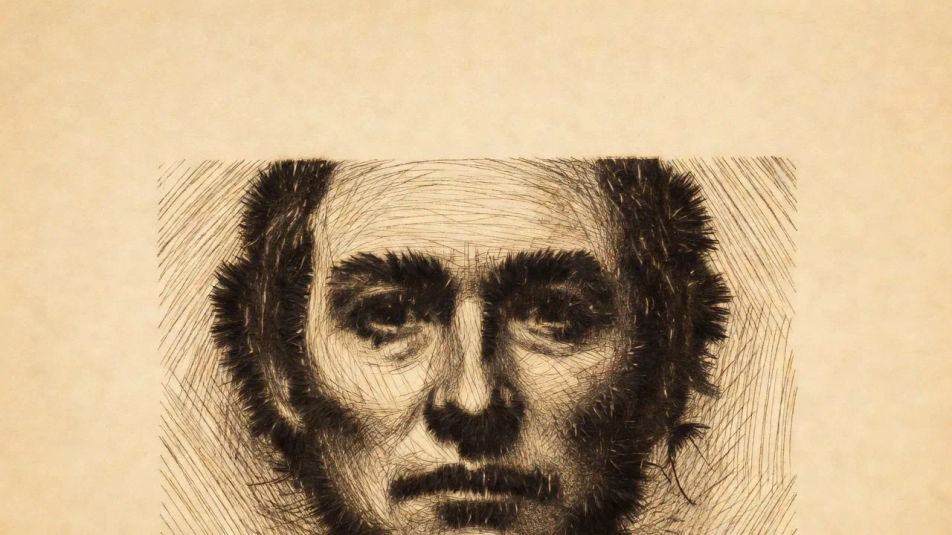
Gestalten Sie Kaltnadel-Illustrationen direkt im Browser mit dem KI-Bildgenerator von Morphic. Generieren Sie ein Porträt mit einer flauschigen Gratlinie, eine Figurenstudie in samtigen Schwarztönen oder eine geritzte Landschaft. Kombinieren Sie jedes mit dem Style-Transfer-Workflow, um eine Gratqualität über ein Set hinweg zu halten.
Ein Porträt, aufgebaut aus lockeren direkten Ritzungen, wobei der Grat jede Linie aufweicht, Schatten verwischen dunkel um Augen und Kiefer, warmes Papier an den Lichtern, Raum oben für einen Titel reserviert.
Prompt bearbeitenEine kontrastreiche Figur, bei der dichte geritzte Linienarbeit sich zu tiefen samtigen Schwarztönen mit einem weichen warmen Gratauslaufen im Schatten aufbaut, ein Bereich für eine Bildunterschrift am Fuß reserviert.
Prompt bearbeiten
Eine Landschaft, in der geritzte Linie Bäume und Horizont beschreibt, der dunkle geratete Vordergrund weicht feiner sauberer ferner Linie, weich und atmosphärisch auf warmem Papier, unten Platz für eine Bildunterschrift gelassen.
Prompt bearbeiten
Eine schnelle gestische Kaltnadelskizze aus ein paar selbstbewussten geritzten Strichen, jeder mit einer flauschigen Gratkante, nacktes Papier um sie herum, ausgewogen für ein Frontispiz oder einen Kapitelanfang.
Prompt bearbeiten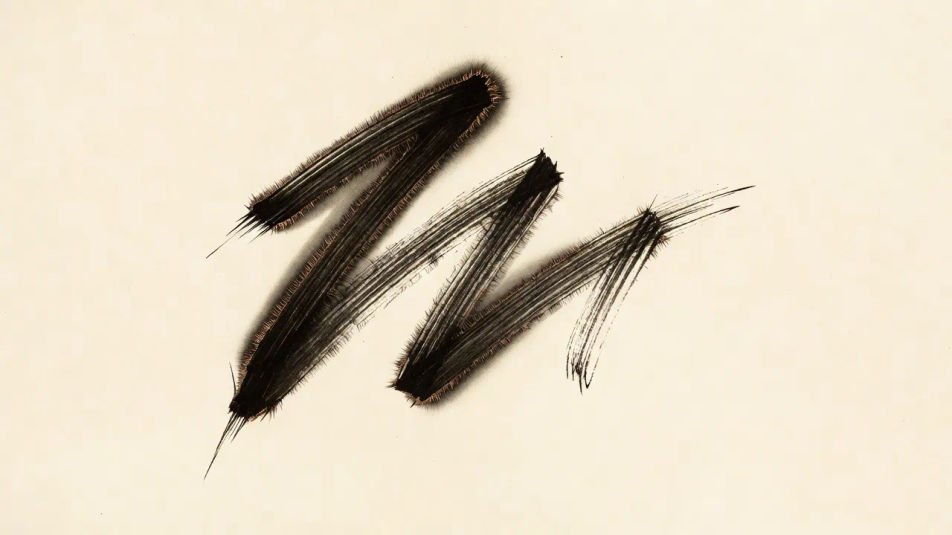
Beschreiben Sie das Kaltnadel-Illustration, das Sie möchten, in einfachen Worten.
Morphic generiert in Sekunden ein sauberes, veröffentlichungsfertiges Bild auf Ihrer Canvas.
Passen Sie den Prompt an, generieren Sie Varianten und laden Sie das Bild herunter oder teilen Sie es.
Pick a reference image, apply its visual style to your own photo or artwork.

Turn any sketch or drawing into a finished render.
Convert any image to a new aspect ratio. Smart crop or extend the edges to fit.

Pick any anime illustration as your style guide. Apply its look to any image.

Take any character image and generate 6 distinct facial expressions on a single reference sheet.
Reimagine any anime character as a photorealistic, high-fashion live-action portrait.
Radierungsillustration-KI-Bilder
Erstellen Sie KI-Radierungsillustrations-Bilder mit Morphic. Generieren Sie authentische Radierungsillustrations-Motive, Szenen und Visuals für jedes Projekt in Sekunden.
Mezzotinto-Illustration-KI-Bilder
Erstellen Sie KI-Mezzotinto-Illustration-Bilder mit Morphic. Generieren Sie authentische Mezzotinto-Illustration-Motive, Szenen und Visuals für jedes Projekt in Sekunden.
Stich-Illustration-KI-Bilder
Erstellen Sie Stich-Illustration-KI-Bilder mit Morphic. Generieren Sie authentische Stich-Illustration-Artworks, Szenen und Motive für jedes Projekt in Sekunden.
Kreuzschraffur-Illustration-KI-Bilder
Erstellen Sie KI-Kreuzschraffur-Illustrationen mit Morphic. Generieren Sie Kreuzschraffur-Motive, Szenen und Visuals in Sekunden.
Starten Sie noch heute kostenlos, mit der Option, jederzeit zu upgraden oder zu kündigen.
Basic
2400 monatliche Credits
1 Nutzer
Alle Modelle
Workflows
Standard
3625 monatliche Credits
1 Nutzer
Alle Modelle
Workflows
Pro
6350 gemeinsame monatliche Credits
1 Nutzer
Alle Modelle
Workflows
Max
24650 gemeinsame monatliche Credits
1 Nutzer
Alle Modelle
Workflows
Enterprise
Für höhere Limits
Individuell
Preis- und Abrechnungsbedingungen

Free
Zum Ausprobieren
$0
dauerhaft kostenlos