Sonniger Garten, satte Farbe
Ein weiter sonniger Garten als Dye-Transfer-Print, leuchtend satte Grüntöne und farbstoffreiche Blumen, tiefe kontrollierte Schatten, warmes Licht und eine glänzende, lebendige Oberfläche.
Prompt bearbeiten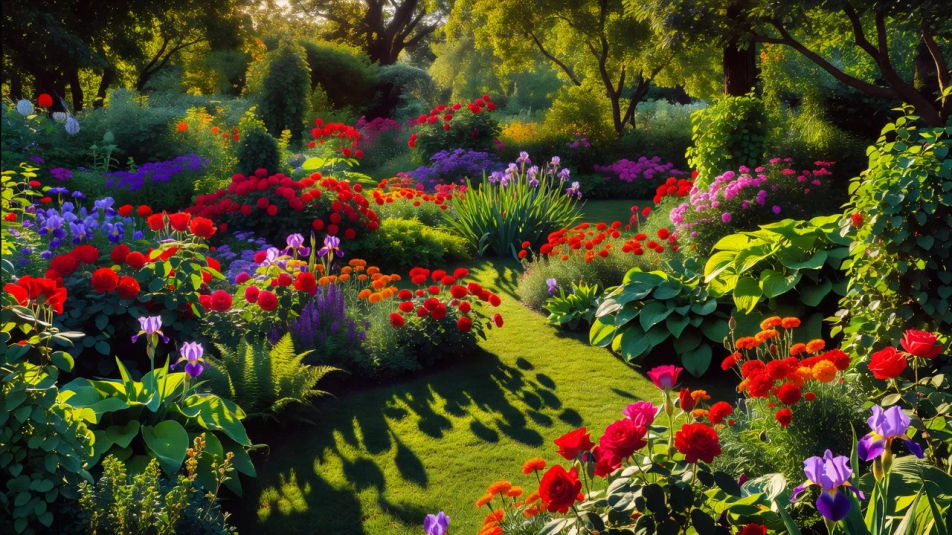
Erstellen Sie Dye-Transfer-Print-Bilder direkt im Browser mit Morphics KI-Bildgenerator. Generieren Sie ein Porträt mit satter, kontrollierter Farbe, ein Werbe-Stillleben mit farbstoffreichen Rottönen oder eine Landschaft mit tiefen Schatten und leuchtender Farbe. Legen Sie die Palette mit Style Transfer fest und animieren Sie mit Image to Video.
Ein weiter sonniger Garten als Dye-Transfer-Print, leuchtend satte Grüntöne und farbstoffreiche Blumen, tiefe kontrollierte Schatten, warmes Licht und eine glänzende, lebendige Oberfläche.
Prompt bearbeitenEin weites Werbe-Set im Stil der Jahrhundertmitte mit kräftigen, farbstoffreichen Rot- und Gelbtönen, glänzenden Produkthighlights und einem klaren hellen Hintergrund, die lebendige kontrollierte Farbe eines Dye-Transfer-Prints.
Prompt bearbeiten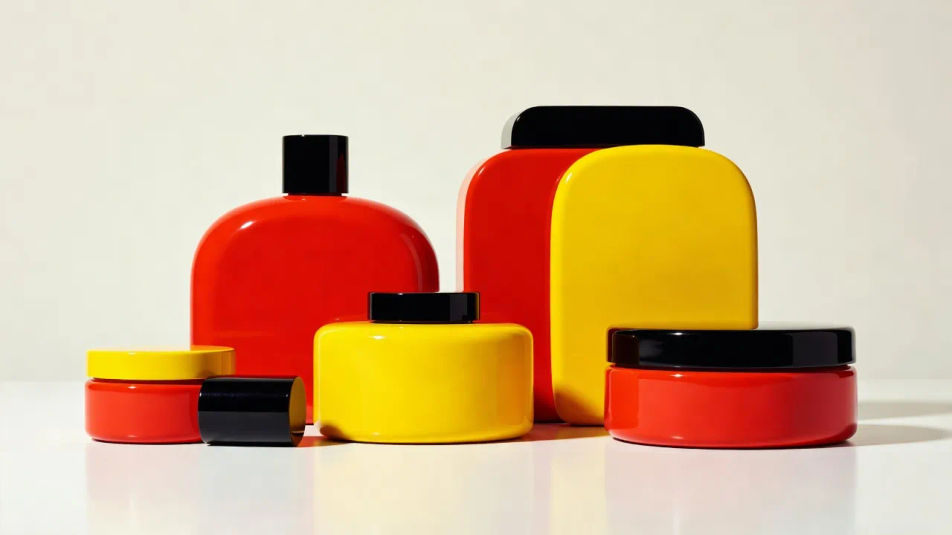
Ein weites redaktionelles Wohnzimmer in kontrollierter warmer Farbe, satte Polsterrottöne und Blaugrüntöne, tiefe klare Schatten und glänzender Dye-Transfer-Glanz, satte Töne wie aus einem Magazin.
Prompt bearbeiten
Eine weite Stadtstraße zur goldenen Stunde im Dye-Transfer-Stil, satte warme Leuchtreklamen und cremige Hauttöne bei Passanten, tiefe kontrollierte Schatten und durchgehend leuchtend glänzende Farbe.
Prompt bearbeiten
Beschreiben Sie das Dye transfer print, das Sie möchten, in einfachen Worten.
Morphic generiert in Sekunden ein sauberes, veröffentlichungsfertiges Bild auf Ihrer Canvas.
Passen Sie den Prompt an, generieren Sie Varianten und laden Sie das Bild herunter oder teilen Sie es.
Fix plastic-looking AI skin. Adds natural texture, pores, and imperfections for realism.
One selfie becomes a set of professional headshots. Studio-quality, multiple styles.
Pick a reference image, apply its visual style to your own photo or artwork.
Convert any image to a new aspect ratio. Smart crop or extend the edges to fit.
Set the look with one reference image. Apply that exact grade to any scene or batch.
Choose your viewing angles and get precise perspective shifts of any image with full camera control.
Chromogenic-Print-KI-Bilder
Chromogenic-Print-KI-Bilder im Browser erstellen: weiche Farbtonwiedergabe, glänzende C-Print-Oberfläche, tiefe Schwarztöne. Jetzt loslegen.
Carbon-Transfer-Print KI-Bilder
Carbon-Transfer-Print KI-Bilder im Browser erstellen: tiefe Pigmentschwarztöne, feines Relief, glänzende Gelatinetiefe. Direkt aus einem Prompt bauen.
Cross-Processing-KI-Bilder
Cross-Processing-KI-Bilder im Browser erstellen: giftgrüne Schatten, Cyan-Lichter, verschobene Hauttöne. Aus einem Prompt. Jetzt loslegen.
Gum-Bichromat-KI-Bilder
Gum-Bichromat-KI-Bilder im Browser erstellen: gepinselte Pigmentränder, matte Farbschichten, Aquarellpapier-Struktur. Jetzt malerischen Druck bauen.
Starten Sie noch heute kostenlos, mit der Option, jederzeit zu upgraden oder zu kündigen.
Basic
2400 monatliche Credits
1 Nutzer
Alle Modelle
Workflows
Standard
3625 monatliche Credits
1 Nutzer
Alle Modelle
Workflows
Pro
6350 gemeinsame monatliche Credits
1 Nutzer
Alle Modelle
Workflows
Max
24650 gemeinsame monatliche Credits
1 Nutzer
Alle Modelle
Workflows
Enterprise
Für höhere Limits
Individuell
Preis- und Abrechnungsbedingungen

Free
Zum Ausprobieren
$0
dauerhaft kostenlos