Harlem Renaissance art AI art

Design Harlem Renaissance art in your browser with Morphic's Harlem Renaissance art AI image generator. Paint flat silhouetted figures inside concentric radiating bands of light in muted blues, purples, and golds, lock the look with Style Transfer, then animate any still with Image to Video.

Harlem Renaissance subjects you can compose

Harlem Renaissance compositions you can design

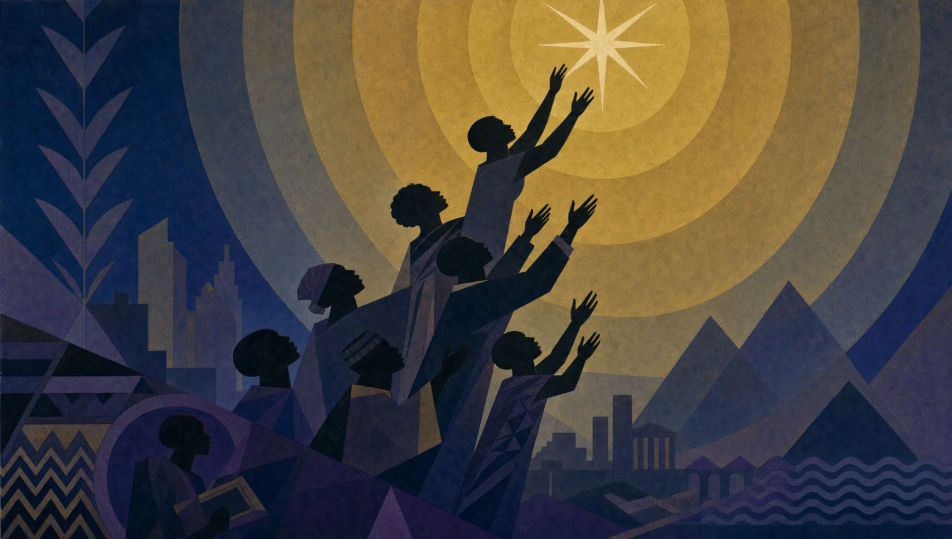
Aspiration toward the star

Flat silhouetted figures rising toward a single radiant star, arms reaching upward, concentric bands of muted gold light expanding around it, deep blue-to-purple ground, Aaron Douglas-style register, African-geometric motifs, jazz-age dignity.

Prompt bearbeiten
Aspiration toward the star

Saturday night at the cabaret

Flat blue-violet silhouettes of dancers and a jazz band at a cabaret, instruments raised, concentric radiating gold bands pulsing from the stage, muted purple ground, Art Deco angularity, African-geometric borders, joyous jazz-age dignity.

Prompt bearbeiten
Saturday night at the cabaret

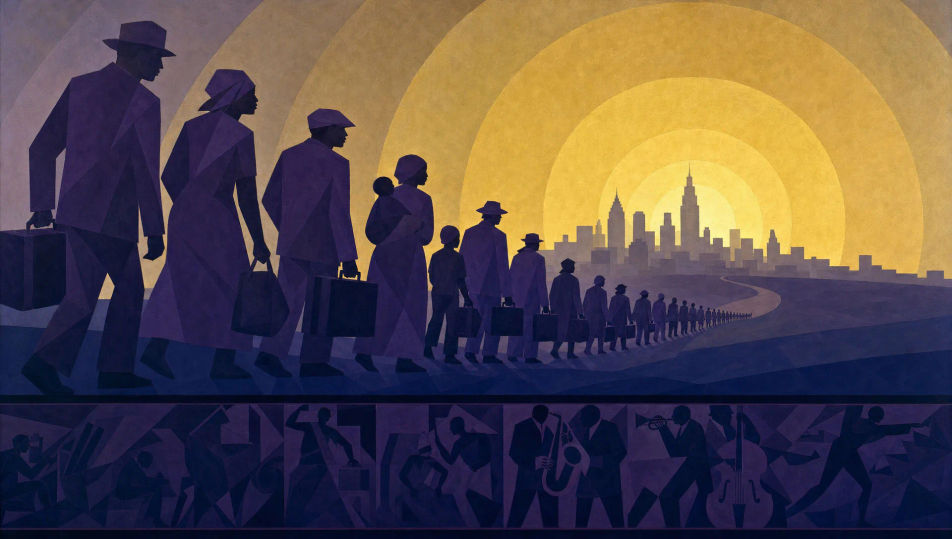
The exodus northward

Flat purple silhouettes streaming along a road toward a city skyline, suitcases in hand, concentric bands of muted gold light over the horizon, deep blue ground, Aaron Douglas-style register, angular simplification, solemn jazz-age dignity.

Prompt bearbeiten
The exodus northward

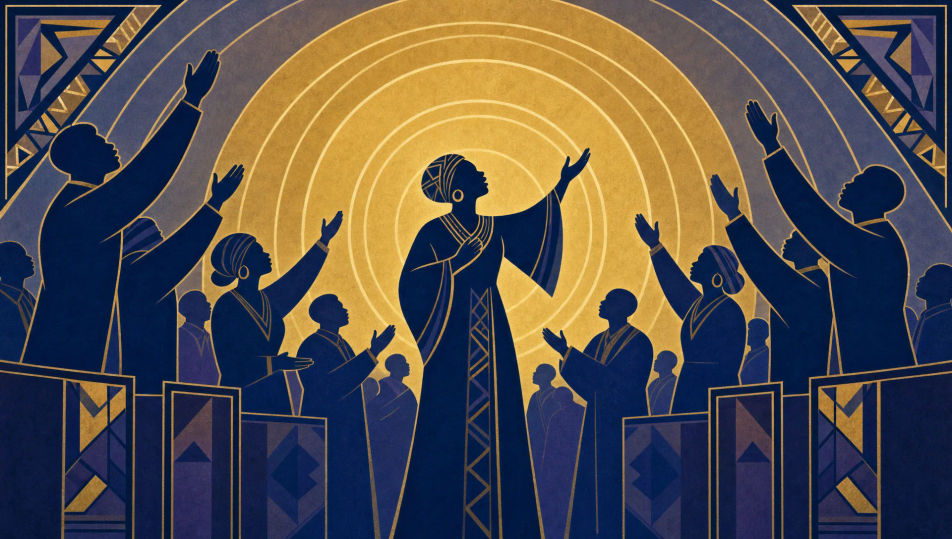
Song of the spirituals

Flat indigo silhouettes of a congregation with arms lifted in song, a soloist at the centre, concentric radiating gold bands haloing the group, muted blue-purple ground, African-geometric motifs, Art Deco angularity, reverent jazz-age dignity.

Prompt bearbeiten
Song of the spirituals

Harlem Renaissance art in drei Schritten erstellen

  1. 01

    Beschreiben Sie Ihr Harlem Renaissance art

    Beschreiben Sie das Harlem Renaissance art, das Sie möchten, in einfachen Worten.

  2. 02

    Bild generieren

    Morphic generiert in Sekunden ein sauberes, veröffentlichungsfertiges Bild auf Ihrer Canvas.

  3. 03

    Harlem Renaissance art verfeinern

    Passen Sie den Prompt an, generieren Sie Varianten und laden Sie das Bild herunter oder teilen Sie es.

Verwandte Workflows

Das könnte Ihnen auch gefallen

Einfache Preise

Starten Sie noch heute kostenlos, mit der Option, jederzeit zu upgraden oder zu kündigen.

Basic

$0/ Monat
abgerechnet als $0 pro Jahr

900 monatliche Credits

1 Nutzer

Alle Modelle

Workflows

Standard

$0/ Monat
abgerechnet als $0 pro Jahr

3200 monatliche Credits

1 Nutzer

Alle Modelle

Workflows

Pro

$0/ Monat
abgerechnet als $0 pro Jahr

6200 gemeinsame monatliche Credits

1 Nutzer

+ bis zu 4 weitere gegen Aufpreis

Alle Modelle

Workflows

Pro Max

$0/ Monat
abgerechnet als $0 pro Jahr

24000 gemeinsame monatliche Credits

1 Nutzer

+ bis zu 9 weitere gegen Aufpreis

Alle Modelle

Workflows

Enterprise

Für höhere Limits

Individuell

Preis- und Abrechnungsbedingungen

Unbegrenzte Credits
Individuelle Platzlimits
Alle Modelle
Workflows
Pricing Gradient

Free

Zum Ausprobieren

$0

dauerhaft kostenlos

Bis zu 20 Credits
Nur 1 Nutzer
Eingeschränkte Modelle
Workflows

Häufig gestellte Fragen

Where can I make Harlem Renaissance art with AI?
You can create Harlem Renaissance images directly in your browser on Morphic. Open the Image tool, describe the flat silhouetted figures, the concentric radiating bands of light, and the muted blue-purple-gold palette, and Morphic produces the composition. No installs and no specialist software needed.
What defines Harlem Renaissance art for an AI prompt?
Four locked-in choices: flat silhouetted figures, concentric radiating bands of light, a muted blue-purple-gold palette, and Art Deco plus African-geometric motifs with angular simplification. Name all four for the Aaron Douglas-style look to land rather than a generic Art Deco poster.
What is the difference between Harlem Renaissance art and Art Deco in AI prompts?
Harlem Renaissance art uses flat silhouettes, concentric radiating bands of light, and African-geometric motifs to carry jazz-age and migration themes. Art Deco is broader decorative streamlining. Name "flat silhouettes, concentric radiating bands of light, muted blue-purple-gold" and the look reads as Harlem Renaissance.
How do I keep a Harlem Renaissance series feeling like one collection?
Use Morphic's Style Transfer workflow to lock the muted blue-purple-gold palette and the concentric radiating-band motif before producing additional pieces, then reference that style card in every prompt. A jazz-club series or a migration-cycle series stays consistent across the run.
Can I turn Harlem Renaissance compositions into animated video?
Yes. Morphic's Image to Video tool animates any still you generate, and a slow pulse of the concentric light bands or a swaying silhouetted band suits the register. Pair with the Music tool for a stride-piano and muted-trumpet jazz score.
Do I need any prior art experience to make Harlem Renaissance art?
No. Morphic runs in your browser and you direct it with plain-language prompts. Anyone who can describe a flat silhouette, concentric radiating bands of gold light, and a muted blue-purple ground can produce a Harlem Renaissance composition. Brushes and canvas are not required.