Lightning photography AI Images

Create Lightning photography images in your browser with Morphic's AI image generator. Freeze high-voltage frames like a single forked bolt striking behind a night skyline, a long-exposure strike branching over dark water, or a distant flash lighting a thunderhead from within. Hold one electric look across a set with the Style Transfer workflow.

Lightning photography shots you can create

Lightning photography compositions you can produce

Wide skyline strike panorama

A wide frame of a forked bolt striking behind a night skyline, brilliant channel splitting a near-black sky, glowing city below and dark cloud space reserved for a title.

Prompt bearbeiten
Wide skyline strike panorama

Reflected-bolt hero panel

A landscape frame of a strike branching over still dark water, the channel doubled in the reflection, cool glow at the impact and a shadowed area left clear for a caption.

Prompt bearbeiten
Reflected-bolt hero panel

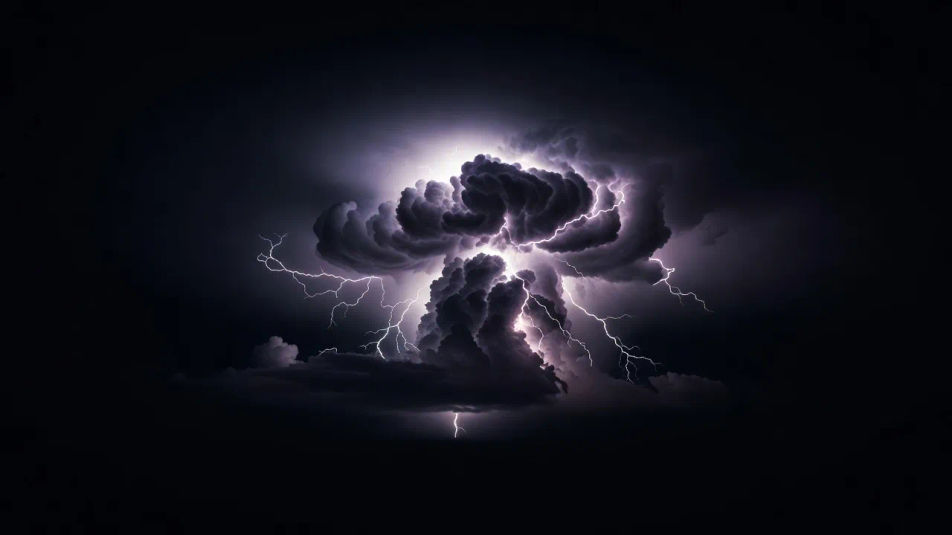
Cloud-flash composition

A wide view of a glowing thunderhead lit from within against a black sky, violet-white bloom filling the anvil, negative space at the base holding room for a headline.

Prompt bearbeiten
Cloud-flash composition

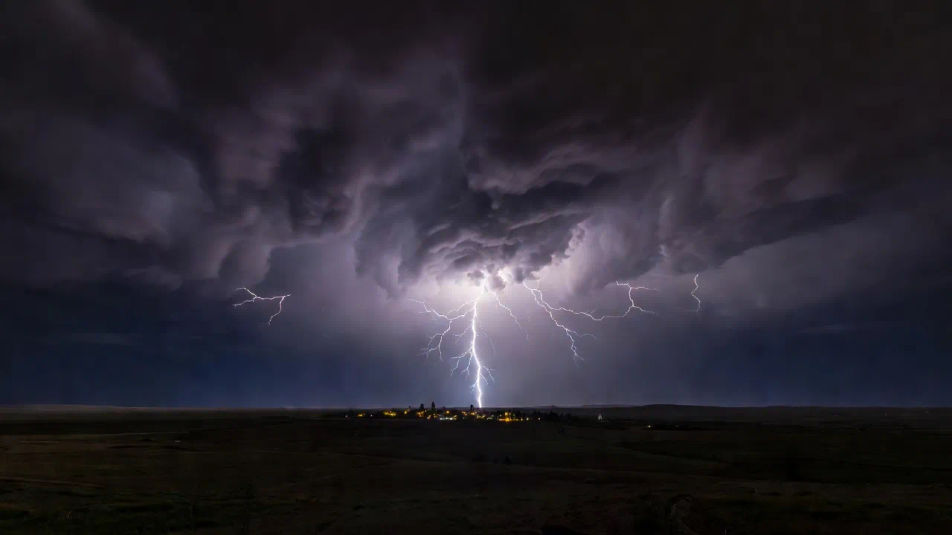
Distant-cell establishing shot

An establishing view of a far storm cell over a dark plain, a thin bolt reaching the horizon, faint under-cloud glow and a small lit town anchoring the vast night.

Prompt bearbeiten
Distant-cell establishing shot

Lightning photography in drei Schritten erstellen

  1. 01

    Beschreiben Sie Ihr Lightning photography

    Beschreiben Sie das Lightning photography, das Sie möchten, in einfachen Worten.

  2. 02

    Bild generieren

    Morphic generiert in Sekunden ein sauberes, veröffentlichungsfertiges Bild auf Ihrer Canvas.

  3. 03

    Lightning photography verfeinern

    Passen Sie den Prompt an, generieren Sie Varianten und laden Sie das Bild herunter oder teilen Sie es.

Verwandte Workflows

Das könnte Ihnen auch gefallen

Einfache Preise

Starten Sie noch heute kostenlos, mit der Option, jederzeit zu upgraden oder zu kündigen.

Basic

$0/ Monat
abgerechnet als $0 pro Jahr

900 monatliche Credits

1 Nutzer

Alle Modelle

Workflows

Standard

$0/ Monat
abgerechnet als $0 pro Jahr

3200 monatliche Credits

1 Nutzer

Alle Modelle

Workflows

Pro

$0/ Monat
abgerechnet als $0 pro Jahr

6200 gemeinsame monatliche Credits

1 Nutzer

+ bis zu 4 weitere gegen Aufpreis

Alle Modelle

Workflows

Pro Max

$0/ Monat
abgerechnet als $0 pro Jahr

24000 gemeinsame monatliche Credits

1 Nutzer

+ bis zu 9 weitere gegen Aufpreis

Alle Modelle

Workflows

Enterprise

Für höhere Limits

Individuell

Preis- und Abrechnungsbedingungen

Unbegrenzte Credits
Individuelle Platzlimits
Alle Modelle
Workflows
Pricing Gradient

Free

Zum Ausprobieren

$0

dauerhaft kostenlos

Bis zu 20 Credits
Nur 1 Nutzer
Eingeschränkte Modelle
Workflows

Häufig gestellte Fragen

What is lightning photography?
Lightning photography freezes a single electrical discharge against a dark sky, defined by a bright forked channel, high contrast, and long-exposure capture. A lit skyline, horizon, or reflection usually anchors the strike and gives it scale.
How do I create lightning photography with AI?
You create lightning photography with AI on Morphic, right in your browser. Open the Image tool, describe the bolt, the dark sky, and the skyline or water below, and Morphic generates the frame. No waiting out a storm or timing a strike.
How do I get a sharp, realistic bolt?
Name the channel directly: "single forked bolt, brilliant white branching channel, near-black sky, long-exposure electric contrast." Calling out one defined bolt and the high contrast is what keeps the strike crisp rather than a blurry glow.
How is lightning photography different from storm photography?
Lightning photography centers on a single bright bolt against a dark sky, while storm photography focuses on cloud structure, moody light, and wind. For lightning, name the forked channel and the electric contrast rather than a supercell base.
Can I add a title or caption to a lightning image on Morphic?
Yes. Generate the frame with dark cloud or sky reserved beside the bolt, then open the Canvas to place a title or caption as a layer. Keeping the type separate lets you adjust the wording without regenerating the strike underneath.
Do I need special gear to make lightning photography images?
No. Morphic runs in your browser on plain-language prompts, so you do not need a tripod, a trigger, or a storm. Describe the bolt, the dark sky, and the lit foreground, and Morphic builds a finished lightning frame.