Lith printing AI images

Build lith printing images in your browser with Morphic's AI image generator. Generate a portrait with soft peachy midtones and gritty coal-black shadows, a misty landscape dissolving into warm grain, or an architectural study with the glowing infectious shadows lith is known for, and pair every print with the Style Transfer workflow to lock the color and grain across a set. Animate any still with the Image to Video tool.

Lith printing looks you can create

Lith printing scenes you can build

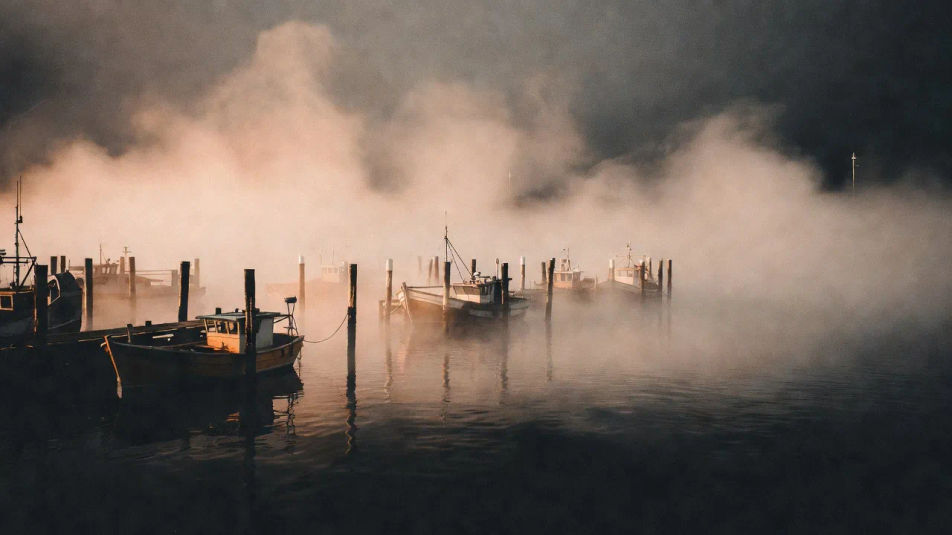
Foggy harbour at dawn

A wide foggy harbour at dawn rendered as a lith print, warm peachy highlights dissolving into grain, boats and pilings dropping to gritty coal-black shadow.

Prompt bearbeiten
Foggy harbour at dawn

Grand hall in warm shadow

A wide grand hall interior in warm ochre midtones with deep sooty shadows in the corners, soft grainy shafts of light, the whole frame reading like a lith print.

Prompt bearbeiten
Grand hall in warm shadow

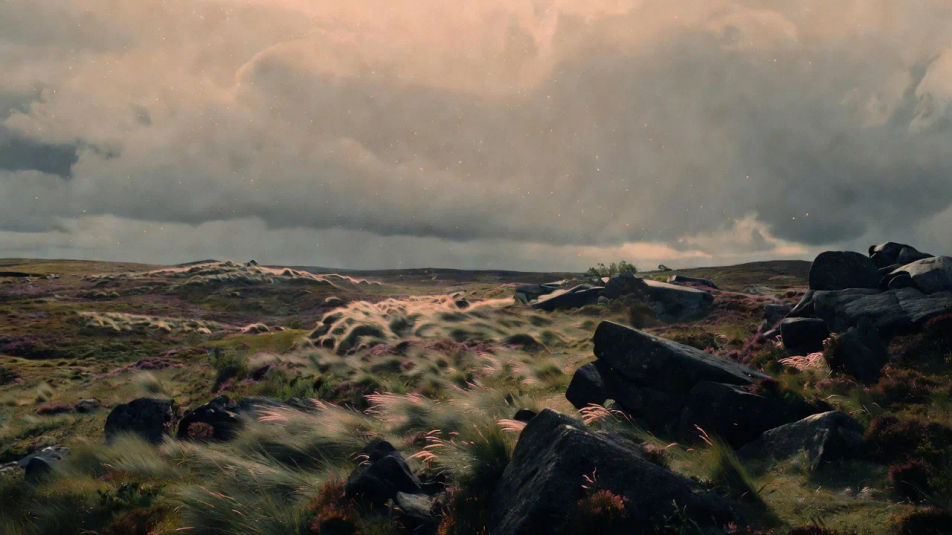
Windswept moor

A wide windswept moor under low cloud, warm grain across the sky, heavy black foreground rocks, delicate pink highlights, split-toned lith mood throughout.

Prompt bearbeiten
Windswept moor

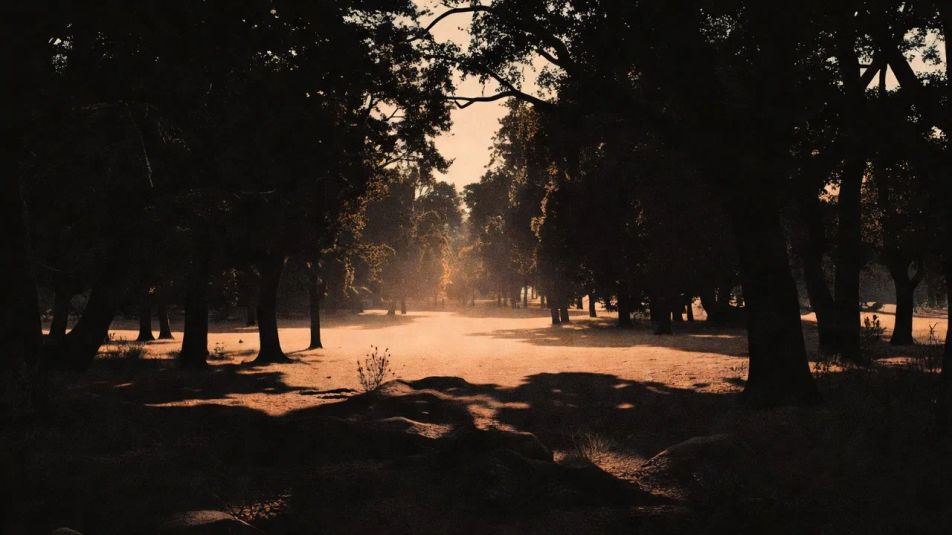
Backlit forest clearing

A wide backlit forest clearing where trees drop to dense black silhouettes and a warm apricot glow floods the grainy midtones, coarse pepper grain in the darks.

Prompt bearbeiten
Backlit forest clearing

Lith printing in drei Schritten erstellen

  1. 01

    Beschreiben Sie Ihr Lith printing

    Beschreiben Sie das Lith printing, das Sie möchten, in einfachen Worten.

  2. 02

    Bild generieren

    Morphic generiert in Sekunden ein sauberes, veröffentlichungsfertiges Bild auf Ihrer Canvas.

  3. 03

    Lith printing verfeinern

    Passen Sie den Prompt an, generieren Sie Varianten und laden Sie das Bild herunter oder teilen Sie es.

Verwandte Workflows

Das könnte Ihnen auch gefallen

Einfache Preise

Starten Sie noch heute kostenlos, mit der Option, jederzeit zu upgraden oder zu kündigen.

Basic

$0/ Monat
abgerechnet als $0 pro Jahr

900 monatliche Credits

1 Nutzer

Alle Modelle

Workflows

Standard

$0/ Monat
abgerechnet als $0 pro Jahr

3200 monatliche Credits

1 Nutzer

Alle Modelle

Workflows

Pro

$0/ Monat
abgerechnet als $0 pro Jahr

6200 gemeinsame monatliche Credits

1 Nutzer

+ bis zu 4 weitere gegen Aufpreis

Alle Modelle

Workflows

Pro Max

$0/ Monat
abgerechnet als $0 pro Jahr

24000 gemeinsame monatliche Credits

1 Nutzer

+ bis zu 9 weitere gegen Aufpreis

Alle Modelle

Workflows

Enterprise

Für höhere Limits

Individuell

Preis- und Abrechnungsbedingungen

Unbegrenzte Credits
Individuelle Platzlimits
Alle Modelle
Workflows
Pricing Gradient

Free

Zum Ausprobieren

$0

dauerhaft kostenlos

Bis zu 20 Credits
Nur 1 Nutzer
Eingeschränkte Modelle
Workflows

Häufig gestellte Fragen

How can I make lith printing images with AI?
You can create the look directly in your browser on Morphic. Open the Image tool, describe the subject, the warm midtones and the gritty black shadows, and Morphic renders it. No darkroom, lith developer or infrared safelight needed.
What visual cues make an image read as a lith print?
Name the split tone: warm peach or apricot midtones against gritty coal-black shadows, with coarse pepper grain clustered in the darks. Add the infectious shadows that bleed into the midtones. That warm-highlight, hard-black-shadow contrast is what defines lith printing.
How do I get the warm color of a lith print?
Describe the tone directly: "peachy cream highlights, apricot midtones, sooty black shadows." Lith prints split-tone as they develop, so stating a warm highlight color and a cold hard shadow gives the characteristic look. You can push it toward pink, ochre or brown.
How do I keep a set of lith prints consistent?
Use Morphic's Style Transfer workflow to lock the warm midtone color, the black point and the grain, then reference that style card in every prompt. The whole set reads as one batch of lith prints rather than separate images.
Can I turn a lith printing image into video?
Yes. Morphic's Image to Video tool animates any still you generate, and drifting mist or slowly shifting grain suits the soft grainy look well. Pair the result with the Music tool for a score.
Do I need darkroom experience to make these?
No. Morphic runs in your browser and you direct it with plain-language prompts. Anyone who can describe warm midtones and black shadows can produce lith printing images. The split-tone chemistry is handled for you.