Porträt in Kreideton
Ein Porträt, bei dem die Steinkörnung durch jeden fettigen Kreidestrich hindurchscheint, weiche samtige Schattierung, die das Gesicht modelliert, Schwarz auf Creme, oben Platz für einen Titel reserviert.
Prompt bearbeiten
Gestalten Sie Lithografie-Illustrationen direkt im Browser mit dem KI-Bildgenerator von Morphic. Generieren Sie ein Porträt in fettiger Lithokreide, eine mit Tusche gewaschene Landschaft oder eine kreideschattierte Figurenstudie. Kombinieren Sie jedes Motiv mit dem Style-Transfer-Workflow, um über ein ganzes Set hinweg eine einheitliche Kreidekörnung zu halten.
Ein Porträt, bei dem die Steinkörnung durch jeden fettigen Kreidestrich hindurchscheint, weiche samtige Schattierung, die das Gesicht modelliert, Schwarz auf Creme, oben Platz für einen Titel reserviert.
Prompt bearbeitenEine Landschaft, aufgebaut aus gepinselten Tuschewaschungen, die zu weichem grauem Ton über der Steinkörnung zusammenlaufen, ohne harte Umrisslinie, atmosphärisch und durchgehend, ein Bildunterschriftbereich am unteren Rand reserviert.
Prompt bearbeiten
Eine kräftige Figur in der Tradition des Farblithografie-Plakats mit flachen Tonflächen aus fettiger Kreide, einer begrenzten Steinfarben-Palette und weicher Passung, unten Raum für eine Bildunterschrift belassen.
Prompt bearbeiten
Eine lockere lithografische Skizze in fettiger Kreide mit selbstbewussten gestischen Strichen, die die Steinkörnung aufnehmen, und frei gelassenen Flächen, ausbalanciert für ein Frontispiz oder einen Kapitelanfang.
Prompt bearbeiten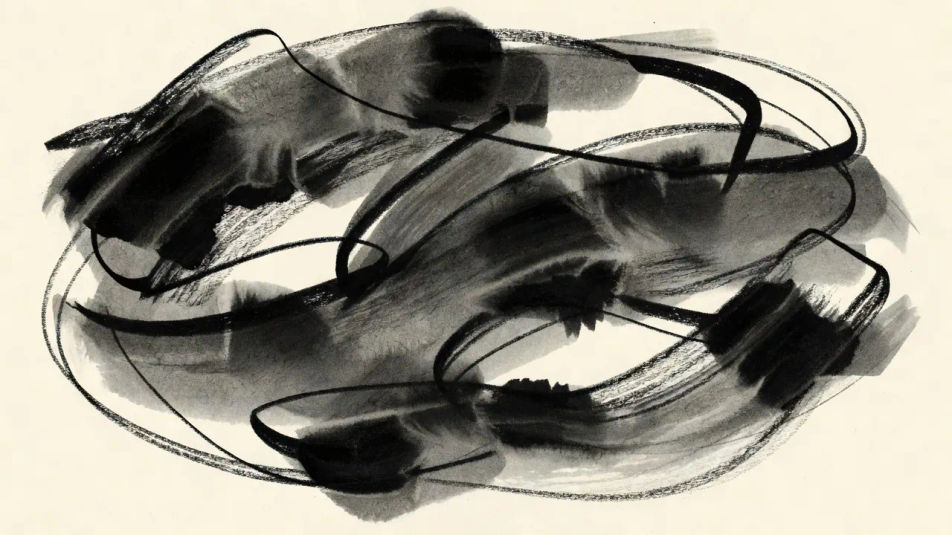
Beschreiben Sie das Lithografie-Illustration, das Sie möchten, in einfachen Worten.
Morphic generiert in Sekunden ein sauberes, veröffentlichungsfertiges Bild auf Ihrer Canvas.
Passen Sie den Prompt an, generieren Sie Varianten und laden Sie das Bild herunter oder teilen Sie es.
Pick a reference image, apply its visual style to your own photo or artwork.

Turn any sketch or drawing into a finished render.
Convert any image to a new aspect ratio. Smart crop or extend the edges to fit.

Pick any anime illustration as your style guide. Apply its look to any image.

Take any character image and generate 6 distinct facial expressions on a single reference sheet.
Reimagine any anime character as a photorealistic, high-fashion live-action portrait.
Radierungsillustration-KI-Bilder
Erstellen Sie KI-Radierungsillustrations-Bilder mit Morphic. Generieren Sie authentische Radierungsillustrations-Motive, Szenen und Visuals für jedes Projekt in Sekunden.
Siebdruck-Illustration-KI-Bilder
Erstellen Sie KI-Siebdruck-Illustration-Bilder mit Morphic. Generieren Sie Siebdruck-Illustration-Kunstwerke, -Szenen und -Motive für jedes Projekt in Sekunden.
Stich-Illustration-KI-Bilder
Erstellen Sie Stich-Illustration-KI-Bilder mit Morphic. Generieren Sie authentische Stich-Illustration-Artworks, Szenen und Motive für jedes Projekt in Sekunden.
Vintage-Poster-KI-Bilder
Erstellen Sie KI-Vintage-Poster-Bilder mit Morphic. Generieren Sie Vintage-Poster-Kunstwerke, -Layouts und -Editorialmotive für jedes Projekt in Sekunden.
Starten Sie noch heute kostenlos, mit der Option, jederzeit zu upgraden oder zu kündigen.
Basic
2400 monatliche Credits
1 Nutzer
Alle Modelle
Workflows
Standard
3625 monatliche Credits
1 Nutzer
Alle Modelle
Workflows
Pro
6350 gemeinsame monatliche Credits
1 Nutzer
Alle Modelle
Workflows
Max
24650 gemeinsame monatliche Credits
1 Nutzer
Alle Modelle
Workflows
Enterprise
Für höhere Limits
Individuell
Preis- und Abrechnungsbedingungen

Free
Zum Ausprobieren
$0
dauerhaft kostenlos