Shoot Lomography frames in your browser with Morphic's Lomography AI image generator. Generate a vignetted, oversaturated frame or a light-leaked sunburst snapshot, lock the toy-camera look with Style Transfer, then animate any lo-fi frame with Image to Video.

Lomography looks you can shoot

Lomography scenes you can compose

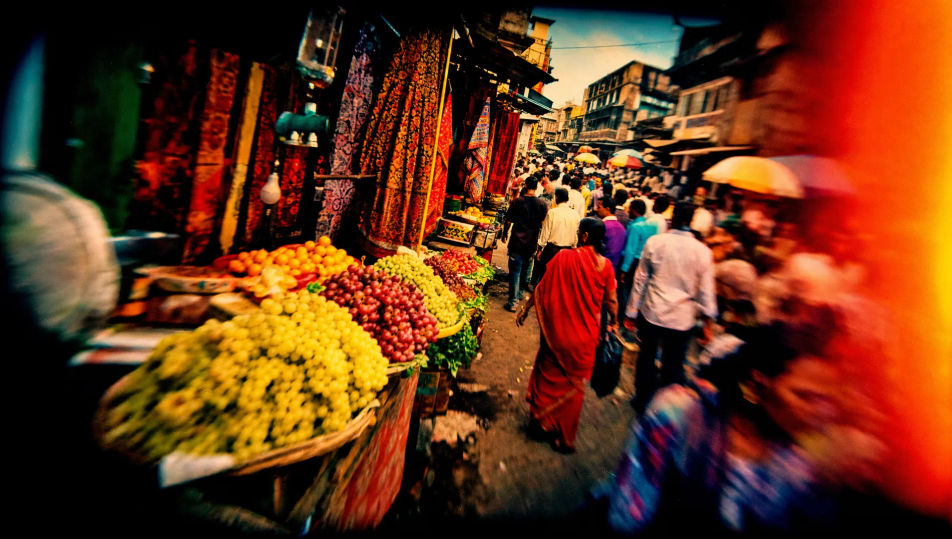
Saturated street-market frame

A busy street market on toy-camera film, oversaturated reds and yellows, heavy vignette, punchy contrast, a warm light leak across one edge, lo-fi optics, lively candid framing.

Prompt bearbeiten
Saturated street-market frame

Cross-processed park scene

A park scene cross-processed into surreal green-and-cyan tones, blown highlights, heavy vignette, crushed contrast, soft toy-camera focus, dreamlike colour crossover across the grass and sky.

Prompt bearbeiten
Cross-processed park scene

Light-leak beach sunburst scene

A beach scene split by a streaking warm light leak and a sunburst flare, oversaturated sky and water, heavy vignette, punchy contrast, lo-fi optics, spontaneous summer snapshot energy.

Prompt bearbeiten
Light-leak beach sunburst scene

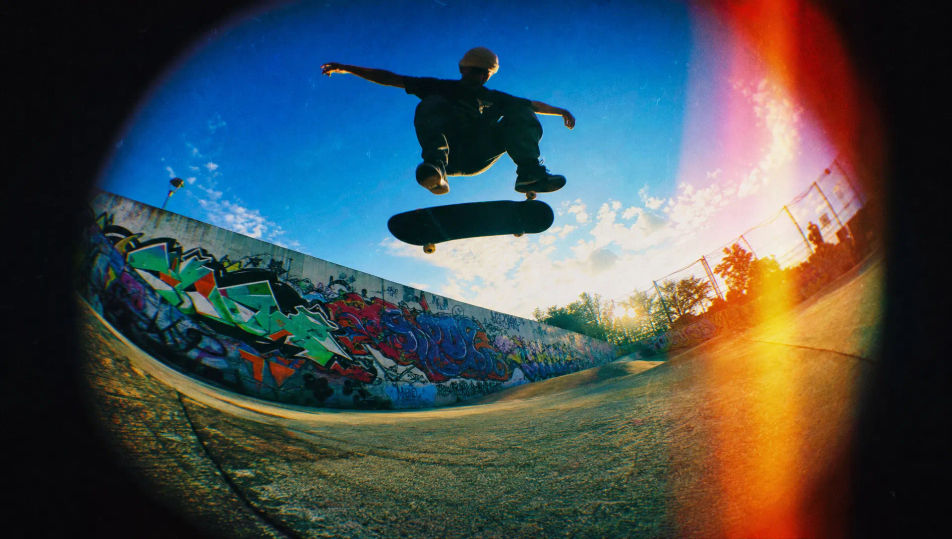
Fisheye skate-spot frame

A skate spot shot on a fisheye toy camera, curved barrel distortion bowing the ground, oversaturated colour, heavy vignette, deep contrast, dynamic low-angle lo-fi framing.

Prompt bearbeiten
Fisheye skate-spot frame

Lomography in drei Schritten erstellen

  1. 01

    Beschreiben Sie Ihr Lomography

    Beschreiben Sie das Lomography, das Sie möchten, in einfachen Worten.

  2. 02

    Bild generieren

    Morphic generiert in Sekunden ein sauberes, veröffentlichungsfertiges Bild auf Ihrer Canvas.

  3. 03

    Lomography verfeinern

    Passen Sie den Prompt an, generieren Sie Varianten und laden Sie das Bild herunter oder teilen Sie es.

Verwandte Workflows

Das könnte Ihnen auch gefallen

Einfache Preise

Starten Sie noch heute kostenlos, mit der Option, jederzeit zu upgraden oder zu kündigen.

Basic

$0/ Monat
abgerechnet als $0 pro Jahr

900 monatliche Credits

1 Nutzer

Alle Modelle

Workflows

Standard

$0/ Monat
abgerechnet als $0 pro Jahr

3200 monatliche Credits

1 Nutzer

Alle Modelle

Workflows

Pro

$0/ Monat
abgerechnet als $0 pro Jahr

6200 gemeinsame monatliche Credits

1 Nutzer

+ bis zu 4 weitere gegen Aufpreis

Alle Modelle

Workflows

Pro Max

$0/ Monat
abgerechnet als $0 pro Jahr

24000 gemeinsame monatliche Credits

1 Nutzer

+ bis zu 9 weitere gegen Aufpreis

Alle Modelle

Workflows

Enterprise

Für höhere Limits

Individuell

Preis- und Abrechnungsbedingungen

Unbegrenzte Credits
Individuelle Platzlimits
Alle Modelle
Workflows
Pricing Gradient

Free

Zum Ausprobieren

$0

dauerhaft kostenlos

Bis zu 20 Credits
Nur 1 Nutzer
Eingeschränkte Modelle
Workflows

Häufig gestellte Fragen

Where can I make Lomography images with AI?
You can shoot Lomography frames directly in your browser on Morphic. Open the Image tool, describe the vignette, the oversaturated colour, and the light leak, and Morphic renders the frame. No toy camera and no cross-processing needed.
What defines a Lomography look at the prompt level?
Heavy vignetting, oversaturated colour, light leaks, cross-processed shifts, and lo-fi optics. Name the vignette, the colour treatment, and the artifacts in every prompt so the frame reads as a toy-camera shot rather than a clean digital capture.
How do I get the cross-processed colour right in a Lomography shot?
Specify it directly: call the colour crossover ("shifted green-and-cyan tones", "redscale warm cast") and the artifacts ("heavy dark vignette", "streaking warm light leak"). Reuse those cues across every frame so the lo-fi look stays matched through the set.
How do I keep a Lomography set feeling like one toy-camera roll?
Use Morphic's Style Transfer workflow to lock the vignette, the saturated colour shift, and the light-leak pattern, then reference that style card in every prompt. The full set then reads as one toy-camera roll across every frame.
Do I need a toy camera or cross-processing to shoot Lomography frames?
No. Morphic runs in your browser and you direct it with plain-language prompts. Anyone who can describe a vignette, oversaturated colour, and a light leak can produce a Lomography look. A toy camera and a darkroom are not required.