Long Exposure AI Images

Shoot long exposure photography in your browser with Morphic's long exposure AI image generator. Generate car light trails through a city junction or silky water over rocks, lock the blur palette with Style Transfer, then animate any still with Image to Video.

Long exposure subjects you can capture

Long exposure compositions you can frame

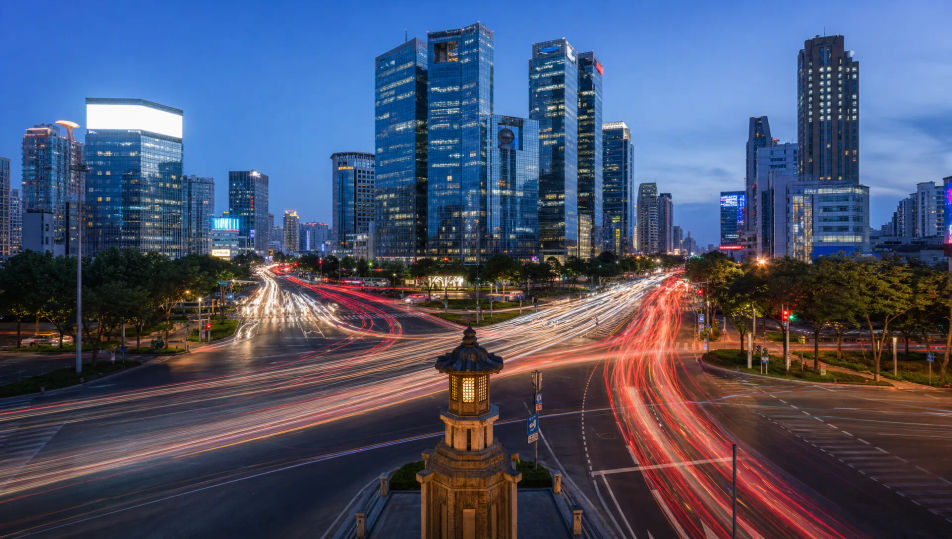
Car light trails through a city junction

A busy city junction at dusk with red and white car light trails streaking in ribbons across the frame, sharp buildings behind, 24mm wide, cool blue-hour palette, classic long-exposure cityscape.

Prompt bearbeiten
Car light trails through a city junction

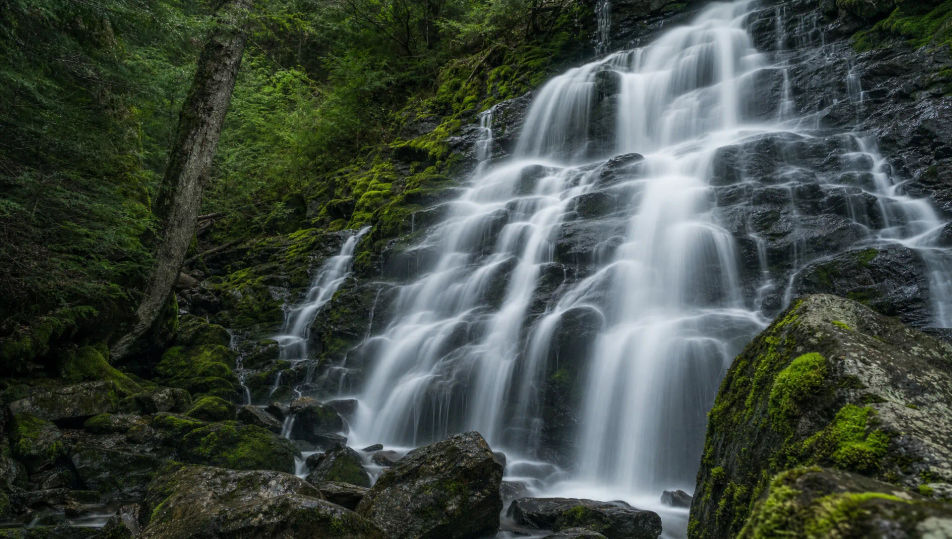
Silky waterfall over mossy rocks

A forest waterfall blurred to smooth silk threads pouring over dark mossy rocks, still wet stone sharp around it, soft overcast light, 35mm, cool green palette, serene long-exposure frame.

Prompt bearbeiten
Silky waterfall over mossy rocks

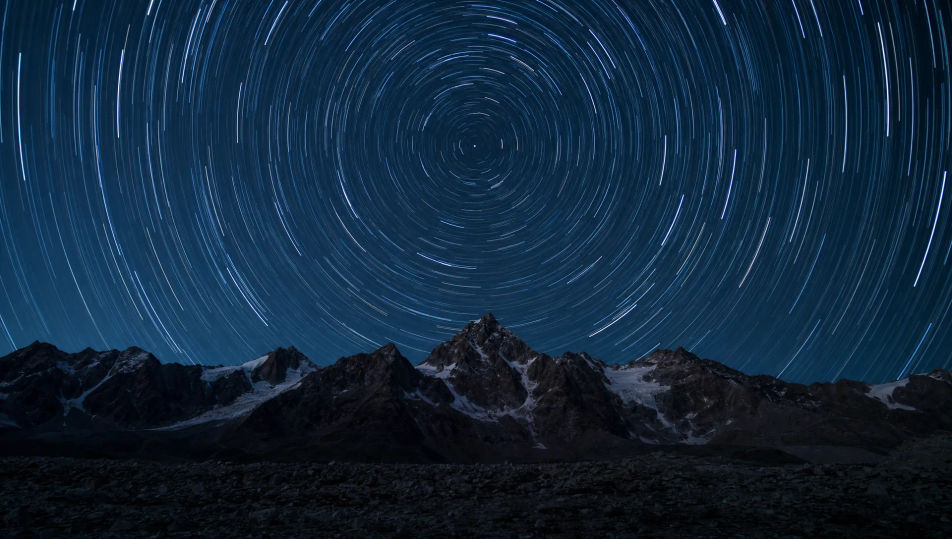
Star trails over a dark ridgeline

Concentric star trails wheeling around the pole above a sharp black mountain ridge, deep night sky, faint foreground glow, 24mm wide, cool palette, long-exposure astro-landscape.

Prompt bearbeiten
Star trails over a dark ridgeline

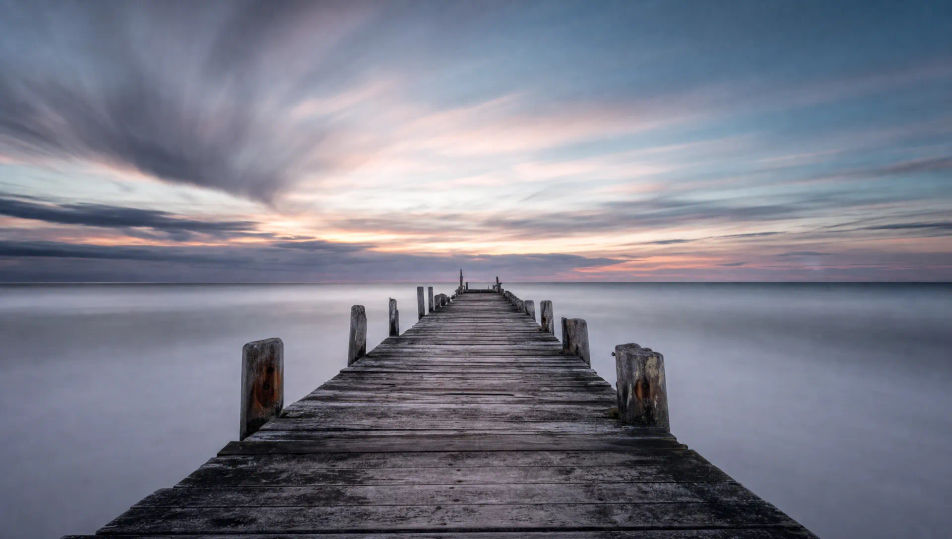
Smooth misted sea around a lone pier

A weathered pier reaching into a sea blurred to flat soft mist under a long dusk, sky streaked with drifting cloud, 24mm wide, muted cool palette, minimal long-exposure seascape.

Prompt bearbeiten
Smooth misted sea around a lone pier

Long exposure photography in drei Schritten erstellen

  1. 01

    Beschreiben Sie Ihr Long exposure photography

    Beschreiben Sie das Long exposure photography, das Sie möchten, in einfachen Worten.

  2. 02

    Bild generieren

    Morphic generiert in Sekunden ein sauberes, veröffentlichungsfertiges Bild auf Ihrer Canvas.

  3. 03

    Long exposure photography verfeinern

    Passen Sie den Prompt an, generieren Sie Varianten und laden Sie das Bild herunter oder teilen Sie es.

Verwandte Workflows

Das könnte Ihnen auch gefallen

Einfache Preise

Starten Sie noch heute kostenlos, mit der Option, jederzeit zu upgraden oder zu kündigen.

Basic

$0/ Monat
abgerechnet als $0 pro Jahr

900 monatliche Credits

1 Nutzer

Alle Modelle

Workflows

Standard

$0/ Monat
abgerechnet als $0 pro Jahr

3200 monatliche Credits

1 Nutzer

Alle Modelle

Workflows

Pro

$0/ Monat
abgerechnet als $0 pro Jahr

6200 gemeinsame monatliche Credits

1 Nutzer

+ bis zu 4 weitere gegen Aufpreis

Alle Modelle

Workflows

Pro Max

$0/ Monat
abgerechnet als $0 pro Jahr

24000 gemeinsame monatliche Credits

1 Nutzer

+ bis zu 9 weitere gegen Aufpreis

Alle Modelle

Workflows

Enterprise

Für höhere Limits

Individuell

Preis- und Abrechnungsbedingungen

Unbegrenzte Credits
Individuelle Platzlimits
Alle Modelle
Workflows
Pricing Gradient

Free

Zum Ausprobieren

$0

dauerhaft kostenlos

Bis zu 20 Credits
Nur 1 Nutzer
Eingeschränkte Modelle
Workflows

Häufig gestellte Fragen

Where can I make long exposure photography with AI?
You can create long exposure images directly in your browser on Morphic. Open the Image tool, describe what stays sharp, what blurs, and the light, and Morphic produces the frame. No installs and no specialist software needed.
What defines long exposure at the prompt level?
Three locked-in choices: a sharp still anchor, a moving element rendered as blur or light trail, and the time-of-day light. Name both the sharp subject and the smeared motion so the frame reads as a slow shutter rather than a frozen snapshot.
How do I get light trails and silky water in AI images?
Name the motion directly: "red and white car light trails streaking across the frame" for traffic, or "water blurred to smooth silk threads" for waterfalls. Keep the anchor sharp ("sharp buildings behind"). Reuse those words across every prompt so Morphic carries the same look through the set.
How do I keep a long exposure series feeling consistent?
Use Morphic's Style Transfer workflow to lock the cool blue-hour palette, the smooth motion blur, and the still-anchor framing, then reference that style card in every prompt. The series reads as one session across images, from cityscapes to seascapes.
Do I need a tripod and ND filters to make these?
No. Morphic runs in your browser and you direct it with plain-language prompts. Anyone who can describe a sharp anchor, a moving element, and the light can produce a long exposure frame. No tripod, no neutral-density filters, and no minutes-long waits required.