Monk Character AI Images

Design martial monk characters in your browser with Morphic's monk character AI image generator. Generate monk portraits and compositions like a shaven ascetic mid-strike with glowing ki, a wandering staff-monk on a mountain path, or a serene elder in flowing robes, and pair them with Style Transfer to hold one lean, disciplined look across the set. Hand the plates to Image to Video to make a strike snap, robes flare, and ki-light ripple.

Monk types you can create

Monk compositions you can produce

A monk training at dawn

A monk holding a precise one-legged stance on a wooden temple deck at sunrise, mist over the valley below, warm gold light along his robes and a still focused face, calm wide cinematic shot.

Prompt bearbeiten
A monk training at dawn

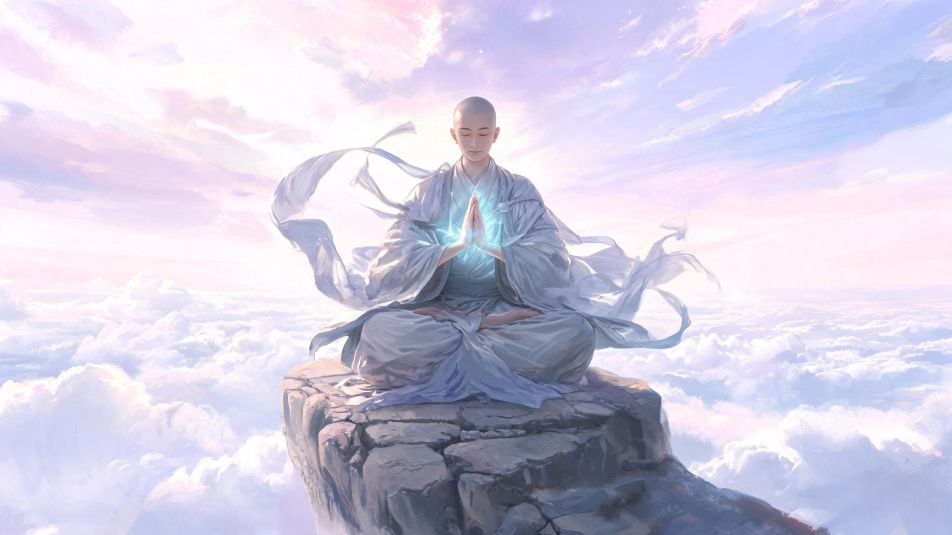
A mountaintop meditation

A monk sitting cross-legged on a stone ledge above a sea of clouds, robes stirring in the wind, soft ki-light glowing faintly around folded hands, vast serene atmosphere, wide sweeping composition.

Prompt bearbeiten
A mountaintop meditation

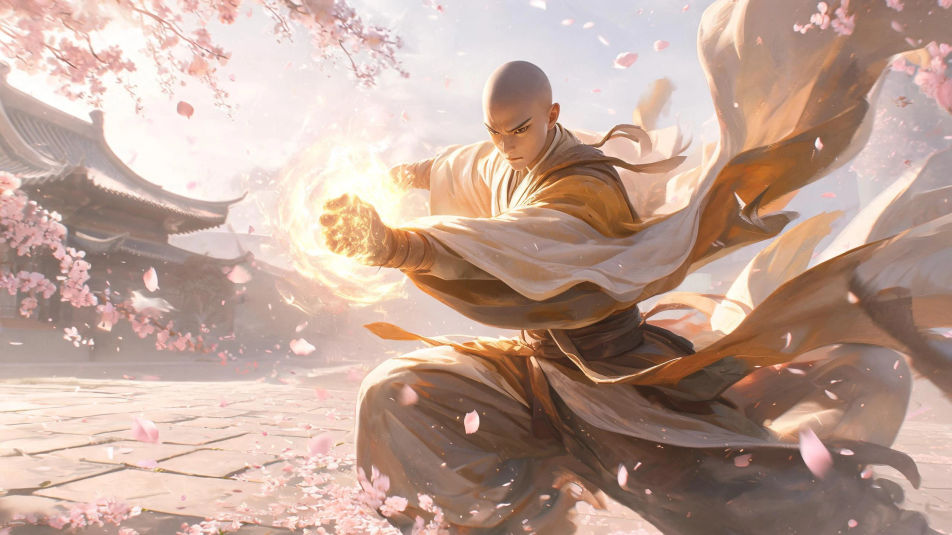
A monk mid-battle in a courtyard

A monk striking with a glowing ki fist amid falling cherry blossoms in a temple courtyard, robes flaring with the motion, dynamic low-angle framing, soft petals and dust caught in warm light.

Prompt bearbeiten
A monk mid-battle in a courtyard

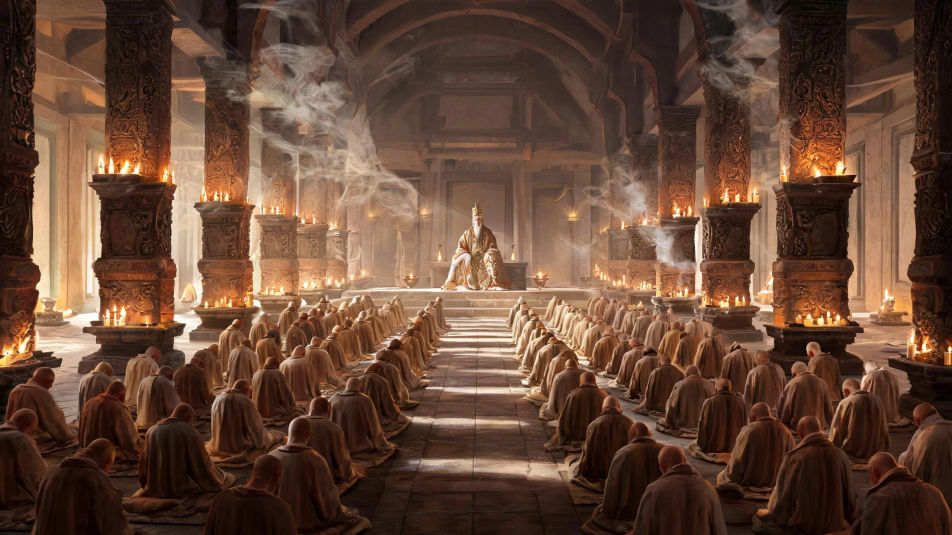
A candle-lit temple hall

Rows of monks kneeling in a long candle-lit temple hall with an elder master at the front, warm flickering light on carved pillars and incense smoke drifting upward, quiet reverent wide interior shot.

Prompt bearbeiten
A candle-lit temple hall

Monk Character in drei Schritten erstellen

  1. 01

    Beschreiben Sie Ihr Monk Character

    Beschreiben Sie das Monk Character, das Sie möchten, in einfachen Worten.

  2. 02

    Bild generieren

    Morphic generiert in Sekunden ein sauberes, veröffentlichungsfertiges Bild auf Ihrer Canvas.

  3. 03

    Monk Character verfeinern

    Passen Sie den Prompt an, generieren Sie Varianten und laden Sie das Bild herunter oder teilen Sie es.

Verwandte Workflows

Das könnte Ihnen auch gefallen

Einfache Preise

Starten Sie noch heute kostenlos, mit der Option, jederzeit zu upgraden oder zu kündigen.

Basic

$0/ Monat
abgerechnet als $0 pro Jahr

900 monatliche Credits

1 Nutzer

Alle Modelle

Workflows

Standard

$0/ Monat
abgerechnet als $0 pro Jahr

3200 monatliche Credits

1 Nutzer

Alle Modelle

Workflows

Pro

$0/ Monat
abgerechnet als $0 pro Jahr

6200 gemeinsame monatliche Credits

1 Nutzer

+ bis zu 4 weitere gegen Aufpreis

Alle Modelle

Workflows

Pro Max

$0/ Monat
abgerechnet als $0 pro Jahr

24000 gemeinsame monatliche Credits

1 Nutzer

+ bis zu 9 weitere gegen Aufpreis

Alle Modelle

Workflows

Enterprise

Für höhere Limits

Individuell

Preis- und Abrechnungsbedingungen

Unbegrenzte Credits
Individuelle Platzlimits
Alle Modelle
Workflows
Pricing Gradient

Free

Zum Ausprobieren

$0

dauerhaft kostenlos

Bis zu 20 Credits
Nur 1 Nutzer
Eingeschränkte Modelle
Workflows

Häufig gestellte Fragen

Where can I make monk character images with AI?
You can create monk images directly in your browser on Morphic. Open the Image tool, describe the ascetic, the wrapped robes and hand-wraps, the martial stance or ki-glow, and the temple lighting, and Morphic produces the artwork. No installs and no specialist software needed.
What kinds of monks can I generate?
Any kind you can name: a ki striker, a wandering staff monk, a serene elder master, a warrior nun ascetic, an iron-fist brawler, or a young initiate. Name the head, the robes, and the stance so Morphic builds the version you want.
How do I write a good prompt for a monk image?
Name the shaven head or topknot, the wrapped robes and hand-wraps, the stance or ki-glow, the pose, and the lighting. For example: "a monk mid-strike with glowing ki in wrapped grey robes and hand-wraps." Naming the unarmed stance and the flowing robes keeps the monk distinct from a plain traveler.
How do I keep one monk consistent across several images?
Use the Character Lineup workflow to lock the monk’s face, robes, and build, then reference that card in every prompt. Morphic preserves the same monk across a training scene, a mountaintop, and a portrait so the set stays consistent.
Can I turn a monk image into a video?
Yes. Take any monk image into the Image to Video tool and describe the motion, such as a strike snapping out, robes flaring, ki-light rippling, or blossoms drifting past. Morphic animates the still into a short clip you can use on its own or cut into a longer sequence.
Do I need any drawing skill to make monk images?
No. Morphic runs in the browser and takes plain-language prompts. Anyone who can describe a monk, the robes, and the lighting can produce a finished monk image. Drawing ability and illustration software are not required.