Botanisches Photogramm
Ein weites, kameraloses Photogramm aus Farnen und Gräsern, im Bild angeordnet als leuchtende weiße Silhouetten auf tiefschwarzem Grund, mit glühenden Adern und weichen, durchscheinenden Kanten.
Prompt bearbeiten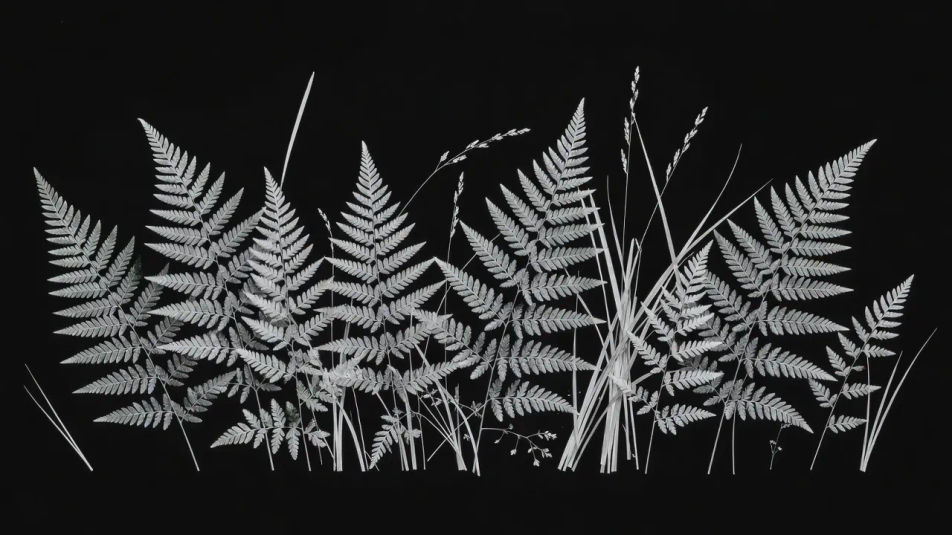
Erstellen Sie Photogramm-Bilder direkt im Browser mit dem KI-Bildgenerator von Morphic. Generieren Sie eine weiße Blattsilhouette auf Schwarz, eine durchscheinende Glasstudie oder Federn, die vor dunklem Grund leuchten. Legen Sie den Kontaktschatten-Look mit Style Transfer fest und animieren Sie jedes Standbild mit Image to Video.
Ein weites, kameraloses Photogramm aus Farnen und Gräsern, im Bild angeordnet als leuchtende weiße Silhouetten auf tiefschwarzem Grund, mit glühenden Adern und weichen, durchscheinenden Kanten.
Prompt bearbeitenEin weites Photogramm gestapelter Glasgefäße, das helle Kaustik-Linien aus gebrochenem Licht durch durchscheinende Formen vor samtigem Schwarz zieht.
Prompt bearbeiten
Eine breite Streuung von Federn im Bild als blasse, leuchtende Formen auf Schwarz, feine Federfahnen im Licht hervorgehoben und weiche graue Kontaktschatten dazwischen.
Prompt bearbeiten
Ein weites Photogramm aus Spitze und losem Faden, dargestellt als leuchtendes weißes Netz auf Schwarz, scharf dort, wo es das Papier berührte, und weich, wo es sich abhob.
Prompt bearbeiten
Beschreiben Sie das Photogram, das Sie möchten, in einfachen Worten.
Morphic generiert in Sekunden ein sauberes, veröffentlichungsfertiges Bild auf Ihrer Canvas.
Passen Sie den Prompt an, generieren Sie Varianten und laden Sie das Bild herunter oder teilen Sie es.
Fix plastic-looking AI skin. Adds natural texture, pores, and imperfections for realism.
One selfie becomes a set of professional headshots. Studio-quality, multiple styles.
Convert any image to a new aspect ratio. Smart crop or extend the edges to fit.
Set the look with one reference image. Apply that exact grade to any scene or batch.
Choose your viewing angles and get precise perspective shifts of any image with full camera control.
Bring back any damaged, blurry, or low-res image. Get a sharp, detailed 4K version with natural clarity restored.
Solarisation-Fotografie KI-Bilder
Solarisation-Fotografie-KI-Bilder im Browser erstellen: silbrige Umkehrporträts, Mackie-Linien, invertierte Himmel. Jetzt starten.
Sabattier-Effekt KI-Bilder
Sabattier-Effekt KI-Bilder erstellen: halb positiv, halb negativ, leuchtende Umrisse, silbrige Umkehrung. Jetzt ausprobieren.
Salzdruck-KI-Bilder
Salzdruck-KI-Bilder im Browser: mattes Rotbraun, weicher Kontrast, sichtbare Papierfasern, unregelmäßige Ränder. Jetzt erstellen.
Fotomontage KI-Bilder
Fotomontage-KI-Bilder im Browser erstellen: Dada-Collagen, Maßstabsbrüche, Papierplakate. Aus einem Prompt bauen. Jetzt starten.
Starten Sie noch heute kostenlos, mit der Option, jederzeit zu upgraden oder zu kündigen.
Basic
2400 monatliche Credits
1 Nutzer
Alle Modelle
Workflows
Standard
3625 monatliche Credits
1 Nutzer
Alle Modelle
Workflows
Pro
6350 gemeinsame monatliche Credits
1 Nutzer
Alle Modelle
Workflows
Max
24650 gemeinsame monatliche Credits
1 Nutzer
Alle Modelle
Workflows
Enterprise
Für höhere Limits
Individuell
Preis- und Abrechnungsbedingungen

Free
Zum Ausprobieren
$0
dauerhaft kostenlos