Dada-Collagenwand
Eine breite, chaotische Dada-Fotomontage aus ausgeschnittenen Gesichtern, Maschinenteilen und fetter Typografie, hartkantige Schnitte über das gesamte Bild und eine flache monochrome Palette mit roten Akzenten.
Prompt bearbeiten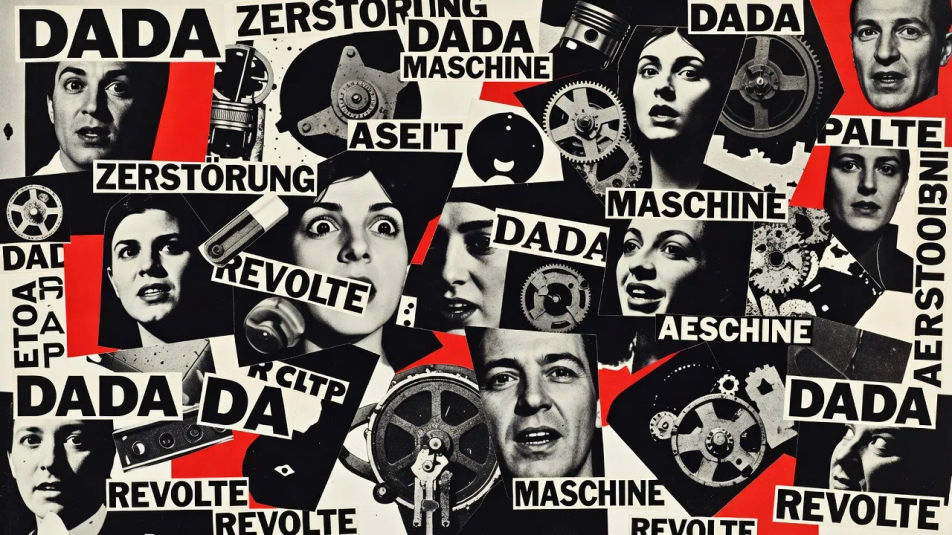
Erstellen Sie Fotomontage-Bilder im Browser mit Morphics KI-Bildgenerator. Generieren Sie eine Dada-artige Collage, einen surrealen Maßstabsbruch mit riesiger Hand über winziger Stadt oder ein zerrissenes Politplakat. Legen Sie den hartkantigen Collagen-Look mit Style Transfer fest und animieren Sie das Standbild mit Image to Video.
Eine breite, chaotische Dada-Fotomontage aus ausgeschnittenen Gesichtern, Maschinenteilen und fetter Typografie, hartkantige Schnitte über das gesamte Bild und eine flache monochrome Palette mit roten Akzenten.
Prompt bearbeitenEine breite surreale Montage aus einer riesigen ausgeschnittenen Hand über einer winzigen Papierstadt, unpassende Quellen, harte Schlagschatten und gedämpfte Vintage-Töne.
Prompt bearbeiten
Ein breites, geschichtetes Plakat aus zerrissenen Fotoausschnitten und gedruckten Parolen, ausgefranste Papierkanten und Kleisterspuren, eine kräftige, kontrastreiche Schwarz-Rot-Creme-Palette.
Prompt bearbeiten
Eine breite Spleißung aus vielen Gebäudefotografien, gestapelt zu einem unmöglichen Turm, widerstreitende Perspektiven und harte Schnittfugen unter kühlem, bedecktem Grau-Licht.
Prompt bearbeiten
Beschreiben Sie das Photomontage, das Sie möchten, in einfachen Worten.
Morphic generiert in Sekunden ein sauberes, veröffentlichungsfertiges Bild auf Ihrer Canvas.
Passen Sie den Prompt an, generieren Sie Varianten und laden Sie das Bild herunter oder teilen Sie es.
Fix plastic-looking AI skin. Adds natural texture, pores, and imperfections for realism.
One selfie becomes a set of professional headshots. Studio-quality, multiple styles.
Convert any image to a new aspect ratio. Smart crop or extend the edges to fit.
Set the look with one reference image. Apply that exact grade to any scene or batch.
Choose your viewing angles and get precise perspective shifts of any image with full camera control.
Bring back any damaged, blurry, or low-res image. Get a sharp, detailed 4K version with natural clarity restored.
Composite-Fotografie KI-Bilder
Composite-Fotografie KI-Bilder im Browser erstellen: Figuren im Sturmhimmel, schwebende Produkte, Doppelbelichtung. Jetzt starten.
Kreative Retusche KI-Bilder
Kreative Retusche KI-Bilder im Browser erstellen: glänzende Beauty-Shots, gradierte Editorials, Porträts mit gemaltem Licht. Jetzt starten.
Stereoskopische Fotografie KI-Bilder
Stereoskopische KI-Bilder im Browser erstellen: Stereokarten, Rot-Cyan-Anaglyphen und Parallaxen-Szenen. Jetzt loslegen.
Photogramm-KI-Bilder
Erstellen Sie Photogramm-KI-Bilder im Browser: weiße Blattsilhouetten, durchscheinendes Glas, leuchtende Federn auf Schwarz. Jetzt ausprobieren.
Starten Sie noch heute kostenlos, mit der Option, jederzeit zu upgraden oder zu kündigen.
Basic
2400 monatliche Credits
1 Nutzer
Alle Modelle
Workflows
Standard
3625 monatliche Credits
1 Nutzer
Alle Modelle
Workflows
Pro
6350 gemeinsame monatliche Credits
1 Nutzer
Alle Modelle
Workflows
Max
24650 gemeinsame monatliche Credits
1 Nutzer
Alle Modelle
Workflows
Enterprise
Für höhere Limits
Individuell
Preis- und Abrechnungsbedingungen

Free
Zum Ausprobieren
$0
dauerhaft kostenlos