Design Renaissance images in your browser with Morphic's Renaissance AI image generator. Create a tempera noblewoman in profile or a chiaroscuro inventor by candlelight, lock the linseed glaze with Style Transfer, then animate any still with Image to Video.

Renaissance subjects you can paint

Renaissance scenes you can compose

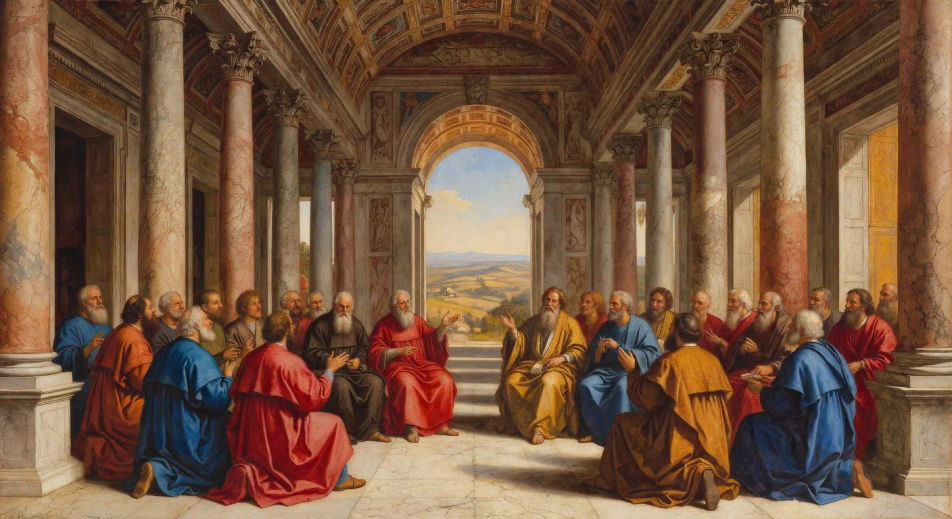
Fresco of scholars in a colonnaded courtyard

Wide fresco-style composition, a circle of robed scholars debating beneath a marble colonnade, perspective lines converging on a distant arch, soft Tuscan sky above.

Prompt bearbeiten
Fresco of scholars in a colonnaded courtyard

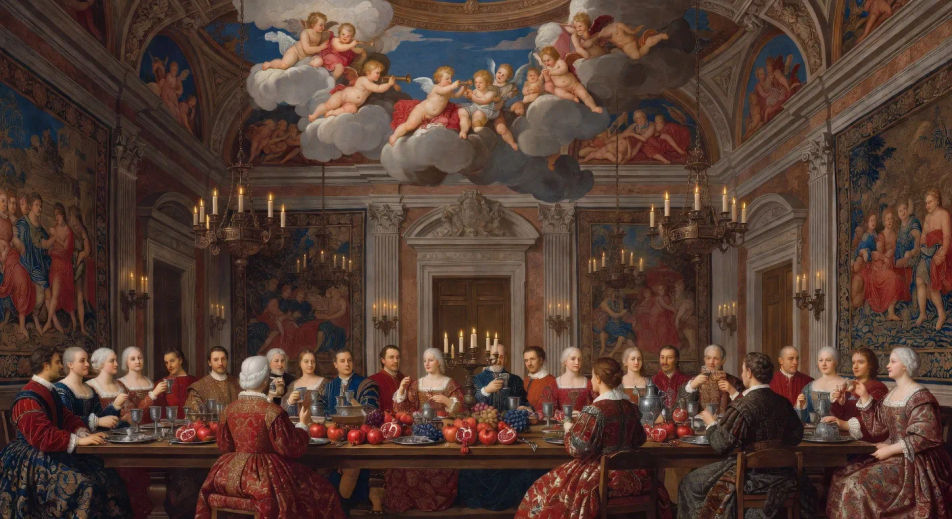
Banquet under a painted ceiling

Long banquet table set with pewter and pomegranates, guests in velvet and damask, frescoed ceiling of clouds and putti above, candle chandeliers, warm chiaroscuro.

Prompt bearbeiten
Banquet under a painted ceiling

River procession with banners

A river procession of gondola-like craft strung with crimson banners, palaces along the bank in warm late light, distant duomo, atmospheric perspective into a hazy horizon.

Prompt bearbeiten
River procession with banners

Hilltop town at golden hour

Walled Renaissance hill town with terracotta roofs, cypresses lining a switchback road, single rider approaching the gate, painterly clouds catching the last gold light.

Prompt bearbeiten
Hilltop town at golden hour

Renaissance in drei Schritten erstellen

  1. 01

    Beschreiben Sie Ihr Renaissance

    Beschreiben Sie das Renaissance, das Sie möchten, in einfachen Worten.

  2. 02

    Bild generieren

    Morphic generiert in Sekunden ein sauberes, veröffentlichungsfertiges Bild auf Ihrer Canvas.

  3. 03

    Renaissance verfeinern

    Passen Sie den Prompt an, generieren Sie Varianten und laden Sie das Bild herunter oder teilen Sie es.

Verwandte Workflows

Das könnte Ihnen auch gefallen

Einfache Preise

Starten Sie noch heute kostenlos, mit der Option, jederzeit zu upgraden oder zu kündigen.

Basic

$0/ Monat
abgerechnet als $0 pro Jahr

900 monatliche Credits

1 Nutzer

Alle Modelle

Workflows

Standard

$0/ Monat
abgerechnet als $0 pro Jahr

3200 monatliche Credits

1 Nutzer

Alle Modelle

Workflows

Pro

$0/ Monat
abgerechnet als $0 pro Jahr

6200 gemeinsame monatliche Credits

1 Nutzer

+ bis zu 4 weitere gegen Aufpreis

Alle Modelle

Workflows

Pro Max

$0/ Monat
abgerechnet als $0 pro Jahr

24000 gemeinsame monatliche Credits

1 Nutzer

+ bis zu 9 weitere gegen Aufpreis

Alle Modelle

Workflows

Enterprise

Für höhere Limits

Individuell

Preis- und Abrechnungsbedingungen

Unbegrenzte Credits
Individuelle Platzlimits
Alle Modelle
Workflows
Pricing Gradient

Free

Zum Ausprobieren

$0

dauerhaft kostenlos

Bis zu 20 Credits
Nur 1 Nutzer
Eingeschränkte Modelle
Workflows

Häufig gestellte Fragen

Where can I make Renaissance images with AI?
You can create Renaissance images directly in your browser on Morphic. Open the Image tool, describe the subject and setting with the medium and lighting spelled out, and Morphic produces the artwork. No installs and no specialist software needed.
What Renaissance styles can I generate?
Tempera-on-panel portraits with crisp line and luminous flesh tones, oil glazes with deep glowing shadows, large fresco compositions with steep linear perspective, and intimate chiaroscuro studies lit by a single candle. Name the medium upfront so Morphic picks the right surface and palette.
How do I keep Renaissance characters consistent across multiple images?
Use the Character Lineup workflow to lock in each subject's face, hair, and costume before you produce any pieces, then reference those character cards in every prompt. Morphic preserves the design across portraits, group scenes, and architectural compositions so a series reads as one body of work.
How do I prompt for the soft sfumato edges and chiaroscuro lighting?
Name the optical effect directly. Use phrases like "soft sfumato edges around the face", "raking light from the left", "deep umber shadows", "linseed-oil glaze finish". Calling out the technique tells Morphic to model the form with gradient transitions instead of hard outlines.
Can I use my Renaissance image as the basis for a video?
Yes. Open the Image to Video tool, upload the still you generated, and describe the motion you want (a slow push into a portrait, a candle flicker across a scholar, a banner unfurling above a river procession). Morphic animates from the source so the video keeps the original composition.
Do I need to know art history to prompt Renaissance images?
No. Plain-language description of subject, setting, palette, and lighting is enough. If you do know the period, citing terms like sfumato, chiaroscuro, tempera, or fresco sharpens the output further; if not, Morphic will read the visual cues from your description.