Design vengeful revenants in your browser with Morphic's revenant AI image generator. Generate revenant portraits and compositions like an armored knight risen from a battlefield grave, a hollow-eyed ranger back from the dead, or a burning-eyed warrior clawing free of the earth, and pair them with Style Transfer to hold one gaunt, grave-cold look across the set. Hand the plates to Image to Video to make embers drift from empty sockets and a rusted blade lift.

Revenant types you can create

Revenant compositions you can produce

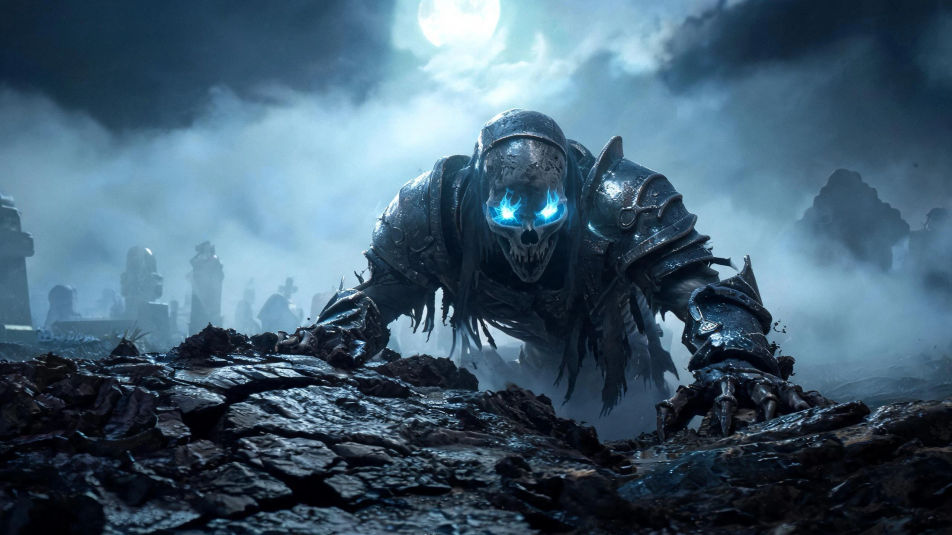
A revenant rising from the grave

An armored revenant dragging itself from cracked, upturned earth in a fog-bound graveyard at night, cold blue eye-fire cutting the mist, pale moonlight raking wet steel, low ground-level camera.

Prompt bearbeiten
A revenant rising from the grave

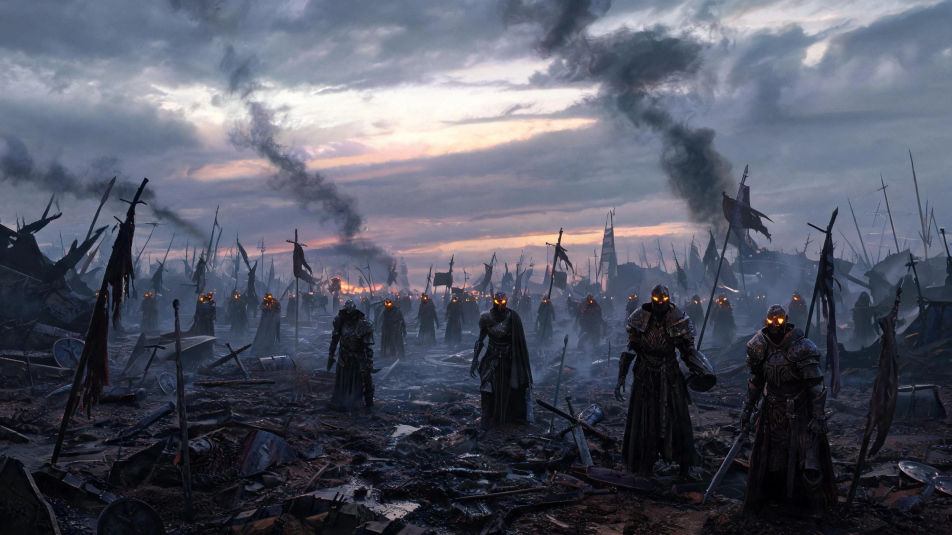
A battlefield of the returned dead

A ruined battlefield at dusk where dozens of risen revenants stand among broken banners and mud, ember-lit eyes glowing across the field, heavy grey sky and drifting smoke, wide cinematic shot.

Prompt bearbeiten
A battlefield of the returned dead

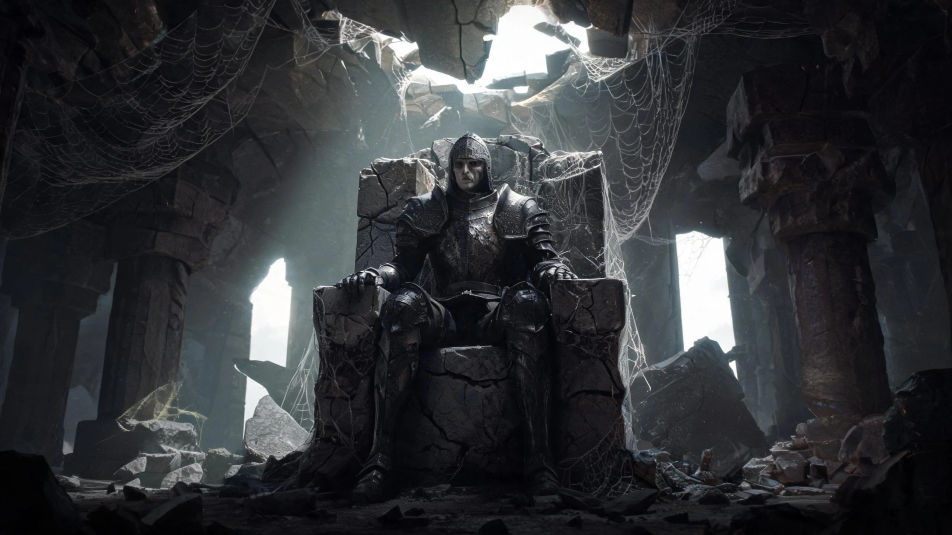
A revenant in a ruined throne hall

A lone revenant knight seated on a cracked stone throne in a collapsed hall, shafts of grey light through a broken roof, dust and cobwebs, cold reflections on tarnished armor, slow low-angle framing.

Prompt bearbeiten
A revenant in a ruined throne hall

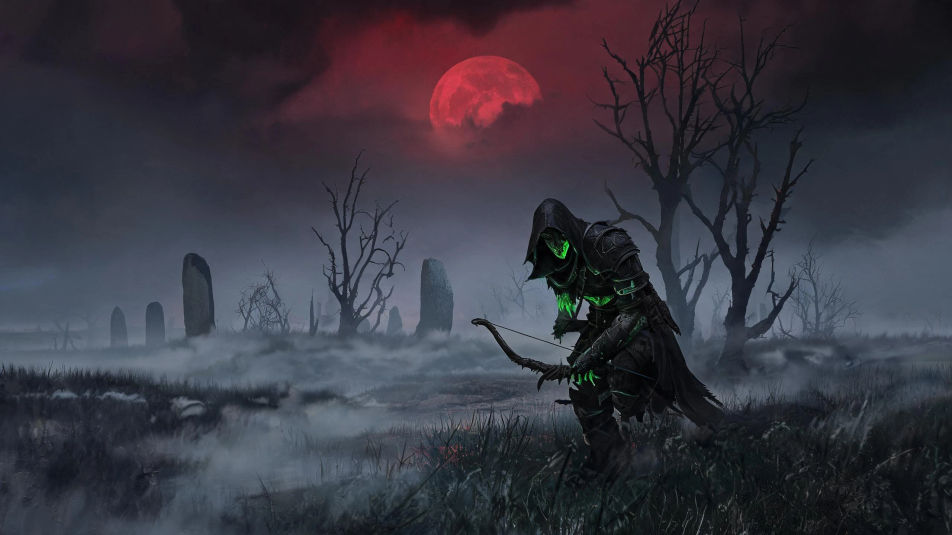
A revenant hunting under a blood moon

A hooded revenant ranger stalking a fog-choked moor beneath a deep red moon, faint green death-glow along its skin, bare black trees and standing stones, tense wide atmospheric composition.

Prompt bearbeiten
A revenant hunting under a blood moon

Revenant in drei Schritten erstellen

  1. 01

    Beschreiben Sie Ihr Revenant

    Beschreiben Sie das Revenant, das Sie möchten, in einfachen Worten.

  2. 02

    Bild generieren

    Morphic generiert in Sekunden ein sauberes, veröffentlichungsfertiges Bild auf Ihrer Canvas.

  3. 03

    Revenant verfeinern

    Passen Sie den Prompt an, generieren Sie Varianten und laden Sie das Bild herunter oder teilen Sie es.

Verwandte Workflows

Das könnte Ihnen auch gefallen

Einfache Preise

Starten Sie noch heute kostenlos, mit der Option, jederzeit zu upgraden oder zu kündigen.

Basic

$0/ Monat
abgerechnet als $0 pro Jahr

900 monatliche Credits

1 Nutzer

Alle Modelle

Workflows

Standard

$0/ Monat
abgerechnet als $0 pro Jahr

3200 monatliche Credits

1 Nutzer

Alle Modelle

Workflows

Pro

$0/ Monat
abgerechnet als $0 pro Jahr

6200 gemeinsame monatliche Credits

1 Nutzer

+ bis zu 4 weitere gegen Aufpreis

Alle Modelle

Workflows

Pro Max

$0/ Monat
abgerechnet als $0 pro Jahr

24000 gemeinsame monatliche Credits

1 Nutzer

+ bis zu 9 weitere gegen Aufpreis

Alle Modelle

Workflows

Enterprise

Für höhere Limits

Individuell

Preis- und Abrechnungsbedingungen

Unbegrenzte Credits
Individuelle Platzlimits
Alle Modelle
Workflows
Pricing Gradient

Free

Zum Ausprobieren

$0

dauerhaft kostenlos

Bis zu 20 Credits
Nur 1 Nutzer
Eingeschränkte Modelle
Workflows

Häufig gestellte Fragen

Where can I make revenant images with AI?
You can create revenant images directly in your browser on Morphic. Open the Image tool, describe the risen warrior, the old armor or gear, the eye-fire color, and the grave-cold lighting, and Morphic produces the artwork. No installs and no specialist software needed.
What kinds of revenants can I generate?
Any kind you can name: a risen armored knight, a hollow-eyed ranger, a vengeful warlord, a grave-sworn maiden, an ashen duelist, or an ancient sentinel. Name the decay level, the gear, and the glow so Morphic builds the version you want.
How do I write a good prompt for a revenant image?
Name the risen-warrior look, the old armor or weapon, the eye-fire color, the pose, and the grave lighting. For example: "an armored revenant knight in rusted plate with cold blue eye-fire rising from a grave." Naming the gear and the cold glow keeps the revenant distinct from a plain zombie.
How do I keep one revenant consistent across several images?
Use the Character Lineup workflow to lock the revenant’s face, armor, and eye-fire, then reference that card in every prompt. Morphic preserves the same revenant across a graveyard scene, a throne hall, and a portrait so the set stays consistent.
Can I turn a revenant image into a video?
Yes. Take any revenant image into the Image to Video tool and describe the motion, such as embers drifting from the eye sockets, a rusted blade lifting, or fog rolling past. Morphic animates the still into a short clip you can use on its own or cut into a longer sequence.
Do I need any drawing skill to make revenant images?
No. Morphic runs in the browser and takes plain-language prompts. Anyone who can describe a revenant, the armor, and the lighting can produce a finished revenant image. Drawing ability and illustration software are not required.