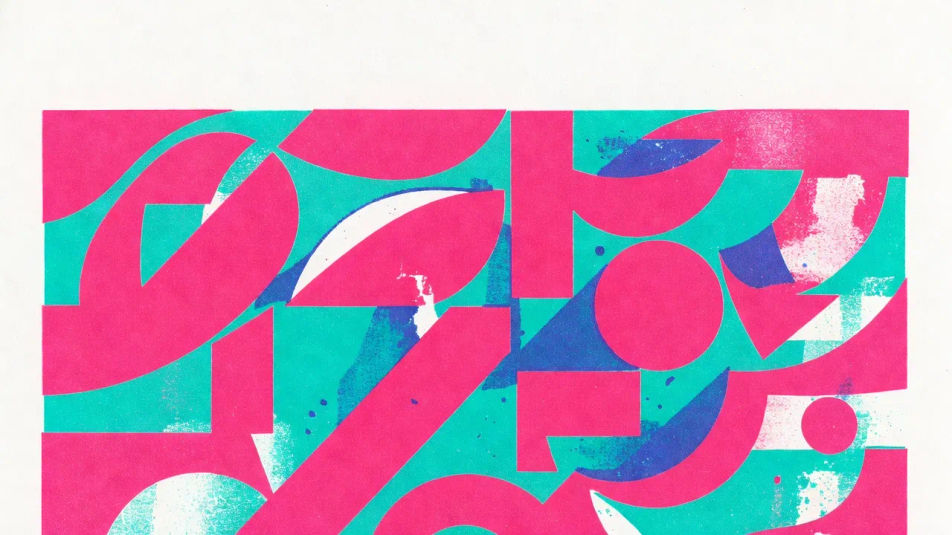
Risograph illustration AI Images

Design risograph illustrations in your browser with Morphic's AI image generator. Generate a two-colour print in pink and blue, a grainy soy-ink poster, or an overprint zine cover. Pair each piece with the Style Transfer workflow to hold one ink palette across a set.

Risograph illustration styles you can design

Risograph illustration layouts you can compose

Two-colour riso hero

A full-bleed two-colour risograph illustration in fluorescent pink and teal blue with visible misregistration, grainy soy-ink texture, paper white between the layers, space reserved at the top for a title.

Prompt bearbeiten
Two-colour riso hero

Riso zine spread

A playful three-colour zine layout, hand-drawn line work, flat ink blocks, intentional registration drift on figures and type, a caption area reserved at the base for a headline.

Prompt bearbeiten
Riso zine spread

Duotone riso poster

A bold single-figure riso poster in two spot inks with halftone dots breaking the tone, heavy grain, the open paper stock visible, room left below for a caption.

Prompt bearbeiten
Duotone riso poster

Overprint pattern panel

A repeating riso pattern where two transparent inks cross into a third overprint colour at the seams, uneven coverage and grain throughout, balanced for a cover or endpaper.

Prompt bearbeiten
Overprint pattern panel

Risograph illustration in drei Schritten erstellen

  1. 01

    Beschreiben Sie Ihr Risograph illustration

    Beschreiben Sie das Risograph illustration, das Sie möchten, in einfachen Worten.

  2. 02

    Bild generieren

    Morphic generiert in Sekunden ein sauberes, veröffentlichungsfertiges Bild auf Ihrer Canvas.

  3. 03

    Risograph illustration verfeinern

    Passen Sie den Prompt an, generieren Sie Varianten und laden Sie das Bild herunter oder teilen Sie es.

Verwandte Workflows

Das könnte Ihnen auch gefallen

Einfache Preise

Starten Sie noch heute kostenlos, mit der Option, jederzeit zu upgraden oder zu kündigen.

Basic

$0/ Monat
abgerechnet als $0 pro Jahr

900 monatliche Credits

1 Nutzer

Alle Modelle

Workflows

Standard

$0/ Monat
abgerechnet als $0 pro Jahr

3200 monatliche Credits

1 Nutzer

Alle Modelle

Workflows

Pro

$0/ Monat
abgerechnet als $0 pro Jahr

6200 gemeinsame monatliche Credits

1 Nutzer

+ bis zu 4 weitere gegen Aufpreis

Alle Modelle

Workflows

Pro Max

$0/ Monat
abgerechnet als $0 pro Jahr

24000 gemeinsame monatliche Credits

1 Nutzer

+ bis zu 9 weitere gegen Aufpreis

Alle Modelle

Workflows

Enterprise

Für höhere Limits

Individuell

Preis- und Abrechnungsbedingungen

Unbegrenzte Credits
Individuelle Platzlimits
Alle Modelle
Workflows
Pricing Gradient

Free

Zum Ausprobieren

$0

dauerhaft kostenlos

Bis zu 20 Credits
Nur 1 Nutzer
Eingeschränkte Modelle
Workflows

Häufig gestellte Fragen

What is risograph illustration?
Risograph illustration is a print-style image defined by a limited set of soy spot inks (often fluorescent pink and blue), deliberate misregistration where the colour layers do not quite line up, and heavy mottled grain with the paper showing through. The look comes from a stencil duplicator that prints one ink at a time. Those traits separate it from a flat digital fill.
Where can I make risograph illustrations with AI?
You can create risograph illustrations with AI on Morphic, right in your browser. Open the Image tool, describe the spot inks, the misregistration, and the subject, and Morphic generates the print-style art. No installs and no design software needed.
How do I get the misregistration and overprint effect?
Name the offset and the layer crossing directly in the prompt: "two spot inks, fluorescent pink over teal blue, slight misregistration offset, overprint colour where the layers cross." Calling out the offset and the overprint blend is what makes the print look hand-run rather than perfectly aligned.
How do I keep a set of risograph illustrations consistent?
Use Morphic's Style Transfer workflow to lock the ink palette, grain, and registration offset from your first risograph print, then reference that style card across the set. Each piece carries a different subject while the whole run shares one ink behaviour.
Can I add a title or caption to a risograph illustration on Morphic?
Yes. Generate the risograph illustration with space reserved, then open the Canvas to place a title or caption. Keeping the type as a separate layer lets you adjust the wording without regenerating the print.
Do I need printmaking skill to make risograph illustrations?
No. Morphic runs in your browser and takes plain-language prompts, so risograph illustrations need no printmaking skill. Anyone who can describe spot inks, a registration offset, and a subject can produce a finished risograph-style image. A duplicator machine and a stack of master sheets are not required.