Karte mit eingeprägtem Monogramm
Ein einzelnes Monogramm, tief in dicken Baumwollkarton gepresst mit einem weichen Schatten im Inneren der Prägung, eine Druckfarbe, großzügige Ränder, unten Platz reserviert für einen Namen.
Prompt bearbeiten
Gestalten Sie Buchdruck-Illustrationen direkt im Browser mit dem KI-Bildgenerator von Morphic. Generieren Sie ein tief eingeprägtes Monogramm in Baumwollkarton, eine eingefärbte Reliefbordüre oder eine typografiebetonte Titelkarte. Ziehen Sie das fertige Artwork in das Canvas, um einen Namen oder eine Bildunterschrift hinzuzufügen.
Ein einzelnes Monogramm, tief in dicken Baumwollkarton gepresst mit einem weichen Schatten im Inneren der Prägung, eine Druckfarbe, großzügige Ränder, unten Platz reserviert für einen Namen.
Prompt bearbeitenEine typografiebetonte Komposition in klassischen Bleisatzschriften mit großzügigen Buchstabenabständen und einer einzelnen Linie, das gesamte Blatt in den Karton gepresst, ein Bereich für eine Bildunterschrift am Fuß reserviert.
Prompt bearbeiten
Eine ornamentale Buchdruck-Bordüre aus gegossenen Ornamenten und Linien, sauber um eine offene Mitte eingeprägt, eine warme Farbe, in der Mitte Raum gelassen für einen Titel.
Prompt bearbeiten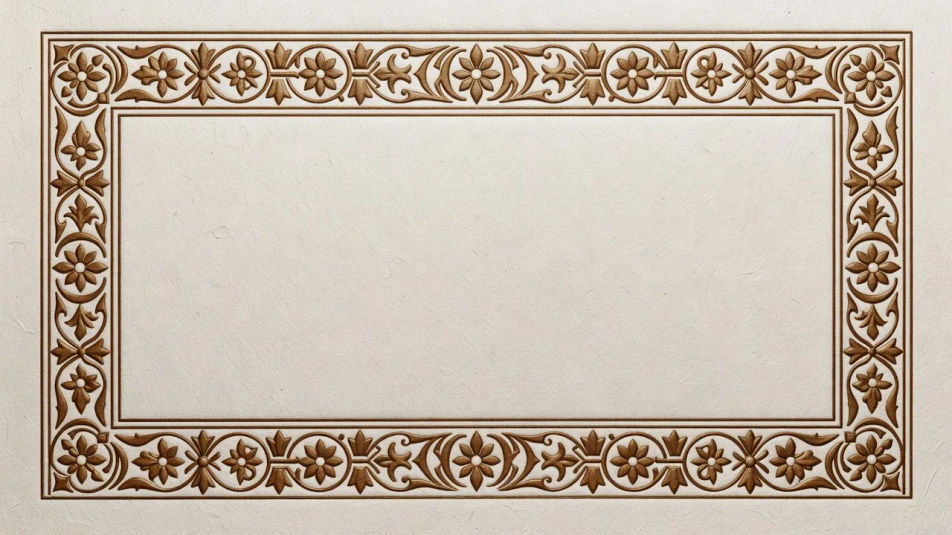
Eine farblose Blindprägung, allein durch erhabenes und vertieftes Papier lesbar, mit streifendem Licht über der Prägung, zurückhaltend und taktil, ausgewogen für ein Cover oder eine Einladung.
Prompt bearbeiten
Beschreiben Sie das Buchdruck-Illustration, das Sie möchten, in einfachen Worten.
Morphic generiert in Sekunden ein sauberes, veröffentlichungsfertiges Bild auf Ihrer Canvas.
Passen Sie den Prompt an, generieren Sie Varianten und laden Sie das Bild herunter oder teilen Sie es.
Pick a reference image, apply its visual style to your own photo or artwork.

Turn any sketch or drawing into a finished render.
Convert any image to a new aspect ratio. Smart crop or extend the edges to fit.

Pick any anime illustration as your style guide. Apply its look to any image.

Take any character image and generate 6 distinct facial expressions on a single reference sheet.
Reimagine any anime character as a photorealistic, high-fashion live-action portrait.
Risograph-Illustrations-KI-Bilder
Erstellen Sie KI-Risograph-Illustrationen mit Morphic. Generieren Sie authentisches Risograph-Illustrations-Artwork, Szenen und Motive für jedes Projekt in Sekunden.
Stich-Illustration-KI-Bilder
Erstellen Sie Stich-Illustration-KI-Bilder mit Morphic. Generieren Sie authentische Stich-Illustration-Artworks, Szenen und Motive für jedes Projekt in Sekunden.
Holzschnitt-KI-Bilder
Erstellen Sie KI-Holzschnitt-Bilder mit Morphic. Generieren Sie in Sekunden authentische Holzschnitt-Grafiken, Szenen und Motive für jedes Projekt.
Vintage-Etikettillustration-KI-Bilder
Erstellen Sie KI-Vintage-Etikettillustration-Bilder mit Morphic. Generieren Sie Vintage-Etikettillustration-Kunstwerke, -Szenen und -Motive für jedes Projekt in Sekunden.
Starten Sie noch heute kostenlos, mit der Option, jederzeit zu upgraden oder zu kündigen.
Basic
2400 monatliche Credits
1 Nutzer
Alle Modelle
Workflows
Standard
3625 monatliche Credits
1 Nutzer
Alle Modelle
Workflows
Pro
6350 gemeinsame monatliche Credits
1 Nutzer
Alle Modelle
Workflows
Max
24650 gemeinsame monatliche Credits
1 Nutzer
Alle Modelle
Workflows
Enterprise
Für höhere Limits
Individuell
Preis- und Abrechnungsbedingungen

Free
Zum Ausprobieren
$0
dauerhaft kostenlos