Streetwear Photography AI Images

Create Streetwear Photography images in your browser with Morphic's AI image generator. Generate street-style shots like an oversized layered fit in a neon alley, a candid crosswalk frame at golden hour, or a low-angle sneaker hero, and keep one subject consistent across a whole drop with the Character Lineup workflow. Animate any frame with the Image to Video tool.

Streetwear looks you can generate

Street settings you can stage

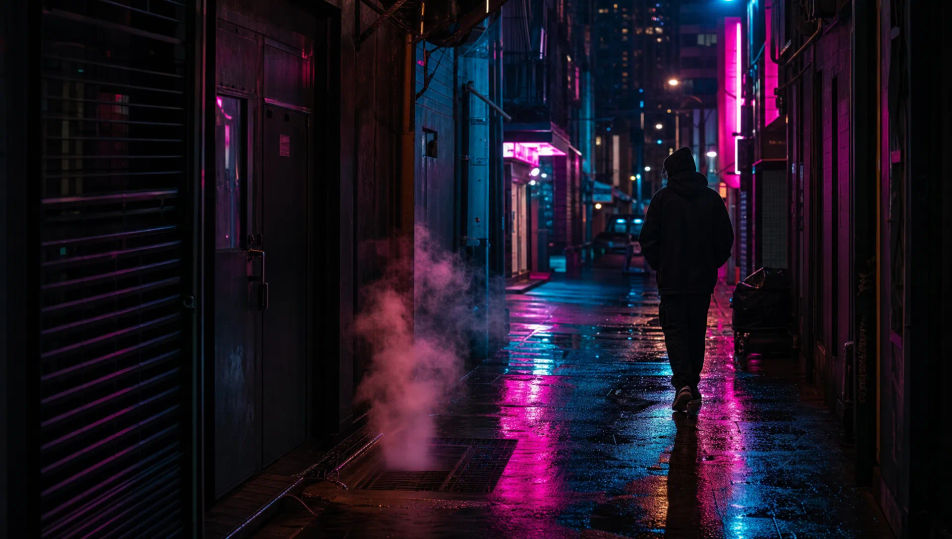
Neon-lit night alley

A narrow city alley at night: glowing magenta and cyan signage, wet reflective pavement, steam rising from a grate, cinematic neon mood, a moody streetwear backdrop.

Prompt bearbeiten
Neon-lit night alley

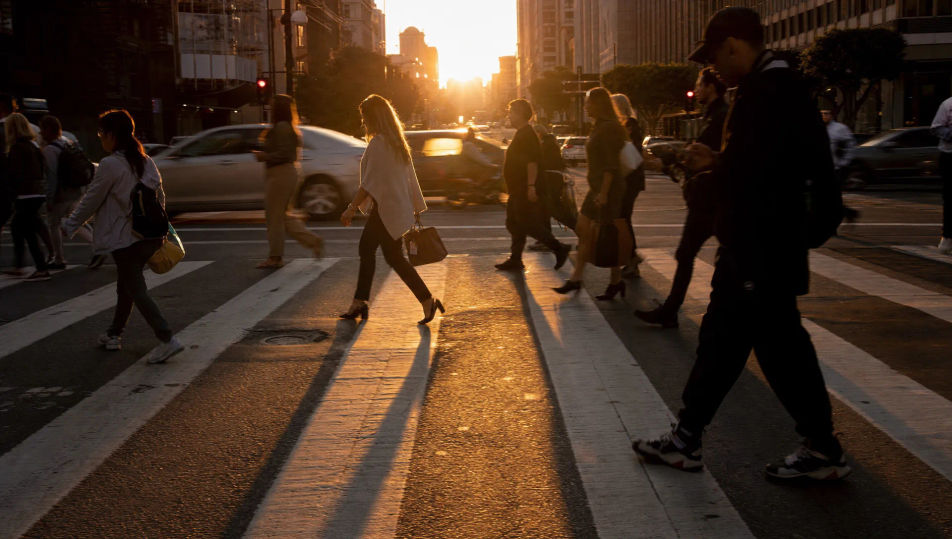
Golden-hour crosswalk

A busy crosswalk at golden hour: warm low backlight, blurred passing traffic, long shadows on the asphalt, painted street lines, the candid energy of a street-style frame.

Prompt bearbeiten
Golden-hour crosswalk

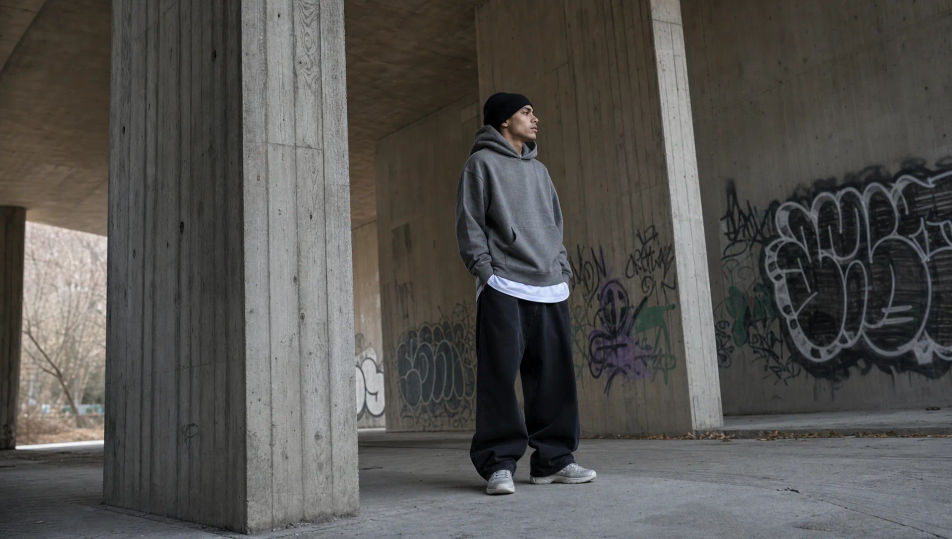
Concrete underpass

A raw concrete underpass: board-formed pillars, soft directional daylight at the mouth, graffiti tags on the walls, cool grey tones, a gritty minimalist streetwear set.

Prompt bearbeiten
Concrete underpass

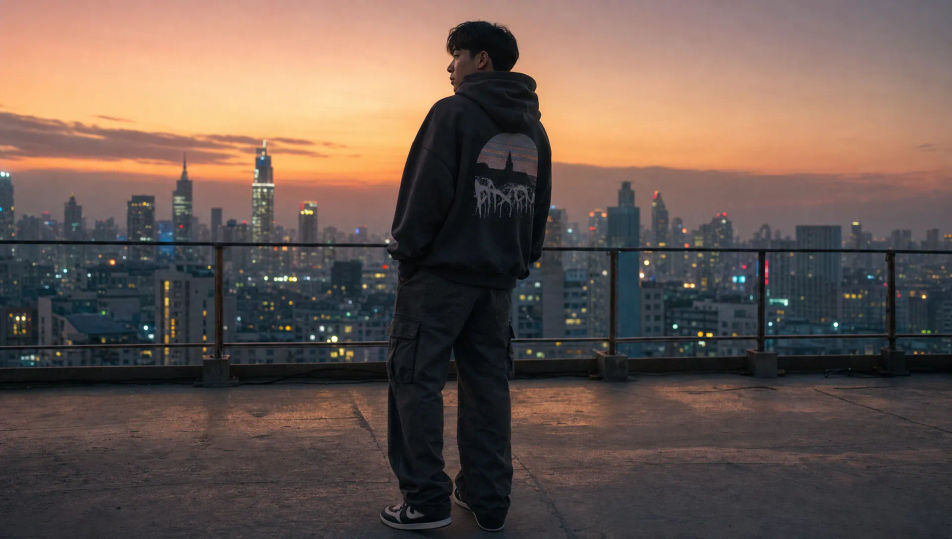
City rooftop at dusk

A city rooftop at dusk: a hazy skyline of distant towers, warm fading light, a low railing, soft purple-orange sky, the relaxed lifestyle backdrop of a streetwear drop.

Prompt bearbeiten
City rooftop at dusk

Streetwear Photography in drei Schritten erstellen

  1. 01

    Beschreiben Sie Ihr Streetwear Photography

    Beschreiben Sie das Streetwear Photography, das Sie möchten, in einfachen Worten.

  2. 02

    Bild generieren

    Morphic generiert in Sekunden ein sauberes, veröffentlichungsfertiges Bild auf Ihrer Canvas.

  3. 03

    Streetwear Photography verfeinern

    Passen Sie den Prompt an, generieren Sie Varianten und laden Sie das Bild herunter oder teilen Sie es.

Verwandte Workflows

Das könnte Ihnen auch gefallen

Einfache Preise

Starten Sie noch heute kostenlos, mit der Option, jederzeit zu upgraden oder zu kündigen.

Basic

$0/ Monat
abgerechnet als $0 pro Jahr

900 monatliche Credits

1 Nutzer

Alle Modelle

Workflows

Standard

$0/ Monat
abgerechnet als $0 pro Jahr

3200 monatliche Credits

1 Nutzer

Alle Modelle

Workflows

Pro

$0/ Monat
abgerechnet als $0 pro Jahr

6200 gemeinsame monatliche Credits

1 Nutzer

+ bis zu 4 weitere gegen Aufpreis

Alle Modelle

Workflows

Pro Max

$0/ Monat
abgerechnet als $0 pro Jahr

24000 gemeinsame monatliche Credits

1 Nutzer

+ bis zu 9 weitere gegen Aufpreis

Alle Modelle

Workflows

Enterprise

Für höhere Limits

Individuell

Preis- und Abrechnungsbedingungen

Unbegrenzte Credits
Individuelle Platzlimits
Alle Modelle
Workflows
Pricing Gradient

Free

Zum Ausprobieren

$0

dauerhaft kostenlos

Bis zu 20 Credits
Nur 1 Nutzer
Eingeschränkte Modelle
Workflows

Häufig gestellte Fragen

Where can I make streetwear photography images with AI?
You can create streetwear photography images directly in your browser on Morphic. Open the Image tool, describe the fit, the city setting, and the light, and Morphic produces the shot. No model and no location shoot needed.
Does Morphic generate original street-style shots or edit a photo?
Morphic generates original streetwear photography from a written prompt, not edits of an uploaded image. Describe the fit, the subject, the setting, and the light and the Image tool produces a brand-new street-style frame.
What kinds of streetwear shots can I generate?
Oversized layered fits, neon-alley techwear looks, candid crosswalk frames, tonal monochrome fits, low-angle sneaker heroes, and rooftop lifestyle shots. Name the fit and the city setting upfront so Morphic sets the right energy.
How do I keep the same subject across a drop?
Use the Character Lineup workflow to lock the subject first, then change the fit and the setting around them. Morphic preserves the face so a full lookbook for a drop reads as one consistent person.
How do I write a good streetwear photography prompt?
Name the fit, the setting, the light, and the energy. For example: "Candid crosswalk frame mid-stride, oversized fit, golden-hour backlight rimming the clothes, blurred traffic behind." Naming the setting and the movement is what gives it authentic street-style energy.
Can I turn a streetwear shot into video?
Yes. The Image to Video tool animates any frame, so a still becomes a walk through a neon alley or a slow pan across a rooftop. Pair it with the Music tool to drop a beat behind a release teaser.