Paint Watercolor images in your browser with Morphic's Watercolor AI image generator. Generate a rain-washed riverside village or a magnolia bleeding into wet paper, keep the wet-on-wet palette with Style Transfer, then animate any still with Image to Video.

Watercolor subjects you can paint

Watercolor scenes you can compose

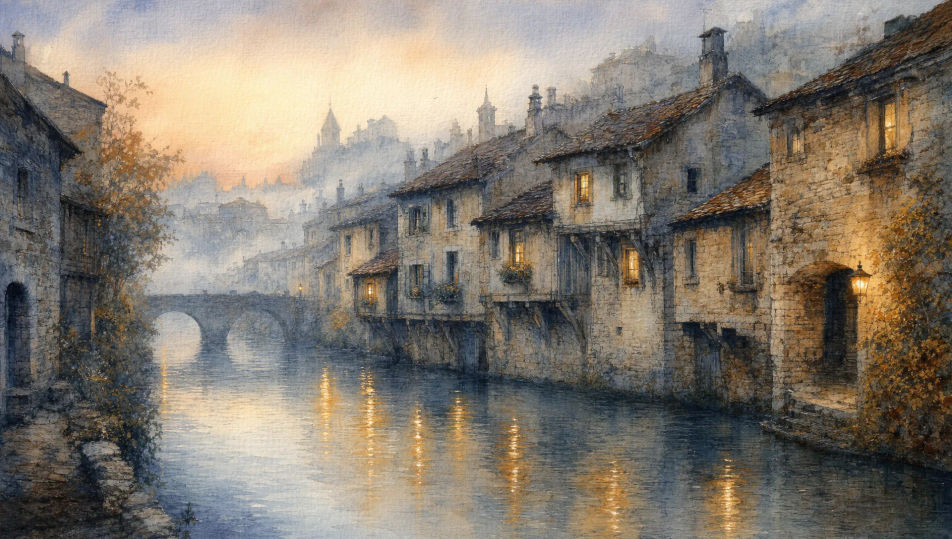
Rain-washed riverside village at dawn

Stone houses leaning over a slow river at first light, mist hanging in the cool wash above the rooftops, reflections of saffron lanterns running on the water, paper texture showing through.

Prompt bearbeiten
Rain-washed riverside village at dawn

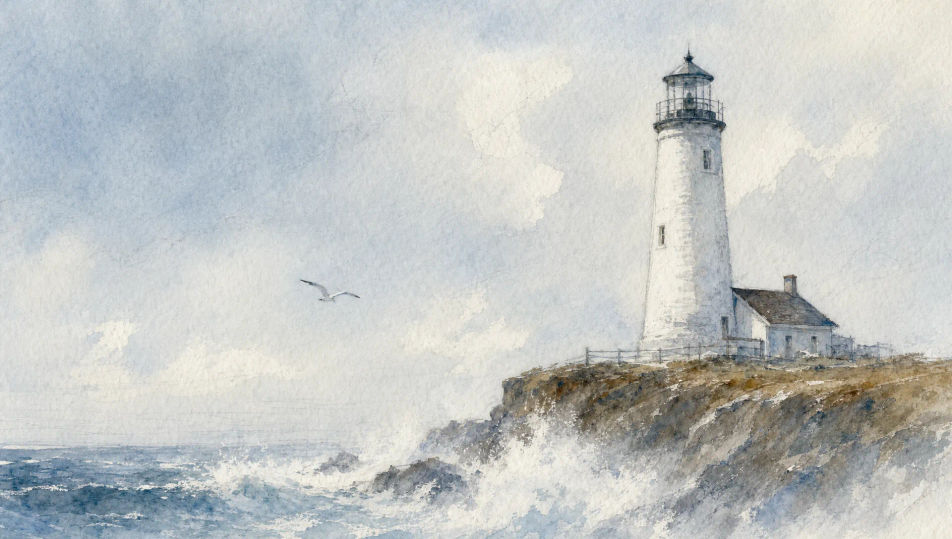
Coastal lighthouse in pale fog

A whitewashed lighthouse on a low cliff under a pale wash sky, sea spray softening the base into the paper, single gull wheeling, all in cool blues, soft greys, and a hint of sienna.

Prompt bearbeiten
Coastal lighthouse in pale fog

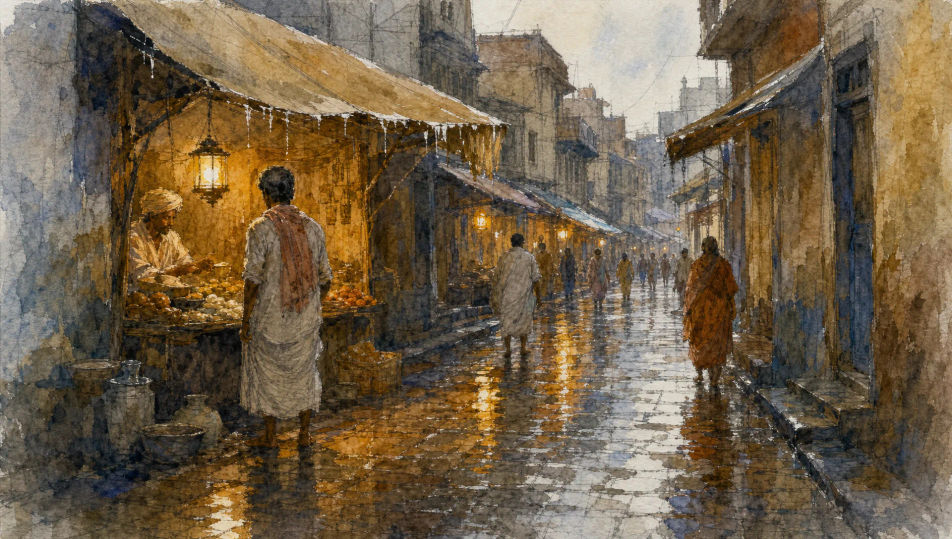
Wet market lane after rain

A narrow cobblestone lane after a downpour, dripping awnings, vendor lanterns reflected in puddles, figures in cotton wraps caught mid-stride, warm ochres bleeding into cool greys.

Prompt bearbeiten
Wet market lane after rain

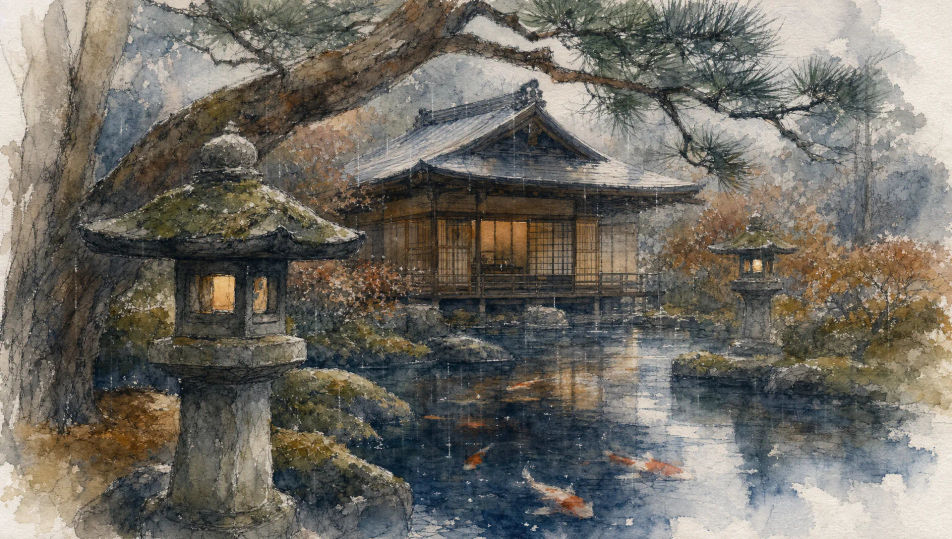
Tea garden in soft drizzle

A timber tea house framed by stone lanterns and moss-covered pine, soft drizzle blurring the edges, koi flickering in a pond of bleeding sumi-ink and indigo wash.

Prompt bearbeiten
Tea garden in soft drizzle

Watercolor in drei Schritten erstellen

  1. 01

    Beschreiben Sie Ihr Watercolor

    Beschreiben Sie das Watercolor, das Sie möchten, in einfachen Worten.

  2. 02

    Bild generieren

    Morphic generiert in Sekunden ein sauberes, veröffentlichungsfertiges Bild auf Ihrer Canvas.

  3. 03

    Watercolor verfeinern

    Passen Sie den Prompt an, generieren Sie Varianten und laden Sie das Bild herunter oder teilen Sie es.

Verwandte Workflows

Das könnte Ihnen auch gefallen

Einfache Preise

Starten Sie noch heute kostenlos, mit der Option, jederzeit zu upgraden oder zu kündigen.

Basic

$0/ Monat
abgerechnet als $0 pro Jahr

900 monatliche Credits

1 Nutzer

Alle Modelle

Workflows

Standard

$0/ Monat
abgerechnet als $0 pro Jahr

3200 monatliche Credits

1 Nutzer

Alle Modelle

Workflows

Pro

$0/ Monat
abgerechnet als $0 pro Jahr

6200 gemeinsame monatliche Credits

1 Nutzer

+ bis zu 4 weitere gegen Aufpreis

Alle Modelle

Workflows

Pro Max

$0/ Monat
abgerechnet als $0 pro Jahr

24000 gemeinsame monatliche Credits

1 Nutzer

+ bis zu 9 weitere gegen Aufpreis

Alle Modelle

Workflows

Enterprise

Für höhere Limits

Individuell

Preis- und Abrechnungsbedingungen

Unbegrenzte Credits
Individuelle Platzlimits
Alle Modelle
Workflows
Pricing Gradient

Free

Zum Ausprobieren

$0

dauerhaft kostenlos

Bis zu 20 Credits
Nur 1 Nutzer
Eingeschränkte Modelle
Workflows

Häufig gestellte Fragen

Where can I make Watercolor images with AI?
You can create Watercolor images directly in your browser on Morphic. Open the Image tool, describe the subject and setting with the water-handling and palette spelled out, and Morphic produces the artwork. No installs and no specialist software needed.
What Watercolor styles can I generate?
Soft wet-on-wet washes with bleeding edges, crisp dry-brush detailing on a granular paper ground, plein-air landscape sketches with graphite underdrawing showing through, and tight botanical studies of single blossoms. Name the technique upfront so Morphic picks the right water level.
How do I keep Watercolor characters consistent across multiple pieces?
Use the Character Lineup workflow to lock in each figure's face, costume, and signature props before generating, then reference those character cards in every prompt. Morphic preserves the design across riverside scenes, tea house interiors, and market lanes so a series reads as one body of work.
How do I prompt for the wet-on-wet bleed?
Name the behaviour directly. Use phrases like "wet-on-wet wash bleeding into ochres", "single droplet beading on the petal", "soft edges dissolving into the paper", or "graphite underdrawing showing through". The named technique tells Morphic where to soften the edges.
Can I turn my Watercolor image into a video?
Yes. Open the Image to Video tool, upload the still, and describe the motion you want (a slow drift of mist over a village, a magnolia petal turning, rain rippling through a puddle). Morphic animates from the source so the video preserves the wash and palette.
Do I need art vocabulary to prompt Watercolor images?
No. Plain words for subject, setting, water-handling, and palette are enough. If you know terms like wet-on-wet, dry brush, alla prima, or granulation, citing them sharpens the result; if not, describing what you see in your head still gets you a strong Watercolor image.