Horde, die eine verwüstete Straße entlangschlurft
Eine Menge Zombies, die sich eine trümmerübersäte Stadtstraße entlangschleppt, verlassene Autos und zerbrochene Fenster um sie herum, flaches graues Licht über der gesamten Szene.
Prompt bearbeiten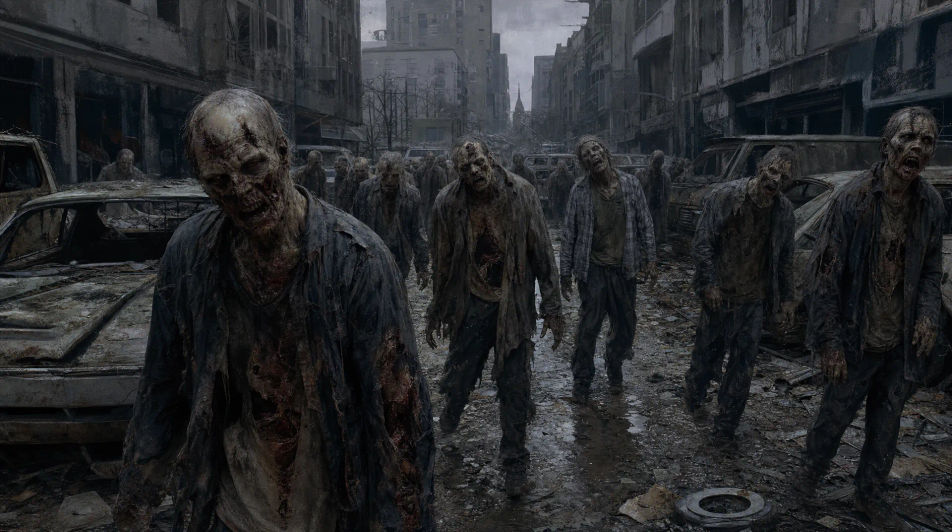
This page covers mature themes for adult audiences making film, games and other creative work.
Gestalten Sie Zombies direkt im Browser mit dem KI-Bildgenerator von Morphic. Erzeugen Sie ein frisches Ausbruchsopfer in zerrissener Kleidung, einen lange verwesten Schlurfer oder einen schnellen wilden Läufer mitten im Sprung. Halten Sie ein Design mit Character Lineup fest und lassen Sie die Horde mit Image to Video vorwärts schlurfen.
Eine Menge Zombies, die sich eine trümmerübersäte Stadtstraße entlangschleppt, verlassene Autos und zerbrochene Fenster um sie herum, flaches graues Licht über der gesamten Szene.
Prompt bearbeitenEin einzelner Zombie steht in einem dunklen Türrahmen, umgeben von tiefem Nebel, schwaches Licht fällt auf sein Gesicht und seine zerrissene Kleidung, tiefer Schatten verschluckt den Raum dahinter.
Prompt bearbeiten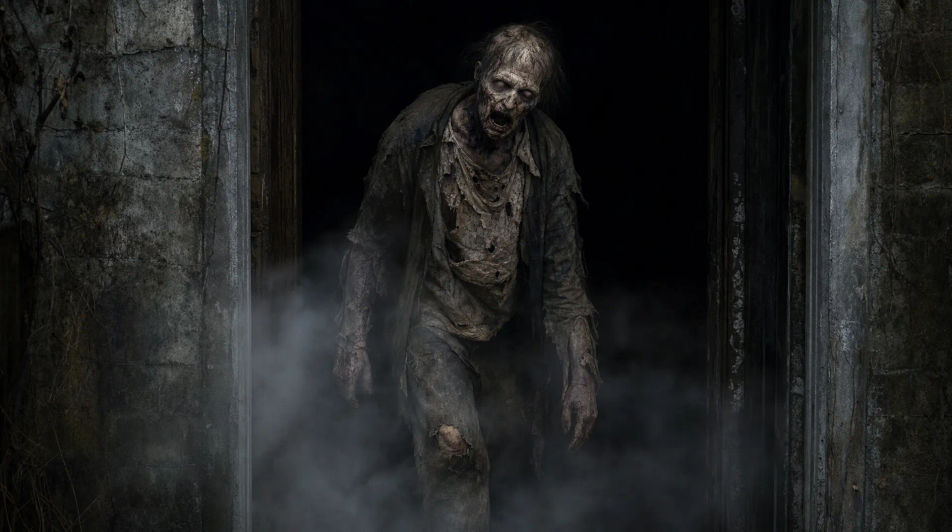
Ein verwester Zombie, der sich über ein rissiges Betongrundstück auf den Betrachter zuschleppt, langer Schatten unter einer tiefstehenden Sonne, rostiges Wrackgut und Unkraut um ihn herum.
Prompt bearbeiten
Eine Reihe von Zombie-Silhouetten, die im Vordergrund vor einer fernen, orange vom Feuer glühenden Stadtsilhouette schlurfen, Rauch, der in einen dunklen Himmel aufsteigt.
Prompt bearbeiten
Beschreiben Sie das Zombie, das Sie möchten, in einfachen Worten.
Morphic generiert in Sekunden ein sauberes, veröffentlichungsfertiges Bild auf Ihrer Canvas.
Passen Sie den Prompt an, generieren Sie Varianten und laden Sie das Bild herunter oder teilen Sie es.

Take any character image and generate 6 distinct facial expressions on a single reference sheet.

Share a scene description with character references. Get a full storyboard with shot angles and mood.

Turn any photo or description into an animated chibi sprite. Dance, jump, wave, attack, and more.

All your characters on a single lineup image, side by side with height comparison.

Professional 7-panel location reference sheet from a single photo.
Restyle any video in a completely new visual style. Every frame transforms, all motion stays intact.
Werwolf-Charakter-KI-Bilder
Erstellen Sie KI-Werwolf-Charakter-Bilder mit Morphic. Generieren Sie in Sekunden Werwolf-Charakter-Porträts, Designs und Charakterkunst für jedes Projekt.
Geister-KI-Bilder
Erstellen Sie KI-Geisterbilder mit Morphic. Generieren Sie Geisterporträts, Designs und Figurenkunst für jedes Projekt in Sekunden.
Dämonen-KI-Bilder
Erstellen Sie KI-Dämonen-Bilder mit Morphic. Generieren Sie in Sekunden Dämonenporträts, -designs und -charakterkunst für jedes Projekt.
Vampirfiguren-KI-Bilder
Erstellen Sie KI-Bilder von Vampirfiguren mit Morphic. Generieren Sie Vampirporträts, Designs und Figurenkunst für jedes Projekt in Sekunden.
Starten Sie noch heute kostenlos, mit der Option, jederzeit zu upgraden oder zu kündigen.
Basic
2400 monatliche Credits
1 Nutzer
Alle Modelle
Workflows
Standard
3625 monatliche Credits
1 Nutzer
Alle Modelle
Workflows
Pro
6350 gemeinsame monatliche Credits
1 Nutzer
Alle Modelle
Workflows
Max
24650 gemeinsame monatliche Credits
1 Nutzer
Alle Modelle
Workflows
Enterprise
Für höhere Limits
Individuell
Preis- und Abrechnungsbedingungen

Free
Zum Ausprobieren
$0
dauerhaft kostenlos
Everything on this page is fictional depiction for film, games and creative work. It does not depict real events, and does not place real, identifiable people in them.
Results vary by model. Some models apply stricter content policies than others, so a shot one model declines may generate on another.