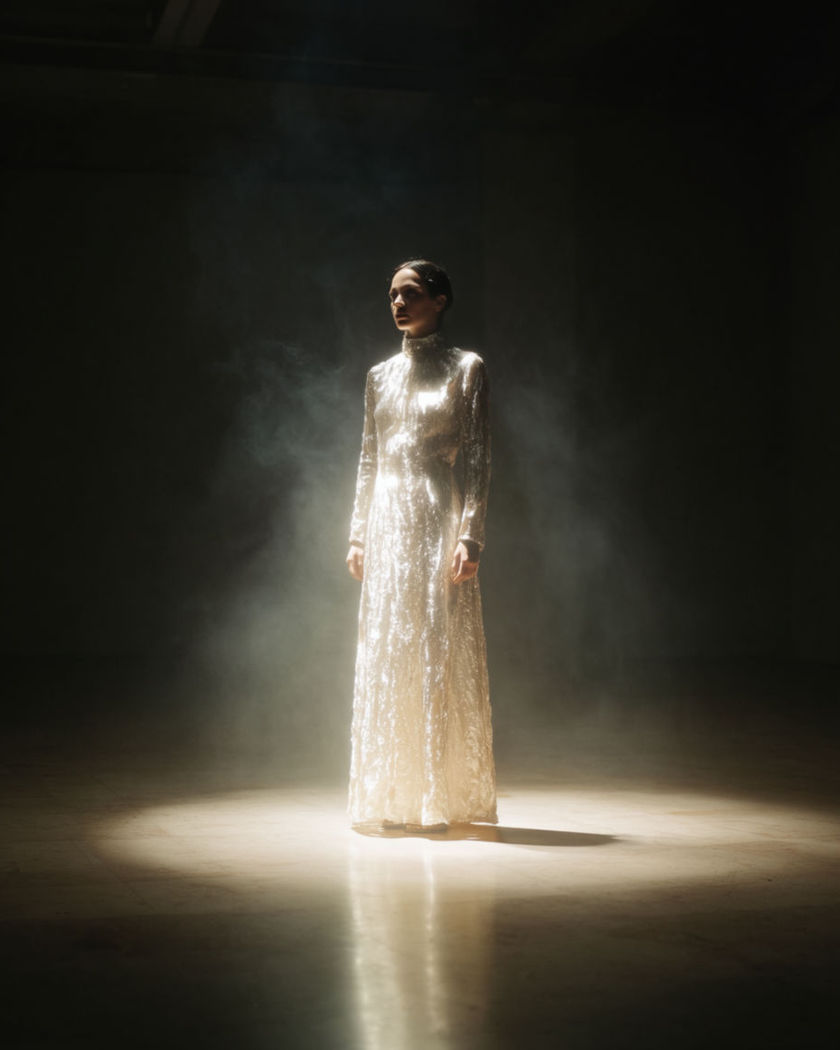
AI flashback spotlight effect

Flashback spotlight shots generated in one continuous move: the room dims to black around a subject while a single beam isolates them and the tone slips into memory.

A figure isolated by a single spotlight as the room around them fades into total darkness

Flashback spotlight effect examples

Living room memory fade

A wide living room shot dims entirely except for one spotlit chair. a wide shot of an ordinary living room as the lights and colour gradually dim to total black over several seconds, until only a single warm spotlight remains on a person seated in a chair, the rest of the furniture swallowed by darkness, slow contemplative pace

Hallway sepia drain

A hallway scene slowly loses its colour to sepia under a single overhead light. a wide shot down a quiet hallway as a person walks slowly toward a single overhead spotlight, the surrounding colour of the whole frame draining into a warm sepia tone as they approach, walls fading into soft darkness at the edges, nostalgic mood

Beam sweeping to find them

A spotlight sweeps across darkness before settling and locking on a face. a portrait shot in near total darkness as a single spotlight beam sweeps slowly across the frame before settling and locking onto a person's face, the rest of the space staying black, a moment of stillness once the light finds them, cinematic pacing

Turning into the light

A figure turns slowly and steps into a beam as everything else goes dark. a person standing in profile who slowly turns to face camera and steps forward into a single spotlight beam as the rest of the room fades to black behind them, warm light catching their face fully as they arrive, deliberate unhurried motion

Room fades to black

A lit room slowly dims to total darkness leaving only a spotlit face. a portrait of a person standing in an ordinary lit living room as the background gradually dims to total black over a few seconds, until only a single warm spotlight remains isolating their face and shoulders, quiet and contemplative expression, slow steady push in

Sound falls away with the light

As the beam narrows the world feels muted and distant around the subject. a close portrait of a person as a spotlight beam slowly narrows tighter around their face while the background falls further into shadow, their eyes drifting slightly as if hearing something far away, dust visible in the beam, slow motion, quiet mood

Kitchen table memory glow

A kitchen scene narrows to a warm spotlight on a table as the room goes dark. a wide shot of a kitchen table as the surrounding room falls into shadow and a single warm spotlight narrows onto a person seated at the table, dust drifting visibly in the beam, a distant look in their eyes, slow motion, quiet nostalgic mood

Colour drains to sepia

Full colour slowly drains to a warm sepia tone under a single beam. a portrait of a person under a single overhead spotlight as the surrounding colour of the frame slowly drains into a warm sepia memory tone, the background falling into soft darkness, a faraway look in their eyes, slow motion, nostalgic mood

Stage beam search

A spotlight sweeps across an empty dark stage before finding a lone figure. a wide shot of an empty dark stage as a single spotlight beam sweeps slowly left to right searching the space before settling and locking onto a lone standing figure, the rest of the stage staying black, cinematic theatrical pacing, quiet stillness once found

Flicker into the memory

The spotlight flickers once before settling into a warm steady memory glow. a portrait of a person under a spotlight that flickers once, briefly plunging them into darkness, before settling into a warm steady glow with a faint sepia cast to the whole frame, background remaining black, a soft nostalgic exhale in their expression

Generate your own flashback spotlight effect

Wählen Sie einen Ausgangspunkt, passen Sie ihn beliebig an und erzeugen Sie ihn in Morphic.

Erzeugen

Einfache Preise

Starten Sie noch heute kostenlos, mit der Option, jederzeit zu upgraden oder zu kündigen.

Basic

$19/ Monat
abgerechnet als $0 pro Jahr

2400 monatliche Credits

1 Nutzer

Alle Modelle

Workflows

Standard

$24/ Monat
abgerechnet als $0 pro Jahr

3625 monatliche Credits

1 Nutzer

Alle Modelle

Workflows

Pro

$45/ Monat
abgerechnet als $0 pro Jahr

6350 gemeinsame monatliche Credits

1 Nutzer

+ bis zu 4 weitere gegen Aufpreis

Alle Modelle

Workflows

Max

$170/ Monat
abgerechnet als $0 pro Jahr

24650 gemeinsame monatliche Credits

1 Nutzer

+ bis zu 9 weitere gegen Aufpreis

Alle Modelle

Workflows

Enterprise

Für höhere Limits

Individuell

Preis- und Abrechnungsbedingungen

High-Volume-Credits
Individuelle Platzlimits
Alle Modelle
Workflows
Pricing Gradient

Free

Zum Ausprobieren

$0

dauerhaft kostenlos

Bis zu 20 Credits
Nur 1 Nutzer
Eingeschränkte Modelle
Workflows

Häufig gestellte Fragen

Where can I make flashback spotlight effect videos with AI?
You can create flashback spotlight videos directly in your browser on Morphic. Open the Image to Video tool, upload a still, describe how the room should fade and the light should isolate the subject, and Morphic generates the clip as one continuous move.
What kinds of flashback spotlight shots work best with AI video?
A single subject in a simple room reads best, so the fade and the beam have clear space to work in. A room dimming to black, colour draining to sepia, or a beam sweeping in to find the subject all render cleanly.
How do I write a good prompt for a flashback spotlight effect video?
Name how the surroundings change, dimming, sepia, or a searching beam, and how tightly the light narrows on the subject. Add the mood and pace. The clearer that transition, the more convincing the isolation Morphic returns.
Can I use my own photo for a flashback spotlight effect video?
Yes. Upload a still of the subject, describe how the room should fade and the spotlight should isolate them, and Morphic generates the clip from your image. You can then add music on the timeline before you export.
Do I need video editing experience to make a flashback spotlight effect video?
No. Morphic runs in your browser and you direct it with plain-language prompts. If you can describe the fade and the light, you can produce the video. The prompts on this page are written so anyone can paste and run them.
What can I use a flashback spotlight effect video for?
They work well for narrative-style social clips, memory-themed reels, and dramatic openers. Generate the shot, lay music under it and add a short voiceover on the timeline, then export the size each channel needs, all from the same workspace.