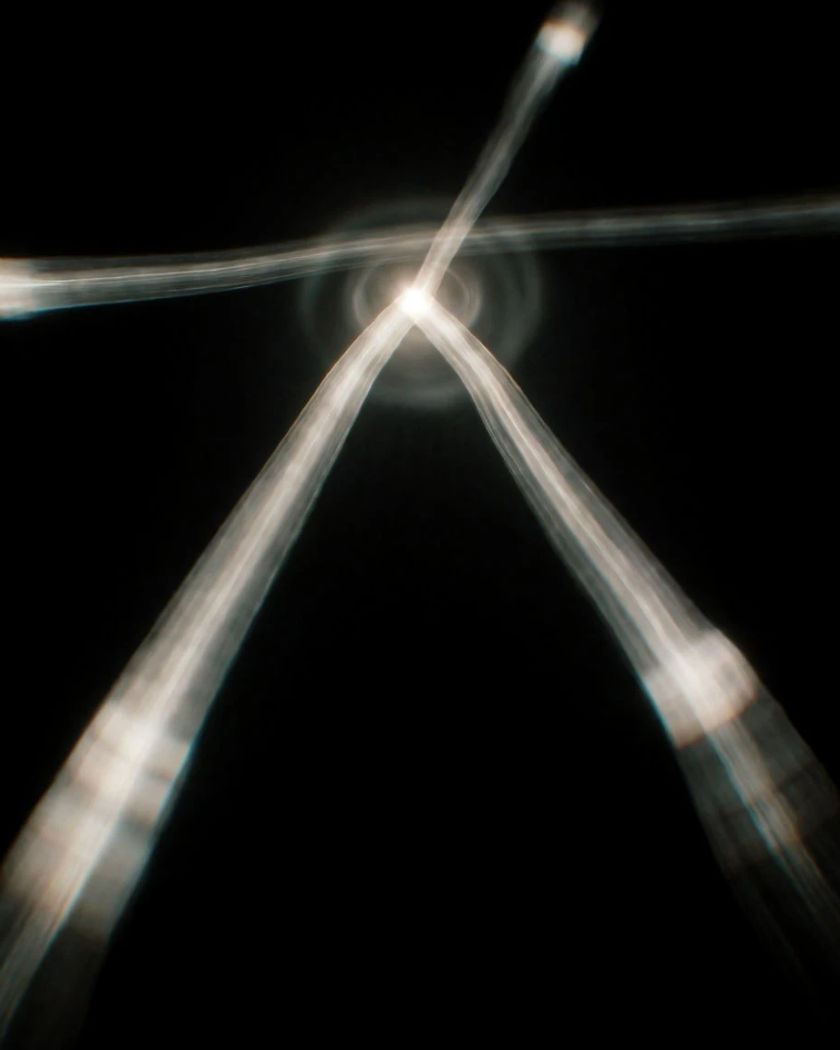
A velocity edit races footage between beats and slams it into slow motion on the hit, with a white flash and a zoom punch. On Morphic you generate the action shot, then build the ramp, the flash and the punch-in in Compose, for edits, music videos, ads and social cuts.
It is the short-form edit style behind car, sport, dance and fashion clips. Between beats the footage races; on the hit it drops hard into slow motion, often with a bright white flash frame, a sudden zoom punch-in and a smear of motion blur, then speeds away again. The speed follows a curve rather than a hard cut, which is why it feels like a rubber band snapping. It works best with one clear peak of action per beat: a jump, a drift, a turn, a punch. Editors use it for music videos, sports promos, ads and social cutdowns.
A sprint start on a wet bridge at night, raced and slowed on the beat in Compose. Realistic widescreen footage on an empty rain-wet stone bridge at night, plain iron lamp posts glowing along the parapet, the river and distant city lights soft and out of focus behind, mist around the lamps. Low 28 mm at road level, side-on. A woman in her early thirties in a plain black crop top and black running tights crouches in a sprinter's start on the wet paving, fingertips down, then explodes forward and sprints past the camera at about two seconds, spray kicking off her shoes, her braid swinging. Normal real-time speed throughout, sharp detail on the first strides. Candid unretouched look: natural skin texture, hair a little messy. No readable text, no numbers, no logos, no brand marks. Then in Compose: split the clip at the peak, play the lead-in at double speed and the peak at half speed, put a short dip to white on the cut, a quick zoom punch-in with a brief blur, the clip's own sound retimed with the picture and a whoosh-and-impact sound on the hit.
A motorbike leaning into a hairpin, cut to the beat in Compose. Realistic widescreen footage on a mountain hairpin road at dawn, low mist in the valley, cold pink light on the rock. 50 mm side-on from the inside of the bend, the bike seen from the side only. A rider in plain all-black leathers and a plain matte black helmet on a matte black naked motorbike with smooth unmarked bodywork leans hard into the hairpin at about two seconds, knee skimming the tarmac, then straightens and accelerates out of frame. Normal real-time speed throughout. No readable text, no logos, no brand marks. Then in Compose: split the clip at the peak, play the lead-in at double speed and the peak at half speed, put a short dip to white on the cut, a quick zoom punch-in with a brief blur, the clip's own sound retimed with the picture and a whoosh-and-impact sound on the hit.
A turn on a wet crossing at night snaps slow as the coat flares and the frame punches in. Realistic vertical phone footage on a wet city crossing at night, traffic lights reflecting red and green on the asphalt, blurred headlights. 50 mm at chest height. A woman in her late thirties in a long camel coat, white trainers and gold hoops walks across, then spins to look back over her shoulder. Normal real-time speed throughout, no slow motion. At about two seconds she spins and the coat flares out, the peak of the move, and the action carries on through to the end: the coat hangs wide and her eyes meet the lens. Candid unretouched look: natural skin texture with pores and fine lines, hair a little messy, ordinary creased clothes. No readable text, no logos, no brand marks. Then in Compose: split the clip at the peak, play the lead-in at double speed and the peak at half speed, put a short dip to white on the cut, a quick zoom punch-in with a brief blur, the clip's own sound retimed with the picture and a whoosh-and-impact sound on the hit.
A BMX rider leaves the lip; the frame races, flashes and punches in at the top. Realistic vertical phone footage at a dirt jump trail in a scrubby wood at sunset, dust hanging in the warm side light. 35 mm from beside the jump, close, the rider large in frame. A woman in her early thirties in a plain black helmet, a red flannel shirt and knee pads rides up the lip and launches into the air at about two seconds, bike tilting, dust trailing from the back wheel, her face and the bike clearly lit. Normal real-time speed throughout, no slow motion. Candid unretouched look: natural skin texture, ordinary creased clothes. No readable text, no logos, no brand marks. Then in Compose: split the clip at the peak, play the lead-in at double speed and the peak at half speed, put a short dip to white on the cut, a quick zoom punch-in with a brief blur, the clip's own sound retimed with the picture and a whoosh-and-impact sound on the hit.
A skater pops off the lip; the footage races, slams slow, flashes and punches in. Realistic vertical phone footage at a concrete skate bowl at golden hour, long shadows, plain grey walls, dust in the air. Low 24 mm angle from the deck, slight handheld drift. A woman in her mid twenties in a faded orange t-shirt and baggy cargo trousers carves toward the lip, hair tied back loosely. Normal real-time speed throughout, no slow motion. At about two seconds she pops off the lip, the peak of the move, and the action carries on through to the end: she hangs above the bowl, board under her feet, hair lifting, sun flaring past her shoulder. Candid unretouched look: natural skin texture with pores and fine lines, hair a little messy, ordinary creased clothes. No readable text, no logos, no brand marks. Then in Compose: split the clip at the peak, play the lead-in at double speed and the peak at half speed, put a short dip to white on the cut, a quick zoom punch-in with a brief blur, the clip's own sound retimed with the picture and a whoosh-and-impact sound on the hit.
A coupe flicks into a drift; the smoke hangs slow after a flash. Realistic vertical phone footage in an empty wet industrial lot at dusk, puddles, a chain-link fence, a cold blue sky. Low 24 mm close to the ground, the car large in frame. A plain dark green 1990s coupe with smooth unbadged panels and blank bumpers comes straight at the camera at normal speed, then at about two seconds flicks hard sideways into a drift right in front of the lens, the whole side of the car sliding across the frame, tyre smoke curling, spray hanging off the rear wheel, headlights flaring. Normal real-time speed throughout, no slow motion. No readable text, no logos, no brand marks. Then in Compose: split the clip at the peak, play the lead-in at double speed and the peak at half speed, put a short dip to white on the cut, a quick zoom punch-in with a brief blur, the clip's own sound retimed with the picture and a whoosh-and-impact sound on the hit.
A surfer's turn at sunrise, raced and slowed on the beat in Compose. Realistic widescreen footage from the water at sunrise, a clean green wave, low golden light, spray backlit. 85 mm from a low angle in the water. A surfer in his fifties with a grey beard in a plain black wetsuit rides along the face and carves a hard turn off the top at about two seconds, a fan of spray thrown into the sun. Normal real-time speed throughout. Candid unretouched look: natural skin texture with pores and fine lines, hair a little messy, ordinary creased clothes. No readable text, no logos, no brand marks. Edit in Compose: Split at the hit (about 2 s). Use the Speed tool to run the lead-in fast and the hit slow, add a dip to white transition at the split for the flash, animate size so the frame punches in over a few frames after the hit, add a light glow, then put the hit on a beat of the track. Then in Compose: split the clip at the peak, play the lead-in at double speed and the peak at half speed, put a short dip to white on the cut, a quick zoom punch-in with a brief blur, the clip's own sound retimed with the picture and a whoosh-and-impact sound on the hit.
A street dancer hits a freeze and the frame flashes white on the beat. Realistic vertical phone footage in an empty multi-storey car park at night, orange sodium lights, oil stains on the concrete, a ramp behind. 28 mm at hip height, off-centre. A man in his early thirties in a loose black hoodie and track trousers dances, fast footwork, sweat on his neck. Normal real-time speed throughout, no slow motion. At about two seconds he drops into a one-hand freeze, the peak of the move, and the action carries on through to the end: he holds the freeze, hoodie hanging, one leg extended, the sodium light hard on his face. Candid unretouched look: natural skin texture with pores and fine lines, hair a little messy, ordinary creased clothes. No readable text, no logos, no brand marks. Then in Compose: split the clip at the peak, play the lead-in at double speed and the peak at half speed, put a short dip to white on the cut, a quick zoom punch-in with a brief blur, the clip's own sound retimed with the picture and a whoosh-and-impact sound on the hit.
A boxer's hook into the bag, slowed and flashed on the beat in Compose. Realistic widescreen footage in a small sweaty boxing gym in the evening, worn canvas floor, ropes, a single hanging lamp. 35 mm at shoulder height, off-centre. A man in his forties with a grey beard in a plain sweat-dark t-shirt and plain white hand wraps works the heavy bag, then throws a big left hook at about two seconds, sweat spraying off his head as the bag swings. Normal real-time speed throughout. Candid unretouched look: natural skin texture with pores and fine lines, hair a little messy, ordinary creased clothes. No readable text, no logos, no brand marks. Edit in Compose: Split at the hit (about 2 s). Use the Speed tool to run the lead-in fast and the hit slow, add a dip to white transition at the split for the flash, animate size so the frame punches in over a few frames after the hit, add a light glow, then put the hit on a beat of the track. Then in Compose: split the clip at the peak, play the lead-in at double speed and the peak at half speed, put a short dip to white on the cut, a quick zoom punch-in with a brief blur, the clip's own sound retimed with the picture and a whoosh-and-impact sound on the hit.
A layup at an outdoor court slams slow at the rim with a flash. Realistic vertical phone footage at an outdoor basketball court at dusk, cracked paint, a chain net, apartment blocks with lit windows behind. Low 24 mm under the hoop, looking up. A man in his late twenties in a plain grey vest and black shorts drives in for a layup. Normal real-time speed throughout, no slow motion. At about two seconds he leaves the ground, the peak of the move, and the action carries on through to the end: he hangs at the rim, ball at his fingertips, the chain net rattling. Sound: the ball bouncing on concrete, trainers squeaking, his breath, the chain net rattling, distant city hum; no voices, no music. Candid unretouched look: natural skin texture, ordinary creased clothes. No readable text, no logos, no brand marks. Then in Compose: split the clip at the peak, play the lead-in at double speed and the peak at half speed, put a short dip to white on the cut, a quick zoom punch-in with a brief blur, the clip's own sound retimed with the picture and a whoosh-and-impact sound on the hit.
How do I make a velocity edit with AI?
01
Pick one hit per shot
Describe one action with a clear peak: a skater leaving the lip, a car flicking into a drift, a coat flaring in a turn on a wet street.
02
Ramp it in Compose
Generate the action at normal speed or bring your own clip. In Compose, split it at the hit, run the lead-in fast and the hit slow with the Speed tool.
03
Cut every hit to the beat
Lay the shots on the track in Compose, put each hit on a beat, add a dip to white and a zoom punch, then grade the cut and export it.
Where velocity edits come from
Velocity edits are a staple of edit accounts on TikTok and Instagram Reels, cut to bass-heavy tracks for cars, sport, dance and fashion. Mobile editors ship velocity presets, which spread the look, and it renews whenever a new sound takes off, so match the sound people are using now rather than a date.
Velocity edit prompts to try
Copy a prompt or send it straight to Morphic. Swap the action, the place or the hit to fit your track.
A skater hits the beat
A skater pops off the lip of a concrete bowl at golden hour, the footage races then slams into slow motion on the hit with a white flash and a hard zoom punch-in
A coupe flicks into a drift in a wet lot at dusk; the footage races, then drops into slow motion as a white flash fires and the frame punches in on the smoke
Generate an action shot with one clear peak on Morphic, then in Compose split it at the hit, run the lead-in fast and the hit slow, add a dip to white and a zoom punch, and lay every hit on a beat of your track. You can also ask the agent to change the speed and add the transitions for you.
Can I make a velocity edit from my own footage?
Yes. Bring your clip into Compose, split it at the hit and use the Speed tool to run the lead-in fast and the hit slow, then add a dip to white and a zoom punch. Use footage you shot or have the rights to.
How does this compare to keyframing it by hand?
By hand you split every clip at a beat, shape each speed curve and add the flash and zoom hit by hit. Here each shot is generated with one clear peak to cut on, and Copilot can measure the track's tempo and beats so cuts land on them; you build and fine-tune the ramps in Compose. For frame-exact curves on a locked edit, your own keyframes still give finer control.
What is the difference between a velocity edit and a speed ramp?
A speed ramp is one change of speed inside a shot. A velocity edit stacks several on the beat across a whole cut and adds a flash, a zoom punch and blur on each hit.
Can my team review the clip together?
Yes. In Compose, teammates can leave comments pinned to a frame of the cut and tag each other, so a note about a ramp lands on the exact moment, and on the Pro plan and above several people can edit the same timeline live.
Which shots work best?
One clear peak per shot, with movement across the frame and contrast light: a jump, a drift, a spin or a punch. Busy shots with no single hit read as random speed changes.