AI Behind The Scenes videos

Direct the set in your browser with Morphic's behind the scenes AI video generator. Generate BTS clips like a crew rigging a light stand while a monitor glows in the dark, or a quick reset between takes as the camera team repositions, and pair them with the Music tool to land a warm on-set montage. Stitch the crew moments and candid beats into one continuous behind-the-scenes reel on the Canvas.

Behind the scenes segments you can direct

Behind the scenes sequences you can stage

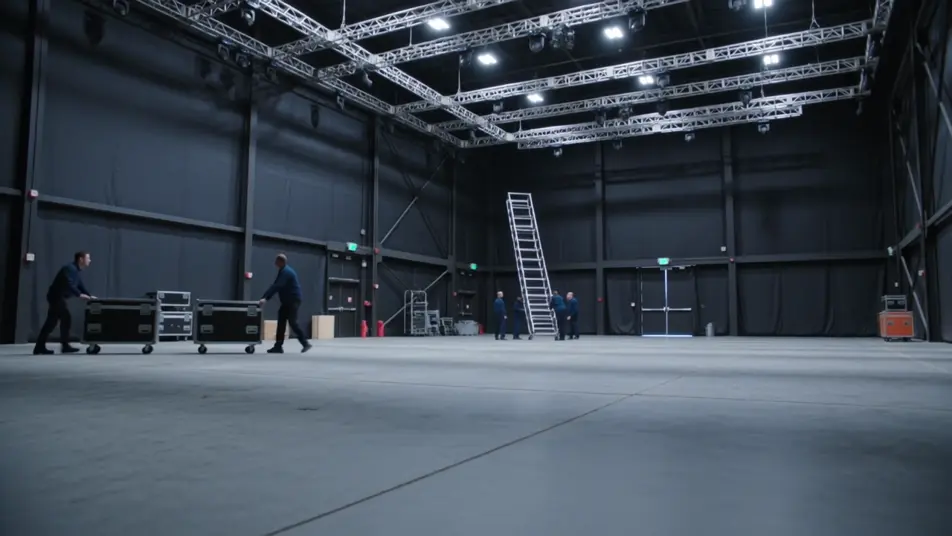
A soundstage load-in

A wide shot of a cavernous soundstage as a crew wheels in flight cases and raises a lighting grid. Cool overhead work lights, a slow crane move that reveals the scale of the empty stage.

Prompt bearbeiten

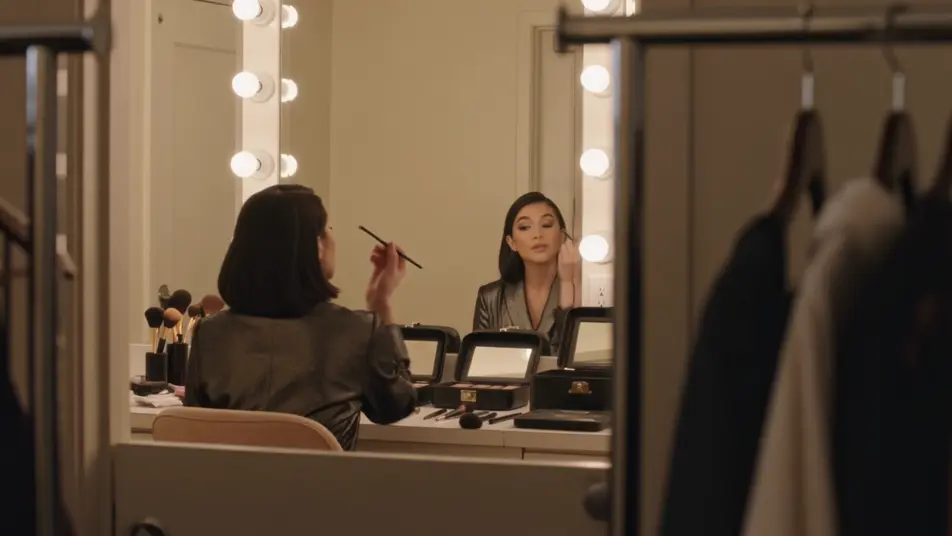
A wardrobe and makeup room

A warm, mirror-lit room where a performer sits for a final touch-up, brushes and garment racks framing the shot. Soft bulb light around the mirror, a gentle drift along the counter of open kits.

Prompt bearbeiten

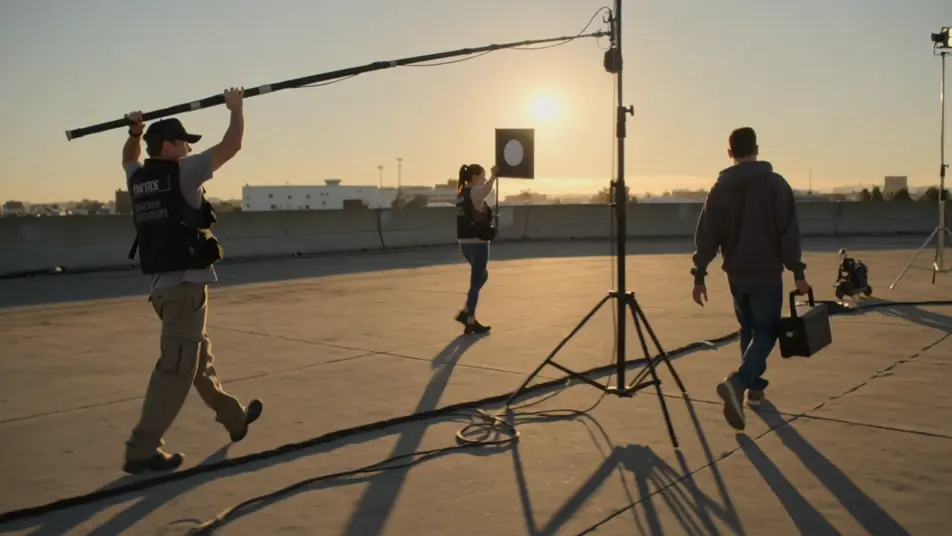
An outdoor location shoot

A golden-hour exterior where the crew chases the light, a boom operator holding position while a grip flags a lens. Long shadows, a handheld follow that weaves between stands and cables.

Prompt bearbeiten

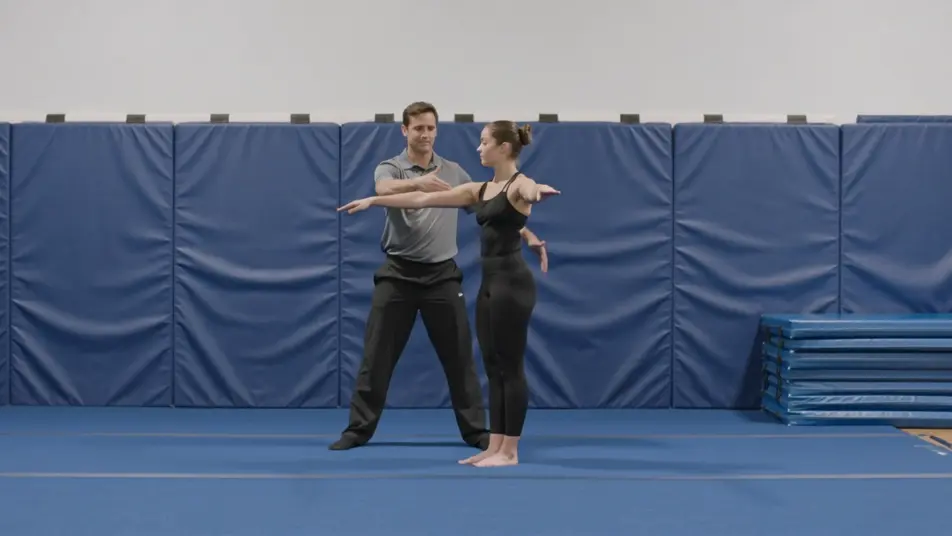
A stunt rehearsal walkthrough

A padded rehearsal space where a coordinator walks a performer through a move at quarter speed, mats stacked at the edge of frame. Flat even light, a locked wide that captures the full sequence.

Prompt bearbeiten

behind the scenes video-Videos in drei Schritten erstellen

  1. 01

    Beschreiben Sie Ihre behind the scenes video-Szene

    Beschreiben Sie die behind the scenes video-Szene, die Sie möchten, in einfachen Worten.

  2. 02

    Video generieren

    Morphic generiert in Sekunden einen filmreifen Clip auf Ihrer Canvas.

  3. 03

    behind the scenes video-Video verfeinern

    Passen Sie den Prompt an, generieren Sie Varianten und laden Sie die Aufnahme herunter oder teilen Sie sie.

Verwandte Workflows

Das könnte Ihnen auch gefallen

Einfache Preise

Starten Sie noch heute kostenlos, mit der Option, jederzeit zu upgraden oder zu kündigen.

Basic

$9/ Monat
abgerechnet als $0 pro Jahr

900 monatliche Credits

1 Nutzer

Alle Modelle

Workflows

Standard

$24/ Monat
abgerechnet als $0 pro Jahr

3200 monatliche Credits

1 Nutzer

Alle Modelle

Workflows

Pro

$45/ Monat
abgerechnet als $0 pro Jahr

6200 gemeinsame monatliche Credits

1 Nutzer

+ bis zu 4 weitere gegen Aufpreis

Alle Modelle

Workflows

Pro Max

$170/ Monat
abgerechnet als $0 pro Jahr

24000 gemeinsame monatliche Credits

1 Nutzer

+ bis zu 9 weitere gegen Aufpreis

Alle Modelle

Workflows

Enterprise

Für höhere Limits

Individuell

Preis- und Abrechnungsbedingungen

Unbegrenzte Credits
Individuelle Platzlimits
Alle Modelle
Workflows
Pricing Gradient

Free

Zum Ausprobieren

$0

dauerhaft kostenlos

Bis zu 20 Credits
Nur 1 Nutzer
Eingeschränkte Modelle
Workflows

Häufig gestellte Fragen

Where can I make behind the scenes videos with AI?
You can create behind the scenes videos directly in your browser on Morphic. Open the Text to Video tool, describe the set, the crew, and the moment you want, and Morphic produces the clip. No installs and no crew needed.
What kinds of behind the scenes shots work best with AI video?
Crew-at-work clips, blocking rehearsals, and monitor huddles read best because the activity gives the frame life. Candid off-camera moments and take resets add the loose, human texture that makes a BTS reel feel authentic rather than staged.
How do I write a good prompt for a behind the scenes video?
Name three things: who is working, what they are doing, and the setting. Add the lighting and the camera style, handheld and candid or a slow deliberate drift, and keep it brand-free. The more specific the on-set action, the more the clip reads like real coverage.
How do I keep it consistent across scenes?
Hold the same set, crew look, and lighting across clips, and describe the space the same way each time. On the Canvas you can line up the crew moments and candid beats and trim each until the reel plays as one continuous day on set.
Can I add music and narration to my behind the scenes videos?
Yes. The Music tool produces a warm original bed that carries an on-set montage, and the Speech tool generates a narrator or director voiceover to walk viewers through the process. Together they turn silent clips into a finished BTS featurette.
Do I need video editing experience to make a behind the scenes video?
No. Morphic runs in your browser and you direct it with plain-language prompts. If you can describe what the crew is doing and how it looks, you can produce the clip. The prompts on this page are written so anyone can paste and run.