Inszenieren Sie infernalischen Horror mit Morphics Dämonen-KI-Videogenerator. Erzeugen Sie einen gehörnten Herrscher auf einem Thron aus geschmolzenem Gestein, ein koboldartiges Wesen im Beschwörungskreis oder einen besessenen Wirt, der sich im flackernden Licht verrenkt. Halten Sie das Design mit Character Lineup fest und vertonen Sie es.
Ein gehörnter Herrscher, der auf einem Thron aus geschmolzenem Gestein in einer riesigen Höhle sitzt, Flüsse aus Lava und Glutregen, ein langsames tiefes Heranfahren auf die brennenden Augen, tiefes oranges Glühen.
Ein glühender Beschwörungskreis auf einem Steinboden in einer kerzenbeleuchteten Kammer, Rauch und Funken, die aufsteigen, während eine bekrallte Hand hervortritt, eine angespannte langsame Umkreisung des Rituals.
Ein besessener Wirt, der sich verrenkt und über dem Bett in einem schattigen Raum aufsteigt, kaltes flackerndes Licht und klappernde Gegenstände, eine enge beunruhigende Handkamera-Aufnahme.
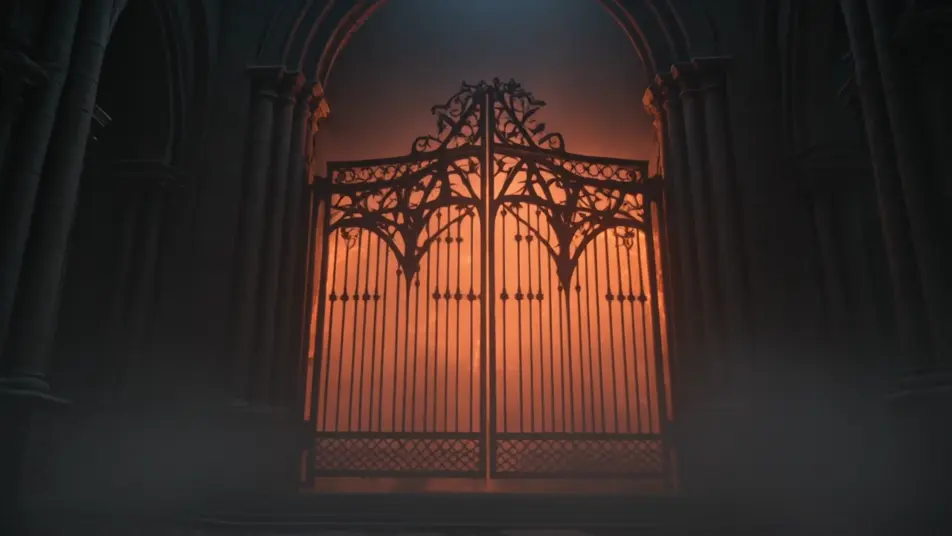
Ein riesiges feuriges Tor, das sich in einer zerstörten Kathedrale aufreißt, dämonische Silhouetten, die durch das Licht strömen, Glut und Rauch, eine schwenkende Weitwinkelaufnahme des Durchbruchs.
Sie können Dämonen-Szenen direkt in Ihrem Browser auf Morphic erstellen. Öffnen Sie das Text to Video Tool, beschreiben Sie den Archetyp, die Anatomie und die Beleuchtung, und Morphic erzeugt den Clip. Keine Installationen und keine Spezialsoftware nötig.
Welche Arten von Dämonen kann ich erzeugen?
Jeden Archetyp, den Sie benennen können: gehörnte Herrscher, huschende Kobolde, dämonische Verführerinnen, Höllenhund-Führer, gefallene Ritter und besessene Wirte. Nennen Sie den Archetyp, die Anatomie und das Licht, damit Morphic einen unverwechselbaren Dämon baut statt eines generischen Monsters.
Wie lasse ich einen Dämon infernalisch aussehen und nicht nur wie ein Monster?
Verankern Sie drei Cues: dämonische Anatomie (gewundene Hörner, rissige glühende Haut, ledrige Flügel), einen infernalischen Schauplatz (Lavahöhle, Beschwörungskreis, Höllentor) und ein stimmungssetzendes Licht (Glühen der Glut, Kerzenlicht, kaltes Violett). Nennen Sie alle drei, und Morphic verfällt nicht mehr in ein generisches Monster.
Wie halte ich einen Dämon über mehrere Einstellungen hinweg konsistent?
Nutzen Sie den Character Lineup Workflow, um die Hörner, die Haut und die Farbe festzulegen, und verweisen Sie in jedem Einstellungs-Prompt auf diese Charakterkarte. Morphic bewahrt denselben Dämon über eine Thronszene, eine Beschwörung und ein Höllentor hinweg, sodass die Sequenz zusammenhält.
Kann ich ein Dämonenbild in ein Video verwandeln?
Ja. Nehmen Sie ein beliebiges Dämonenbild in das Image to Video Tool und beschreiben Sie die Bewegung, etwa ein langsames Erheben von einem Thron, eine hervortretende bekrallte Hand oder ein sich drehender Kopf mit brennenden Augen. Morphic animiert das Standbild zu einem kurzen Clip, den Sie loopen oder in eine längere Sequenz schneiden können.
Kann ich meinem Dämonen-Video eine Musikuntermalung hinzufügen?
Ja. Das Music Tool produziert einen originalen Soundtrack, und ein tiefer choraler Drone-Grauen-Cue sitzt sauber unter Thron- und Höllenlandschaft-Szenen, während ein angespannter aufsteigender Sting zu einer Besessenheit passt. Das Speech Tool kann eine kehlige dämonische Stimme oder eine geflüsterte Beschwörung in der von Ihnen gewählten Stimme hinzufügen, um einen vollständigen Dämonen-Kurzfilm zu veröffentlichen.
Everything on this page is fictional depiction for film, games and creative work. It does not depict real events, and does not place real, identifiable people in them.
Results vary by model. Some models apply stricter content policies than others, so a shot one model declines may generate on another.