AI Film Burn Transition videos

Direct analog film burn transitions in your browser with Morphic's film burn AI video generator. Generate the moment the frame scorches, blooms orange, and burns through to the next shot, a warm light leak washing between two portraits, or a celluloid flare wiping into a memory, and pair them with the Music tool to swell the score as the frame ignites. Stitch the burning transitions into one vintage sequence on the Canvas.

Film burn variations you can direct

Film burn sequences you can stage

A light leak between two portraits

A soft close-up of a face in golden light where a warm orange leak floods in from the right edge and blooms across the frame to reveal a second portrait. Shallow depth of field, slow amber wash.

Prompt bearbeiten

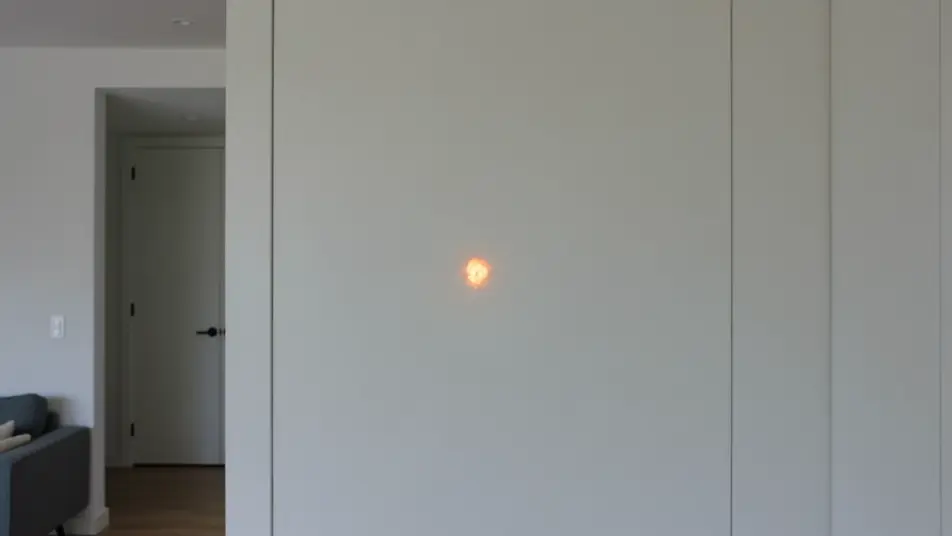
A scorching burn into a memory

A present-day interior shot where a bright hot spot ignites and burns outward through the frame, emerging into a warm sunlit garden of the past. Static framing, dramatic emulsion char across the cut.

Prompt bearbeiten

A streaked flare over a road trip

A wide of a desert highway where vertical light streaks rake down the frame and flare into a second road stretching to the horizon. Handheld drift, kinetic bands of light bridging the two shots.

Prompt bearbeiten

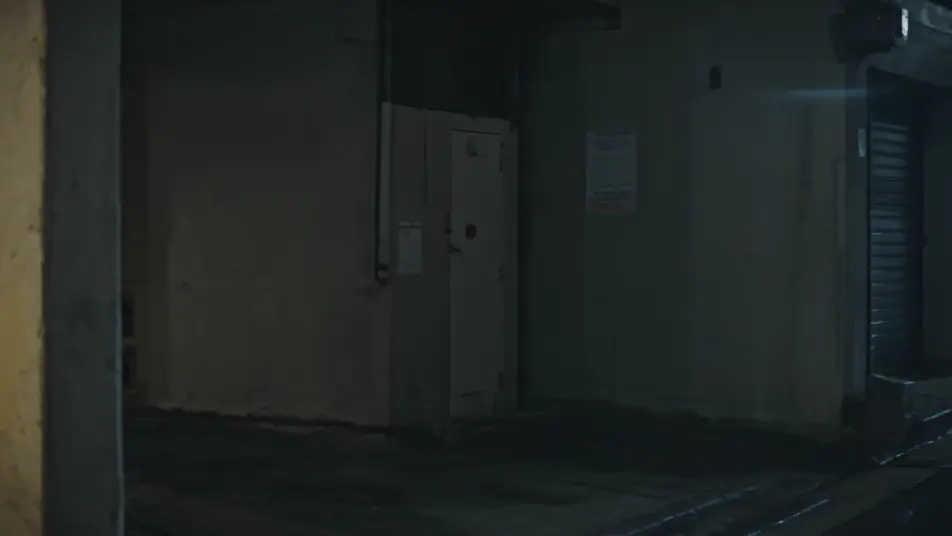
A cool burn on a moonlit street

A dim night alley where a cool blue-green leak washes across the frame to reveal a rain-slicked moonlit street. Locked tripod, slow chilled flare for a melancholy, dreamlike transition.

Prompt bearbeiten

film burn transition-Videos in drei Schritten erstellen

  1. 01

    Beschreiben Sie Ihre film burn transition-Szene

    Beschreiben Sie die film burn transition-Szene, die Sie möchten, in einfachen Worten.

  2. 02

    Video generieren

    Morphic generiert in Sekunden einen filmreifen Clip auf Ihrer Canvas.

  3. 03

    film burn transition-Video verfeinern

    Passen Sie den Prompt an, generieren Sie Varianten und laden Sie die Aufnahme herunter oder teilen Sie sie.

Verwandte Workflows

Das könnte Ihnen auch gefallen

Einfache Preise

Starten Sie noch heute kostenlos, mit der Option, jederzeit zu upgraden oder zu kündigen.

Basic

$9/ Monat
abgerechnet als $0 pro Jahr

900 monatliche Credits

1 Nutzer

Alle Modelle

Workflows

Standard

$24/ Monat
abgerechnet als $0 pro Jahr

3200 monatliche Credits

1 Nutzer

Alle Modelle

Workflows

Pro

$45/ Monat
abgerechnet als $0 pro Jahr

6200 gemeinsame monatliche Credits

1 Nutzer

+ bis zu 4 weitere gegen Aufpreis

Alle Modelle

Workflows

Pro Max

$170/ Monat
abgerechnet als $0 pro Jahr

24000 gemeinsame monatliche Credits

1 Nutzer

+ bis zu 9 weitere gegen Aufpreis

Alle Modelle

Workflows

Enterprise

Für höhere Limits

Individuell

Preis- und Abrechnungsbedingungen

Unbegrenzte Credits
Individuelle Platzlimits
Alle Modelle
Workflows
Pricing Gradient

Free

Zum Ausprobieren

$0

dauerhaft kostenlos

Bis zu 20 Credits
Nur 1 Nutzer
Eingeschränkte Modelle
Workflows

Häufig gestellte Fragen

Where can I make film burn transition videos with AI?
You can create film burn transitions directly in your browser on Morphic. Open the Text to Video tool, describe the leak color, its entry point, and the shot it reveals, and Morphic produces the burning transition. Chain the clips on the Canvas, with no overlay packs and no installs.
What kinds of film burn transitions work best with AI video?
Warm light-leak washes, scorching hot-spot burns, and streaked flares all read strongly. The most convincing film burns name a color and a direction for the leak and a warm, high-contrast shot to bloom into, so the flare has somewhere to open onto.
How do I write a good prompt for a film burn transition?
State the leak color and intensity, where it enters the frame, its direction and speed, and the shot it reveals. Add whether it glows softly or scorches. The clearer the flare, the more authentic the analog film burn Morphic returns.
How do I keep the film burn smooth between scenes?
Reuse the same leak color and entry direction across your transitions and name it in each prompt. On the Canvas you can align the peak of one burn into the start of the next clip so the flares hand off with a consistent analog rhythm.
Can I add music and narration to my film burn videos?
Yes. The Music tool produces a score, and a film burn lands best when the music swells as the frame ignites and settles as the new shot clears. The Speech tool generates narration in your chosen voice, ideal for a warm, nostalgic voiceover over the leak.
Do I need video editing experience to make a film burn transition?
No. Morphic runs in your browser and you direct it in plain language. If you can describe a warm flare washing between two shots, you can produce a film burn transition. The prompts here are written to paste and run.