AI Film Grain Effect videos

Direct an analog film-grain look in your browser with Morphic's film grain effect AI video generator. Generate clips with the texture baked in, a fine 35mm sheen over a portrait or heavy 16mm grain across a rain-soaked street, and pair them with the Music tool to lean into the vintage mood. Stitch the grainy shots into one continuous sequence on the Canvas.

Film grain styles you can direct

Film grain sequences you can stage

A portrait with fine 35mm grain

A close portrait carries a delicate even grain and gentle warm halation, skin and eyes holding their detail while the whole frame gains an analog breath, soft key light steady through a slow push-in.

Prompt bearbeiten

A rain-soaked street in heavy 16mm

A handheld shot of a wet night street wears coarse, lively grain, muted colors and softened edges giving a raw documentary feel, neon smearing in the puddles as the camera drifts alongside a passerby.

Prompt bearbeiten

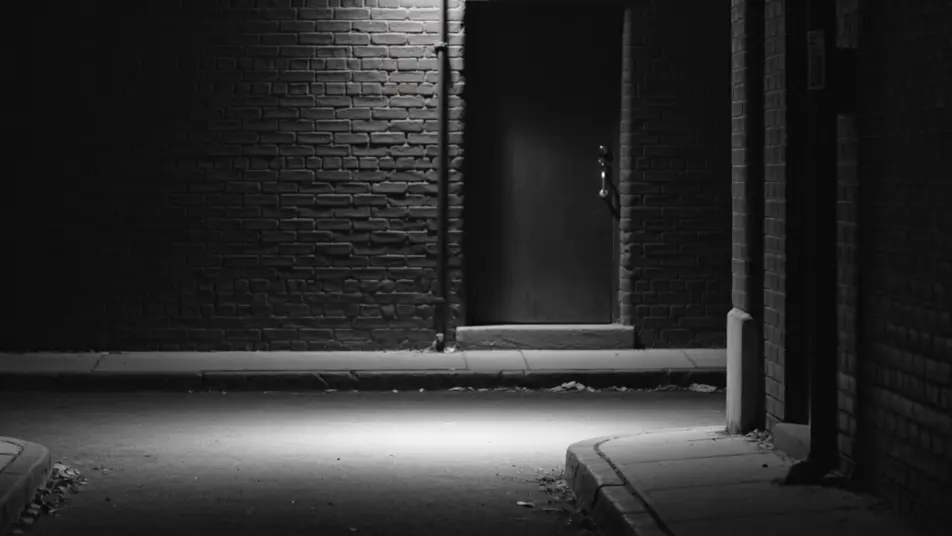
A stark black-and-white alley

A high-contrast monochrome alley holds deep blacks and bright highlights with grain riding the shadows, a lone figure crossing the frame under a single hard light for a timeless, newsprint-edged mood.

Prompt bearbeiten

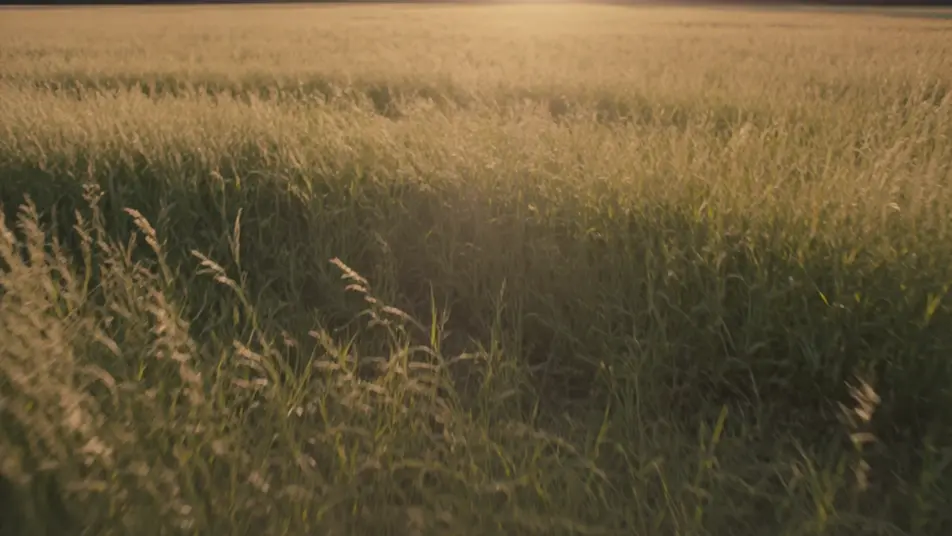
A sunlit field on vintage stock

A wide field glows with warm vintage-stock grain, faded golden color and soft focus edges lending a decades-old nostalgia, tall grass swaying as the camera drifts low through the late afternoon light.

Prompt bearbeiten

film grain effect-Videos in drei Schritten erstellen

  1. 01

    Beschreiben Sie Ihre film grain effect-Szene

    Beschreiben Sie die film grain effect-Szene, die Sie möchten, in einfachen Worten.

  2. 02

    Video generieren

    Morphic generiert in Sekunden einen filmreifen Clip auf Ihrer Canvas.

  3. 03

    film grain effect-Video verfeinern

    Passen Sie den Prompt an, generieren Sie Varianten und laden Sie die Aufnahme herunter oder teilen Sie sie.

Verwandte Workflows

Das könnte Ihnen auch gefallen

Einfache Preise

Starten Sie noch heute kostenlos, mit der Option, jederzeit zu upgraden oder zu kündigen.

Basic

$9/ Monat
abgerechnet als $0 pro Jahr

900 monatliche Credits

1 Nutzer

Alle Modelle

Workflows

Standard

$24/ Monat
abgerechnet als $0 pro Jahr

3200 monatliche Credits

1 Nutzer

Alle Modelle

Workflows

Pro

$45/ Monat
abgerechnet als $0 pro Jahr

6200 gemeinsame monatliche Credits

1 Nutzer

+ bis zu 4 weitere gegen Aufpreis

Alle Modelle

Workflows

Pro Max

$170/ Monat
abgerechnet als $0 pro Jahr

24000 gemeinsame monatliche Credits

1 Nutzer

+ bis zu 9 weitere gegen Aufpreis

Alle Modelle

Workflows

Enterprise

Für höhere Limits

Individuell

Preis- und Abrechnungsbedingungen

Unbegrenzte Credits
Individuelle Platzlimits
Alle Modelle
Workflows
Pricing Gradient

Free

Zum Ausprobieren

$0

dauerhaft kostenlos

Bis zu 20 Credits
Nur 1 Nutzer
Eingeschränkte Modelle
Workflows

Häufig gestellte Fragen

Where can I make film grain videos with AI?
You can generate clips with film grain baked in directly in your browser on Morphic. Open the Text to Video tool, describe the scene and the grain character you want, and Morphic renders the footage with the texture already in the frame. No installs and no overlay packs.
What kinds of shots work best with a film grain look?
Moody portraits, night streets, and nostalgic exteriors carry grain beautifully because the texture supports their atmosphere. Fine 35mm suits polished cinematic shots, heavy 16mm suits raw documentary energy, and monochrome grain sharpens high-contrast drama.
How do I write a good prompt for a film grain video?
Name the grain type and intensity, then the color grade it sits under, and add analog cues like halation, flicker, or frame weave. Describing the full film feel rather than just the word grain is what returns a convincing analog texture.
How do I keep the grain smooth and consistent between scenes?
Reuse the same grain and grade language across prompts so every clip shares one look. On the Canvas you can line up the grainy shots and refine each until the texture, contrast, and color hold steady through the whole sequence.
Can I add music and narration to my film grain videos?
Yes. The Music tool scores a soundtrack that leans into the vintage mood, and the Speech tool adds narration in the voice you choose. Both layer onto the grainy footage so an analog-styled clip carries sound and voice as well as texture.
Do I need video editing experience to add film grain?
No. Morphic runs in your browser and you direct it with plain-language prompts. If you can describe the grain and the mood you want, you can generate the look. The prompts on this page are written to paste and run directly.