Eine datamoshte Gestalt verschmiert
Eine Gestalt, die geht, während Datamosh-Artefakte Pixelblöcke über das Bild ziehen, schmelzende Bewegungsspuren, Farbausbluten, ein langsames Heranfahren.
Prompt bearbeiten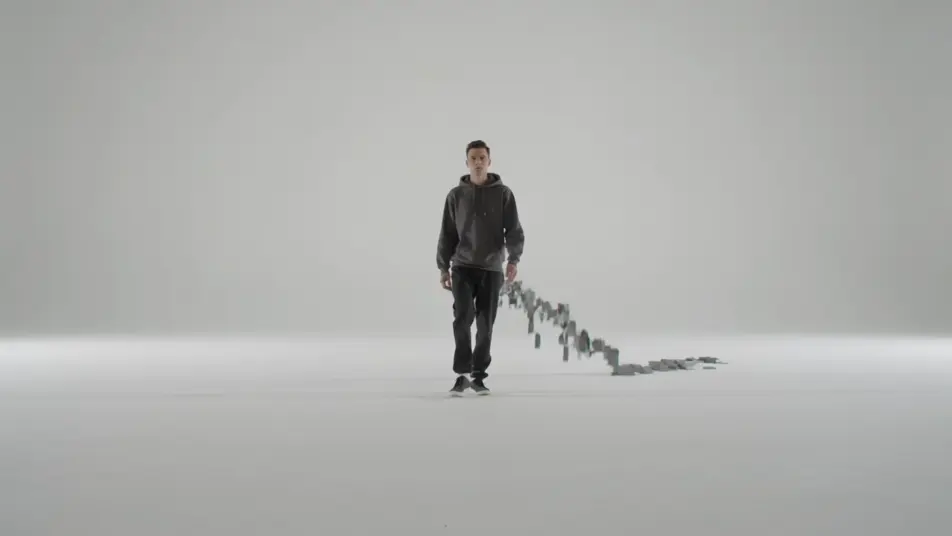
Verfälschen Sie das Signal absichtlich mit Morphics KI-Videogenerator für Glitch-Art-Animation. Erzeugen Sie eine datamoshte Gestalt, die über das Bild verschmiert, ein RGB-gespaltenes Porträt, das an Bildzeilen zerreißt, oder eine pixelsortierte Landschaft. Vertonen Sie die Szene mit Speech und Music und fügen Sie sie im Canvas zusammen.
Eine Gestalt, die geht, während Datamosh-Artefakte Pixelblöcke über das Bild ziehen, schmelzende Bewegungsspuren, Farbausbluten, ein langsames Heranfahren.
Prompt bearbeitenEine Stadtlandschaft, zerrissen in Rot-, Grün- und Blaukanal-Versätze, chromatische Säume entlang jeder Kante, flackernde Bildzeilenbrüche, ein langsames seitliches Mitfahren.
Prompt bearbeiten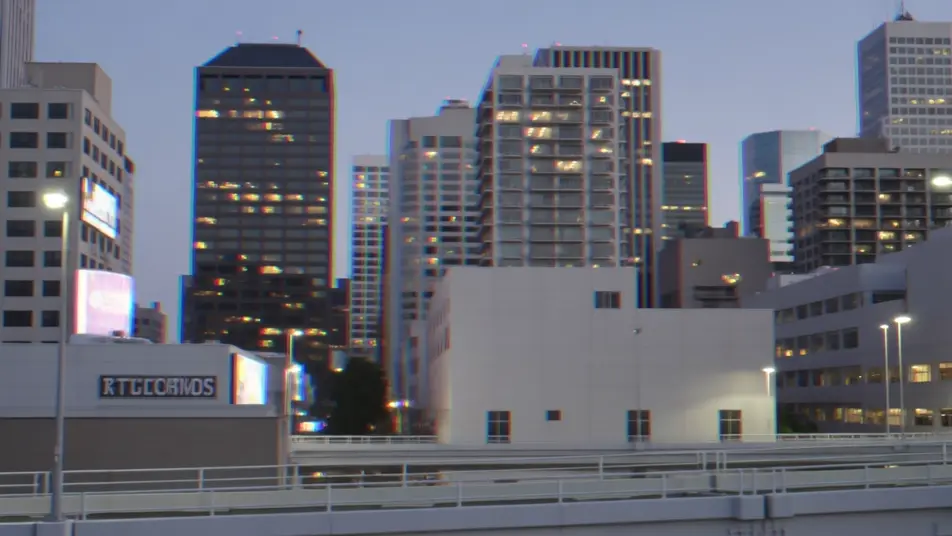
Eine Landschaft, die in vertikale pixelsortierte Farbbänder zerfließt, verschmierte Himmel, korrumpierte Zeilen, ein zitterndes digitales Beben, ein feststehendes Bild.
Prompt bearbeiten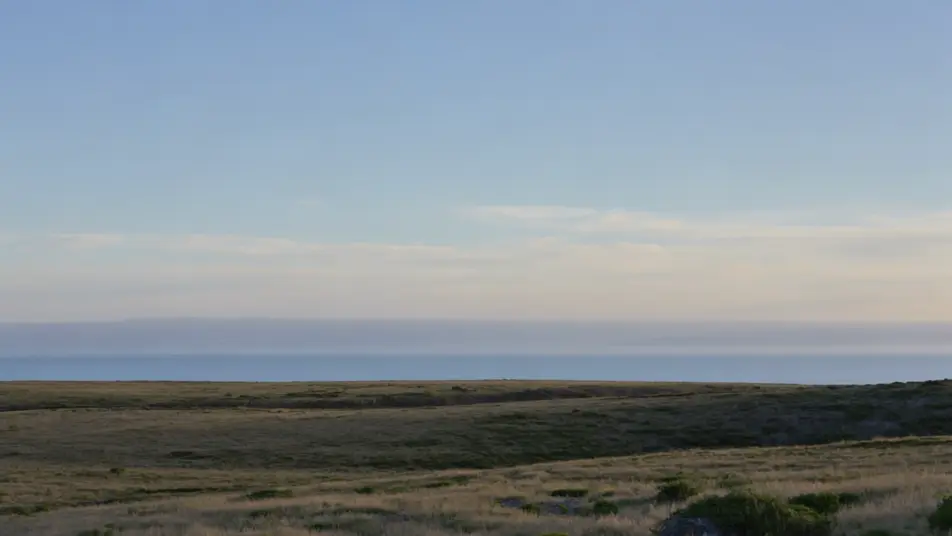
Eine körnige Szene, die in VHS-Artefakte zerfällt, rollende Tracking-Linien, Bandflattern, Chromableed, ein langsames Driften, während das Signal korrumpiert.
Prompt bearbeiten
Beschreiben Sie die Glitch-Art-Animation-Szene, die Sie möchten, in einfachen Worten.
Morphic generiert in Sekunden einen filmreifen Clip auf Ihrer Canvas.
Passen Sie den Prompt an, generieren Sie Varianten und laden Sie die Aufnahme herunter oder teilen Sie sie.

Pick any anime illustration as your style guide. Apply its look to any image.

Turn any photo or description into an animated chibi sprite. Dance, jump, wave, attack, and more.

Turn any sketch or drawing into a finished render.

Take any character image and generate 6 distinct facial expressions on a single reference sheet.

All your characters on a single lineup image, side by side with height comparison.
Provide first frame and last frame and generate a video from uploaded keyframes.
ASCII-Art-Animation KI-Videos
ASCII-Art-Animationsvideos mit KI auf Morphic. Grün-auf-schwarze Zeichengitter, Terminal-Glyphen, die Bilder formen, und retro CRT-Leuchten. Legen Sie los.
Dot Matrix Animation KI-Videos
Dot-Matrix-Animation-Videos mit KI auf Morphic. LED- und Drucker-Punktraster, niedrigauflösende Punktfelder, die sich zu Bildern formen, bernsteinfarbene und grüne Punkte. Legen Sie los.
Zeitungsanimation KI-Videos
Zeitungsanimation-Videos mit KI auf Morphic. Halbton-Druckpunkte, Zeitungspapier-Grau, Schlagzeilentype und ausgeschnittene Ausschnitte in Bewegung. Legen Sie los.
Pixel Art KI-Videos
Erzeugen Sie Pixel-Art-Videos auf Morphic. Sprite-Helden, seitlich scrollende Level, Städte aus der Vogelperspektive und Retro-Spielszenen aus einfachen Prompts.
Starten Sie noch heute kostenlos, mit der Option, jederzeit zu upgraden oder zu kündigen.
Basic
2400 monatliche Credits
1 Nutzer
Alle Modelle
Workflows
Standard
3625 monatliche Credits
1 Nutzer
Alle Modelle
Workflows
Pro
6350 gemeinsame monatliche Credits
1 Nutzer
Alle Modelle
Workflows
Max
24650 gemeinsame monatliche Credits
1 Nutzer
Alle Modelle
Workflows
Enterprise
Für höhere Limits
Individuell
Preis- und Abrechnungsbedingungen

Free
Zum Ausprobieren
$0
dauerhaft kostenlos