Direct a reality show in your browser with Morphic's reality TV AI video generator. Generate segments like a confessional to camera under soft key light or a tense poolside standoff shot handheld, and pair them with the Speech tool for a dramatic voiceover and the Music tool for a suspense sting. Stitch the segments into one continuous reality episode on the Canvas.

Reality TV segment styles you can direct

Reality TV episodes you can stage

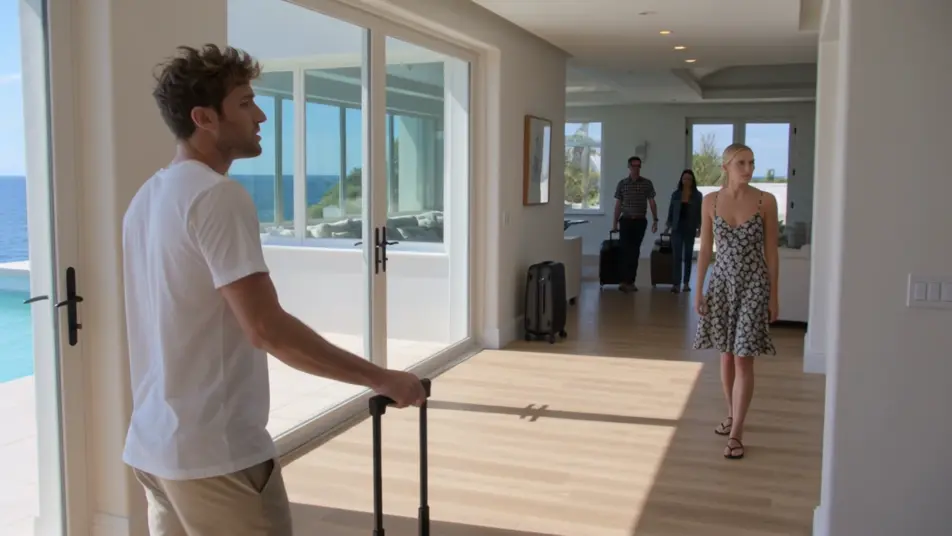
The arrival episode

A sun-drenched villa where the cast arrives one by one, dragging suitcases through bright rooms and sizing each other up. Loose handheld coverage cuts against early confessionals as the dynamics form.

Prompt bearbeiten

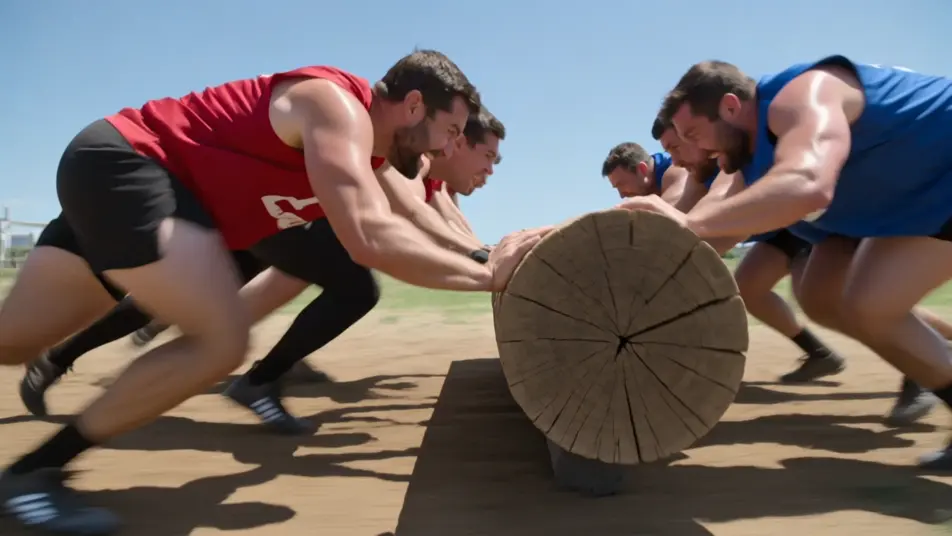
The challenge day episode

A bright outdoor arena where teams strain through a physical competition under open sky. Fast tracking shots of the challenge cut against tense sideline reactions and quick to-camera asides.

Prompt bearbeiten

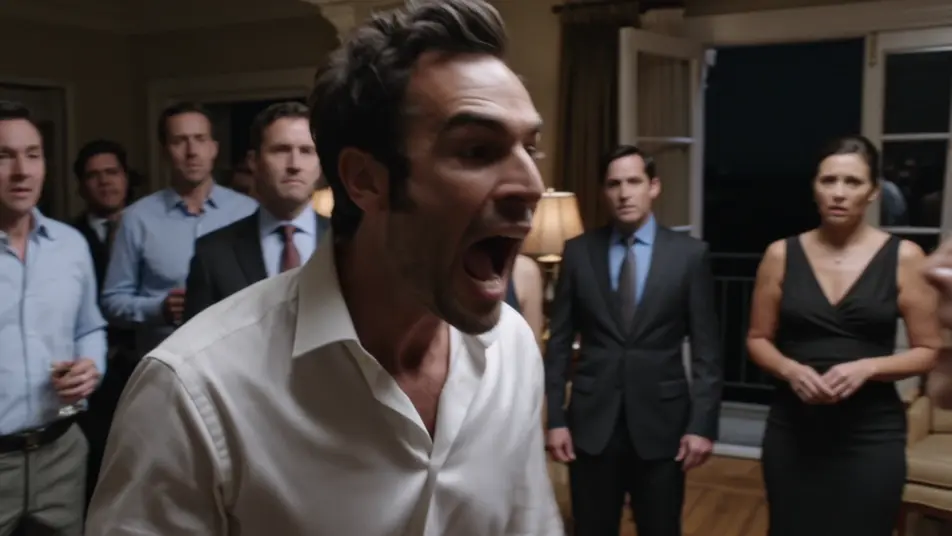
The blow-up night episode

A dim, lamp-lit lounge where a simmering conflict finally breaks open across a crowded room. Handheld coverage snaps between faces before the sequence cools into a quiet balcony aftermath.

Prompt bearbeiten

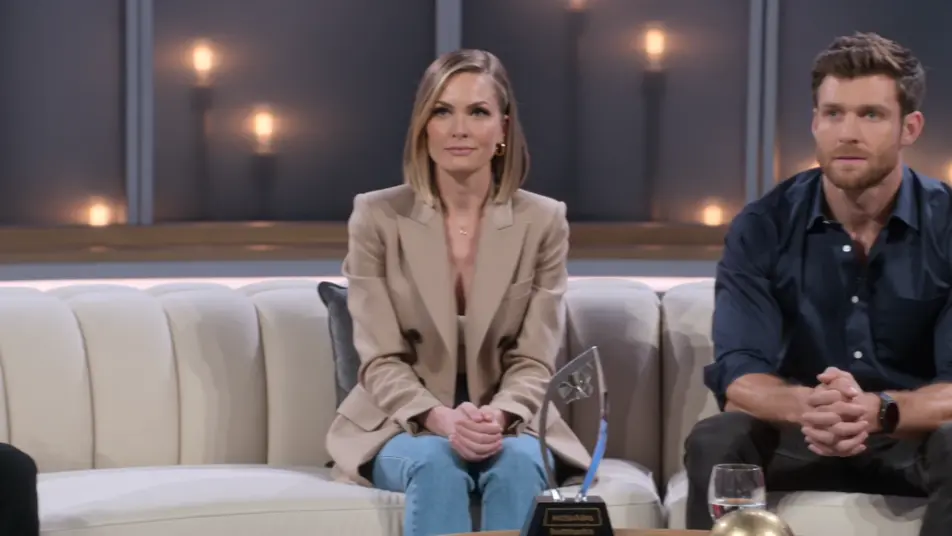
The reunion episode

A polished studio set with a curved couch under warm even light where the cast gathers to relive the season. Slow dolly moves cross the group as old tensions resurface and reactions ripple down the row.

Prompt bearbeiten

reality TV video-Videos in drei Schritten erstellen

  1. 01

    Beschreiben Sie Ihre reality TV video-Szene

    Beschreiben Sie die reality TV video-Szene, die Sie möchten, in einfachen Worten.

  2. 02

    Video generieren

    Morphic generiert in Sekunden einen filmreifen Clip auf Ihrer Canvas.

  3. 03

    reality TV video-Video verfeinern

    Passen Sie den Prompt an, generieren Sie Varianten und laden Sie die Aufnahme herunter oder teilen Sie sie.

Verwandte Workflows

Das könnte Ihnen auch gefallen

Einfache Preise

Starten Sie noch heute kostenlos, mit der Option, jederzeit zu upgraden oder zu kündigen.

Basic

$9/ Monat
abgerechnet als $0 pro Jahr

900 monatliche Credits

1 Nutzer

Alle Modelle

Workflows

Standard

$24/ Monat
abgerechnet als $0 pro Jahr

3200 monatliche Credits

1 Nutzer

Alle Modelle

Workflows

Pro

$45/ Monat
abgerechnet als $0 pro Jahr

6200 gemeinsame monatliche Credits

1 Nutzer

+ bis zu 4 weitere gegen Aufpreis

Alle Modelle

Workflows

Pro Max

$170/ Monat
abgerechnet als $0 pro Jahr

24000 gemeinsame monatliche Credits

1 Nutzer

+ bis zu 9 weitere gegen Aufpreis

Alle Modelle

Workflows

Enterprise

Für höhere Limits

Individuell

Preis- und Abrechnungsbedingungen

Unbegrenzte Credits
Individuelle Platzlimits
Alle Modelle
Workflows
Pricing Gradient

Free

Zum Ausprobieren

$0

dauerhaft kostenlos

Bis zu 20 Credits
Nur 1 Nutzer
Eingeschränkte Modelle
Workflows

Häufig gestellte Fragen

Where can I make reality TV videos with AI?
You can build reality TV segments directly in your browser on Morphic. Open the Text to Video tool, describe the confessional, drama beat, or challenge you want, and Morphic generates the clip. No cast, no crew, and no editing timeline required, and every character stays invented and brand-free.
What kinds of reality TV segments work best with AI video?
Confessionals, drama beats, challenge segments, and reunion moments all read strongly because they lean on emotion and caught energy. The most convincing segments name the camera style, a soft still confessional or a loose snapping handheld, so the beat feels real rather than acted.
How do I write a good prompt for a reality TV video?
Name the beat, the emotion, the setting, and the camera behavior. Add the soft key light of a confessional or the handheld snap of a confrontation. The more you describe the energy and how the camera reacts, the more the clip reads as unscripted reality.
How do I keep it consistent across scenes?
Reuse the same set look, confessional corner, and camera language across every segment so the arrival, drama, and reunion beats feel from one season. On the Canvas you can place the clips in order and tune each until the episode flows as one continuous show.
Can I add music and narration to my reality TV videos?
Yes. The Speech tool generates a dramatic voiceover in the tone you choose, the narrator that frames every reality beat. The Music tool produces suspense stings and a tension bed you can lay under the segments so the confrontations and cliffhangers land.
Do I need video editing experience to make a reality TV episode?
No. Morphic runs in your browser and you direct it with plain-language prompts. If you can describe the beat, the emotion, and the camera, you can produce a reality segment. The prompts on this page are written so anyone can paste and run.