Direct a survival film in your browser with Morphic's survival AI video generator. Generate a trekker's fire in Alaskan snow or a capsized raft at dawn, add a hoarse voiceover and sparse strings with Speech and Music, and cut a survival short on the Canvas.

Survival characters you can direct

Survival scenes you can stage

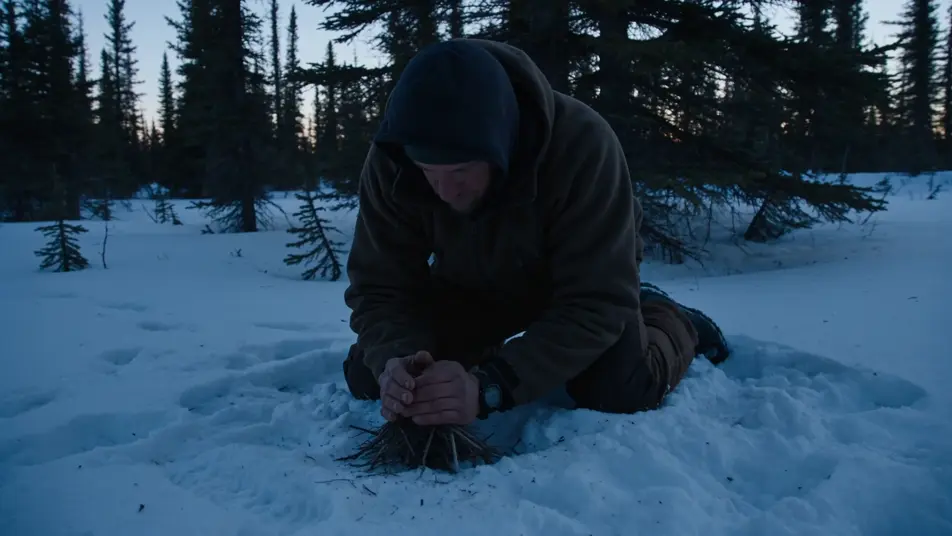
Fire-building in fresh snow

A lone trekker kneeling in fresh Alaskan snowfall at dusk, hands cupped around a struggling tinder bundle, sparks catching, breath fogging, the dark spruces closing in around the small circle of orange light.

Prompt bearbeiten

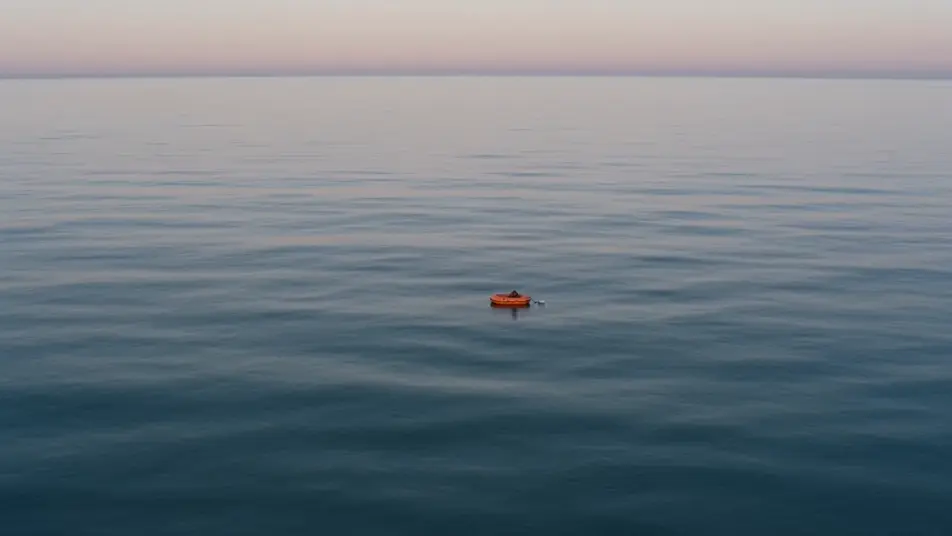
Capsized life raft at first light

A small orange life raft rocking on a glassy Pacific swell at first light, a single sunburned figure huddled inside, an empty water bottle floating tethered to the side, no land in any direction.

Prompt bearbeiten

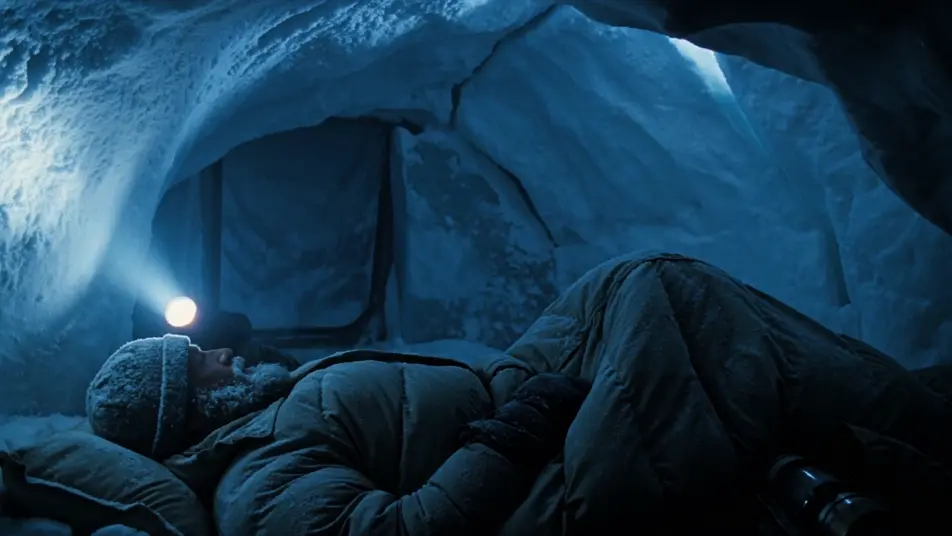
Snow-cave bivouac at night

A cramped snow-cave bivouac at night high on a mountain, the head-torch beam fogging the close air, a climber wrapped in a frosted sleeping bag, the storm muffled to a low roar outside the entrance.

Prompt bearbeiten

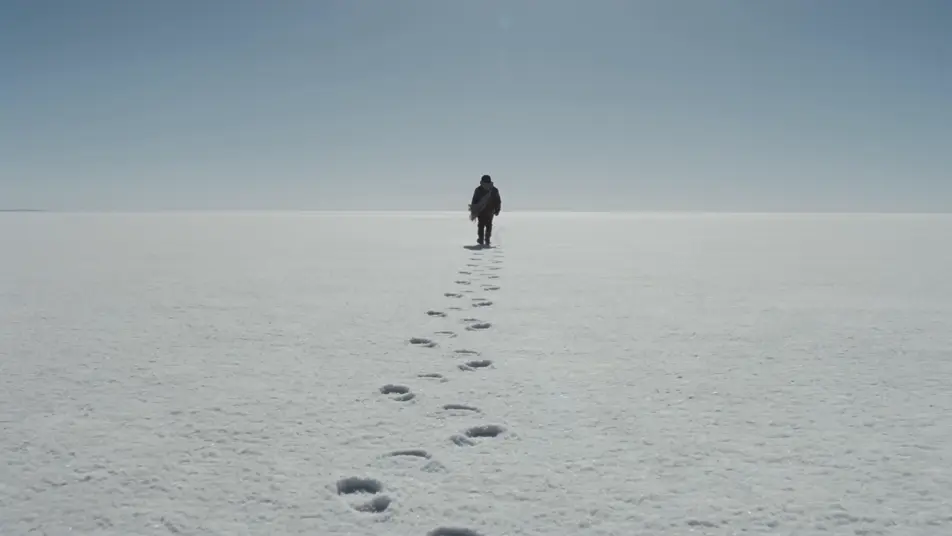
Salt-flat crossing at midday

A wide low-angle shot of a single figure crossing an empty white salt flat at midday, heat shimmer warping the horizon, a long line of footprints trailing back into nothing, the sky a hard pale blue.

Prompt bearbeiten

survival-Videos in drei Schritten erstellen

  1. 01

    Beschreiben Sie Ihre survival-Szene

    Beschreiben Sie die survival-Szene, die Sie möchten, in einfachen Worten.

  2. 02

    Video generieren

    Morphic generiert in Sekunden einen filmreifen Clip auf Ihrer Canvas.

  3. 03

    survival-Video verfeinern

    Passen Sie den Prompt an, generieren Sie Varianten und laden Sie die Aufnahme herunter oder teilen Sie sie.

Verwandte Workflows

Das könnte Ihnen auch gefallen

Einfache Preise

Starten Sie noch heute kostenlos, mit der Option, jederzeit zu upgraden oder zu kündigen.

Basic

$0/ Monat
abgerechnet als $0 pro Jahr

900 monatliche Credits

1 Nutzer

Alle Modelle

Workflows

Standard

$0/ Monat
abgerechnet als $0 pro Jahr

3200 monatliche Credits

1 Nutzer

Alle Modelle

Workflows

Pro

$0/ Monat
abgerechnet als $0 pro Jahr

6200 gemeinsame monatliche Credits

1 Nutzer

+ bis zu 4 weitere gegen Aufpreis

Alle Modelle

Workflows

Pro Max

$0/ Monat
abgerechnet als $0 pro Jahr

24000 gemeinsame monatliche Credits

1 Nutzer

+ bis zu 9 weitere gegen Aufpreis

Alle Modelle

Workflows

Enterprise

Für höhere Limits

Individuell

Preis- und Abrechnungsbedingungen

Unbegrenzte Credits
Individuelle Platzlimits
Alle Modelle
Workflows
Pricing Gradient

Free

Zum Ausprobieren

$0

dauerhaft kostenlos

Bis zu 20 Credits
Nur 1 Nutzer
Eingeschränkte Modelle
Workflows

Häufig gestellte Fragen

Where can I make survival videos with AI?
You can create survival scenes directly in your browser on Morphic. Open the Text to Video tool, describe the survival beat, the harsh setting, and the camera move, and Morphic produces the clip. No installs and no specialist software needed.
What defines a survival scene for an AI prompt?
Four things: a survival action (fire-building, signalling, shelter, crossing, rescue), an exposed setting (tundra, ridge, open ocean, salt flat, deep forest), unforgiving light (storm grey, hard midday, fogged head-torch), and a tailored archetype in frame. Name all four for the scene to read as genuine survival.
How do I get the cold-exposure feel in a scene?
Use visible breath, ice-rimed beards or frosted parkas, a low blue-grey palette, and one small warm source (a tinder bundle, a head-torch beam, a rescue flare). Name those props directly so Morphic centres the beat on the cold rather than the snow alone.
How do I keep my survivors consistent across scenes?
Use the Character Lineup workflow to lock the parka, headscarf, or red shell for each role (trekker, castaway, mountaineer, wanderer), then reference those cards in every prompt. Morphic preserves the figures across the fire, the raft, and the rescue.
What kinds of survival scenes work best with AI video?
Single-shot survival beats: fire-building in fresh snow, a capsized life raft at first light, a snow-cave bivouac, a salt-flat crossing, a rescue winch over a glacier. Anchor each survival scene to one beat, one setting, and one camera move.
Can I add a sparse string score and hoarse voice-over to my survival videos?
Yes. The Speech tool generates a hoarse internal voice-over from your script, and the Music tool produces a sparse string and low-drone survival score. Layer both onto the generated clip to publish a complete survival short.