AI Talk Show Clip videos

Direct a talk show clip in your browser with Morphic's talk show clip AI video generator. Generate segments like a host monologue at the mark under warm stage light or a desk interview two-shot with a laughing guest, and pair them with the Speech tool for a lively host voice and the Music tool for a bright band sting. Stitch the segments into one continuous talk show clip on the Canvas.

Talk show segment styles you can direct

Talk show clips you can stage

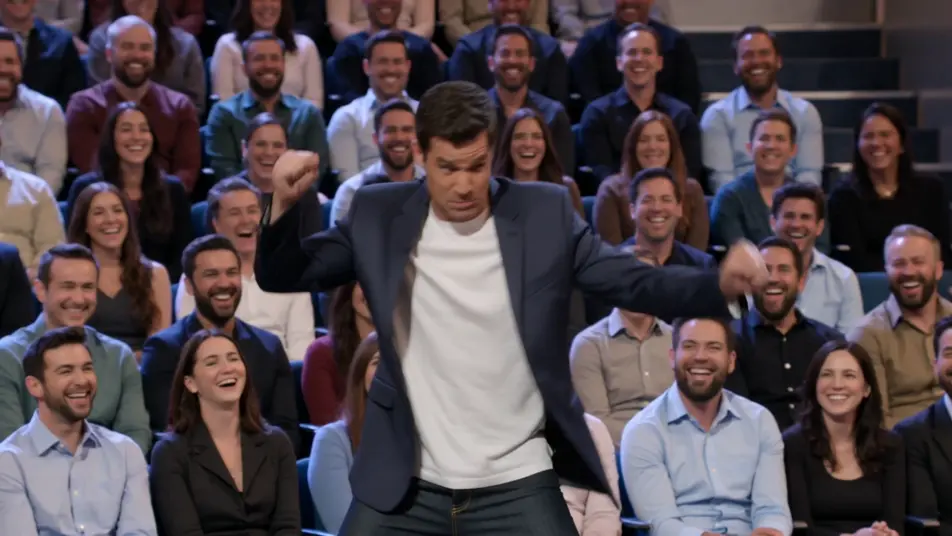
The cold open and monologue

A bright studio stage where a quick comedic bit rolls before the host steps to the mark under warm light. The camera settles into a clean medium shot as the monologue works the laughing crowd.

Prompt bearbeiten

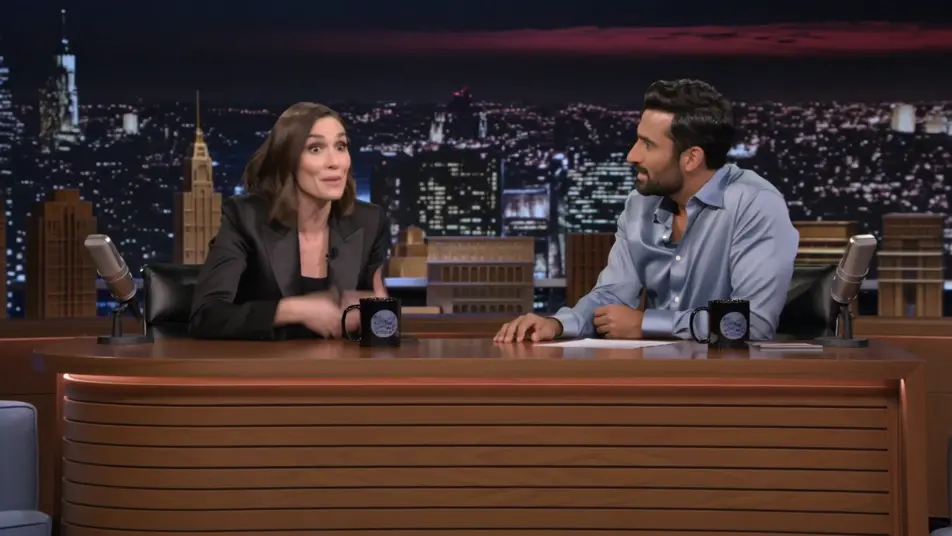
The headline guest interview

A warm desk set against a glowing city backdrop where host and guest trade a story mid-clip. A slow push-in tightens on the two-shot as the exchange builds, audience cutaways breaking the rhythm.

Prompt bearbeiten

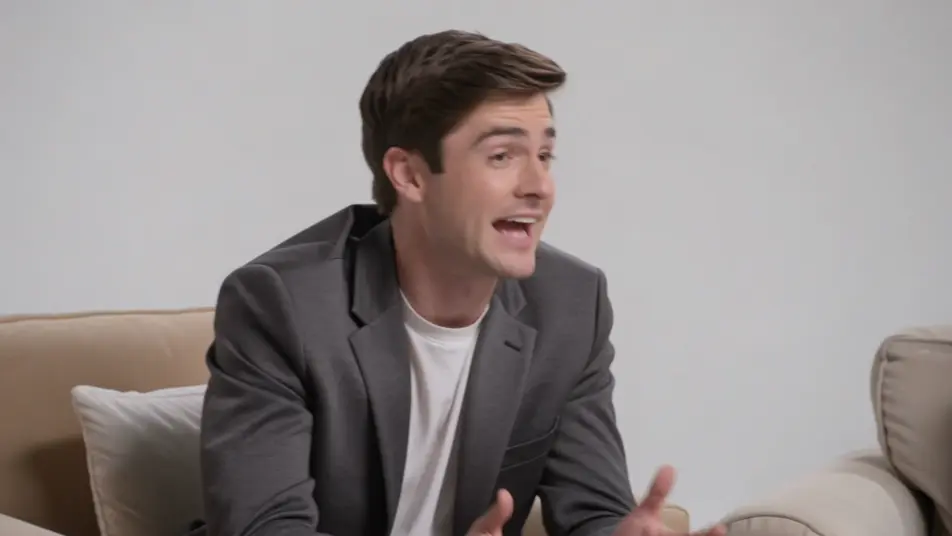
The couch panel segment

A relaxed multi-guest couch under even studio light where the banter bounces between people. A lateral dolly drifts across the group as the overlapping laughter and cross-talk fill the frame.

Prompt bearbeiten

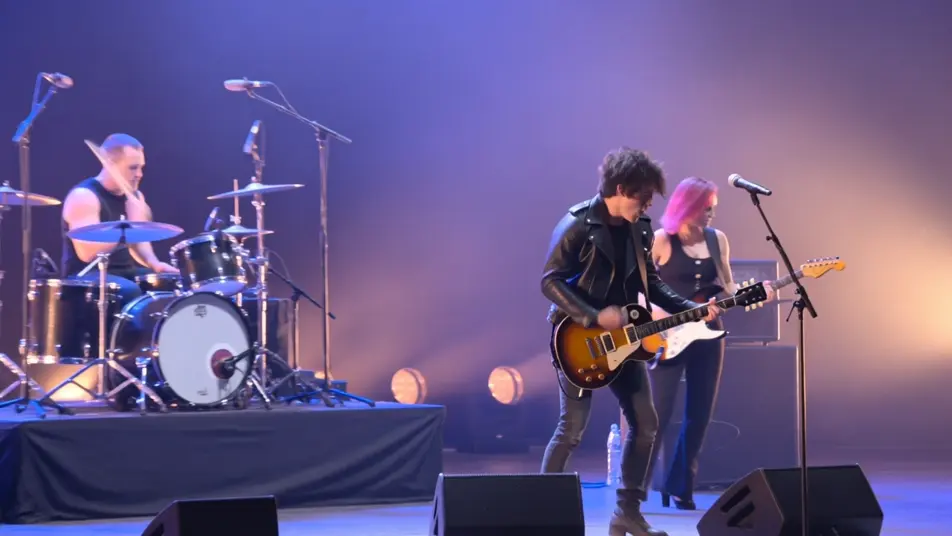
The musical guest closer

A hazy stage washed in colored light where a musical act performs to close the episode. A sweeping crane move crosses the band and the crowd as the energy lifts into the outro.

Prompt bearbeiten

talk show clip video-Videos in drei Schritten erstellen

  1. 01

    Beschreiben Sie Ihre talk show clip video-Szene

    Beschreiben Sie die talk show clip video-Szene, die Sie möchten, in einfachen Worten.

  2. 02

    Video generieren

    Morphic generiert in Sekunden einen filmreifen Clip auf Ihrer Canvas.

  3. 03

    talk show clip video-Video verfeinern

    Passen Sie den Prompt an, generieren Sie Varianten und laden Sie die Aufnahme herunter oder teilen Sie sie.

Verwandte Workflows

Das könnte Ihnen auch gefallen

Einfache Preise

Starten Sie noch heute kostenlos, mit der Option, jederzeit zu upgraden oder zu kündigen.

Basic

$9/ Monat
abgerechnet als $0 pro Jahr

900 monatliche Credits

1 Nutzer

Alle Modelle

Workflows

Standard

$24/ Monat
abgerechnet als $0 pro Jahr

3200 monatliche Credits

1 Nutzer

Alle Modelle

Workflows

Pro

$45/ Monat
abgerechnet als $0 pro Jahr

6200 gemeinsame monatliche Credits

1 Nutzer

+ bis zu 4 weitere gegen Aufpreis

Alle Modelle

Workflows

Pro Max

$170/ Monat
abgerechnet als $0 pro Jahr

24000 gemeinsame monatliche Credits

1 Nutzer

+ bis zu 9 weitere gegen Aufpreis

Alle Modelle

Workflows

Enterprise

Für höhere Limits

Individuell

Preis- und Abrechnungsbedingungen

Unbegrenzte Credits
Individuelle Platzlimits
Alle Modelle
Workflows
Pricing Gradient

Free

Zum Ausprobieren

$0

dauerhaft kostenlos

Bis zu 20 Credits
Nur 1 Nutzer
Eingeschränkte Modelle
Workflows

Häufig gestellte Fragen

Where can I make talk show clip videos with AI?
You can build talk show clip segments directly in your browser on Morphic. Open the Text to Video tool, describe the monologue, desk interview, or couch banter you want, and Morphic generates the clip. No studio, no crew, and no editing timeline required, and every host and guest stays invented and brand-free.
What kinds of talk show segments work best with AI video?
Monologues, desk interviews, couch banter, and audience cutaways all read strongly because they lean on warmth and timing. The most convincing segments name the stage lighting and the camera behavior, so a clean medium feels intimate and a crowd pan feels alive.
How do I write a good prompt for a talk show clip video?
Name the beat, the energy, the stage light, and the camera move. Add the warm studio wash, the glowing backdrop, or the tiered audience. The more you describe the timing and how the camera behaves, the more the clip reads as a real talk show moment.
How do I keep it consistent across scenes?
Reuse the same stage look, lighting, and lens feel across every segment so the monologue, interview, and performance beats feel from one studio. On the Canvas you can place the clips in order and tune each until the episode flows as one continuous clip.
Can I add music and narration to my talk show clip videos?
Yes. The Speech tool generates a lively host voice in the tone you choose, the personality that carries the format. The Music tool produces bright band stings and bumpers you can lay between segments so the transitions and reactions land on cue.
Do I need video editing experience to make a talk show clip?
No. Morphic runs in your browser and you direct it with plain-language prompts. If you can describe the beat, the light, and the camera, you can produce a talk show segment. The prompts on this page are written so anyone can paste and run.