> For the complete documentation index, see [llms.txt](https://morphic.com/docs/llms.txt). Markdown versions of documentation pages are available by appending `.md` to page URLs; this page is available as [Markdown](https://morphic.com/docs/br/how-tos/blending-images.md).

# Misturar imagens

Com o recurso de imagem para imagem do Morphic, você pode misturar diferentes assets de forma fluida para combinar personagens, fundos e props em um único quadro coeso, mantendo a consistência entre estilos.
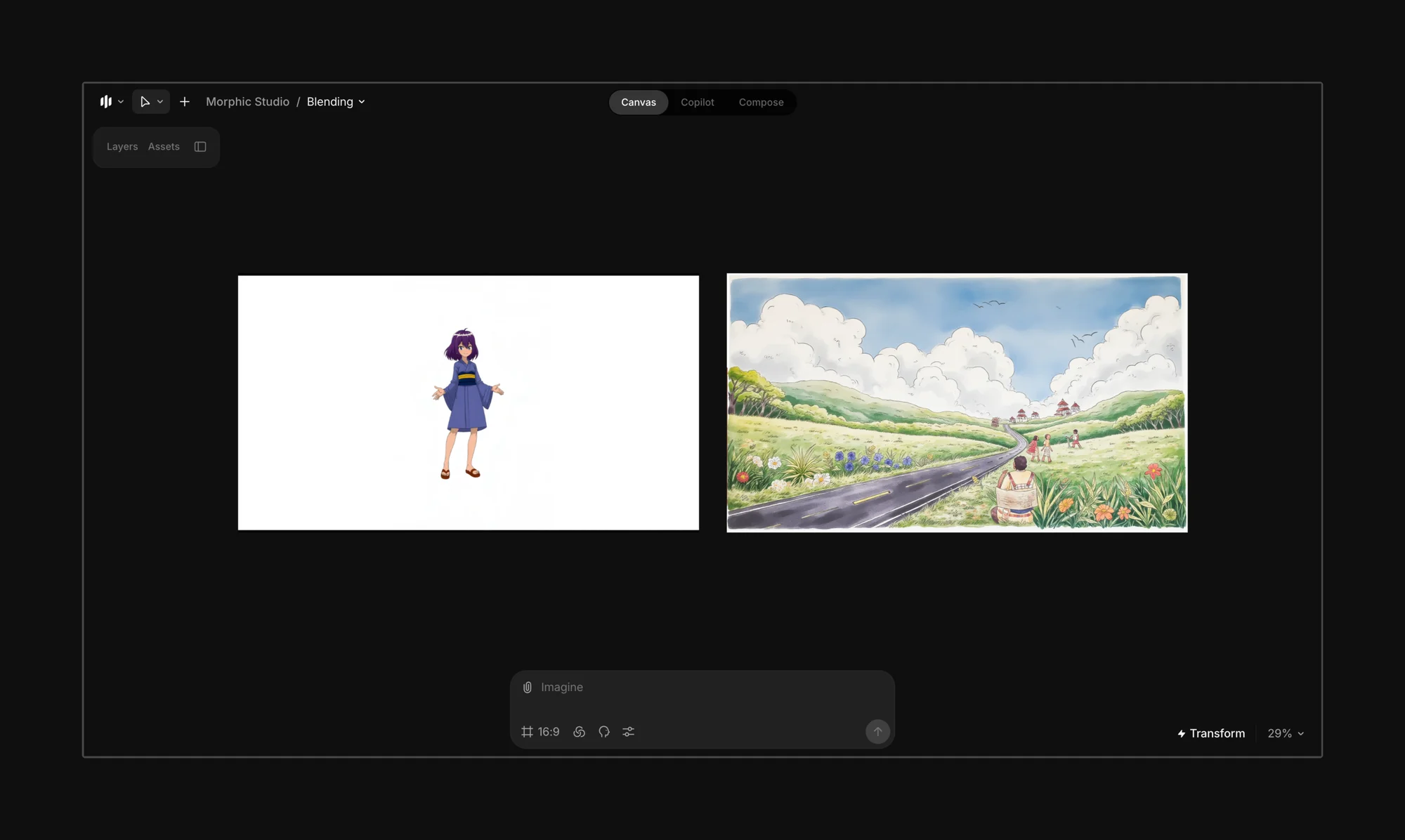
<figure><img src="https://1968187911-files.gitbook.io/~/files/v0/b/gitbook-x-prod.appspot.com/o/spaces%2FoPhHCbNZdzW70rakoLhf%2Fuploads%2FB17t1h1DUULPfmDPcqv4%2FCleanShot%202025-06-07%20at%2001.37.05%402x.png?alt=media&amp;token=0ad03b5c-9d30-4956-a139-e05fba5fe222" alt=""><figcaption></figcaption></figure>

Comece enviando ou gerando os personagens, fundos e objetos que você quer mesclar em uma cena unificada. Você pode criar camadas a partir de imagens existentes usando os recursos de [segmentação](/docs/br/essentials/layers.md).

<figure><img src="https://1968187911-files.gitbook.io/~/files/v0/b/gitbook-x-prod.appspot.com/o/spaces%2FoPhHCbNZdzW70rakoLhf%2Fuploads%2Fqa8bRsJq8dgHOv0wmLxB%2FCleanShot%202025-06-07%20at%2001.38.00%402x.png?alt=media&amp;token=e82b7104-79d9-4c75-a1a0-7d04327f4b9b" alt=""><figcaption></figcaption></figure>

Organize em camadas os personagens, elementos ou objetos que você quer incluir no quadro final.
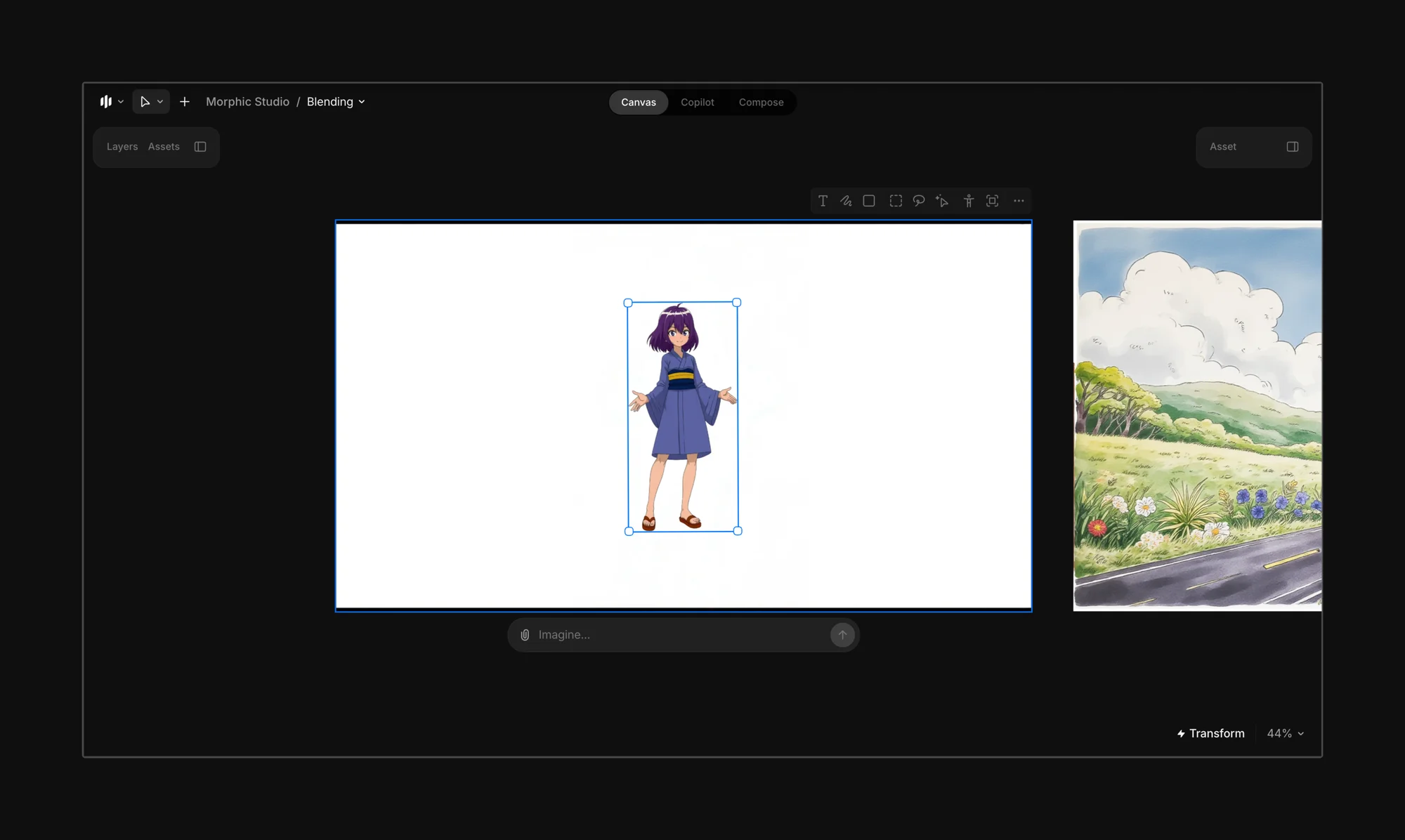
<figure><img src="https://1968187911-files.gitbook.io/~/files/v0/b/gitbook-x-prod.appspot.com/o/spaces%2FoPhHCbNZdzW70rakoLhf%2Fuploads%2Fg5WguYr2KHQxqt3DGQ0a%2FCleanShot%202025-06-07%20at%2001.45.51%402x.png?alt=media&amp;token=54cb4e80-f8d2-41c5-bbab-315c8ed2c917" alt=""><figcaption></figcaption></figure>

Traga os elementos para o quadro final.
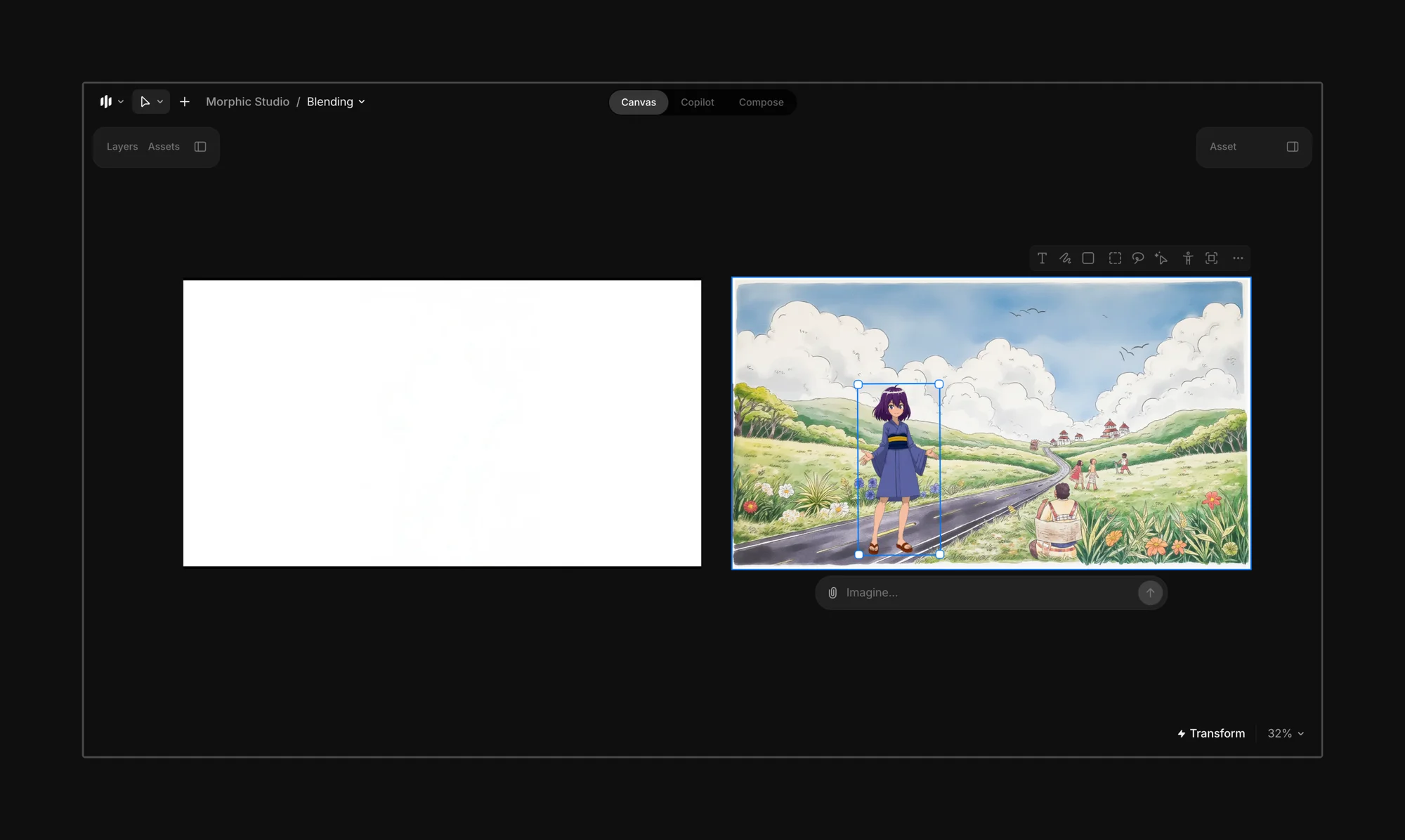
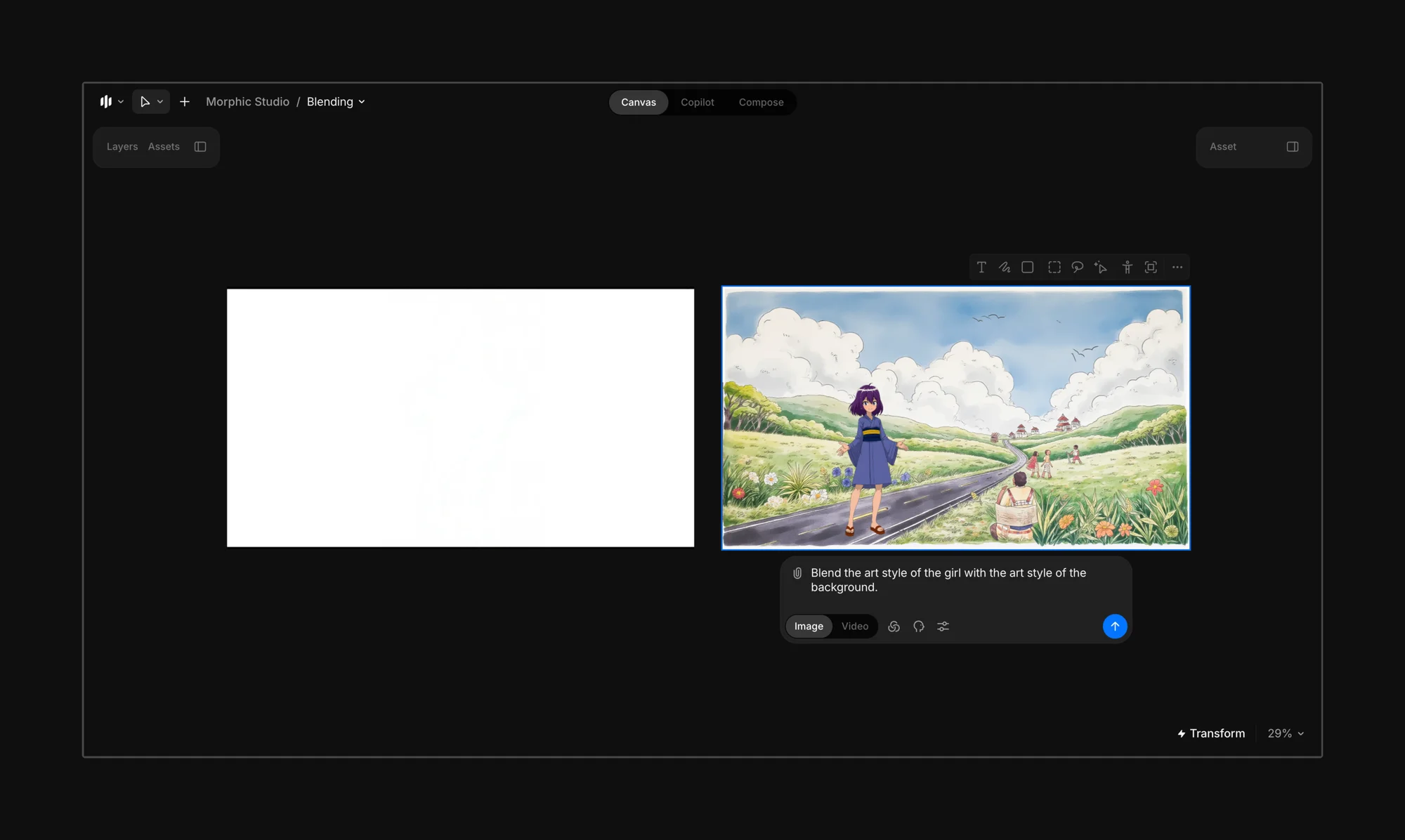
<figure><img src="https://1968187911-files.gitbook.io/~/files/v0/b/gitbook-x-prod.appspot.com/o/spaces%2FoPhHCbNZdzW70rakoLhf%2Fuploads%2FVouGQtYM4yVG9BG6xUAQ%2FCleanShot%202025-06-07%20at%2001.48.31%402x.png?alt=media&amp;token=44c4e77b-958b-4e7b-ae10-8b158dfa96d4" alt=""><figcaption></figcaption></figure>

Selecione o quadro final e insira um prompt que oriente o Morphic sobre para qual estilo a cena deve se mesclar.

{% hint style="info" %}
Experimente: *“Mescle o estilo artístico da garota com o estilo artístico do fundo.”*

Se você não tiver certeza de qual elemento deve liderar, basta escrever: *“Mescle os estilos artísticos para combinar.”*
{% endhint %}

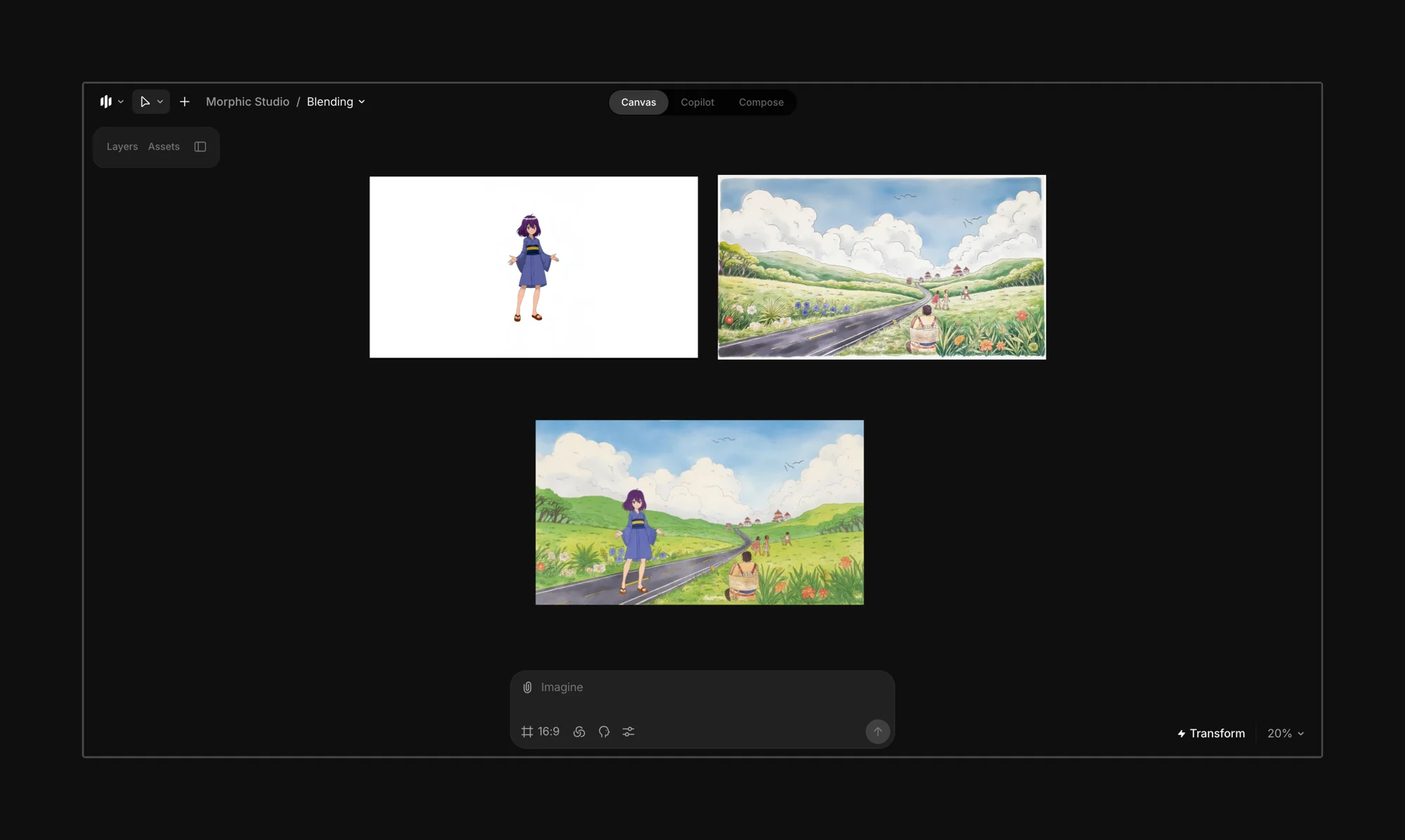
<figure><img src="https://1968187911-files.gitbook.io/~/files/v0/b/gitbook-x-prod.appspot.com/o/spaces%2FoPhHCbNZdzW70rakoLhf%2Fuploads%2F2DntSDVC2XifHDDX4m9e%2FCleanShot%202025-06-07%20at%2001.53.28%402x.png?alt=media&amp;token=4c0b009c-0ad7-49e0-b252-7ce3ded96f8a" alt=""><figcaption></figcaption></figure>

Clique no botão azul na barra de prompt, e o Morphic mesclará os estilos das imagens, personagens ou objetos selecionados conforme o seu prompt.
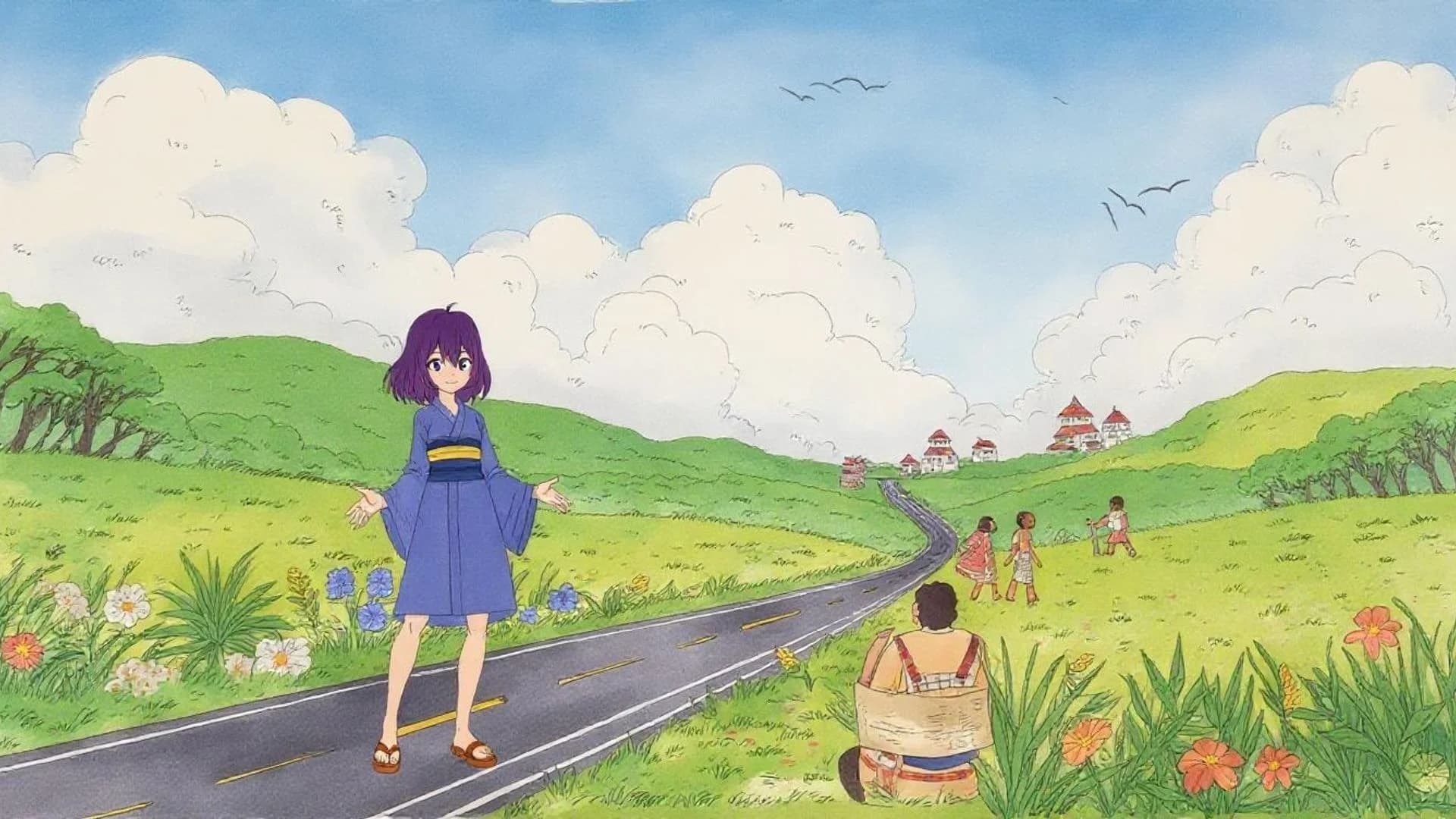
<figure><img src="https://1968187911-files.gitbook.io/~/files/v0/b/gitbook-x-prod.appspot.com/o/spaces%2FoPhHCbNZdzW70rakoLhf%2Fuploads%2Fy36ZAjsVWc7HrVLSqPKR%2FAnime%20Characters.webp?alt=media&amp;token=80a3558b-d485-4f34-99de-dd92fe5cae7a" alt=""><figcaption></figcaption></figure>

{% hint style="danger" %}
**Evite**

Mesclar estilos drasticamente diferentes (por exemplo, de anime para fotorrealismo) pode levar a resultados inconsistentes ou imprevisíveis.
{% endhint %}

{% hint style="success" %}
**Melhor usado quando:**

* Seu fundo e seu personagem estão em estilos diferentes.
* Você quer um quadro coeso sem redesenhar os elementos manualmente.
* Você está experimentando visuais em mídia mista ou no estilo de colagem.
  {% endhint %}

***

Se você tiver algum problema ou alguma dúvida, entre em contato. Teremos prazer em ajudar. Escreva para nós em [**support@morphic.com**](mailto:support@morphic.com)**.**


---

# Agent Instructions
This documentation is published with GitBook. GitBook is the documentation platform designed so that both humans and AI agents can read, navigate, and reason over technical content effectively. Learn more at gitbook.com.

## Querying This Documentation
If you need additional information that is not directly available in this page, you can query the documentation dynamically by asking a question.

Perform an HTTP GET request on the current page URL with the `ask` query parameter, and the optional `goal` query parameter:

```
GET https://morphic.com/docs/br/how-tos/blending-images.md?ask=<question>&goal=<endgoal>
```

`ask` is the immediate question: it should be specific, self-contained, and written in natural language.
`goal` is optional and describes the broader end goal you are ultimately trying to accomplish on behalf of the user. GitBook uses it to tailor the answer towards what is most useful for that goal.

The response will contain a direct answer to the question and relevant excerpts and sources from the documentation.

Use this mechanism when the answer is not explicitly present in the current page, you need clarification or additional context, or you want to retrieve related documentation sections.