Bild-Outpainting
Mit Outpainting in Morphic können Sie ein Bild mithilfe eines Prompts über seinen ursprünglichen Rahmen hinaus erweitern und nahtlose Ergänzungen erzeugen, die die bestehende Szene fortsetzen.
Hier ist ein kurzes Tutorial, wie man Outpainting auf ein Bild in Morphic anwendet:
- Laden Sie Ihr Bild auf der Leinwand hoch oder generieren Sie es dort.
- Wählen Sie das Bild aus und klicken Sie auf „Größe ändern“, und erweitern Sie den Rahmen in die gewünschte(n) Richtung(en).

- Schreiben Sie einen Prompt, der beschreibt, wie das Bild erweitert werden soll, oder lassen Sie das Feld leer, damit Morphic die Szene automatisch vervollständigt.
- Klicken Sie auf den blauen Button in der Eingabeleiste
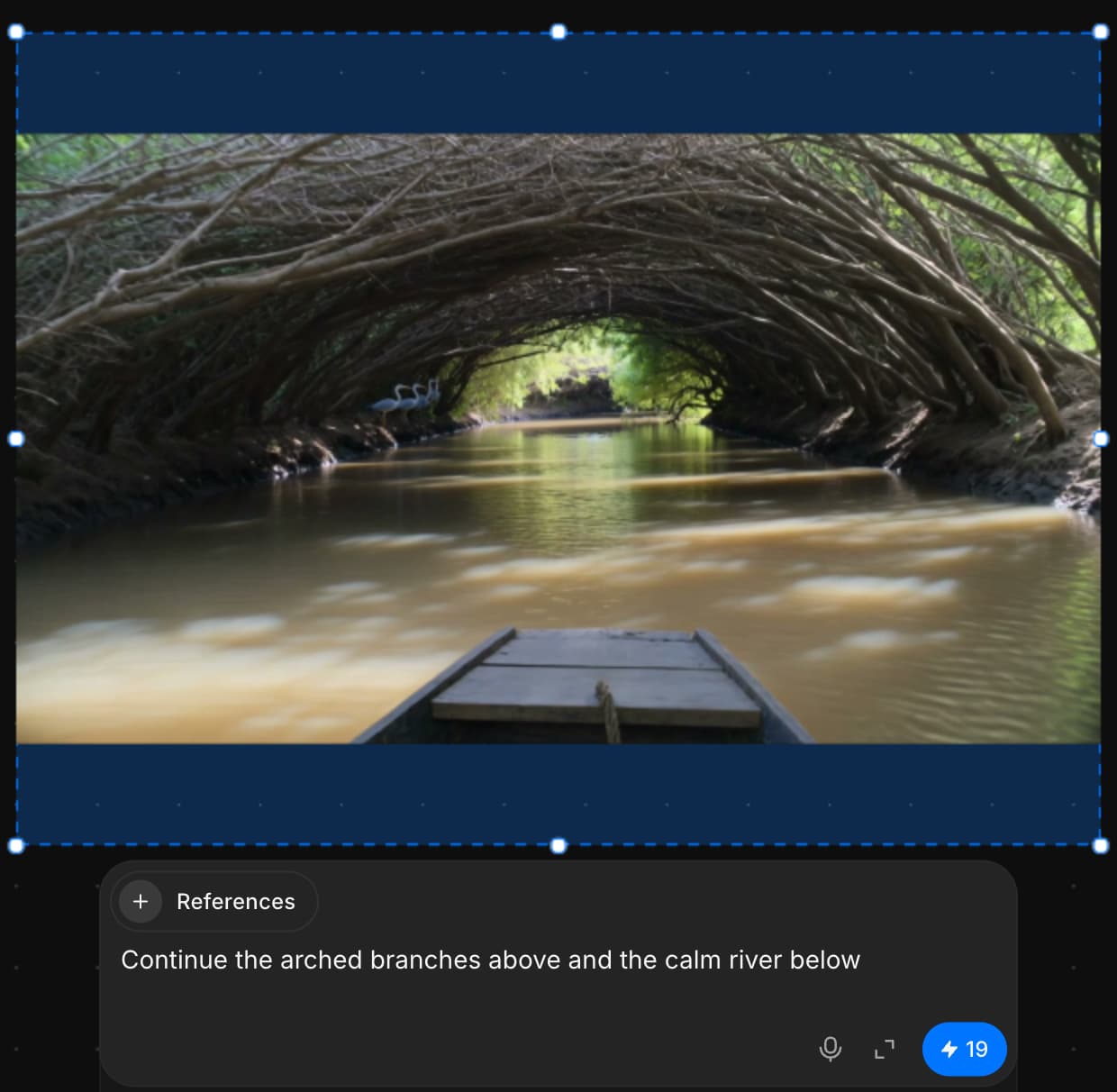
So verwenden Sie Outpainting, um neue visuelle Inhalte jenseits des vorhandenen Rahmens hinzuzufügen und nahtlos mit dem ursprünglichen Bild zu verschmelzen.
Wenn Sie Probleme haben oder Fragen haben, können Sie sich gerne an uns wenden. Wir helfen Ihnen gerne. Schreiben Sie uns an support@morphic.com.
Inpainting
Mit Inpainting in Morphic können Sie gezielte Bearbeitungen an bestimmten Bereichen eines Bildes mithilfe eines Prompts vornehmen – ideal zum Verfeinern, Ersetzen oder Verbessern von Teilen, ohne das Ganze zu beeinflussen.
Troubleshooting generations
Fixes for results that come out wrong on Morphic: the wrong person, a face that drifts, ignored instructions, missing sound, misspelled text and blocked generations.